Cybersecurity · Free · ₹0
SOC Analyst Level 1 with Splunk
Train for a Level 1 SOC analyst role: what the job is really like, the incident response process, the Windows event IDs you read every shift, Splunk search and SPL, hunting through Boss of the SOC v1, Wireshark traffic analysis, phishing email analysis, and MITRE ATT&CK with free threat intelligence.

Inside the course


From the lessons
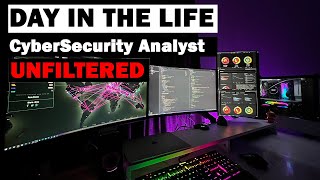
What a SOC analyst actually does
Tech with Jono
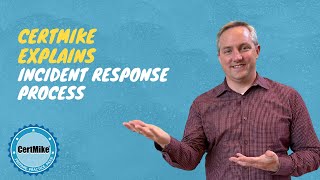
The incident response process
Mike Chapple

Windows event logs every analyst must read
Infosec Wizard

Splunk search basics and SPL
Splunk How-To

Hunting in Splunk: Boss of the SOC
Hoplite Security

Network traffic with Wireshark
MyDFIR
Lesson frames belong to the creators named in the Credits below and are shown from YouTube.
What you will learn
Describe the SOC analyst's job, tools and metrics; follow the incident response process from triage to lessons learned; read Windows logon, account and process events and spot a brute-force-to-persistence sequence; write SPL searches that count, filter and chart; hunt through the Boss of the SOC v1 dataset from a hypothesis; analyse suspicious traffic in Wireshark; analyse a phishing email from its headers, links and attachments; and map an incident to MITRE ATT&CK and check indicators against threat intelligence.
- Describe the SOC analyst's job, tools, verdicts and metrics
- Follow the incident response process and contain without losing evidence
- Read Windows logon, account and process event IDs
- Write SPL searches that filter, count and chart
- Hunt through Boss of the SOC v1 from a hypothesis
- Analyse suspicious traffic in Wireshark
- Analyse phishing emails from headers, links and attachments
- Map incidents to MITRE ATT&CK and use free threat intelligence
The course project · about 10 hours
Level 1 investigation of an overnight RDP intrusion at a lender: triage playbook, IOC register, incident report and gap register
Investigate an overnight alert as a Level 1 SOC analyst at a lending company that runs Splunk: triage the brute-force alert, trace what the attacker did from the Windows events, record the indicators, map the incident to MITRE ATT&CK, and write it up so Tier 2 and management can act. The sample pack shows each document for a consumer lender in Leeds, England.
Sample document pack, 4 documents, filled in for the scenario
- ProcedureTriage playbook: failed-logon spike and brute force
- RegisterIndicator register: JUMP01 intrusion
- ReportIncident report: RDP intrusion on JUMP01
- Risk registerDetection gap register after the JUMP01 incident
Read inside the course and download as a workbook. The project is optional practice, marked when you submit it; the certificate needs only the modules and the final assessment.
Course content
9 modules · 21 lessons · 4h 47m
In order, at whatever pace suits you. Each module ends with a practice task that builds on the last.
- 01What a SOC analyst actually does2 lessons20m
- 02The incident response process2 lessons31m
- 03Windows event logs every analyst must read3 lessons29m
- 04Splunk search basics and SPL3 lessons36m
- 05Hunting in Splunk: Boss of the SOC2 lessons1h 5m
- 06Network traffic with Wireshark2 lessons39m
- 07Phishing email analysis2 lessons32m
- 08MITRE ATT&CK and threat intelligence4 lessons29m
Requirements
- Who it is for
- Beginner, with the basics in place. You should know what an IP address, a port and the CIA triad are; Cybersecurity Fundamentals covers them if not.
- Software
- Splunk Enterprise (the free 60-day trial, which can convert to the free licence), the public Boss of the SOC v1 dataset, Wireshark, and a Windows virtual machine for Event Viewer. All free. What to download, and how
- Hardware
- A laptop or desktop with 16 GB of RAM is comfortable for Splunk and a Windows VM together; 8 GB works if you run them one at a time.
Software you need
What to download, where from, what it costs and how to install it. Every link goes to the maker's own site, never a mirror.
The Windows virtual machine is for the Event Viewer exercises.
Required
- 01Free trial: 60 days, then a free licence
Splunk Enterprise
Splunk (a Cisco company)
- Runs on
- Windows 10 and Windows Server 2019, 2022, 2025; Linux (kernel 4.x, 5.x, 6.x; .rpm, .deb, .tgz); macOS on Apple silicon
- Account
- A free splunk.com account
The Enterprise trial lasts 60 days and indexes up to 500 MB a day, with no credit card. You can then switch to Splunk Free, which keeps 500 MB a day with no time limit but has no alerting, no user logins and no clustering.
Steps
- 1.Open the Splunk Enterprise download page and sign in or create a free splunk.com account.
- 2.Choose your operating system and download the installer.
- 3.Run the installer and create the administrator user name and password it asks for.
- 4.Open Splunk Web in your browser from the link the installer shows and sign in.
- 5.Before the 60 days end, go to Settings, then Licensing, and change the licence group to Free.
- Stay under 500 MB of new data a day. Three warnings in 30 days disable search on the Free licence.
- When you switch to Free, alerts stop and user accounts no longer work, so do it at the start of a new lab rather than mid-way.
Official download pagesplunk.com - 02Free
Boss of the SOC (BOTS) Dataset Version 1
Splunk
- Runs on
- Any system that runs Splunk Enterprise
- Account
- None needed
- Size
- About 6.1 GB compressed (Splunk pre-indexed); about 135 MB for the attack-only version
The dataset is released to the public domain under CC0, so you can use it freely. Splunk and the add-ons it needs are licensed separately.
Steps
- 1.Install Splunk Enterprise (the free trial, or the Free licence) first.
- 2.Open github.com/splunk/botsv1 and download botsv1_data_set.tgz (or the smaller botsv1-attack-only.tgz).
- 3.Extract it into the etc/apps folder of your Splunk installation.
- 4.Install the add-ons listed in the README from Splunkbase, such as the Fortinet, Windows, Sysmon, Suricata and Stream add-ons.
- 5.Restart Splunk and search: index=botsv1 earliest=0
- The full dataset needs a lot of disk space. Start with the attack-only version if space is short.
- The data comes from real or realistic incidents and may contain offensive language.
Official download pagegithub.com - 03Free
Wireshark
Wireshark Foundation
- Runs on
- Windows 11 or 10 64-bit (x64 or Arm64), Windows Server 2016 or later, macOS (Universal disk image), Linux
- Account
- None needed
Free, open source software. No licence fee for any use.
Steps
- 1.Open wireshark.org/download.html.
- 2.Download the Windows x64 Installer (or Arm64, or the macOS Universal Disk Image).
- 3.Run the installer and keep the Npcap option ticked on Windows.
- 4.Open Wireshark, pick your network interface and click the blue fin to start capturing.
- Npcap is needed for live capture on Windows. The Windows installer includes it.
- Only capture traffic on networks you own or have written permission to monitor.
Official download pagewireshark.org - 04Free
Oracle VirtualBox
Oracle
- Runs on
- Windows, macOS (Intel and Apple Silicon), Linux and Solaris hosts
- Account
- None needed
The VirtualBox platform packages are free and open source under GPL version 3. The separate Extension Pack is free only for personal and educational use (PUEL licence); business use of the Extension Pack needs a commercial licence from Oracle.
Steps
- 1.Open virtualbox.org/wiki/Downloads.
- 2.Click the package for your host system (for example, Windows hosts).
- 3.Run the installer and accept the network driver prompts.
- 4.Open VirtualBox, click New, choose your ISO file (for example Ubuntu or Windows) and follow the wizard.
- Turn on hardware virtualisation (Intel VT-x or AMD-V) in your PC's BIOS or UEFI if VirtualBox says it is not available.
- You do not need the Extension Pack for normal lab work. Install it only if you need its extra features and your use is personal or educational.
Official download pagevirtualbox.org - 05Free trial: 90 days
Windows 11 Enterprise (evaluation)
Microsoft
- Runs on
- Installs as a virtual machine or on a PC; ISO for x64 and Arm64
- Account
- A short registration form on the Microsoft Evaluation Center
A full-featured 90-day evaluation for testing, with no product key needed. When it expires the desktop turns black, a notice stays on screen and the PC shuts down every hour.
Steps
- 1.Open the Windows 11 Enterprise page on the Microsoft Evaluation Center.
- 2.Fill in the registration form and choose the ISO for your language and architecture (x64 for most PCs).
- 3.Create a new virtual machine in VirtualBox or Hyper-V and attach the ISO.
- 4.Install Windows 11 Enterprise and finish setup.
- 5.Take a snapshot of the fresh install so you can return to it after each lab.
- Windows 11 checks for TPM 2.0 and Secure Boot, so enable these in your virtual machine settings.
- Plan labs to finish within 90 days, or rebuild the VM from the ISO.
Official download pagemicrosoft.com
Checked against each maker's own page on 27 September 2026. Trial lengths and editions change; the maker's page is the final word.
SOC Analyst Level 1 with Splunk at a glance
SOC Analyst Level 1 with Splunk is a free, self-paced online course from EDWartens for aspiring SOC analysts, IT support staff and security students. It has 9 modules and 4h 47m of video lessons by MyDFIR, ZeroDayVault (Cyber Panchayat), Cyber Shield and others, with written notes and worked problems, a practical project with a document pack and a 15-question final assessment (pass mark 60%). Learning is free with an account; an optional certificate with a public verification code is issued when you pass. Last updated 27 September 2026.
All course factsHide course facts
- Price
- ₹0, free for good. No trial, no card. Comparable classroom training of this length costs about ₹2,999.
- Who it is for
- Aspiring SOC analysts, IT support staff and security students
- Format
- 9 self-paced modules, 4h 47m of video, written notes, a practice task per module and one final assessment.
- Level
- Beginner. Beginner, with the basics in place. You should know what an IP address, a port and the CIA triad are; Cybersecurity Fundamentals covers them if not.
- Brand
- Vendor-neutral
- Software
- Splunk Enterprise (the free 60-day trial, which can convert to the free licence), the public Boss of the SOC v1 dataset, Wireshark, and a Windows virtual machine for Event Viewer. All free.
- Hardware
- A laptop or desktop with 16 GB of RAM is comfortable for Splunk and a Windows VM together; 8 GB works if you run them one at a time.
- Certificate
- Optional EDWartens Certificate of Completion, verifiable by code. Not a vendor credential.
- Video lessons by
- MyDFIR, ZeroDayVault (Cyber Panchayat), Cyber Shield, CyberPlatter (independent creators, credited below)
- Language
- English
- Last updated
- 27 September 2026
A shareable EDWartens certificate
Finish every module and pass the final assessment, and the optional EDWartens certificate is yours. It carries a unique verification code on a public page anyone can check, so it stands up when a recruiter looks it up. See it below.
The course itself stays free whether or not you ever buy one.
Stuck? Ask a practising engineer
A free course usually means a comment section and hope. This one does not. Every module has an Ask-your-trainer panel that reaches the same engineers who teach our paid programme: people who commission panels for a living, not moderators.
Pairs well with
 Cybersecurity · FreeCompTIA Security+ (SY0-701) Exam PrepPrepare for CompTIA Security+ SY0-701 with Professor Messer's complete free video course: every exam objective across the five domains, with EDWartens notes, worked calculations, practice questions and an optional security project. Exam preparation only: the EDWartens certificate is not the CompTIA Security+ certification, which is earned only by passing CompTIA's exam.
 PLC programming · FreeSiemens TIA PortalFrom zero electrical knowledge to a working, simulated S7-1200 program, for nothing.
 PLC programming · FreeSiemens TIA Portal in Three HoursThe first three hours of the Siemens TIA Portal course, cut to end on a win: what a PLC is, how it is wired, a project configured in TIA Portal, and your first ladder program running in simulation. Finish it in an evening or two, earn a certificate, and carry straight on into the full course.
 PLC programming · FreeTIA Portal: Build a MachineOne machine, start to finish. Take a bottle filling line from a written specification and an I/O list to a structured S7-1200 program with a fill station, a capper, a reject sorter and an operator screen with alarms, then test it against a written record and archive it for hand-over. The lessons are the reference; the machine is yours, and it is what you submit.
More free courses: Free cyber security courses · Free IT security and SOC analyst courses
Learner reviews
No reviews yet
Reviews here are written only by learners who have finished every module of SOC Analyst Level 1 with Splunk, and they are published exactly as written. Finish the course and yours will be the first.
Common questions
Do I need to know cybersecurity already?
You need the basics: IP addresses, ports, what a log is and the CIA triad. If those are new, take Cybersecurity Fundamentals first, then this course.
Is this a Splunk certification course?
No. It teaches the Splunk search skills a Level 1 analyst uses and is not affiliated with Splunk. It is not preparation for a specific Splunk exam, and the EDWartens certificate is not a Splunk certification.
Do I have to pay for Splunk?
No. The Splunk Enterprise trial is free for 60 days and can then be converted to Splunk's free licence, which allows 500 MB of data a day on a single instance. That is plenty for the labs and the BOTSv1 dataset.
Can I do the labs on a work laptop?
Use your own machine or a personal virtual machine. Practice captures and phishing samples can contain live malware, and some organisations do not allow security tools on their devices.
Is the SOC Analyst Level 1 with Splunk course really free?
Yes. Every module, the notes, the project and the final assessment. The only paid item is the certificate, if you want it.
What certificate does the SOC Analyst Level 1 with Splunk course give?
An EDWartens Certificate of Completion, issued when you pass the final assessment, with a number anyone can verify on our site.
How long does the SOC Analyst Level 1 with Splunk course take?
About 7.7 hours of video lessons, notes and practice questions, plus about 10 hours if you do the project. At an hour a day, that is about two and a half weeks.
What is the project in the SOC Analyst Level 1 with Splunk course?
You investigate an overnight RDP intrusion at a lending company as the Level 1 analyst on shift. You reproduce the events in your own lab, trace them with SPL, and write a triage playbook, an indicator register, an incident report with an ATT&CK mapping, and a detection gap register.
Is the SOC Analyst Level 1 with Splunk course free in India, and what does the certificate cost?
Yes. Learning costs ₹0 in India: every module, the written notes, the practice tasks and the final assessment, with no card and no trial period. The only paid item is the optional EDWartens Certificate of Completion, ₹459 including GST for this beginner course, paid in rupees through Razorpay, and only if you want it after passing the final assessment.
What you walk away with
Your certificate for SOC Analyst Level 1 with Splunk
Finish the course, pass the final, and this is the document with your name on it.

Verifiable by anyone
Adds to LinkedIn in one click
QR code on the certificate
Names what you can do
A permanent link
Earned, not attended
Learning is free. The certificate is optional.
Add it now and pay only when you have finished the course, or come back for it later. One-off, US$23.99, with a receipt.
Issued by EDWartens India (Wartens Automation Private Limited) as a Certificate of Completion for this self-paced course. It is not a vendor certification, a university award or a CPD-accredited activity, and it does not certify competence on live equipment. Delivered electronically; see the refund policy.
Credits
Who made the video lessons
The video lessons in this course were created by the people below, not by EDWartens. Every lesson streams from its creator's own YouTube channel; EDWartens neither hosts nor sells that footage, and the creators are not affiliated with EDWartens and do not endorse this course. What EDWartens wrote is the study plan, the notes, the practice tasks and the assessments.
- MyDFIRlessons on Wireshark for SOC analysts, a phishing email analysis lab, and using MITRE ATT&CK as a beginner
- ZeroDayVault (Cyber Panchayat)lessons on the tools used in real SOC jobs, free threat intelligence websites, and beginner SOC projects
- Cyber Shieldten Windows event IDs every SOC analyst should know
- CyberPlatterthe incident response lifecycle and NIST SP 800-61
- Hoplite Securitya Boss of the SOC v1 threat hunting walkthrough
- IBM Technologythe anatomy of an attack
- Infosec WizardWindows logon events 4624, 4625 and 4634
- Jon Goodusing Windows Event Viewer for a security audit
- Micahs0daya Splunk BOTSv1 APT scenario walkthrough
- Mike Chapplethe CertMike explainer on the incident response process
- Mohd MaazSPL commands explained
- Simply Cyber (Gerald Auger)malicious traffic analysis in Wireshark
- Splunk How-Tobasic searching in Splunk Enterprise
- SplunkGuruan introduction to the Search Processing Language
- Tech with Jonoa real day in the life of a remote SOC analyst
- iMentorphishing email analysis for SOC analysts
- The MITRE Corporationthe introduction to the MITRE ATT&CK framework
If you are one of these creators and would like a lesson removed or credited differently, write to info@wartens.com.