PLC programming · Free online course
Siemens TIA Portal
Free Siemens TIA Portal course for beginners: write ladder logic for a simulated S7-1200 and WinCC HMI. Learning is free; the certificate is optional and paid.
- 5.0· 2 learner reviews
- 22 modules
- 12h 53m of video
- Beginner
- English
- ₹0, free

₹0Free for good
Worth ₹7,999 by length and depth against classroom training. It has always been free; that is not a former price.
No card. Checkout takes a minute and gives you a receipt.
Overview
About Siemens TIA Portal
Free Siemens TIA Portal course for beginners: write ladder logic for a simulated S7-1200 and WinCC HMI. Learning is free; the certificate is optional and paid.
Siemens TIA Portal is a free, self-paced online course from EDWartens for engineering students, ITI and diploma holders, and working engineers in automation, electrical and instrumentation. It has 22 modules and 12h 53m of video lessons by Instrumentation Tools, ControlByte Automation, with written notes and worked problems, a practical project with a document pack and a 15-question final assessment (pass mark 60%). Learning is free with an account; an optional certificate with a public verification code is issued when you pass. Last updated 27 September 2026.
Who it is for: Engineering students, ITI and diploma holders, and working engineers in automation, electrical and instrumentation
This course includes
- 12h 53m of video lessons
- 22 modules with written notes and diagrams
- One final assessment: 15 questions, pass mark 60%
- Ask-an-engineer support from practising engineers
- Lifetime access, the course does not expire
- Optional verifiable certificate when you finish
- Step 1 of 3
Learn the 22 modules
12h 53m of video lessons, written notes and a practice task per module, at your own pace.
- Step 2 of 3
Pass the final assessment
15 questions drawn from every module, pass mark 60%, 3 attempts.
- Step 3 of 3
Take the certificate, if you want it
Optional, paid once, only if you choose it. The course stays free either way.
See the certificate and its price
A look inside


From the lessons

What Automation Is, and What a PLC Actually Does
by Instrumentation Tools

Meet Siemens and TIA Portal
by Instrumentation Tools
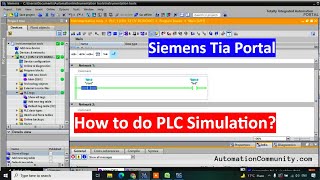
Simulation, Running a PLC You Do Not Own
by Instrumentation Tools

Latching, Holding and Interlocks
by Instrumentation Tools

Counters, CTU, CTD and CTUD
by Instrumentation Tools

Maths Instructions
by Instrumentation Tools
Lesson frames belong to the creators named in the Credits and are shown from YouTube.
What you learn
What you will be able to do
Configure an S7-1200, write ladder logic with timers, counters, comparators and analog scaling, structure it into reusable function blocks, drive a WinCC HMI screen, and prove all of it in simulation.
- Read a ladder rung and predict what the PLC will do with it
- Wire sinking and sourcing sensors to an S7-1200 without guessing
- Build timers, counters and comparators into working interlocks
- Scale a 4-20 mA analog input to real engineering units
- Structure a program into reusable function blocks instead of one long routine
- Drive a WinCC HMI screen and link it to live PLC tags
- Find a fault using the online monitor rather than by rewriting code
- Prove a complete program in S7-PLCSIM with no hardware at all
Syllabus
Course content, module by module
In order, at whatever pace suits you. Each module ends with a practice task that builds on the last.
- Modules
- 22
- Video lessons
- 60
- Of video
- 12h 53m
- Final questions
- 15
- 01
What Automation Is, and What a PLC Actually Does
2 lessons · 31m - 02
Inside the PLC, Hardware and the Scan Cycle
2 lessons · 17m - 03
Wiring Basics, Sinking, Sourcing and 24 V DC
1 lesson · 9m - 04
Meet Siemens and TIA Portal
4 lessons · 28m - 05
Your First Project and Hardware Configuration
2 lessons · 33m - 06
Addressing, Inputs, Outputs and Memory
3 lessons · 42m - 07
Simulation, Running a PLC You Do Not Own
1 lesson · 11m - 08
Contacts and Coils, The Two Symbols That Matter
2 lessons · 18m Final assessment · 15 questions, pass mark 60%
Project
The course project
Optional practice that ends in the kind of job the course prepares you for, with the documents that go with it.
About 16 hours
Two-pump water station: from I/O list to signed FAT on an S7-1200
Design, program, test and document the control panel for a two-pump station that fills a factory's overhead tank: lead/lag duty with alternation, level and pressure from 4-20 mA transmitters, dry-run and high-pressure protection, and a KTP700 operator screen. You deliver the program, your own I/O list and FAT record, and the hand-over note. The sample document pack shows what each one looks like when a system integrator delivers it.
Sample document pack, 11 documents, filled in for the scenario
- URSUser Requirements: Process Water Pumping Station PS-1
- FDSFunctional Design Specification: PS-1 Control System
- I/O listI/O List: Panel CP-101
- Panel GAControl Panel CP-101: General Arrangement
- BOMBill of Materials: Panel CP-101 and Field Instruments
- Tag listPLC Tag List and Naming Convention
- Alarm listAlarm List: PS-1
- FATFactory Acceptance Test Record: Panel CP-101
- Loop checkLoop Check Sheet: LT-101 Tank Level
- O&M manualOperation and Maintenance Manual: Pumping Station PS-1 (Operation section)
- Handover certificateSite Acceptance and Handover Certificate: PS-1
Read inside the course and download as a workbook. The project is optional practice, marked when you submit it; the certificate needs only the modules and the final assessment.
About 18 hours
Recipe batch blending vessel: metered charging, heating and timed mixing on an S7-1200
Design, program, test and document the control of a 2,500-litre liquid-soap blending vessel: two recipes, water and surfactant charged by counting flowmeter pulses with in-flight compensation, jacket heating to a recipe temperature, an agitator interlocked on level, a mix timer that survives a hold, an operator addition step and a metered transfer. You deliver the program with a step sequence in a function block, your own recipe table, I/O list and FAT record. The sample pack shows what an integrator hands a batch plant.
Sample document pack, 9 documents, filled in for the scenario
- FDSFunctional Design Specification: Blending Vessel BV-301 Control System
- Recipe / phase specRecipe and Phase Specification: BV-301 Products HS-1 and WU-2
- I/O listI/O List: Panel CP-301
- Interlock listInterlock and Permissive List: BV-301
- BOMBill of Materials: Panel CP-301 and Field Devices
- Alarm listAlarm List: BV-301
- FATFactory Acceptance Test Record: Panel CP-301 and BV-301 Program
- Punch listPunch List: BV-301 FAT
- O&M manualOperating Note: Running a Batch on BV-301
Read inside the course and download as a workbook. The project is optional practice, marked when you submit it; the certificate needs only the modules and the final assessment.
Tools
Software, hardware and lessons
Software
TIA Portal V17+ (21-day trial) with S7-PLCSIM
Hardware
None, everything runs in simulation
Who it is for
Absolute beginner. No prior PLC, electrical or programming knowledge assumed.
Video lessons by
- Instrumentation Tools
- ControlByte Automation
Independent creators, credited in full under Credits.
Software you need
What to download, where from, what it costs and how to install it. Every link goes to the maker's own site, never a mirror.
Required
- 01Free trial: 21 days
SIMATIC STEP 7 Professional and WinCC (TIA Portal) V21 Trial
Siemens
- Runs on
- Windows 11 Pro or Enterprise 64-bit (24H2), Windows 10 Enterprise 2021 LTSC, or Windows Server 2022/2025. Windows 11 Home is supported only for the Basic editions.
- Account
- A free Siemens account registered for Industry Online Support (SiePortal)
- Size
- about 8.1 GB for the main ISO, plus an optional 3.1 GB DVD 2 with hardware support packages
Siemens lets registered users download the V21 trial of STEP 7 (Basic and Professional), STEP 7 Safety and WinCC and test it for 21 days. The same package is used for the full product; after 21 days you need a purchased licence to keep working.
Steps
- 1.Open the Siemens trial page (entry 109989774) and sign in with your Siemens Industry Online Support account.
- 2.Download TIA_Portal_STEP7_Safety_WinCC_V21.iso (8.1 GB).
- 3.Download S7-PLCSIM_V21.iso (2.5 GB) from the same page: PLCSIM is a separate download.
- 4.Right-click each ISO, choose Mount, and run Start.exe as administrator. Install STEP 7 and WinCC first, then PLCSIM.
- 5.Follow the setup, accept the licence terms and restart the PC when asked.
- 6.Open TIA Portal V21 and create a new project to confirm it runs.
- Install from a local drive with plenty of free space; Siemens lists 20 GB free as the minimum and the ISOs alone are over 10 GB.
- You only need DVD 2 if you want extra hardware support packages.
- If you cannot install locally, Siemens also offers a 21-day TIA Portal Cloud trial in the browser (one-hour sessions, not in every country).
Official download pagesupport.industry.siemens.comAlternatives
- TIA Portal Cloud trial: 21 days free in a cloud virtual machine, no install. Sessions are limited to one hour and it is not available in every country.
- 02Free trial: 21 days
S7-PLCSIM V21 (TIA Portal) Trial
Siemens
- Runs on
- Windows 11 Pro or Enterprise 64-bit (24H2), Windows 10 Enterprise 2021 LTSC, or Windows Server 2022/2025. Windows 11 Home is supported only for the Basic editions.
- Account
- A free Siemens account registered for Industry Online Support (SiePortal)
- Size
- about 2.5 GB (ISO)
S7-PLCSIM V21 is offered as a 21-day trial on the same Siemens page as the STEP 7 and WinCC V21 trial. It needs STEP 7 V21 installed on the same PC.
Steps
- 1.Open the Siemens STEP 7 and WinCC V21 trial page (entry 109989774) and sign in.
- 2.Install STEP 7 V21 from the main TIA Portal ISO first.
- 3.Download S7-PLCSIM_V21.iso (2.5 GB) from the section Download S7-PLCSIM Standard V21.
- 4.Mount the ISO, run Start.exe as administrator and follow the setup.
- 5.In TIA Portal, select your CPU and click Start simulation to open PLCSIM.
- Siemens notes that the PLCSIM Standard V21 installation also includes S7-PLCSIM Advanced V8.0.
Official download pagesupport.industry.siemens.com
Checked against each maker's own page on 27 September 2026. Trial lengths and editions change; the maker's page is the final word.
What you walk away with
Your certificate for Siemens TIA Portal
Finish the course, pass the final, and this is the document with your name on it.

Verifiable by anyone
Adds to LinkedIn in one click
QR code on the certificate
Names what you can do
A permanent link
Earned, not attended
Learning is free. The certificate is optional.
Add it now and pay only when you have finished the course, or come back for it later. One-off, US$23.99, with a receipt.
Issued by Wartens Ltd (England and Wales, company no. 15262249) through the EDWartens training portal, as a Certificate of Completion for this self-paced course. Sold in India by Wartens Automation Private Limited. It is not a vendor certification, a university award or a CPD-accredited activity, and it does not certify competence on live equipment. Delivered electronically; see the refund policy.
Learner reviews
5.0
2 reviews from learners who finished the course
- 52
- 40
- 30
- 20
- 10
- Kuldeep Sonawane· finished the course · September 2026
It is Good To learn From here
The Course Content and the Teaching is Too good.
- Vijay· finished the course · September 2026
Excellent course! I gained practical knowledge of Siemens TIA Portal, PLC programming, ladder logic, timers, counters, HMI, analog scaling, and simulation using PLCSIM. The explanations were clear and beginner-friendly, and the practical approach helped me understand how PLC automation works in real industrial applications. Highly recommended for anyone starting their journey in industrial automation and PLC programming.
FAQ
Common questions
What is the difference between TIA Portal and STEP 7?
TIA Portal is Siemens' engineering framework, and STEP 7 is the PLC programming tool that runs inside it. Siemens describes STEP 7 as the tool to configure, program, test and diagnose all SIMATIC controllers, and says TIA Portal also brings WinCC Unified for HMI screens and SINAMICS Startdrive for drives. In this course you use STEP 7 to program the S7-1200, WinCC to build the HMI screen, and S7-PLCSIM to test it, all inside TIA Portal.
Which programming languages are used to program a PLC?
Most PLCs, Siemens included, are programmed in the languages defined by the international standard IEC 61131-3. According to the IEC, the current edition, IEC 61131-3:2025, defines structured text as the textual language and ladder diagram and function block diagram as the graphical languages, with sequential function charts used to structure programs. This course starts with ladder logic, the language most beginners meet first, and builds up to reusable function blocks.
Do I need to buy TIA Portal?
No. Siemens publishes a free 21-day trial of TIA Portal, and it is the full product for those 21 days: STEP 7 for the PLC, WinCC for the HMI screen, and S7-PLCSIM for simulation. You need a Siemens account to download it, which is also free.
The trial is 21 days. Is that enough for a 22-module course?
It is if you install it at the right moment. The trial clock starts when the software is installed, not when you first open it, so installing on day one wastes days you have not used. Modules 1 to 3 need no software at all, so do those first, then install before module 4. That leaves the full 21 days for modules 4 to 22, which is comfortable at about an hour a day. If the trial does run out before you finish, the remaining lessons still make sense to watch and the assessments do not require the software.
Do I need a real PLC?
No. Every exercise runs in S7-PLCSIM, the simulator included in the trial. A physical S7-1200 is useful later, but nothing in this course requires one and no exercise assumes you have one.
What kind of computer do I need?
A 64-bit Windows 11 Pro or Enterprise machine (the current TIA Portal V21 no longer supports Windows 10 Pro; older versions such as V17 still install on Windows 10) with 8 GB of RAM, around 50 GB free on the drive, and administrator rights to install. TIA Portal does not run on macOS or Linux; people do run it in a Windows virtual machine, but give the VM plenty of memory or it will be painful.
I have no electrical background. Is that a problem?
No, and the first three modules exist for exactly that reason. They cover what a PLC is, what the scan cycle means, what 24 V DC is, and how sinking and sourcing inputs differ, before any software is opened.
Is the Siemens TIA Portal course really free?
Yes. Every module, every practice task and every assessment. You create an account so your progress is saved and so the assessments can be marked. The only paid item is the certificate, and only if you decide you want it.
What certificate do I get, and is it a Siemens qualification?
It is an EDWartens Certificate of Completion, issued when you pass the final assessment, and it carries a unique number anyone can verify on our site. It is not a Siemens credential and we will never describe it as one. Siemens issues its own certifications separately, and no third party can award them.
Will this course get me a job?
On its own, no course will. What it gives you is a program you wrote and can talk through in an interview, which is more than most freshers bring. It covers the Siemens fundamentals that appear in almost every automation job advert in India, and it is a reasonable way to find out whether the work suits you before paying for anything.
Is the Siemens TIA Portal course free in India, and what does the certificate cost?
Yes. Learning costs ₹0 in India: every module, the written notes, the practice tasks and the final assessment, with no card and no trial period. The only paid item is the optional EDWartens Certificate of Completion, ₹499 including GST for this beginner course, paid in rupees through Razorpay, and only if you want it after passing the final assessment.
Is there classroom PLC training in India as well?
Yes. EDWartens India runs the Automation Engineer Program (AEP), a classroom programme at its Electronic City centre in Bangalore. The Automation Engineer Program (AEP) teaches Siemens PLC programming in TIA Portal in person at our Electronic City centre, alongside the other PLC brands it covers. This free course is separate and fully online; it is a good way to try the subject before deciding on classroom training. Details are at edwartens.co.in/siemens-tia-portal-training-bangalore, and the programme itself at edwartens.co.in/courses/aep.
All course factsHide course facts
- Price
- ₹0, free for good. No trial, no card. Comparable classroom training of this length costs about ₹7,999.
- Who it is for
- Engineering students, ITI and diploma holders, and working engineers in automation, electrical and instrumentation
- Format
- 22 self-paced modules, 12h 53m of video, written notes, a practice task per module and one final assessment.
- Level
- Beginner. Absolute beginner. No prior PLC, electrical or programming knowledge assumed.
- Brand
- Siemens
- Software
- TIA Portal V17+ (21-day trial) with S7-PLCSIM
- Hardware
- None, everything runs in simulation
- Certificate
- Optional EDWartens Certificate of Completion, ₹499 inclusive of GST for learners in India, verifiable by code. Not a vendor credential.
- Video lessons by
- Instrumentation Tools, ControlByte Automation (independent creators, credited below)
- Language
- English
- Last updated
- 27 September 2026
Pairs well with
 PLC programming · FreeSiemens TIA Portal in Three Hours
 PLC programming · FreeTIA Portal: Build a Machine
 PLC programming · FreeSiemens S7-1200 with TIA Portal: The Tutorial Series
 HMI · FreeSiemens TIA Portal HMI: KTP and Comfort Panels with WinCC
More free courses: Free Siemens PLC courses · Free PLC programming courses
Learning paths with this course
- Siemens engineer path · 13 courses
- PLC foundations · 4 courses
- Process control · 4 courses
Classroom course, Bangalore
Siemens PLC and TIA Portal training in Bangalore
The Automation Engineer Program (AEP) teaches Siemens PLC programming in TIA Portal in person at our Electronic City centre, alongside the other PLC brands it covers.
Credits
Who made the video lessons
The video lessons in this course were created by the people below, not by EDWartens. Every lesson streams from its creator's own YouTube channel; EDWartens neither hosts nor sells that footage, and the creators are not affiliated with EDWartens and do not endorse this course. What EDWartens wrote is the study plan, the notes, the practice tasks and the assessments.
- Instrumentation Toolsthe Siemens TIA Portal lesson series
- ControlByte Automationsupplementary TIA Portal lessons
If you are one of these creators and would like a lesson removed or credited differently, write to info@wartens.com.