Cybersecurity · Free online course
SOC Analyst Level 2: Threat Hunting with Wazuh
Level 2 SOC skills in a free, open source lab: build a Wazuh 4.14 server, enrol Windows and Linux agents with Sysmon, write and tune detection rules, map them to MITRE ATT&CK, hunt persistence, credential access and lateral movement, handle incidents with NIST SP 800-61 Rev. 3, and measure your detections against an Atomic Red Team simulation in an isolated lab.
- 14 modules
- 13h 59m of video
- Intermediate
- English
- ₹0, free
₹0Free for good
Worth ₹7,999 by length and depth against classroom training. It has always been free; that is not a former price.
No card. Checkout takes a minute and gives you a receipt.
Overview
About SOC Analyst Level 2: Threat Hunting with Wazuh
Level 2 SOC skills in a free, open source lab: build a Wazuh 4.14 server, enrol Windows and Linux agents with Sysmon, write and tune detection rules, map them to MITRE ATT&CK, hunt persistence, credential access and lateral movement, handle incidents with NIST SP 800-61 Rev. 3, and measure your detections against an Atomic Red Team simulation in an isolated lab.
SOC Analyst Level 2: Threat Hunting with Wazuh is a free, self-paced online course from EDWartens for level 1 SOC analysts, IT administrators and security graduates moving into Level 2 investigation, threat hunting and detection work. It has 14 modules and 13h 59m of video lessons by MyDFIR, Wazuh, John Hammond and others, with written notes and worked problems, a practical project with a document pack and a 15-question final assessment (pass mark 60%). Learning is free with an account; an optional certificate with a public verification code is issued when you pass. Last updated 27 September 2026.
Who it is for: Level 1 SOC analysts, IT administrators and security graduates moving into Level 2 investigation, threat hunting and detection work
This course includes
- 13h 59m of video lessons
- 14 modules with written notes and diagrams
- One final assessment: 15 questions, pass mark 60%
- Ask-an-engineer support from practising engineers
- Lifetime access, the course does not expire
- Optional verifiable certificate when you finish
- Step 1 of 3
Learn the 14 modules
13h 59m of video lessons, written notes and a practice task per module, at your own pace.
- Step 2 of 3
Pass the final assessment
15 questions drawn from every module, pass mark 60%, 3 attempts.
- Step 3 of 3
Take the certificate, if you want it
Optional, paid once, only if you choose it. The course stays free either way.
See the certificate and its price
A look inside
From the lessons

From L1 triage to L2 hunting: the job and the lab plan
by MyDFIR

Enrolling Windows and Linux agents, with Sysmon
by MyDFIR

Telemetry, decoders and reading events in Wazuh
by MyDFIR

MITRE ATT&CK for detection coverage
by Anvilogic

Hunting persistence and credential access
by Insane Cyber

File integrity monitoring, vulnerability detection and active response
by MyDFIR
Lesson frames belong to the creators named in the Credits and are shown from YouTube.
What you learn
What you will be able to do
Explain how Level 2 work differs from Level 1 triage; deploy a Wazuh server and enrol Windows and Linux agents; configure Sysmon for hunting; write custom decoders and test events with wazuh-logtest; write, test and tune Wazuh rules with sensible levels, correlation and narrow exceptions; tag detections with MITRE ATT&CK v19 and measure coverage; run and record hypothesis-driven hunts for persistence, LSASS access and lateral movement; use file integrity monitoring, vulnerability detection and active response safely; handle an incident on the NIST SP 800-61 Rev. 3 model and write the report; and score detection coverage with an Atomic Red Team simulation in your own isolated lab.
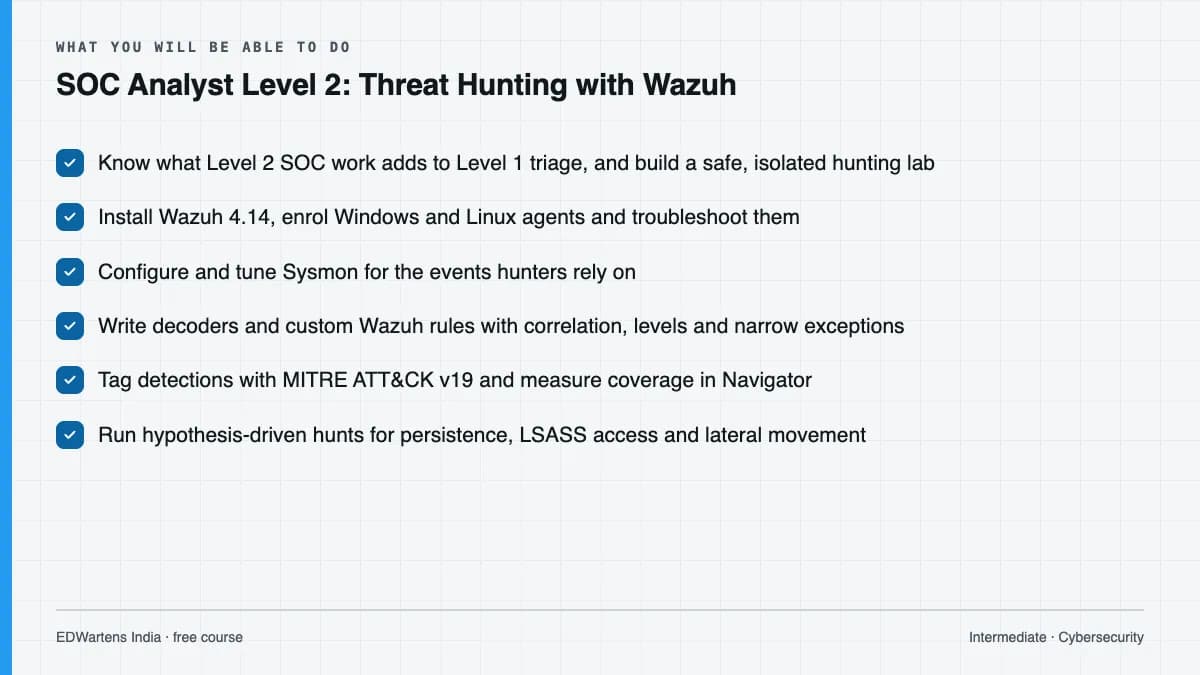
- Know what Level 2 SOC work adds to Level 1 triage, and build a safe, isolated hunting lab
- Install Wazuh 4.14, enrol Windows and Linux agents and troubleshoot them
- Configure and tune Sysmon for the events hunters rely on
- Write decoders and custom Wazuh rules with correlation, levels and narrow exceptions
- Tag detections with MITRE ATT&CK v19 and measure coverage in Navigator
- Run hypothesis-driven hunts for persistence, LSASS access and lateral movement
- Use file integrity monitoring, vulnerability detection and active response safely
- Handle and report incidents with NIST SP 800-61 Rev. 3, and score detections against an Atomic Red Team simulation
Syllabus
Course content, module by module
In order, at whatever pace suits you. Each module ends with a practice task that builds on the last.
- Modules
- 14
- Video lessons
- 39
- Of video
- 13h 59m
- Final questions
- 15
- 01
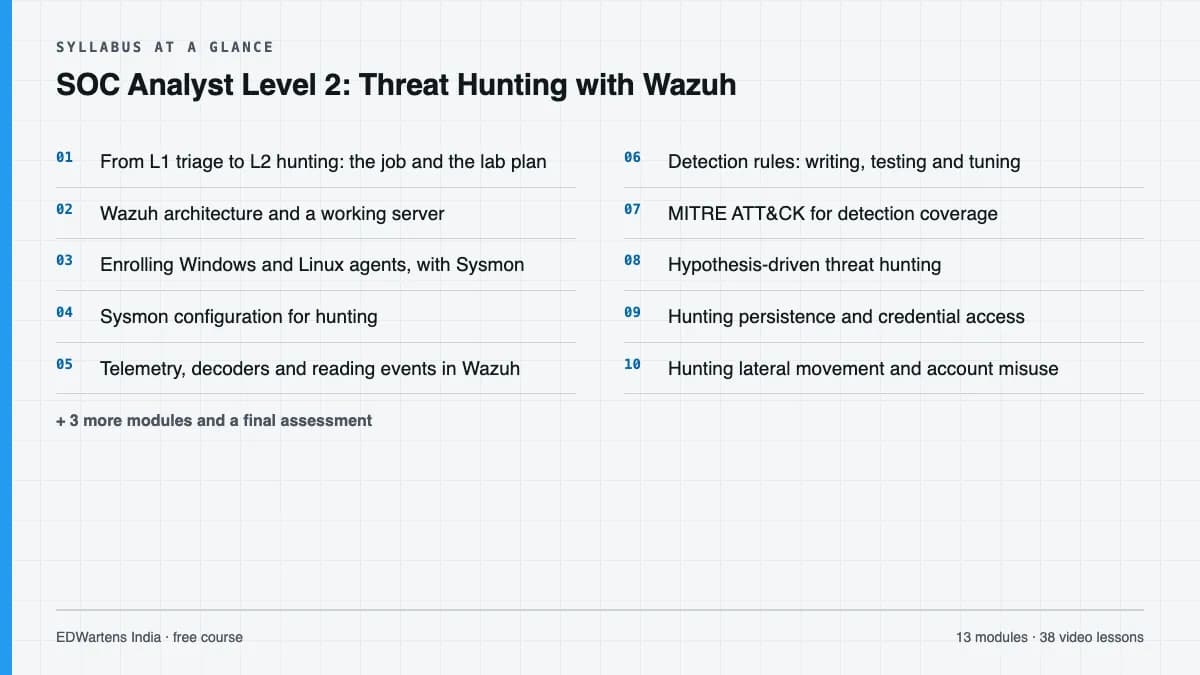
From L1 triage to L2 hunting: the job and the lab plan
3 lessons · 24m - 02
Wazuh architecture and a working server
2 lessons · 56m - 03
Enrolling Windows and Linux agents, with Sysmon
2 lessons · 30m - 04
Sysmon configuration for hunting
3 lessons · 45m - 05
Telemetry, decoders and reading events in Wazuh
2 lessons · 1h 11m - 06
Detection rules: writing, testing and tuning
3 lessons · 1h 50m - 07
MITRE ATT&CK for detection coverage
3 lessons · 1h 6m - 08
Hypothesis-driven threat hunting
2 lessons · 1h 6m Final assessment · 15 questions, pass mark 60%
Project
The course project
Optional practice that ends in the kind of job the course prepares you for, with the documents that go with it.
About 12 hours
L2 hunt for a managed security provider: hunt plan, lab simulation, detection pack, incident report and coverage report
Act as the Level 2 analyst at a small managed security provider onboarding a new client. In your own isolated Wazuh lab, plan three ATT&CK-based hunts, have a partner run an Atomic Red Team simulation, hunt it blind, write the detections that were missing, report the incident on the NIST SP 800-61 Rev. 3 model, and measure detection coverage before and after. The sample pack shows each document filled in for a worked example.
Sample document pack, 5 documents, filled in for the scenario
- PlanHunt plan: client onboarding, ransomware precursors
- Test reportAtomic Red Team simulation record (isolated lab)
- RegisterDetection register: custom Wazuh rules after the hunt
- ReportIncident report: simulated intrusion on LAB-WIN11
- ReportDetection coverage report: before and after the hunt
Read inside the course and download as a workbook. The project is optional practice, marked when you submit it; the certificate needs only the modules and the final assessment.
Tools
Software, hardware and lessons
Software
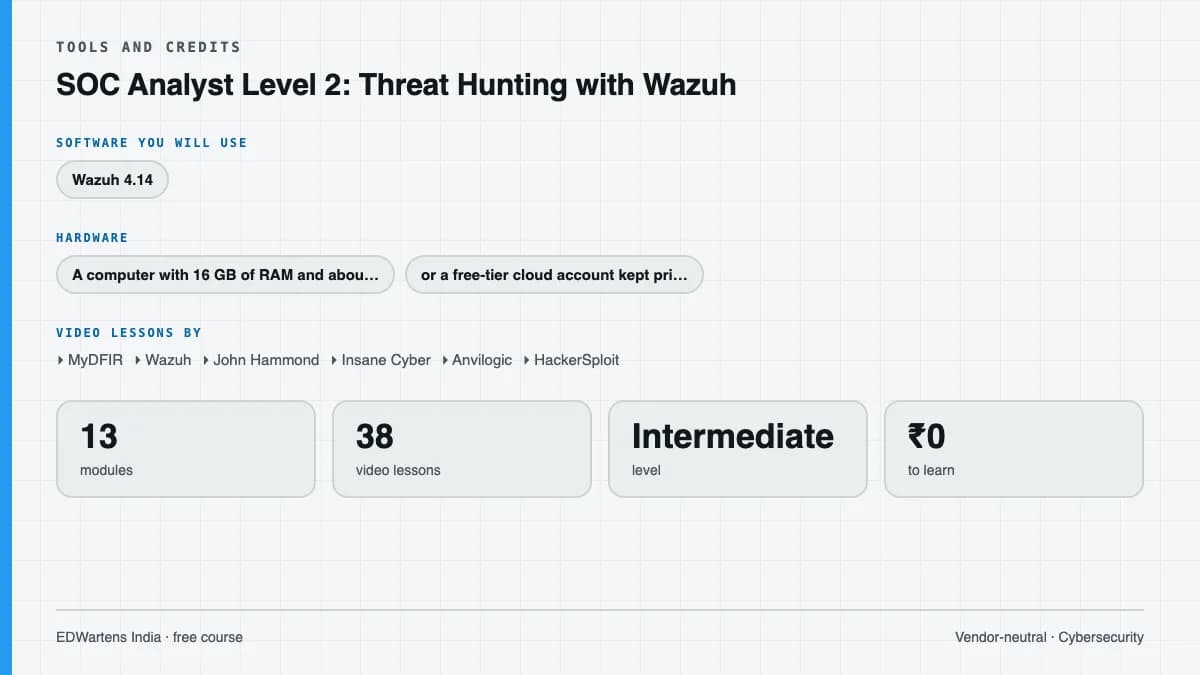
Wazuh 4.14 (free and open source), Microsoft Sysmon (free), Atomic Red Team with Invoke-AtomicRedTeam (free, lab use only), MITRE ATT&CK Navigator (free, in the browser), a Windows 11 evaluation VM, Ubuntu Server, and VirtualBox or Docker.
Hardware
A computer with 16 GB of RAM and about 150 GB of free disk for the Wazuh server and two small VMs, or a free-tier cloud account kept private to you. The lab must stay isolated from any work or third-party network.
Who it is for
Intermediate. For Level 1 SOC analysts, IT and network administrators and security graduates who already triage alerts and read Windows event logs. Comfort with the Linux command line, basic networking and virtual machines is expected; SOC Analyst Level 1 with Splunk covers the foundations.
Video lessons by
- MyDFIR
- Wazuh
- John Hammond
- Insane Cyber
- Anvilogic
- HackerSploit
- Prabh Nair
- Mohd Maaz
- Christian Lempa
- Taylor Walton
- Misk Samater
- Red Canary
- RJC
- Tech with Jono
- SecGen
- InfoSec Pandey
- ANOMALI
- p1p0
- HyperQube
- Karissa Ehman
- Security BSides London
Independent creators, credited in full under Credits.
Software you need
What to download, where from, what it costs and how to install it. Every link goes to the maker's own site, never a mirror.
Everything runs on virtual machines you own, on a host-only or NAT network with no route to other networks. Docker is an alternative way to run the Wazuh server. Atomic Red Team is for the isolated lab only.
Required
- 01Free
Wazuh (server, indexer, dashboard and agents)
Wazuh Inc. (open source project)
- Runs on
- Server: 64-bit Linux (x86_64 or ARM64) such as Ubuntu 22.04 or 24.04; agents for Windows, Linux and macOS
- Account
- None needed
- Size
- Quickstart for 1 to 25 agents: 4 vCPU, 8 GiB RAM, 50 GB storage for 90 days of data
Wazuh is free and open source (GPL version 2 and Apache 2.0 components). Wazuh Inc. sells an optional cloud service and support, which the course does not need.
Steps
- 1.Create an Ubuntu VM with at least 8 GB of RAM and 50 GB of disk on a host-only or NAT network.
- 2.Open the Wazuh quickstart page and run the assisted installer command it shows for the current 4.14 release.
- 3.Note the admin password the installer prints (also in wazuh-install-files.tar).
- 4.Browse to https://<server IP>, accept the self-signed certificate in your lab, and log in as admin.
- 5.Use Deploy new agent in the dashboard to generate the install command for each endpoint.
- The single-node Docker deployment is an alternative: set vm.max_map_count to 262144 on the Docker host first and change the default password.
- Keep the dashboard on the lab network only; never expose a lab SIEM to the internet.
Official download pagedocumentation.wazuh.com - 02Free
Sysmon (System Monitor)
Microsoft Sysinternals
- Runs on
- Windows 11 and Windows Server 2019 or later (Microsoft's page); Sysmon for Linux is a separate project
- Account
- None needed
- Size
- 2.8 MB download (Microsoft's page)
Free under the Sysinternals software licence terms, which you accept at install with -accepteula.
Steps
- 1.Download Sysmon.zip from the Microsoft Learn Sysmon page and unzip it on the Windows lab VM.
- 2.Download a maintained community configuration file.
- 3.In an administrator prompt run: sysmon64 -accepteula -i config.xml
- 4.Check Event Viewer under Applications and Services Logs, Microsoft, Windows, Sysmon, Operational.
- Apply a changed configuration with sysmon64 -c config.xml; no reboot is needed.
- Network connection logging (event 3) is off by default; the configuration turns it on.
Official download pagelearn.microsoft.com - 03Free trial: 90 days
Windows 11 Enterprise (evaluation)
Microsoft
- Runs on
- Installs as a virtual machine or on a PC; ISO for x64 and Arm64
- Account
- A short registration form on the Microsoft Evaluation Center
A full-featured 90-day evaluation for testing, with no product key needed. When it expires the desktop turns black, a notice stays on screen and the PC shuts down every hour.
Steps
- 1.Open the Windows 11 Enterprise page on the Microsoft Evaluation Center.
- 2.Fill in the registration form and choose the ISO for your language and architecture (x64 for most PCs).
- 3.Create a new virtual machine in VirtualBox or Hyper-V and attach the ISO.
- 4.Install Windows 11 Enterprise and finish setup.
- 5.Take a snapshot of the fresh install so you can return to it after each lab.
- Windows 11 checks for TPM 2.0 and Secure Boot, so enable these in your virtual machine settings.
- Plan labs to finish within 90 days, or rebuild the VM from the ISO.
Official download pagemicrosoft.com - 04Free
Ubuntu Desktop
Canonical
- Runs on
- 64-bit PC (Intel or AMD) or ARM 64-bit. Recommended: 2 GHz dual-core processor, 6 GB RAM, 25 GB free disk space.
- Account
- None needed
- Size
- About 5.9 GB ISO (Intel or AMD 64-bit, current LTS)
Free to download and use. LTS releases get five years of free security updates, which Ubuntu Pro can extend.
Steps
- 1.Open ubuntu.com/download/desktop and download the LTS ISO. For ROS 2 courses, get 24.04 LTS or 22.04 LTS from releases.ubuntu.com instead.
- 2.To try it safely, create a new virtual machine in VirtualBox and attach the ISO.
- 3.To install on a real PC, write the ISO to a USB stick (8 GB or more) and boot from it.
- 4.Follow the installer, then run Software Updater when it finishes.
- Your course may name a specific release. ROS 2 Humble needs Ubuntu 22.04 and ROS 2 Jazzy needs Ubuntu 24.04.
- Give a virtual machine at least 25 GB of disk space.
Official download pageubuntu.comAlternatives
- Ubuntu 24.04 LTS: Use for ROS 2 Jazzy.
- Ubuntu 22.04 LTS: Use for ROS 2 Humble.
- Windows Subsystem for Linux: Run Ubuntu inside Windows 10 or 11 without a virtual machine.
- 05Free
Oracle VirtualBox
Oracle
- Runs on
- Windows, macOS (Intel and Apple Silicon), Linux and Solaris hosts
- Account
- None needed
The VirtualBox platform packages are free and open source under GPL version 3. The separate Extension Pack is free only for personal and educational use (PUEL licence); business use of the Extension Pack needs a commercial licence from Oracle.
Steps
- 1.Open virtualbox.org/wiki/Downloads.
- 2.Click the package for your host system (for example, Windows hosts).
- 3.Run the installer and accept the network driver prompts.
- 4.Open VirtualBox, click New, choose your ISO file (for example Ubuntu or Windows) and follow the wizard.
- Turn on hardware virtualisation (Intel VT-x or AMD-V) in your PC's BIOS or UEFI if VirtualBox says it is not available.
- You do not need the Extension Pack for normal lab work. Install it only if you need its extra features and your use is personal or educational.
Official download pagevirtualbox.org
Optional
Useful, not needed to finish the course.
- 06Free for personal use, education and small businesses
Docker Desktop
Docker, Inc.
- Runs on
- Windows 10 64-bit version 22H2 (build 19045) or Windows 11 64-bit version 23H2 (build 22631) or later, with WSL 2 and hardware virtualisation on, 8 GB RAM. Also macOS and Linux.
- Account
- None needed
Free for personal use, education, non-commercial open source projects, and businesses with fewer than 250 employees and less than 10 million US dollars in annual revenue. Larger businesses need a paid subscription. Docker Engine on Linux is open source and is not covered by these terms.
Steps
- 1.Open docker.com/products/docker-desktop and download the installer for your system.
- 2.On Windows, install WSL first (wsl --install) if you do not have it.
- 3.Run the installer and keep the WSL 2 option selected.
- 4.Restart if asked, then start Docker Desktop and accept the subscription terms.
- 5.Open a terminal and run: docker run hello-world
- Turn on virtualisation in BIOS or UEFI if Docker says it is not available.
- On Linux servers, install Docker Engine instead of Docker Desktop.
Official download pagedocker.comAlternatives
- Docker Engine (Linux): Free, open source engine for Linux. Not covered by the Docker Desktop subscription terms.
- 07Free
Atomic Red Team and Invoke-AtomicRedTeam
Red Canary (open source project)
- Runs on
- Windows, Linux and macOS test definitions; Invoke-AtomicRedTeam runs in PowerShell
- Account
- None needed
MIT licence. The tests change real system state and must be run only on lab machines you own, isolated from other networks.
Steps
- 1.Take a snapshot of the Windows lab VM and confirm it has no route to any other network.
- 2.Follow the Invoke-AtomicRedTeam installation steps on its GitHub wiki to install the module and the atomics folder.
- 3.List a technique's tests with Invoke-AtomicTest <technique> -ShowDetailsBrief and read each test before running it.
- 4.Run a test, note the UTC time, then run it again with -Cleanup and revert the snapshot when finished.
- Never run atomic tests on a work, school or client machine.
- Endpoint protection may block some tests; record that as a prevention, do not disable protection on any real system.
Official download pagegithub.com - 08Free
MITRE ATT&CK Navigator
The MITRE Corporation, in the browser
- Runs on
- Any modern web browser
- Account
- None needed
Free to use; ATT&CK content is published by MITRE under its terms of use.
Steps
- 1.Open the Navigator page and choose Create New Layer, then Enterprise.
- 2.Select techniques and give each a colour or score for tested, untested or missing.
- 3.Save the layer as JSON with the download button so you can reopen and share it.
Open MITRE ATT&CK Navigatormitre-attack.github.io
Checked against each maker's own page on 27 September 2026. Trial lengths and editions change; the maker's page is the final word.
What you walk away with
Your certificate for SOC Analyst Level 2: Threat Hunting with Wazuh
Finish the course, pass the final, and this is the document with your name on it.
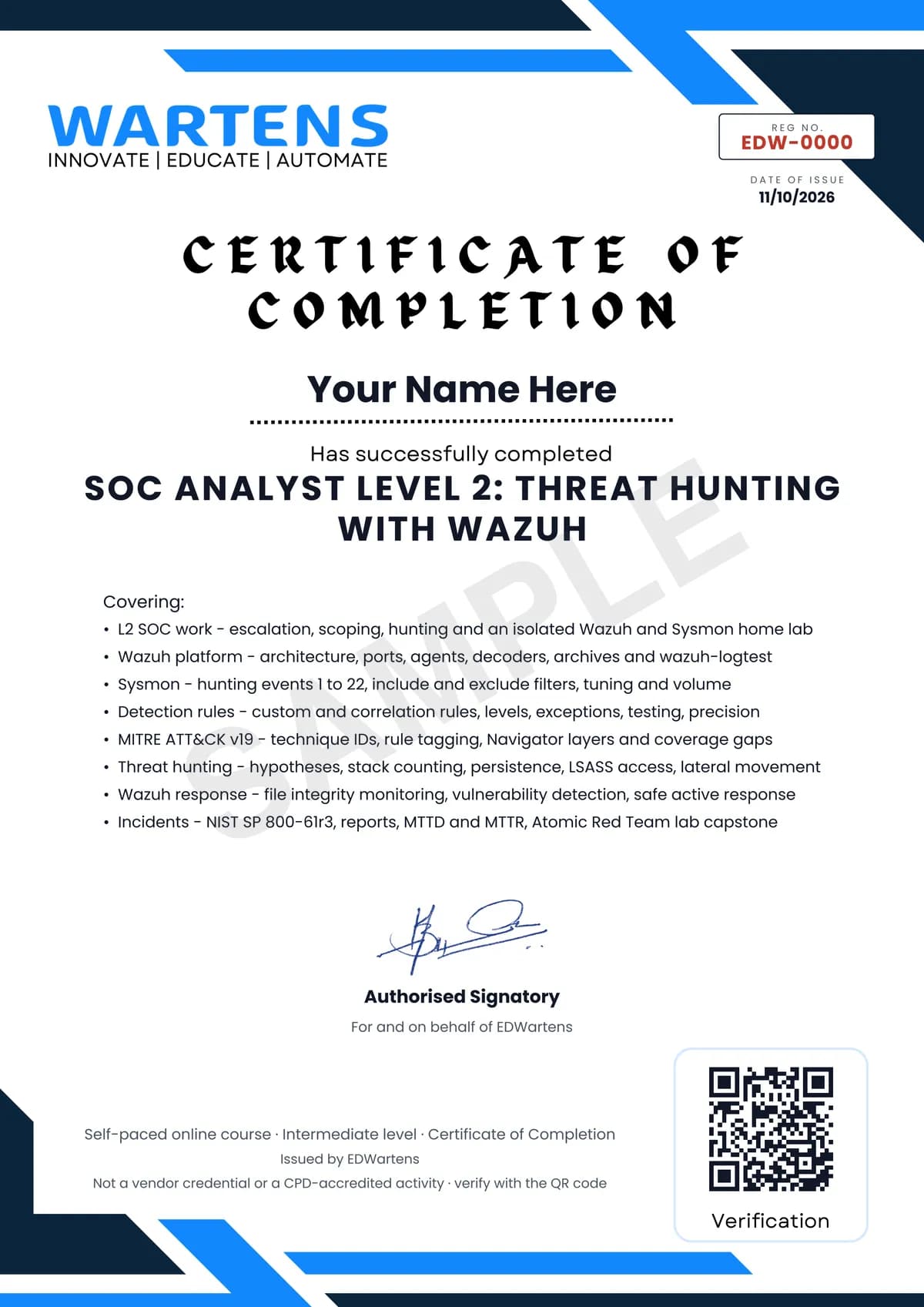
Verifiable by anyone
Adds to LinkedIn in one click
QR code on the certificate
Names what you can do
A permanent link
Earned, not attended
Learning is free. The certificate is optional.
Add it now and pay only when you have finished the course, or come back for it later. One-off, US$28.99, with a receipt.
Issued by EDWartens India (Wartens Automation Private Limited) as a Certificate of Completion for this self-paced course. It is not a vendor certification, a university award or a CPD-accredited activity, and it does not certify competence on live equipment. Delivered electronically; see the refund policy.
FAQ
Common questions
What is a SOC Analyst Level 2 and what does this course teach?
A Level 2 SOC analyst takes escalated alerts from Level 1, works out how far an attack reaches, recommends containment, hunts for activity no rule has caught and writes or tunes detections. This course teaches that work hands-on with Wazuh, Sysmon and MITRE ATT&CK, from building the lab to writing an incident report.
Who is this Wazuh threat hunting course for, and what do I need first?
It is for Level 1 SOC analysts, IT and network administrators and security graduates who already triage alerts and can read Windows event logs. You should be comfortable with the Linux command line, basic networking and virtual machines; SOC Analyst Level 1 with Splunk on EDWartens covers the foundations.
Is Wazuh free, and what software does the course use?
Yes, Wazuh is free and open source, and so is everything else the course needs: Microsoft Sysmon, Atomic Red Team, MITRE ATT&CK Navigator, Ubuntu, a Windows 11 evaluation VM and VirtualBox or Docker. The course uses Wazuh 4.14, the current release line in October 2026.
Is the lab safe and legal?
Yes, provided you follow the course rules: everything runs on virtual machines you own, on a network with no route to your employer's or anyone else's systems, and attack simulations with Atomic Red Team run only inside that isolated lab from a snapshot you revert afterwards. The course never asks you to test a system you do not own.
How long does the course take, and is it free to learn?
It takes about 20 hours at your own pace, of which about 14 hours is video, plus about 12 hours for the optional project. Every module, the notes, the 156 practice questions, the project and the final assessment are free to learn.
What certificate do I get, and how is it verified?
You get an EDWartens verifiable certificate of completion when you finish the modules and pass the 15-question final at 60 percent. It carries a unique certificate number and a QR code that open a public verification page showing the course, the modules covered and your final score.
Which frameworks and standards does the course follow?
Detections are mapped to MITRE ATT&CK v19, including the April 2026 split of Defense Evasion into Stealth and Defense Impairment, and incident handling follows NIST SP 800-61 Rev. 3, which builds incident response on the six CSF 2.0 Functions. The course is not affiliated with Wazuh Inc., MITRE, NIST or Red Canary.
What jobs can this course lead to, including in India and the Gulf?
It prepares you for SOC analyst Level 2, threat hunter, detection engineer and incident responder roles, and for SOC work at managed security providers that run Wazuh for their clients. In India and the Gulf, managed security providers, banks, telecoms and IT services firms run 24x7 SOCs and look for analysts who can show hands-on hunting and detection work, such as the project in this course.
Is the SOC Analyst Level 2: Threat Hunting with Wazuh course free in India, and what does the certificate cost?
Yes. Learning costs ₹0 in India: every module, the written notes, the practice tasks and the final assessment, with no card and no trial period. The only paid item is the optional EDWartens Certificate of Completion, ₹599 including GST for this intermediate course, paid in rupees through Razorpay, and only if you want it after passing the final assessment.
All course factsHide course facts
- Price
- ₹0, free for good. No trial, no card. Comparable classroom training of this length costs about ₹7,999.
- Who it is for
- Level 1 SOC analysts, IT administrators and security graduates moving into Level 2 investigation, threat hunting and detection work
- Format
- 14 self-paced modules, 13h 59m of video, written notes, a practice task per module and one final assessment.
- Level
- Intermediate. Intermediate. For Level 1 SOC analysts, IT and network administrators and security graduates who already triage alerts and read Windows event logs. Comfort with the Linux command line, basic networking and virtual machines is expected; SOC Analyst Level 1 with Splunk covers the foundations.
- Brand
- Vendor-neutral
- Software
- Wazuh 4.14 (free and open source), Microsoft Sysmon (free), Atomic Red Team with Invoke-AtomicRedTeam (free, lab use only), MITRE ATT&CK Navigator (free, in the browser), a Windows 11 evaluation VM, Ubuntu Server, and VirtualBox or Docker.
- Hardware
- A computer with 16 GB of RAM and about 150 GB of free disk for the Wazuh server and two small VMs, or a free-tier cloud account kept private to you. The lab must stay isolated from any work or third-party network.
- Certificate
- Optional EDWartens Certificate of Completion, verifiable by code. Not a vendor credential.
- Video lessons by
- MyDFIR, Wazuh, John Hammond, Insane Cyber, Anvilogic, HackerSploit, Prabh Nair, Mohd Maaz, Christian Lempa, Taylor Walton, Misk Samater, Red Canary, RJC, Tech with Jono, SecGen, InfoSec Pandey, ANOMALI, p1p0, HyperQube, Karissa Ehman, Security BSides London (independent creators, credited below)
- Language
- English
- Last updated
- 27 September 2026
Pairs well with
 Cybersecurity · FreeCompTIA Security+ (SY0-701) Exam Prep
 Cybersecurity · FreeMicrosoft Sentinel and Defender: SC-200 Exam Prep
 PLC programming · FreeSiemens TIA Portal
 PLC programming · FreeSiemens TIA Portal in Three Hours
More free courses: Free cyber security courses
Classroom course, Bangalore
PLC training in Bangalore
The Automation Engineer Program (AEP) is our classroom course in PLC programming and industrial automation, taught in person at our Electronic City centre.
Credits
Who made the video lessons
The video lessons in this course were created by the people below, not by EDWartens. Every lesson streams from its creator's own YouTube channel; EDWartens neither hosts nor sells that footage, and the creators are not affiliated with EDWartens and do not endorse this course. What EDWartens wrote is the study plan, the notes, the practice tasks and the assessments.
- MyDFIRWazuh 101, the seven-part Build a SOC Lab with Wazuh series (server, agents and Sysmon, telemetry, dashboard, file integrity monitoring and rules, active response, the investigation), the Sysmon installation tutorial and a real account compromise investigation
- Wazuhthe project's own webinars on detection as code and on simulating attacks with Atomic Red Team and analysing them with Wazuh and Sysmon
- John Hammonddetection engineering with Wazuh and testing defences with Atomic Red Team
- Insane Cyberwriting Sysmon rules and hunting Run key persistence, malicious scheduled tasks, malicious account use and network share use in Windows logs
- Anvilogicdetection engineering with MITRE ATT&CK and lateral movement in Windows networks
- HackerSploitmapping threat group techniques with MITRE ATT&CK Navigator
- Prabh Nairpractical threat hunting with Sysmon and MITRE ATT&CK
- Mohd MaazSysmon event IDs 1, 3, 10, 17 and 18 for blue team detection
- Christian Lempadeploying Wazuh with Docker in a home lab
- Taylor Waltonbuilding custom Wazuh decoders
- Misk SamaterWazuh vulnerability detection and configuration assessment
- Red Canarywhat Atomic Red Team is and how security teams use it
- RJCthe differences between Tier 1, Tier 2 and Tier 3 SOC analysts
- Tech with Jonothe path from beginner to Level 3 SOC analyst
- SecGena Wazuh detection engineering lab writing SSH attack detection rules
- InfoSec Pandeymapping detection rules to MITRE ATT&CK
- ANOMALIhypothesis-led threat hunting
- p1p0detecting credential dumping from Mimikatz to the SIEM
- HyperQubecredential dumping analysis, detection and prevention
- Karissa Ehmancyber incident response and the updates in NIST SP 800-61 Rev. 3
- Security BSides LondonHan O'Connor's talk on investigation note-taking and report writing for SOC analysts
If you are one of these creators and would like a lesson removed or credited differently, write to info@wartens.com.