Robotics · Free online course
ABB Robot Programming with RobotStudio and RAPID
RobotStudio from install to a running pick-and-place: stations, jogging, the FlexPendant, frames, paths, RAPID, collision checking, signals, physics, sharing and RobotStudio Cloud.
- 16 modules
- 9h 21m of video
- Beginner
- English
- ₹0, free

₹0Free for good
Worth ₹4,999 by length and depth against classroom training. It has always been free; that is not a former price.
No card. Checkout takes a minute and gives you a receipt.
Overview
About ABB Robot Programming with RobotStudio and RAPID
RobotStudio from install to a running pick-and-place: stations, jogging, the FlexPendant, frames, paths, RAPID, collision checking, signals, physics, sharing and RobotStudio Cloud.
ABB Robot Programming with RobotStudio and RAPID is a free, self-paced online course from EDWartens for engineering students, ITI and diploma holders, and working engineers in manufacturing and robotics. It has 16 modules and 9h 21m of video lessons by ABB Robotics, Aleksandar Haber PhD, with written notes and worked problems, a practical project with a document pack and a 15-question final assessment (pass mark 60%). Learning is free with an account; an optional certificate with a public verification code is issued when you pass. Last updated 27 September 2026.
Who it is for: Engineering students, ITI and diploma holders, and working engineers in manufacturing and robotics
This course includes
- 9h 21m of video lessons
- 16 modules with written notes and diagrams
- One final assessment: 15 questions, pass mark 60%
- Ask-an-engineer support from practising engineers
- Lifetime access, the course does not expire
- Optional verifiable certificate when you finish
- Step 1 of 3
Learn the 16 modules
9h 21m of video lessons, written notes and a practice task per module, at your own pace.
- Step 2 of 3
Pass the final assessment
15 questions drawn from every module, pass mark 60%, 3 attempts.
- Step 3 of 3
Take the certificate, if you want it
Optional, paid once, only if you choose it. The course stays free either way.
See the certificate and its price
A look inside


From the lessons

RobotStudio: Getting Started
by ABB Robotics

The FlexPendant
by Aleksandar Haber PhD

Grippers and End Effectors
by Aleksandar Haber PhD
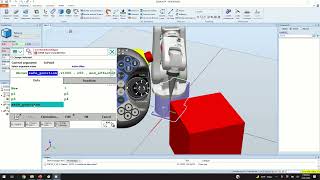
RAPID: Introduction
by Aleksandar Haber PhD

Collision Avoidance and Checking
by ABB Robotics

Physics, Mechanisms and Cables
by ABB Robotics
Lesson frames belong to the creators named in the Credits and are shown from YouTube.
What you learn
What you will be able to do
Install RobotStudio and build a station, jog and use the virtual FlexPendant, define tool and work-object frames, attach grippers, create paths and targets, write RAPID for motion and pick-and-place, check collisions, simulate signals and physics, share stations and collaborate in RobotStudio Cloud, and explain inverse kinematics.
- Build a station with a robot and a virtual controller
- Jog with the mouse and the virtual FlexPendant in every motion mode
- Define tooldata and wobjdata and know why the program follows the frame
- Attach a gripper, create targets and paths, check reachability
- Write RAPID: MoveJ, MoveL, zones, speeds, signals, Offs, loops and procedures
- Set up collision checking and fix a path until it runs clean
- Simulate signals, events, physics and mechanisms
- Share stations with Pack and Go and collaborate in RobotStudio Cloud
Syllabus
Course content, module by module
In order, at whatever pace suits you. Each module ends with a practice task that builds on the last.
- Modules
- 16
- Video lessons
- 60
- Of video
- 9h 21m
- Final questions
- 15
- 01
RobotStudio: Getting Started
6 lessons · 27m - 02
Navigating and Jogging in the Station
3 lessons · 29m - 03
The FlexPendant
3 lessons · 56m - 04
Tool and Work-Object Frames
4 lessons · 52m - 05
Grippers and End Effectors
3 lessons · 54m - 06
Paths and Targets
4 lessons · 39m - 07
RAPID: Introduction
2 lessons · 35m - 08
Pick and Place in RAPID
4 lessons · 1h 30m Final assessment · 15 questions, pass mark 60%
Project
The course project
Optional practice that ends in the kind of job the course prepares you for, with the documents that go with it.
About 18 hours
Rice-bag palletising cell on an IRB 4600: RobotStudio station, RAPID, SafeMove and cell FAT
Engineer a bag-palletising cell offline in RobotStudio: an IRB 4600-60/2.05 on an IRC5 picks 25 kg rice bags from a bagging-line conveyor and builds interlocked layers on two pallet stations, under an ABB AC500 cell PLC with an AC500-S safety part. You deliver the Pack and Go station with its RAPID modules, your own handshake table and risk register, a cell FAT record with cycle time from the simulation, and the operator's note. The sample pack shows what an ABB integrator hands over.
Sample document pack, 10 documents, filled in for the scenario
- Cell layoutPalletiser PAL-1 Cell Layout and Safeguarding
- Risk registerRisk Assessment Register: Palletiser PAL-1 (ISO 12100, task-based)
- SRSSafety Requirements Specification: PAL-1 Safety Functions
- I/O handshakePLC-Robot I/O Handshake Table: CP-201 (AC500) to IRC5
- Control narrativeCycle Description and Modes: Palletiser PAL-1
- SDSSoftware Design Specification: RAPID Program Set and Cell PLC
- Test reportStopping Time and Distance: IRB 4600-60/2.05 in PAL-1
- FATCell Acceptance Test Record: PAL-1 at the Integrator's Works
- O&M manualOperation and Maintenance Manual: PAL-1 (Operation and Recovery sections)
- Training recordOperator, Forklift and Maintenance Training Record: PAL-1
Read inside the course and download as a workbook. The project is optional practice, marked when you submit it; the certificate needs only the modules and the final assessment.
Tools
Software, hardware and lessons
Software
ABB RobotStudio with a virtual controller: a 30-day trial of the full version. After it, Basic mode still runs the virtual controller but not the offline programming and simulation tools, so plan to finish inside the trial
Hardware
None. The virtual controller runs every exercise.
Who it is for
Beginner. No robot experience assumed.
Video lessons by
- ABB Robotics
- Aleksandar Haber PhD
Independent creators, credited in full under Credits.
Software you need
What to download, where from, what it costs and how to install it. Every link goes to the maker's own site, never a mirror.
Required
- 01Free trial: 30 days
RobotStudio
ABB
- Runs on
- Windows PC
- Account
- A free ABB Robotics account
The trial gives full RobotStudio Premium features for 30 days on the computer where you start it, and you get one trial per user or machine. After that RobotStudio keeps running in a free Basic mode without the Premium features, so offline programming and simulation need a paid licence or a school licence.
Steps
- 1.Open the RobotStudio Desktop page on abb.com and download the current RobotStudio installer.
- 2.Run the installer and accept the ABB licence terms.
- 3.Start RobotStudio and choose Start Free Trial in the licence window.
- 4.Sign in with your ABB Robotics account, or create one when asked.
- 5.Let RobotStudio restart, then check the licence information shows the 30-day trial.
- Start the trial only when you have time to work through the course, because it cannot be repeated on the same account or computer.
- Keep an internet connection for activation. After activation the Premium features also work offline on that computer until the trial ends.
Official download pageabb.comAlternatives
- RobotStudio for Education: Free to qualified schools, universities and training centres for non-commercial teaching. Your institution requests it and invites you.
- RoboDK: Separate simulator with its own 30-day trial and ABB robots in its library.
Checked against each maker's own page on 27 September 2026. Trial lengths and editions change; the maker's page is the final word.
What you walk away with
Your certificate for ABB Robot Programming with RobotStudio and RAPID
Finish the course, pass the final, and this is the document with your name on it.

Verifiable by anyone
Adds to LinkedIn in one click
QR code on the certificate
Names what you can do
A permanent link
Earned, not attended
Learning is free. The certificate is optional.
Add it now and pay only when you have finished the course, or come back for it later. One-off, US$23.99, with a receipt.
Issued by Wartens Ltd (England and Wales, company no. 15262249) through the EDWartens training portal, as a Certificate of Completion for this self-paced course. Sold in India by Wartens Automation Private Limited. It is not a vendor certification, a university award or a CPD-accredited activity, and it does not certify competence on live equipment. Delivered electronically; see the refund policy.
FAQ
Common questions
Is RobotStudio free?
For 30 days, yes: ABB gives a full-featured trial. After it, the free Basic mode still runs the virtual controller, but the offline programming and simulation tools this course uses need a licence, so plan the modules into the trial window.
Do I need an ABB robot?
No. The virtual controller and FlexPendant behave like the real ones; a program written here loads onto a real IRC5 or OmniCore controller.
Which controllers does this cover?
IRC5 and OmniCore through RobotWare 6 and 7. The RAPID language is the same.
Some source lessons are members-only. Are they included?
No. Four members-only lessons were left out and their topics are covered by public lessons.
Is the ABB Robot Programming with RobotStudio and RAPID course really free?
Yes. Every module, practice task and assessment. You create an account so your progress is saved and the assessments can be marked. The certificate is the only paid item, and only if you want it.
What certificate do I get, and is it a ABB qualification?
An EDWartens Certificate of Completion, issued when you pass the final assessment, with a verification code anyone can check. It is not a ABB credential and is never described as one.
Who made the video lessons in the ABB Robot Programming with RobotStudio and RAPID course?
The creators named in the Credits block at the foot of this page, on their own YouTube channels. EDWartens did not make the videos and the creators are not affiliated with EDWartens. What EDWartens wrote is the study plan, the notes, the practice tasks and the assessments.
Is the ABB Robot Programming with RobotStudio and RAPID course free in India, and what does the certificate cost?
Yes. Learning costs ₹0 in India: every module, the written notes, the practice tasks and the final assessment, with no card and no trial period. The only paid item is the optional EDWartens Certificate of Completion, ₹499 including GST for this beginner course, paid in rupees through Razorpay, and only if you want it after passing the final assessment.
Is there classroom robotics training in India as well?
Not on a robot. In our Bangalore classroom you learn how a PLC commands and interlocks a robot cell; robot programming itself is taught in our free online courses, not on a robot in the classroom. This free course is one of those online courses. Details are at edwartens.co.in/robotics-training-bangalore, and the programme itself at edwartens.co.in/courses/aep.
All course factsHide course facts
- Price
- ₹0, free for good. No trial, no card. Comparable classroom training of this length costs about ₹4,999.
- Who it is for
- Engineering students, ITI and diploma holders, and working engineers in manufacturing and robotics
- Format
- 16 self-paced modules, 9h 21m of video, written notes, a practice task per module and one final assessment.
- Level
- Beginner. Beginner. No robot experience assumed.
- Brand
- ABB
- Software
- ABB RobotStudio with a virtual controller: a 30-day trial of the full version. After it, Basic mode still runs the virtual controller but not the offline programming and simulation tools, so plan to finish inside the trial
- Hardware
- None. The virtual controller runs every exercise.
- Certificate
- Optional EDWartens Certificate of Completion, ₹499 inclusive of GST for learners in India, verifiable by code. Not a vendor credential.
- Video lessons by
- ABB Robotics, Aleksandar Haber PhD (independent creators, credited below)
- Language
- English
- Last updated
- 27 September 2026
Pairs well with
 PLC programming · FreeABB AC500 PLC with Automation Builder
 DCS · FreeABB Ability System 800xA DCS
 Robotics · FreeFANUC Robot Programming with the Teach Pendant and ROBOGUIDE
 Robotics · FreeKUKA Robot Programming with KUKA.Sim, smartPAD and WorkVisual
More free courses: Free ABB courses: AC500 PLC and RobotStudio · Free industrial robot programming courses
Learning paths with this course
- Industrial robotics · 7 courses
Classroom course, Bangalore
See how the classroom covers PLC to robot-cell integration
In our Bangalore classroom you learn how a PLC commands and interlocks a robot cell; robot programming itself is taught in our free online courses, not on a robot in the classroom.
Credits
Who made the video lessons
The video lessons in this course were created by the people below, not by EDWartens. Every lesson streams from its creator's own YouTube channel; EDWartens neither hosts nor sells that footage, and the creators are not affiliated with EDWartens and do not endorse this course. What EDWartens wrote is the study plan, the notes, the practice tasks and the assessments.
- ABB Roboticsthe official RobotStudio tutorials
- Aleksandar Haber PhDthe RobotStudio, FlexPendant and RAPID tutorials
If you are one of these creators and would like a lesson removed or credited differently, write to info@wartens.com.