Robotics · Free online course
FANUC Robot Programming with the Teach Pendant and ROBOGUIDE
From jogging and frames to TP programs, registers, branching, offsets, pick-and-place, ROBOGUIDE simulation, palletising, error recovery and PLC integration.
- 18 modules
- 15h 16m of video
- Beginner
- English
- ₹0, free

₹0Free for good
Worth ₹7,999 by length and depth against classroom training. It has always been free; that is not a former price.
No card. Checkout takes a minute and gives you a receipt.
Overview
About FANUC Robot Programming with the Teach Pendant and ROBOGUIDE
From jogging and frames to TP programs, registers, branching, offsets, pick-and-place, ROBOGUIDE simulation, palletising, error recovery and PLC integration.
FANUC Robot Programming with the Teach Pendant and ROBOGUIDE is a free, self-paced online course from EDWartens for engineering students, ITI and diploma holders, and working engineers in manufacturing and robotics. It has 18 modules and 15h 16m of video lessons by Dan Staifer, Automation Academy, Elite Automation and others, with written notes and worked problems, a practical project with a document pack and a 15-question final assessment (pass mark 60%). Learning is free with an account; an optional certificate with a public verification code is issued when you pass. Last updated 27 September 2026.
Who it is for: Engineering students, ITI and diploma holders, and working engineers in manufacturing and robotics
This course includes
- 15h 16m of video lessons
- 18 modules with written notes and diagrams
- One final assessment: 15 questions, pass mark 60%
- Ask-an-engineer support from practising engineers
- Lifetime access, the course does not expire
- Optional verifiable certificate when you finish
- Step 1 of 3
Learn the 18 modules
15h 16m of video lessons, written notes and a practice task per module, at your own pace.
- Step 2 of 3
Pass the final assessment
15 questions drawn from every module, pass mark 60%, 3 attempts.
- Step 3 of 3
Take the certificate, if you want it
Optional, paid once, only if you choose it. The course stays free either way.
See the certificate and its price
A look inside


From the lessons

The FANUC Robot System and the Teach Pendant
by Dan Staifer
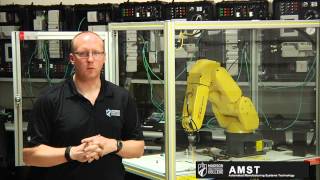
Frames: User Frames and Tool Frames
by Robotics & Automation - Electro-Mechanical

Circular Motion, Approach and Depart
by Dan Staifer

Registers and Position Registers
by Dan Staifer

IF, SELECT and Loops
by Dan Staifer
Grippers and Pick-and-Place
by Automation Academy
Lesson frames belong to the creators named in the Credits and are shown from YouTube.
What you learn
What you will be able to do
Explain the parts of a FANUC robot system, start, jog and recover it, define user and tool frames, write teach-pendant programs with joint, linear and circular motion, use registers, labels, calls, IF, SELECT, WAIT and loops, apply offsets, build a pick-and-place, use ROBOGUIDE with DCS and palletising, handle alarms, back up and restore, and integrate with a PLC over Ethernet I/O.
- Start, jog and fault-reset a FANUC robot in T1, T2 and AUTO
- Teach tool and user frames and know what a wrong TCP does
- Write TP programs with J, L and C motion, FINE and CNT, approach and depart
- Use registers, position registers, labels, calls, IF, SELECT, WAIT and FOR
- Apply offsets and shift a whole pattern with one register
- Build a pick-and-place with gripper confirmation and a fault path
- Simulate in ROBOGUIDE with DCS zones and palletise with Pallet Pro
- Recover from alarms, back up and restore, and drive the robot from a PLC over UOP
Syllabus
Course content, module by module
In order, at whatever pace suits you. Each module ends with a practice task that builds on the last.
- Modules
- 18
- Video lessons
- 86
- Of video
- 15h 16m
- Final questions
- 15
- 01
The FANUC Robot System and the Teach Pendant
4 lessons · 55m - 02
Starting, Jogging and Clearing Faults
4 lessons · 21m - 03
Frames: User Frames and Tool Frames
4 lessons · 58m - 04
The First TP Program: Joint and Linear Motion
4 lessons · 55m - 05
Circular Motion, Approach and Depart
6 lessons · 1h 0m - 06
Editing Programs
4 lessons · 29m - 07
Registers and Position Registers
6 lessons · 37m - 08
Branching, Labels, Calls, I/O and Wait
7 lessons · 1h 27m Final assessment · 15 questions, pass mark 60%
Project
The course project
Optional practice that ends in the kind of job the course prepares you for, with the documents that go with it.
About 18 hours
Twin-lathe tending cell on an M-20iD/25: layout, DCS, handshake and cell FAT
Design, program, safeguard and document a FANUC machine-tending cell in which one M-20iD/25 on an R-30iB Plus loads and unloads two CNC turning centres from a raw-part pallet to an outfeed conveyor, under a Siemens S7-1200 cell controller. You deliver the TP program set with its macros and DCS zones, your own PLC-robot handshake table and risk register, a cell FAT record, and the operator's recovery note. The sample pack shows what a robot integrator hands over.
Sample document pack, 10 documents, filled in for the scenario
- Cell layoutCell 3 Layout and Safeguarding: Twin-Lathe Tending Cell
- Risk registerRisk Assessment Register: Cell 3 (ISO 12100, task-based)
- SRSSafety Requirements Specification: Cell 3 Safety Functions
- I/O handshakePLC-Robot I/O Handshake Table: CP-301 to R-30iB Plus
- Control narrativeCycle Description and Modes: Cell 3 Twin-Lathe Tending
- SDSSoftware Design Specification: Robot Program Set and Cell PLC
- Test reportStopping Time and Distance Measurement: M-20iD/25 in Cell 3
- FATCell Acceptance Test Record: Cell 3 at the Integrator's Workshop
- O&M manualOperation and Maintenance Manual: Cell 3 (Operation and Recovery sections)
- Training recordOperator and Maintenance Training Record: Cell 3
Read inside the course and download as a workbook. The project is optional practice, marked when you submit it; the certificate needs only the modules and the final assessment.
About 18 hours
Two-line bag palletiser on an M-410iC/110: patterns, pallet registers, DCS sectors and pallet change
Design, program, safeguard and document a FANUC bag palletiser in which one M-410iC/110 on an R-30iB Plus stacks 20 kg flour bags from line A and 25 kg stockfeed bags from line B onto two pallet stations, under a CompactLogix cell controller on EtherNet/IP. You lay the cell out, build the interlocked layer patterns with the palletizing instruction and pallet registers, switch payload schedules per bag, restrict the robot to one side by DCS while a forklift changes the other pallet, prove the cycle time and the stopping distance, and run an honest FAT. The sample pack shows what a palletising integrator hands over.
Sample document pack, 9 documents, filled in for the scenario
- Cell layoutCell Layout and Safeguarding: Two-Line Bag Palletiser PAL-1
- Risk registerRisk Assessment Register: PAL-1 (ISO 12100, task-based)
- SRSSafety Requirements Specification: PAL-1 Safety Functions
- Control narrativeCycle, Patterns and Pallet Change: PAL-1
- I/O handshakePLC-Robot Handshake Table: CompactLogix CP-PAL1 to R-30iB Plus
- SDSSoftware Design Specification: Robot Program Set, Pallet Data and Payloads
- Test reportStopping Time, Payload Identification and Cycle-Time Study: PAL-1
- FATFactory Acceptance Test Record: PAL-1 at the Integrator's Workshop
- O&M manualOperator Card: Pallet Change and Dropped-Bag Recovery, PAL-1
Read inside the course and download as a workbook. The project is optional practice, marked when you submit it; the certificate needs only the modules and the final assessment.
Tools
Software, hardware and lessons
Software
FANUC ROBOGUIDE for the simulation modules: a licence from work or college, or a 30-day trial that FANUC grants on request through its my.FANUC portal. RoboDK is a free-trial alternative for practising offline programming
Hardware
None required. ROBOGUIDE stands in for the robot.
Who it is for
Beginner to intermediate. No robot experience assumed.
Video lessons by
- Dan Staifer
- Automation Academy
- Elite Automation
- Robotics & Automation - Electro-Mechanical
- Future Robotics
Independent creators, credited in full under Credits.
Software you need
What to download, where from, what it costs and how to install it. Every link goes to the maker's own site, never a mirror.
Required
- 01Free trial: 30 days
ROBOGUIDE
FANUC
- Runs on
- Windows PC (check the requirements shown in the my.FANUC portal)
- Account
- A my.FANUC portal account (FANUC Europe)
FANUC Europe offers a 30-day ROBOGUIDE trial through its my.FANUC portal. FANUC decides who gets portal access, so a private learner may be asked for company details or referred to a local FANUC office. After the trial a paid licence from FANUC is needed.
Steps
- 1.Open the ROBOGUIDE page on fanuc.eu and select Test Now.
- 2.Register for a my.FANUC account, or sign in if you have one.
- 3.Request the ROBOGUIDE trial in the portal and wait for FANUC to confirm it.
- 4.Download the installer from the portal and install it on a Windows PC.
- 5.Start ROBOGUIDE and enter the trial licence details FANUC sends you.
- Use a work or school email address if you have one; portal requests are checked by FANUC.
- Outside Europe, ask your local FANUC office or an authorised FANUC training centre about access.
Official download pagefanuc.euAlternatives
- RoboDK: 30-day trial, then a limited free mode. Includes FANUC robots and FANUC post processors, so you can practise FANUC-style offline programming.
- FANUC training centre or employer licence: Many FANUC training centres and FANUC robot owners have ROBOGUIDE licences you can use on site.
Optional
Useful, not needed to finish the course.
- 02Free trial: 30 days
RoboDK
RoboDK
- Runs on
- Windows 64-bit, macOS and Ubuntu Linux; also RoboDK for Web in a browser
- Account
- Your name and email address on the download form
The free trial gives simulation and offline programming features for 30 days with the full robot library. After 30 days RoboDK keeps basic functionality, with program generation limited to 50 instructions. Education licences for students and teachers are paid and need a university email address.
Steps
- 1.Open robodk.com/download.
- 2.Enter your name and email address and choose Windows, Mac or Ubuntu.
- 3.Run the installer and accept the RoboDK EULA.
- 4.Start RoboDK and open the robot library to load the robot used in your course.
- 5.Right-click the program and choose a post processor for your robot brand to generate code.
- Keep programs under 50 instructions if you continue after the trial.
- RoboDK includes post processors for FANUC, KUKA, ABB, Yaskawa Motoman and Universal Robots.
Official download pagerobodk.com
Checked against each maker's own page on 27 September 2026. Trial lengths and editions change; the maker's page is the final word.
What you walk away with
Your certificate for FANUC Robot Programming with the Teach Pendant and ROBOGUIDE
Finish the course, pass the final, and this is the document with your name on it.

Verifiable by anyone
Adds to LinkedIn in one click
QR code on the certificate
Names what you can do
A permanent link
Earned, not attended
Learning is free. The certificate is optional.
Add it now and pay only when you have finished the course, or come back for it later. One-off, US$23.99, with a receipt.
Issued by Wartens Ltd (England and Wales, company no. 15262249) through the EDWartens training portal, as a Certificate of Completion for this self-paced course. Sold in India by Wartens Automation Private Limited. It is not a vendor certification, a university award or a CPD-accredited activity, and it does not certify competence on live equipment. Delivered electronically; see the refund policy.
FAQ
Common questions
Do I need a robot?
No. ROBOGUIDE, where you can get it, runs every exercise with a virtual pendant, and the pendant modules can be followed on screen. If your workplace has a FANUC cell, they apply directly.
Is ROBOGUIDE free?
No. FANUC grants a 30-day trial on request through its my.FANUC portal, and approval is FANUC's decision. Ask your employer or college for a licence, or practise offline programming in RoboDK's free trial; every module can also be followed on screen.
Which FANUC controllers does this cover?
The R-30iA and R-30iB family with the iPendant, which is nearly every FANUC robot installed in the last fifteen years. The TP language is the same across them.
Is this a FANUC certification?
No. FANUC certifies through its own training centres. This course prepares you for that training and for working in a cell today.
Is the FANUC Robot Programming course really free?
Yes. Every module, practice task and assessment. You create an account so your progress is saved and the assessments can be marked. The certificate is the only paid item, and only if you want it.
What certificate do I get, and is it a FANUC qualification?
An EDWartens Certificate of Completion, issued when you pass the final assessment, with a verification code anyone can check. It is not a FANUC credential and is never described as one.
Who made the video lessons in the FANUC Robot Programming course?
The creators named in the Credits block at the foot of this page, on their own YouTube channels. EDWartens did not make the videos and the creators are not affiliated with EDWartens. What EDWartens wrote is the study plan, the notes, the practice tasks and the assessments.
Is the FANUC Robot Programming course free in India, and what does the certificate cost?
Yes. Learning costs ₹0 in India: every module, the written notes, the practice tasks and the final assessment, with no card and no trial period. The only paid item is the optional EDWartens Certificate of Completion, ₹499 including GST for this beginner course, paid in rupees through Razorpay, and only if you want it after passing the final assessment.
Is there classroom robotics training in India as well?
Not on a robot. In our Bangalore classroom you learn how a PLC commands and interlocks a robot cell; robot programming itself is taught in our free online courses, not on a robot in the classroom. This free course is one of those online courses. Details are at edwartens.co.in/robotics-training-bangalore, and the programme itself at edwartens.co.in/courses/aep.
All course factsHide course facts
- Price
- ₹0, free for good. No trial, no card. Comparable classroom training of this length costs about ₹7,999.
- Who it is for
- Engineering students, ITI and diploma holders, and working engineers in manufacturing and robotics
- Format
- 18 self-paced modules, 15h 16m of video, written notes, a practice task per module and one final assessment.
- Level
- Beginner. Beginner to intermediate. No robot experience assumed.
- Brand
- FANUC
- Software
- FANUC ROBOGUIDE for the simulation modules: a licence from work or college, or a 30-day trial that FANUC grants on request through its my.FANUC portal. RoboDK is a free-trial alternative for practising offline programming
- Hardware
- None required. ROBOGUIDE stands in for the robot.
- Certificate
- Optional EDWartens Certificate of Completion, ₹499 inclusive of GST for learners in India, verifiable by code. Not a vendor credential.
- Video lessons by
- Dan Staifer, Automation Academy, Elite Automation, Robotics & Automation - Electro-Mechanical, Future Robotics (independent creators, credited below)
- Language
- English
- Last updated
- 27 September 2026
Pairs well with
 Robotics · FreeABB Robot Programming with RobotStudio and RAPID
 Robotics · FreeKUKA Robot Programming with KUKA.Sim, smartPAD and WorkVisual
 Robotics · FreeUniversal Robots Cobot Programming with PolyScope
 Robotics · FreeYaskawa Motoman Robot Programming
More free courses: Free industrial robot programming courses
Learning paths with this course
- Industrial robotics · 7 courses
Classroom course, Bangalore
See how the classroom covers PLC to robot-cell integration
In our Bangalore classroom you learn how a PLC commands and interlocks a robot cell; robot programming itself is taught in our free online courses, not on a robot in the classroom.
Credits
Who made the video lessons
The video lessons in this course were created by the people below, not by EDWartens. Every lesson streams from its creator's own YouTube channel; EDWartens neither hosts nor sells that footage, and the creators are not affiliated with EDWartens and do not endorse this course. What EDWartens wrote is the study plan, the notes, the practice tasks and the assessments.
- Dan Staiferthe FANUC tutorials on frames, registers, branching, offsets, ROBOGUIDE and PLC integration
- Automation Academythe FANUC pendant, jogging, gripper and backup lessons
- Elite Automationthe ROBOGUIDE, program structure, DCS and Pallet Pro tutorials
- Robotics & Automation - Electro-Mechanical9 lessons in "Frames: User Frames and Tool Frames", "Circular Motion, Approach and Depart", "Editing Programs", "Alarms, Error Recovery and Advanced Instructions", "Production Setup, Backup and Protection" and "PLC Integration and Machine Vision Introduction"
- Future Roboticsa lesson in "The First TP Program: Joint and Linear Motion"
If you are one of these creators and would like a lesson removed or credited differently, write to info@wartens.com.