IIoT · Free online course
ESP32 Industrial IoT: Sensors to MQTT Dashboards
Build a field-ready ESP32 monitoring node the way an industrial job needs it: the ESP32 family and the Arduino-ESP32 3.x core, GPIO, 24 V inputs, relays and PWM, the ADC and external converters, 4-20 mA and 0-10 V signals with NAMUR NE 43 checks, Modbus RTU over RS-485 and Modbus TCP, MQTT with JSON, last will and TLS, watchdogs, FreeRTOS tasks and store-and-forward, OTA and deep sleep, 24 V power, surge and EMC protection, Node-RED, InfluxDB and Grafana dashboards, and a tank level monitor capstone.
- 13 modules
- 13h 18m of video
- Beginner
- English
- ₹0, free
₹0Free for good
Worth ₹6,999 by length and depth against classroom training. It has always been free; that is not a former price.
No card. Checkout takes a minute and gives you a receipt.
Overview
About ESP32 Industrial IoT: Sensors to MQTT Dashboards
Build a field-ready ESP32 monitoring node the way an industrial job needs it: the ESP32 family and the Arduino-ESP32 3.x core, GPIO, 24 V inputs, relays and PWM, the ADC and external converters, 4-20 mA and 0-10 V signals with NAMUR NE 43 checks, Modbus RTU over RS-485 and Modbus TCP, MQTT with JSON, last will and TLS, watchdogs, FreeRTOS tasks and store-and-forward, OTA and deep sleep, 24 V power, surge and EMC protection, Node-RED, InfluxDB and Grafana dashboards, and a tank level monitor capstone.
ESP32 Industrial IoT: Sensors to MQTT Dashboards is a free, self-paced online course from EDWartens for electrical, instrumentation and automation technicians and engineers, students and makers who build ESP32 monitoring nodes that bring plant signals to MQTT dashboards. It has 13 modules and 13h 18m of video lessons by DIY TechRush, Hardware.ai, PrivAI Compute Labs and others, with written notes and worked problems, a practical project with a document pack and a 15-question final assessment (pass mark 60%). Learning is free with an account; an optional certificate with a public verification code is issued when you pass. Last updated 27 September 2026.
Who it is for: Electrical, instrumentation and automation technicians and engineers, students and makers who build ESP32 monitoring nodes that bring plant signals to MQTT dashboards
This course includes
- 13h 18m of video lessons
- 13 modules with written notes and diagrams
- One final assessment: 15 questions, pass mark 60%
- Ask-an-engineer support from practising engineers
- Lifetime access, the course does not expire
- Optional verifiable certificate when you finish
- Step 1 of 3
Learn the 13 modules
13h 18m of video lessons, written notes and a practice task per module, at your own pace.
- Step 2 of 3
Pass the final assessment
15 questions drawn from every module, pass mark 60%, 3 attempts.
- Step 3 of 3
Take the certificate, if you want it
Optional, paid once, only if you choose it. The course stays free either way.
See the certificate and its price
A look inside
From the lessons

The ESP32 for industrial IoT: chips, boards, Arduino IDE and Wokwi
by DIY TechRush

Analog inputs: the ESP32 ADC, calibration and external ADCs
by Paul McWhorter
Modbus RTU over RS-485: wiring, frames and polling meters
by Texas Instruments

MQTT from the ESP32: PubSubClient, JSON, last will and TLS
by IoT Bhai
OTA updates and low power: ArduinoOTA, HTTP update and deep sleep
by Programming Electronics Academy
E3211: Dashboards: Mosquitto, Node-RED Dashboard 2.0, InfluxDB and Grafana
by DonskyTech
Lesson frames belong to the creators named in the Credits and are shown from YouTube.
What you learn
What you will be able to do
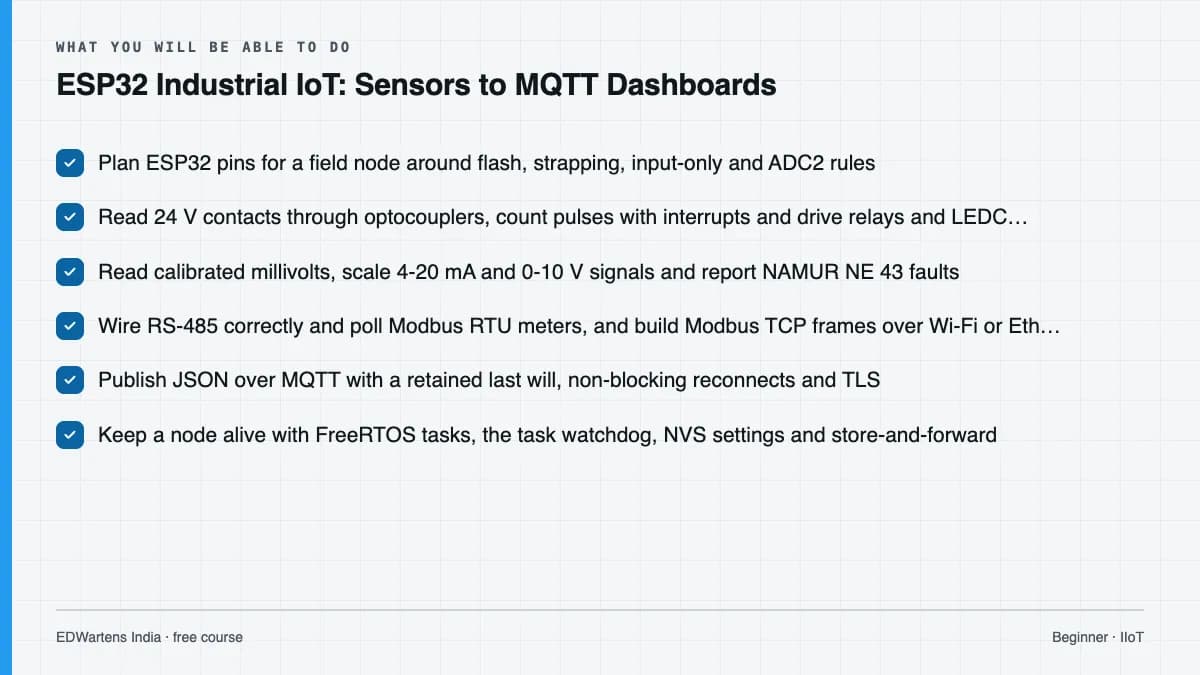
Choose an ESP32 board for a field job and plan its pins around flash, strapping, input-only and ADC2 restrictions; write non-blocking Arduino-ESP32 3.x firmware for 24 V inputs, interrupts, relays and LEDC PWM; read calibrated millivolts and add an ADS1115 where accuracy demands it; condition and scale 4-20 mA and 0-10 V signals and report NE 43 faults; poll meters over Modbus RTU and serve or read Modbus TCP over Wi-Fi or Ethernet; publish JSON over MQTT with a retained last will, safe reconnects and TLS; keep a node alive with watchdogs, tasks, NVS settings and store-and-forward; update it over the air and run it from a battery; power and protect it in a 24 V panel; build dashboards with alarms that operators trust; and commission and document a tank level monitor.
- Plan ESP32 pins for a field node around flash, strapping, input-only and ADC2 rules
- Read 24 V contacts through optocouplers, count pulses with interrupts and drive relays and LEDC PWM on the 3.x core
- Read calibrated millivolts, scale 4-20 mA and 0-10 V signals and report NAMUR NE 43 faults
- Wire RS-485 correctly and poll Modbus RTU meters, and build Modbus TCP frames over Wi-Fi or Ethernet
- Publish JSON over MQTT with a retained last will, non-blocking reconnects and TLS
- Keep a node alive with FreeRTOS tasks, the task watchdog, NVS settings and store-and-forward
- Update firmware over the air, estimate battery life from deep sleep, and power and protect a node in a 24 V panel
- Build Node-RED, InfluxDB and Grafana dashboards with trustworthy alarms, and commission a tank level monitor
Syllabus
Course content, module by module
In order, at whatever pace suits you. Each module ends with a practice task that builds on the last.
- Modules
- 13
- Video lessons
- 53
- Of video
- 13h 18m
- Final questions
- 15
- 01
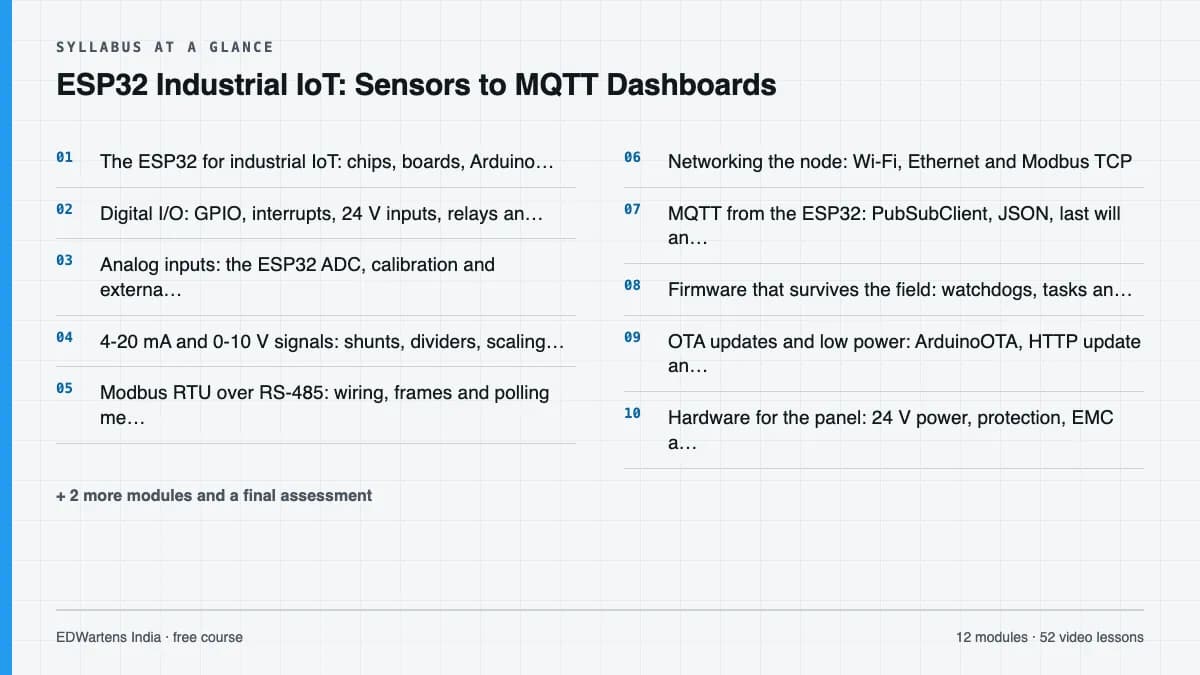
The ESP32 for industrial IoT: chips, boards, Arduino IDE and Wokwi
4 lessons · 36m - 02
Digital I/O: GPIO, interrupts, 24 V inputs, relays and PWM
4 lessons · 1h 13m - 03
Analog inputs: the ESP32 ADC, calibration and external ADCs
4 lessons · 1h 10m - 04
4-20 mA and 0-10 V signals: shunts, dividers, scaling and faults
4 lessons · 48m - 05
Modbus RTU over RS-485: wiring, frames and polling meters
5 lessons · 55m - 06
Networking the node: Wi-Fi, Ethernet and Modbus TCP
4 lessons · 1h 8m - 07
MQTT from the ESP32: PubSubClient, JSON, last will and TLS
6 lessons · 1h 19m - 08
Firmware that survives the field: watchdogs, tasks and store-and-forward
4 lessons · 1h 25m Final assessment · 15 questions, pass mark 60%
Project
The course project
Optional practice that ends in the kind of job the course prepares you for, with the documents that go with it.
About 16 hours
ESP32 monitoring node for a raw water tank and transfer pump: I/O list, firmware design, MQTT map, SAT and BOM
Design, build (in Wokwi or on hardware) and document an ESP32 node that monitors a raw water tank and its transfer pump: the I/O list and pin plan, a functional design for the firmware, the MQTT topic and Modbus register map, a site acceptance test record and a bill of materials. The sample pack shows every document for a pumping station near Ibadan, Nigeria.
Sample document pack, 5 documents, filled in for the scenario
- I/O listI/O list and pin plan: TK-301 monitoring node N-301
- Tag listModbus register map and MQTT topic map for N-301
- FDSFunctional design specification: N-301 firmware
- SATSite acceptance test record: N-301 at TK-301
- BOMBill of materials: N-301 node in the P-301 panel
Read inside the course and download as a workbook. The project is optional practice, marked when you submit it; the certificate needs only the modules and the final assessment.
Tools
Software, hardware and lessons
Software
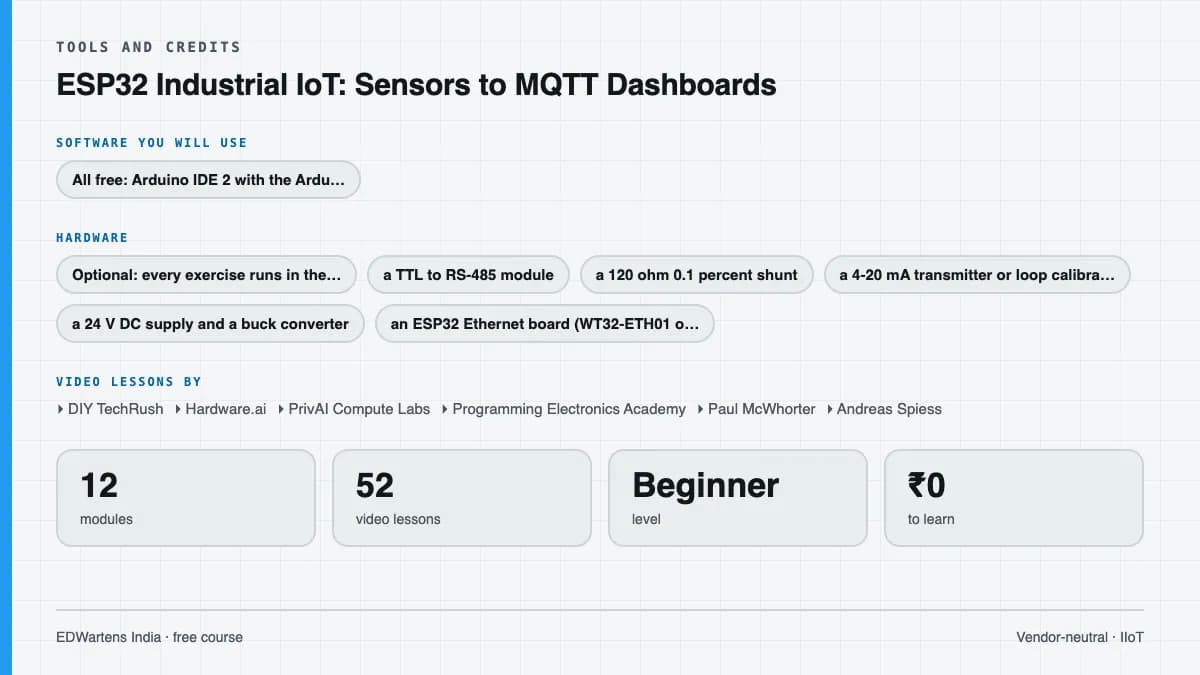
All free: Arduino IDE 2 with the Arduino-ESP32 core 3.x (boards manager URL https://espressif.github.io/arduino-esp32/package_esp32_index.json), the Wokwi online simulator, the PubSubClient, ArduinoJson and ModbusMaster libraries, Eclipse Mosquitto, MQTT Explorer, Node-RED with the FlowFuse Dashboard (Dashboard 2.0), InfluxDB and Grafana. ESP-IDF (Apache 2.0) is introduced for reference.
Hardware
Optional: every exercise runs in the Wokwi simulator. To build a real node: an ESP32 development board, a TTL to RS-485 module, a 120 ohm 0.1 percent shunt, a 4-20 mA transmitter or loop calibrator, a 24 V DC supply and a buck converter; an ESP32 Ethernet board (WT32-ETH01 or W5500) is useful but not required.
Who it is for
Beginner to intermediate. For electrical, instrumentation and automation technicians and engineers, diploma and engineering students, and makers who want to build industrial monitoring nodes. You need basic electricity (Ohm's law, volts and milliamps); programming is taught from the first sketch. MQTT is covered here as a device programmer needs it; broker design, Sparkplug B and the Unified Namespace are in Industrial DataOps: OPC UA, MQTT and Unified Namespace, and Node-RED in depth is in Node-RED for Industrial IoT.
Video lessons by
- DIY TechRush
- Hardware.ai
- PrivAI Compute Labs
- Programming Electronics Academy
- Paul McWhorter
- Andreas Spiess
- G6EJD - David
- How To Electronics
- Texas Instruments
- RealPars
- Werewolf Wu
- Impulse Tech
- ICP DAS USA, Inc.
- Antony Cartwright (Electronics & Code)
- DroneBot Workshop
- Yaser Ali Husen
- IoT Bhai
- OhioIoT
- High Voltages
- HiveMQ
- IoT Frontier
- Kolban Technical Tutorials
- Simply Explained
- KARTIS
- Nexperia
- Hans Rosenberg
- DonskyTech
- Steve Cope
- Michael Klements
- Tech StudyCell
- Electronic Clinic
Independent creators, credited in full under Credits.
Software you need
What to download, where from, what it costs and how to install it. Every link goes to the maker's own site, never a mirror.
Add the ESP32 boards package in the Arduino IDE boards manager (URL https://espressif.github.io/arduino-esp32/package_esp32_index.json, version 3.x). Also free: the Wokwi simulator at wokwi.com, which runs every exercise without hardware, and MQTT Explorer (mqtt-explorer.com). Install PubSubClient, ArduinoJson and ModbusMaster from the Arduino library manager.
Required
- 01Free
Arduino IDE 2
Arduino
- Runs on
- Windows 10 or later, macOS, Linux (AppImage and ZIP)
- Account
- None needed
Free, open source; the source code is published on GitHub.
Steps
- 1.Open arduino.cc/en/software and download Arduino IDE 2 for your operating system.
- 2.Install it and start it.
- 3.For an ESP32, open File, Preferences, and add the Espressif boards URL given in Espressif's arduino-esp32 documentation; then install esp32 in Boards Manager.
- 4.Connect the board by USB, choose it under Tools, Board and Port, and upload the Blink example to check the set-up.
- 5.To run an Edge Impulse model, use Sketch, Include Library, Add .ZIP Library with the library exported from Edge Impulse.
- If the port does not appear on Windows, install the USB to serial driver for your board's chip (CP210x or CH340).
- The legacy IDE 1.8.19 is still offered for old computers, but the course uses IDE 2.
Official download pagearduino.cc
Optional
Useful, not needed to finish the course.
- 02Free
Eclipse Mosquitto
Eclipse Foundation
- Runs on
- Windows (64-bit and 32-bit installers), macOS (Homebrew), Linux (Ubuntu PPA, Debian, Raspberry Pi, Snap)
- Account
- None needed
Free, open source under the Eclipse Public License and Eclipse Distribution License.
Steps
- 1.Open mosquitto.org/download.
- 2.On Windows, download the 64-bit installer and run it. On macOS run: brew install mosquitto. On Ubuntu run: sudo apt-add-repository ppa:mosquitto-dev/mosquitto-ppa, then sudo apt-get update and sudo apt-get install mosquitto mosquitto-clients.
- 3.Start the broker by running: mosquitto -v
- 4.In a second terminal, subscribe with: mosquitto_sub -t test, and in a third publish with: mosquitto_pub -t test -m hello
- By default Mosquitto 2 only accepts connections from the same computer. To allow other devices, add a listener and authentication settings to mosquitto.conf.
- Use a lab network only. Do not expose an open broker to the internet.
Official download pagemosquitto.org - 03Free
Node.js
OpenJS Foundation
- Runs on
- Windows, macOS and Linux
- Account
- None needed
Free, open source runtime. npm, the package manager, is installed with it.
Steps
- 1.Open nodejs.org/en/download.
- 2.Choose the LTS (long-term support) version and your system.
- 3.Download and run the installer with the default options.
- 4.Open a new terminal and run: node -v and then npm -v
- Pick LTS, not Current, unless your course says otherwise.
- Some tools need a minimum Node.js version. Node-RED 5 needs Node.js 22 or later.
Official download pagenodejs.org - 04Free
Node-RED
OpenJS Foundation (Node-RED project)
- Runs on
- Windows, macOS and Linux (needs Node.js 22 or later; Node.js 24 recommended), or Docker
- Account
- None needed
Free, open source under the Apache 2.0 licence.
Steps
- 1.Install Node.js LTS from nodejs.org.
- 2.On Windows run: npm install -g node-red (on macOS or Linux run: sudo npm install -g node-red).
- 3.Start it by running: node-red
- 4.Open http://localhost:1880 in your browser to use the editor.
- With Docker, run: docker run -it -p 1880:1880 --name mynodered nodered/node-red
- Leave the terminal window open while you use Node-RED.
Official download pagenodered.org - 05Free
InfluxDB (open source)
InfluxData
- Runs on
- InfluxDB 3 Core: Linux, macOS, Docker. InfluxDB OSS 2.x: Windows, macOS, Linux, Docker, Raspberry Pi (64-bit).
- Account
- None needed
The open source editions are free. InfluxDB 3 Core is under the MIT and Apache 2 licences and is what InfluxData recommends for new users. InfluxDB OSS 2.x is still offered and includes a web UI.
Steps
- 1.Open influxdata.com/downloads and choose InfluxDB 3 Core or InfluxDB OSS 2.x (use the one your course names).
- 2.Pick your platform and follow the install commands shown (Docker is simplest).
- 3.For OSS 2.x, start the server with: influxd
- 4.Open http://localhost:8086 and set up your first user, organisation and bucket, then save the API token it shows.
- The API token is shown once. Store it safely.
- Grafana can read from InfluxDB for dashboards.
Official download pageinfluxdata.com - 06Free
Grafana
Grafana Labs
- Runs on
- Windows, macOS, Linux (Debian/Ubuntu, RHEL/Fedora, SUSE, ARM64) and Docker
- Account
- None needed
Grafana OSS is free and open source under AGPLv3. The Grafana Enterprise download is also free to use without a licence key and is functionally identical until you buy an Enterprise licence.
Steps
- 1.Open grafana.com/grafana/download and choose the edition (Enterprise is recommended by Grafana and is free to use; OSS is fine too).
- 2.Pick your platform and download the installer or package.
- 3.Install and start the Grafana service.
- 4.Open http://localhost:3000 and sign in with the default admin account (admin / admin), then set a new password.
- 5.Add a data source, such as InfluxDB, and build your first dashboard.
- Change the default admin password straight away.
Official download pagegrafana.com - 07Free
LibreOffice
The Document Foundation
- Runs on
- Windows 10 or 11, macOS 11 or newer (Intel or Apple silicon), Linux
- Account
- None needed
- Size
- up to 1.5 GB of disk space on Windows
LibreOffice is free, open-source software under the Mozilla Public License 2.0, for any use including business. Calc is its spreadsheet.
Steps
- 1.Open the LibreOffice download page.
- 2.Check the page has picked your operating system, then select Download.
- 3.Run the installer (administrator rights are needed on Windows).
- 4.Start LibreOffice Calc for spreadsheet work.
- 5.Save as .xlsx if you need to share files with Excel users.
- Choose the latest main version unless your organisation asks for the older, more conservative release.
Official download pagelibreoffice.org
Checked against each maker's own page on 27 September 2026. Trial lengths and editions change; the maker's page is the final word.
What you walk away with
Your certificate for ESP32 Industrial IoT: Sensors to MQTT Dashboards
Finish the course, pass the final, and this is the document with your name on it.
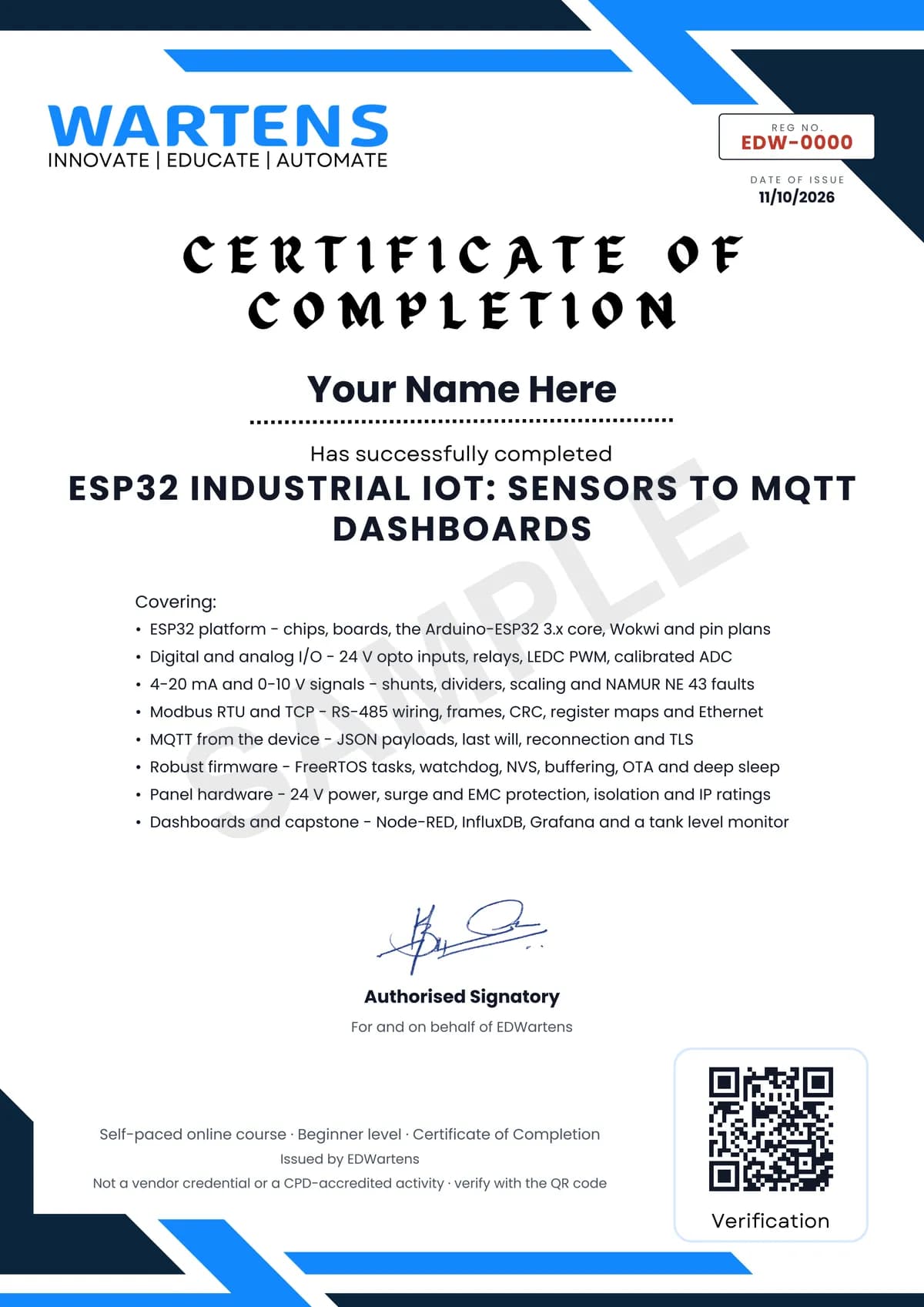
Verifiable by anyone
Adds to LinkedIn in one click
QR code on the certificate
Names what you can do
A permanent link
Earned, not attended
Learning is free. The certificate is optional.
Add it now and pay only when you have finished the course, or come back for it later. One-off, US$23.99, with a receipt.
Issued by EDWartens India (Wartens Automation Private Limited) as a Certificate of Completion for this self-paced course. It is not a vendor certification, a university award or a CPD-accredited activity, and it does not certify competence on live equipment. Delivered electronically; see the refund policy.
FAQ
Common questions
What does this ESP32 industrial IoT course teach?
It teaches you to build an ESP32 node that reads real plant signals (24 V contacts, 4-20 mA transmitters and Modbus meters) and publishes them over MQTT to dashboards and history. Along the way it covers the Arduino-ESP32 3.x core, signal conditioning, Modbus RTU and TCP, MQTT with TLS, watchdogs, OTA updates, panel power and protection, and a tank level monitor capstone.
Who is this ESP32 IoT course for, and what do I need to know first?
It is for electrical, instrumentation and automation technicians and engineers, students and makers who want to build industrial monitoring nodes. You need basic electricity such as Ohm's law, volts and milliamps; programming is taught from the first sketch, so no coding experience is assumed.
Do I need an ESP32 board or other hardware?
No. Every exercise runs in the free Wokwi simulator, including Wi-Fi and MQTT. A real ESP32 board, an RS-485 module, a 120 ohm shunt and a loop calibrator make the hardware modules hands-on, and they are inexpensive, but they are optional.
What software does the course use, and is it free?
Yes, everything is free: Arduino IDE 2 with the Arduino-ESP32 3.x core, Wokwi, the PubSubClient, ArduinoJson and ModbusMaster libraries, Eclipse Mosquitto, MQTT Explorer, Node-RED with Dashboard 2.0, InfluxDB and Grafana. All code in the notes is written for the current 3.x core.
Is the course free to learn, and how long does it take?
Yes, the lessons, notes, worked problems, practice tasks, project and final assessment are free to learn. It takes about 21 hours at your own pace, including about 13.3 hours of video; the optional project adds about 16 hours.
What certificate do I get, and how is it verified?
You get a verifiable certificate of completion from EDWartens when you finish every module and pass the 15-question final at 60 percent. It has a unique certificate number and a QR code that open a public verification page showing the course, the modules covered and your final score. It is not an Espressif, Arduino or Modbus Organization credential.
Which standards and protocols does the course follow?
It follows the Modbus RTU and TCP specifications, MQTT (ISO/IEC 20922), TIA/EIA-485 for RS-485, NAMUR NE 43 for 4-20 mA fault currents, the IEC 61000-4 and IEC 61000-6 series for surge and EMC, and IEC 60529 for IP ratings, all explained in our own words. These are the same rules that water utilities, solar plants and factories apply from the Gulf to Africa and Asia.
How is this different from the Industrial DataOps, Node-RED and OpenPLC courses?
This course builds the device: the sensor wiring, firmware and protection that turn field signals into reliable MQTT data. Industrial DataOps covers what happens at plant scale (OPC UA, Sparkplug B, Unified Namespace), Node-RED for Industrial IoT goes deep into Node-RED, and OpenPLC teaches control in IEC 61131-3 on the same hardware.
Is the ESP32 Industrial IoT: Sensors to MQTT Dashboards course free in India, and what does the certificate cost?
Yes. Learning costs ₹0 in India: every module, the written notes, the practice tasks and the final assessment, with no card and no trial period. The only paid item is the optional EDWartens Certificate of Completion, ₹499 including GST for this beginner course, paid in rupees through Razorpay, and only if you want it after passing the final assessment.
Is there classroom IIoT training in India as well?
Not as a separate course. EDWartens India runs the Automation Engineer Program (AEP), a classroom programme at its Electronic City centre in Bangalore. The Automation Engineer Program (AEP) covers PLC, SCADA, HMI, drives, measuring instruments, PID basics and control panel design, taught in person at our Electronic City centre. This free course is separate and fully online; it is a good way to try the subject before deciding on classroom training. Details are at edwartens.co.in/automation-training-bangalore, and the programme itself at edwartens.co.in/courses/aep.
All course factsHide course facts
- Price
- ₹0, free for good. No trial, no card. Comparable classroom training of this length costs about ₹6,999.
- Who it is for
- Electrical, instrumentation and automation technicians and engineers, students and makers who build ESP32 monitoring nodes that bring plant signals to MQTT dashboards
- Format
- 13 self-paced modules, 13h 18m of video, written notes, a practice task per module and one final assessment.
- Level
- Beginner. Beginner to intermediate. For electrical, instrumentation and automation technicians and engineers, diploma and engineering students, and makers who want to build industrial monitoring nodes. You need basic electricity (Ohm's law, volts and milliamps); programming is taught from the first sketch. MQTT is covered here as a device programmer needs it; broker design, Sparkplug B and the Unified Namespace are in Industrial DataOps: OPC UA, MQTT and Unified Namespace, and Node-RED in depth is in Node-RED for Industrial IoT.
- Brand
- Vendor-neutral
- Software
- All free: Arduino IDE 2 with the Arduino-ESP32 core 3.x (boards manager URL https://espressif.github.io/arduino-esp32/package_esp32_index.json), the Wokwi online simulator, the PubSubClient, ArduinoJson and ModbusMaster libraries, Eclipse Mosquitto, MQTT Explorer, Node-RED with the FlowFuse Dashboard (Dashboard 2.0), InfluxDB and Grafana. ESP-IDF (Apache 2.0) is introduced for reference.
- Hardware
- Optional: every exercise runs in the Wokwi simulator. To build a real node: an ESP32 development board, a TTL to RS-485 module, a 120 ohm 0.1 percent shunt, a 4-20 mA transmitter or loop calibrator, a 24 V DC supply and a buck converter; an ESP32 Ethernet board (WT32-ETH01 or W5500) is useful but not required.
- Certificate
- Optional EDWartens Certificate of Completion, verifiable by code. Not a vendor credential.
- Video lessons by
- DIY TechRush, Hardware.ai, PrivAI Compute Labs, Programming Electronics Academy, Paul McWhorter, Andreas Spiess, G6EJD - David, How To Electronics, Texas Instruments, RealPars, Werewolf Wu, Impulse Tech, ICP DAS USA, Inc., Antony Cartwright (Electronics & Code), DroneBot Workshop, Yaser Ali Husen, IoT Bhai, OhioIoT, High Voltages, HiveMQ, IoT Frontier, Kolban Technical Tutorials, Simply Explained, KARTIS, Nexperia, Hans Rosenberg, DonskyTech, Steve Cope, Michael Klements, Tech StudyCell, Electronic Clinic (independent creators, credited below)
- Language
- English
- Last updated
- 27 September 2026
Pairs well with
 PLC programming · FreeSiemens TIA Portal
 PLC programming · FreeSiemens TIA Portal in Three Hours
 PLC programming · FreeTIA Portal: Build a Machine
 Instrumentation · FreeInstrumentation for PLC Engineers
More free courses: Free Industry 4.0 and IIoT courses
Classroom course, Bangalore
Industrial automation course in Bangalore
The Automation Engineer Program (AEP) covers PLC, SCADA, HMI, drives, measuring instruments, PID basics and control panel design, taught in person at our Electronic City centre.
Credits
Who made the video lessons
The video lessons in this course were created by the people below, not by EDWartens. Every lesson streams from its creator's own YouTube channel; EDWartens neither hosts nor sells that footage, and the creators are not affiliated with EDWartens and do not endorse this course. What EDWartens wrote is the study plan, the notes, the practice tasks and the assessments.
- DIY TechRushgetting started with an ESP32 board in the Arduino IDE, controlling relay boards, and connecting the ESP32 to Wi-Fi
- Hardware.aithe ESP32 chip family explained in under 500 seconds
- PrivAI Compute Labswhich ESP32 to buy: the S2, S3, C3, C6 and H2 compared
- Programming Electronics Academythe Wokwi ESP32 simulator, OTA updates with the ESP32, and getting started with deep sleep
- Paul McWhorterpushbuttons with pull-up and pull-down resistors, pulse width modulation, and reading analog voltages (Arduino tutorials 27, 8 and 10)
- Andreas SpiessESP32 interrupts and deep sleep under the hood, how good the ESP32 ADC is against an ADS1115, RS-485 Modbus sensors on an ESP32, and working with FreeRTOS
- G6EJD - Davidthe ESP32 ADC's advanced functions and calibration
- How To Electronicsthe ADS1115 16-bit ADC with the ESP32, and reading sensor data over Modbus RTU
- Texas Instruments4-20 mA current loop transmitters, what RS-485 is, TVS diode specifications and the IEC 61000-4-5 surge standard
- RealPars2-wire and 4-wire transmitter output loops
- Werewolf Wua 4-20 mA sensor explained with a simple microcontroller example
- Impulse Techconnecting an industrial 4-20 mA sensor to an ESP32 for monitoring
- ICP DAS USA, Inc.Modbus in two minutes, RTU against TCP (also the final recap)
- Antony Cartwright (Electronics & Code)making Modbus work on an ESP32 over RS-485
- DroneBot WorkshopEthernet and Power over Ethernet with the ESP32, ESP32 non-volatile storage, OTA updates, and the ESP32 Guide 2026 for choosing a board
- Yaser Ali Husenuploading code to a WT32-ETH01 Ethernet board, and a Modbus TCP server with Node-RED as the client
- IoT Bhaia beginner's guide to the ESP32 and MQTT
- OhioIoTconnecting and publishing with the PubSubClient library
- High Voltagessimulating an ESP32 MQTT project in Wokwi
- HiveMQsetting up TLS for a cloud MQTT broker
- IoT Frontiermutual TLS between an ESP32 and Node-RED, an ESP32 MQTT dashboard in Node-RED, a Node-RED, InfluxDB and Grafana dashboard, and the end-to-end capstone-style project
- Kolban Technical Tutorialshow the ESP32 watchdogs work
- Simply Explainedmultitasking with FreeRTOS on the ESP32
- KARTIShow to power microcontroller projects properly
- Nexperiathe basics of ESD and TVS protection
- Hans Rosenbergthe PCB grounding mistakes that cause noise problems
- DonskyTechinstalling and testing the Mosquitto broker on Windows
- Steve Copean introduction to Node-RED Dashboard 2
- Michael Klementsa Grafana dashboard fed by an ESP32 through InfluxDB
- Tech StudyCellan ESP32 water level monitoring system
- Electronic Clinicwater level monitoring with a waterproof ultrasonic sensor and an ESP32
If you are one of these creators and would like a lesson removed or credited differently, write to info@wartens.com.