SCADA · Free online course
FactoryTalk View Site Edition SCADA
Rockwell's plant SCADA: applications and clients, displays and navigation, Logix tag references, global objects, FactoryTalk Alarms and Events, TrendPro, data logging and databases, RecipePro+, security and e-signatures, VBA, ViewPoint, backup and migration.
- 11 modules
- 10h 41m of video
- Intermediate
- English
- ₹0, free

₹0Free for good
Worth ₹5,999 by length and depth against classroom training. It has always been free; that is not a former price.
No card. Checkout takes a minute and gives you a receipt.
Overview
About FactoryTalk View Site Edition SCADA
Rockwell's plant SCADA: applications and clients, displays and navigation, Logix tag references, global objects, FactoryTalk Alarms and Events, TrendPro, data logging and databases, RecipePro+, security and e-signatures, VBA, ViewPoint, backup and migration.
FactoryTalk View Site Edition SCADA is a free, self-paced online course from EDWartens for engineering students, ITI and diploma holders, and working engineers in automation and control. It has 11 modules and 10h 41m of video lessons by Rockwell Automation, The Automation Craze, KS Automation, with written notes and worked problems, a practical project with a document pack and a 15-question final assessment (pass mark 60%). Learning is free with an account; an optional certificate with a public verification code is issued when you pass. Last updated 27 September 2026.
Who it is for: Engineering students, ITI and diploma holders, and working engineers in automation and control
This course includes
- 10h 41m of video lessons
- 11 modules with written notes and diagrams
- One final assessment: 15 questions, pass mark 60%
- Ask-an-engineer support from practising engineers
- Lifetime access, the course does not expire
- Optional verifiable certificate when you finish
- Step 1 of 3
Learn the 11 modules
10h 41m of video lessons, written notes and a practice task per module, at your own pace.
- Step 2 of 3
Pass the final assessment
15 questions drawn from every module, pass mark 60%, 3 attempts.
- Step 3 of 3
Take the certificate, if you want it
Optional, paid once, only if you choose it. The course stays free either way.
See the certificate and its price
A look inside


From the lessons

Installation, Applications and Clients
by by The Automation Craze

Displays, Objects and Navigation
by Rockwell Automation

Controllers, Tags and Communications
by Rockwell Automation

Global Objects and Pop-ups
by Rockwell Automation

Alarms: FactoryTalk Alarms and Events
by by The Automation Craze

Trends and History
by by The Automation Craze
Lesson frames belong to the creators named in the Credits and are shown from YouTube.
What you learn
What you will be able to do
Create SE applications and clients, build displays and navigation, reference Logix controllers through FactoryTalk Linx and OPC UA, build global objects and pop-ups, configure FactoryTalk Alarms and Events, trend with TrendPro, log data to SQL and InfluxDB, use RecipePro+, security and e-signatures, script with VBA and .NET, and manage applications with Application Manager, backups, ViewPoint and migration.
- Create local, network station and network distributed applications and clients
- Build displays, objects, animation and navigation menus
- Reference Logix controllers via Linx and OPC UA; use direct, client and extended tags
- Build global objects and parameterised pop-ups
- Configure FactoryTalk Alarms and Events, tag-based alarms and e-mail
- Trend with TrendPro, XY plots and Historian; log to SQL and InfluxDB
- Use RecipePro+, FactoryTalk Security and e-signatures; script with VBA and .NET
- Back up, restore, migrate and deploy with Application Manager, ViewPoint and redundancy
Syllabus
Course content, module by module
In order, at whatever pace suits you. Each module ends with a practice task that builds on the last.
- Modules
- 11
- Video lessons
- 89
- Of video
- 10h 41m
- Final questions
- 15
- 01
Installation, Applications and Clients
5 lessons · 35m - 02
Displays, Objects and Navigation
9 lessons · 1h 33m - 03
Controllers, Tags and Communications
7 lessons · 43m - 04
Global Objects and Pop-ups
5 lessons · 39m - 05
Alarms: FactoryTalk Alarms and Events
9 lessons · 52m - 06
Trends and History
8 lessons · 46m - 07
Data Logging and Databases
8 lessons · 1h 15m - 08
Recipes, Security and e-Signatures
8 lessons · 54m Final assessment · 15 questions, pass mark 60%
Project
The course project
Optional practice that ends in the kind of job the course prepares you for, with the documents that go with it.
About 20 hours
Automotive paint shop on FactoryTalk View SE distributed: servers, global objects, Alarms and Events, DataLog, security
Design, build, test and document a FactoryTalk View SE network distributed application for an automotive paint shop: a FactoryTalk Directory, an HMI server, a FactoryTalk Linx data server with shortcuts to three ControlLogix controllers, global objects on UDTs for motors, loops, oven zones and tanks, FactoryTalk Alarms and Events from ALMD/ALMA instructions, DataLog models for baths, ovens and booths, and FactoryTalk Security with electronic signatures on oven setpoints. You deliver the application, your own tag list and FAT record, and the backup and restore note. The sample pack shows what a SCADA integrator hands over.
Sample document pack, 8 documents, filled in for the scenario
- HMI specSCADA Display Hierarchy and Display Specification: FactoryTalk View SE, Gqeberha Paint Shop
- Tag listTag List and Naming Convention: Controller UDT Members Referenced through the Linx Shortcuts
- Alarm listAlarm List: Paint Shop Areas (ALMA / ALMD Configuration and Severity)
- SDSSCADA Software Design: Application Structure, Global Objects, Alarms and Events, DataLog, Security
- Network architectureNetwork Architecture: Three Control Cells, SCADA Zone and Plant Office
- IP planIP Address Plan and Device List: Paint Shop Control VLAN 610 and SCADA VLAN 620
- FATFactory Acceptance Test Record: FactoryTalk View SE Distributed Application, Gqeberha Paint Shop
- O&M manualOperation and Maintenance: Paint Shop SCADA (Operation, Alarms, Signatures, Backup and Restore)
Read inside the course and download as a workbook. The project is optional practice, marked when you submit it; the certificate needs only the modules and the final assessment.
Tools
Software, hardware and lessons
Software
FactoryTalk View Studio (SE) is paid: it runs 7 days without activation, then in two-hour demo sessions. FactoryTalk Linx comes with it; Logix Emulate is paid, with a Logix Echo trial on request
Hardware
None. Logix Emulate provides tags.
Who it is for
Intermediate. Allen-Bradley PLC basics assumed.
Video lessons by
- Rockwell Automation
- The Automation Craze
- KS Automation
Independent creators, credited in full under Credits.
Software you need
What to download, where from, what it costs and how to install it. Every link goes to the maker's own site, never a mirror.
Required
- 01Paid only
FactoryTalk View Studio (Machine Edition and Site Edition)
Rockwell Automation
- Runs on
- Windows 10 or 11 Pro or Enterprise 64-bit, or Windows Server 2019/2022/2025
- Account
- A Rockwell Automation account and a product serial number from a purchased licence
FactoryTalk View is paid software with no public trial. If a licensed install cannot find its activation it runs for a 7-day grace period; after that FactoryTalk View ME runs only in a demo mode that allows two hours of use. Rockwell says FactoryTalk View SE should be downloaded with a server or station serial number.
Steps
- 1.If your employer or college has a FactoryTalk View licence, ask for the serial number.
- 2.Sign in to the Product Compatibility and Download Center and search for FactoryTalk View.
- 3.Download FactoryTalk View Machine Edition or Site Edition using your serial number.
- 4.Install it as administrator and activate it with FactoryTalk Activation Manager.
- 5.Open FactoryTalk View Studio and create a new Machine Edition or Site Edition application.
- Demo mode is meant for evaluation only and stops after two hours, so it is not a practical way to follow a full course.
Rockwell Automation product pagerockwellautomation.comLegitimate free routes
- FactoryTalk Optix Studio Standard: Rockwell's free HMI design tool; applications run on the development PC without a runtime licence.
- Connected Components Workbench Standard Edition: Free; Rockwell describes it as one tool to program, simulate, configure and visualize small systems.
- Rockwell Automation training: Instructor-led FactoryTalk View courses, or use an employer licence.
- 02Free
FactoryTalk Linx (formerly RSLinx Enterprise)
Rockwell Automation
- Runs on
- Windows 10 or 11 Pro or Enterprise 64-bit
- Account
- A free Rockwell Automation account (sign in to the Product Compatibility and Download Center)
Rockwell lists FactoryTalk Linx under Free Software on its download centre; it ships with the FactoryTalk Services Platform, which is included with most Rockwell software. Add-ons such as FactoryTalk Linx Gateway and Data Bridge are separate paid products.
Steps
- 1.Open the Product Compatibility and Download Center and search for FactoryTalk Linx.
- 2.Choose FactoryTalk Services (it contains FactoryTalk Services Platform and FactoryTalk Linx) and sign in to download.
- 3.Run setup as administrator, choose Install Now or Customize, and accept the licence agreements.
- 4.Restart the PC when asked.
- 5.Open FactoryTalk Administration Console or the Communication Setup editor to add a driver and browse your network.
- If you install FactoryTalk View or Studio 5000, FactoryTalk Linx is usually installed with them.
- For MicroLogix serial (DF1) links Rockwell recommends RSLinx Classic, which has a free Lite edition.
Official download pagecompatibility.rockwellautomation.comAlternatives
- RSLinx Classic Lite: Free Rockwell communications driver, used with RSLogix Micro Starter Lite.
Optional
Useful, not needed to finish the course.
- 03Paid, 30-day Logix Echo trial on request
Studio 5000 Logix Emulate and FactoryTalk Logix Echo
Rockwell Automation
- Runs on
- Windows
- Account
- A Rockwell Automation account; the Logix Echo trial is requested through a form on Rockwell's page
Both emulators are paid Rockwell products. Rockwell offers a 30-day FactoryTalk Logix Echo trial licence on request; Logix Emulate has no trial on its product page. Both also need a licensed Studio 5000 Logix Designer to create the programs you emulate.
Steps
- 1.Open the FactoryTalk Logix Echo page on rockwellautomation.com.
- 2.Fill in the trial request form to ask for a 30-day trial licence.
- 3.Download Logix Echo from the Product Compatibility and Download Center.
- 4.Install it and activate the trial licence you receive.
- 5.Create an emulated controller in Logix Echo and download a Studio 5000 project to it.
- Logix Echo needs a feature-compatible version of Studio 5000 Logix Designer; without a Logix Designer licence the trial is of little use.
Rockwell Automation product pagerockwellautomation.comLegitimate free routes
- Connected Components Workbench Standard Edition: Free, with a demo Micro800 Simulator for testing without hardware.
- FactoryTalk Design Studio free trial: Free 90-day cloud trial; Rockwell says projects can be deployed to Logix Echo.
Checked against each maker's own page on 27 September 2026. Trial lengths and editions change; the maker's page is the final word.
What you walk away with
Your certificate for FactoryTalk View Site Edition SCADA
Finish the course, pass the final, and this is the document with your name on it.
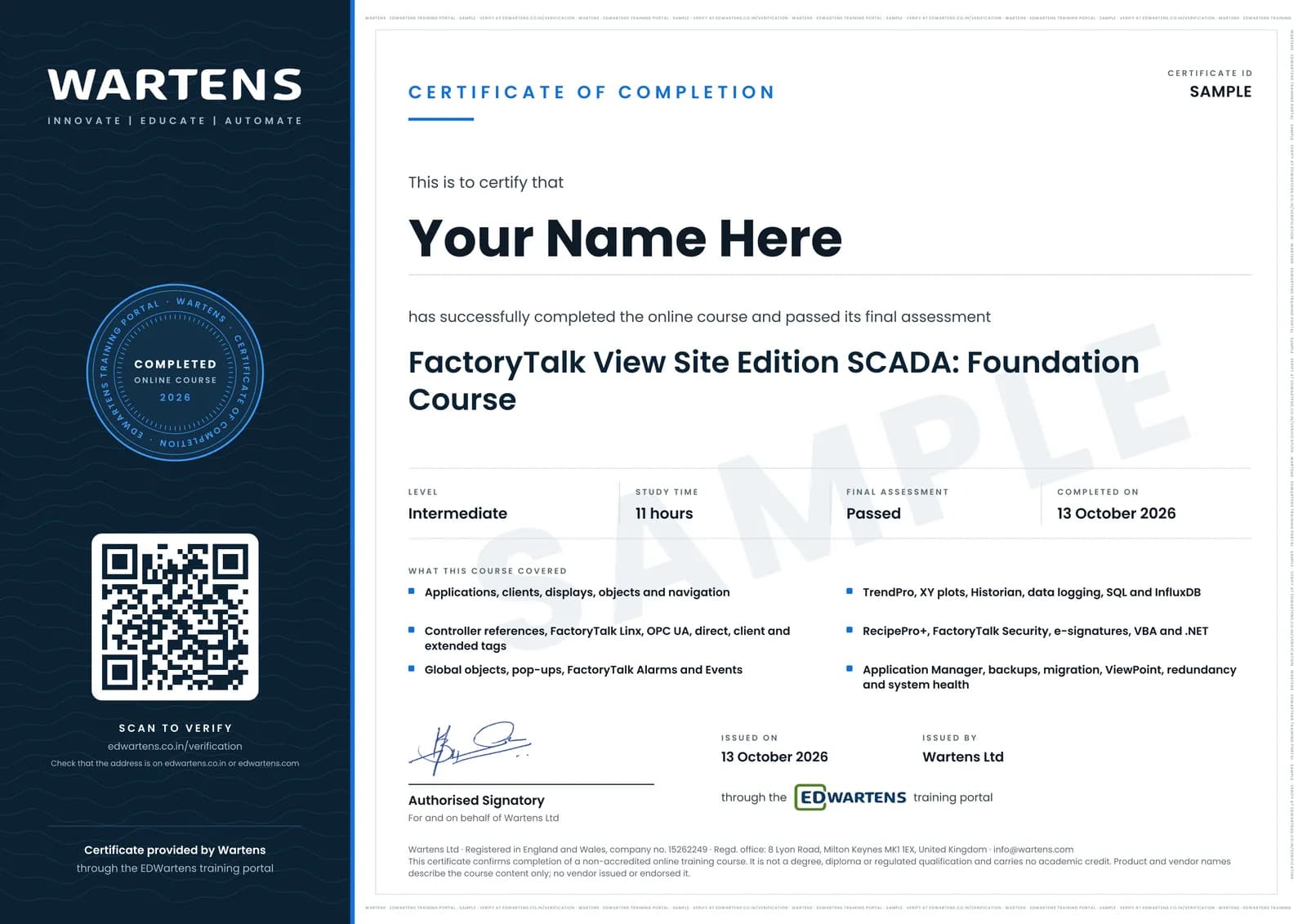
Verifiable by anyone
Adds to LinkedIn in one click
QR code on the certificate
Names what you can do
A permanent link
Earned, not attended
Learning is free. The certificate is optional.
Add it now and pay only when you have finished the course, or come back for it later. One-off, US$28.99, with a receipt.
Issued by Wartens Ltd (England and Wales, company no. 15262249) through the EDWartens training portal, as a Certificate of Completion for this self-paced course. Sold in India by Wartens Automation Private Limited. It is not a vendor certification, a university award or a CPD-accredited activity, and it does not certify competence on live equipment. Delivered electronically; see the refund policy.
FAQ
Common questions
SE or ME?
Machine Edition runs on PanelView terminals; Site Edition is the PC-based supervisory system. The free HMI course covers ME; this course is SE.
Do I need a ControlLogix?
No. Logix Emulate or a simulated controller provides tags for every exercise.
Are the lessons official?
Most are Rockwell Automation's own videos, complemented by two independent creators; all are credited below.
Is the FactoryTalk View Site Edition SCADA course really free?
Yes. Every module, practice task and assessment. You create an account so your progress is saved and the assessments can be marked. The certificate is the only paid item, and only if you want it.
What certificate do I get, and is it a Rockwell qualification?
An EDWartens Certificate of Completion, issued when you pass the final assessment, with a verification code anyone can check. It is not a Rockwell Automation credential and is never described as one.
Who made the video lessons in the FactoryTalk View Site Edition SCADA course?
The creators named in the Credits block at the foot of this page, on their own YouTube channels. EDWartens did not make the videos and the creators are not affiliated with EDWartens. What EDWartens wrote is the study plan, the notes, the practice tasks and the assessments.
How long does the FactoryTalk View Site Edition SCADA course take?
Plan on about 16 hours in all, including the video lessons, notes and practice tasks. It is self-paced, so you work through the eleven modules at your own speed.
Is the FactoryTalk View Site Edition SCADA course free in India, and what does the certificate cost?
Yes. Learning costs ₹0 in India: every module, the written notes, the practice tasks and the final assessment, with no card and no trial period. The only paid item is the optional EDWartens Certificate of Completion, ₹599 including GST for this intermediate course, paid in rupees through Razorpay, and only if you want it after passing the final assessment.
Is there classroom SCADA training in India as well?
Yes. EDWartens India runs the Automation Engineer Program (AEP), a classroom programme at its Electronic City centre in Bangalore. The Automation Engineer Program (AEP) teaches PLC, SCADA and HMI work together, in person at our Electronic City centre. This free course is separate and fully online; it is a good way to try the subject before deciding on classroom training. Details are at edwartens.co.in/plc-scada-training-bangalore, and the programme itself at edwartens.co.in/courses/aep.
All course factsHide course facts
- Price
- ₹0, free for good. No trial, no card. Comparable classroom training of this length costs about ₹5,999.
- Who it is for
- Engineering students, ITI and diploma holders, and working engineers in automation and control
- Format
- 11 self-paced modules, 10h 41m of video, written notes, a practice task per module and one final assessment.
- Level
- Intermediate. Intermediate. Allen-Bradley PLC basics assumed.
- Brand
- Allen-Bradley
- Software
- FactoryTalk View Studio (SE) is paid: it runs 7 days without activation, then in two-hour demo sessions. FactoryTalk Linx comes with it; Logix Emulate is paid, with a Logix Echo trial on request
- Hardware
- None. Logix Emulate provides tags.
- Certificate
- Optional EDWartens Certificate of Completion, ₹599 inclusive of GST for learners in India, verifiable by code. Not a vendor credential.
- Video lessons by
- Rockwell Automation, The Automation Craze, KS Automation (independent creators, credited below)
- Language
- English
- Last updated
- 27 September 2026
Pairs well with
 PLC programming · FreeAllen-Bradley Studio 5000
 PLC programming · FreeAllen-Bradley RSLogix 500 and MicroLogix
 PLC programming · FreeAllen-Bradley Micro800 with Connected Components Workbench
 HMI · FreeFactoryTalk Optix HMI and Edge
More free courses: Free Allen-Bradley PLC courses · Free SCADA courses
Classroom course, Bangalore
PLC SCADA training in Bangalore
The Automation Engineer Program (AEP) teaches PLC, SCADA and HMI work together, in person at our Electronic City centre.
Credits
Who made the video lessons
The video lessons in this course were created by the people below, not by EDWartens. Every lesson streams from its creator's own YouTube channel; EDWartens neither hosts nor sells that footage, and the creators are not affiliated with EDWartens and do not endorse this course. What EDWartens wrote is the study plan, the notes, the practice tasks and the assessments.
- Rockwell Automationthe official FactoryTalk View Site Edition video series
- The Automation Crazethe FactoryTalk View SE beginner tutorial series
- KS Automationthe SE Application Manager tutorials
If you are one of these creators and would like a lesson removed or credited differently, write to info@wartens.com.