PLC programming · Free online course
Allen-Bradley Micro800 with Connected Components Workbench
The Micro820/850 from wiring to motion: CCW, the simulator, bit logic, timers, counters, analog, UDFBs, high-speed counters, PTO motion, PowerFlex and Logix messaging, Modbus TCP, PID, and migration from MicroLogix.
- 16 modules
- 12h 48m of video
- Beginner
- English
- ₹0, free

₹0Free for good
Worth ₹6,999 by length and depth against classroom training. It has always been free; that is not a former price.
No card. Checkout takes a minute and gives you a receipt.
Overview
About Allen-Bradley Micro800 with Connected Components Workbench
The Micro820/850 from wiring to motion: CCW, the simulator, bit logic, timers, counters, analog, UDFBs, high-speed counters, PTO motion, PowerFlex and Logix messaging, Modbus TCP, PID, and migration from MicroLogix.
Allen-Bradley Micro800 with Connected Components Workbench is a free, self-paced online course from EDWartens for engineering students, ITI and diploma holders, and working engineers in automation, electrical and instrumentation. It has 16 modules and 12h 48m of video lessons by Rockwell Automation, Tim Wilborne, with written notes and worked problems, a practical project with a document pack and a 15-question final assessment (pass mark 60%). Learning is free with an account; an optional certificate with a public verification code is issued when you pass. Last updated 27 September 2026.
Who it is for: Engineering students, ITI and diploma holders, and working engineers in automation, electrical and instrumentation
This course includes
- 12h 48m of video lessons
- 16 modules with written notes and diagrams
- One final assessment: 15 questions, pass mark 60%
- Ask-an-engineer support from practising engineers
- Lifetime access, the course does not expire
- Optional verifiable certificate when you finish
- Step 1 of 3
Learn the 16 modules
12h 48m of video lessons, written notes and a practice task per module, at your own pace.
- Step 2 of 3
Pass the final assessment
15 questions drawn from every module, pass mark 60%, 3 attempts.
- Step 3 of 3
Take the certificate, if you want it
Optional, paid once, only if you choose it. The course stays free either way.
See the certificate and its price
A look inside


From the lessons

Micro800, CCW and the Simulator
by Rockwell Automation

Connecting, Uploading, Downloading, Firmware
by Tim Wilborne

Scan Cycle and Bit Instructions
by Tim Wilborne

Timers
by Tim Wilborne

Analog
by Tim Wilborne
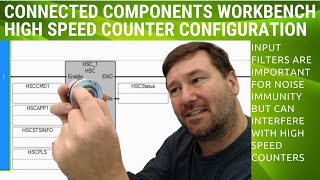
High-Speed Counter and Encoders
by Tim Wilborne
Lesson frames belong to the creators named in the Credits and are shown from YouTube.
What you learn
What you will be able to do
Install and activate CCW, wire a Micro820/850, connect, upload, download and update firmware, build LD, FBD and ST projects with an HMI, use bit logic, latching, retentive outputs, timers, counters and analog scaling, write UDFBs, read encoders on the HSC, do PTO motion, message drives and Logix controllers, serve Modbus TCP, use trends, PID and data logs, and migrate MicroLogix programs.
- Install CCW, activate it and run the Micro800 Simulator
- Wire a Micro820/850, fix IP problems, upload, download and update firmware
- Build the same logic in LD, FBD and ST with a PanelView 800 HMI
- Use bit instructions, latching, retentive outputs, timers and counters
- Wire and scale 0-10 V and 4-20 mA signals
- Write UDFBs and UDFs and read encoders on the HSC
- Run PTO stepper and servo motion
- Message PowerFlex 525 drives and Logix controllers, serve Modbus TCP, use PID and trends, migrate MicroLogix
Syllabus
Course content, module by module
In order, at whatever pace suits you. Each module ends with a practice task that builds on the last.
- Modules
- 16
- Video lessons
- 81
- Of video
- 12h 48m
- Final questions
- 15
- 01
Micro800, CCW and the Simulator
6 lessons · 31m - 02
Wiring the Micro820 and Micro850
5 lessons · 41m - 03
Connecting, Uploading, Downloading, Firmware
10 lessons · 56m - 04
CCW Projects: LD, FBD, ST and an HMI
4 lessons · 43m - 05
Scan Cycle and Bit Instructions
3 lessons · 34m - 06
Latching, Set/Reset, Retentive Outputs
5 lessons · 1h 9m - 07
Timers
3 lessons · 57m - 08
Counters
2 lessons · 24m Final assessment · 15 questions, pass mark 60%
Project
The course project
Optional practice that ends in the kind of job the course prepares you for, with the documents that go with it.
About 16 hours
Four-compressor air house: Micro850 lead/lag/standby sequencer with hours-based rotation, from FDS to signed FAT
Design, program, test and document a Micro850 sequencer for four screw compressors feeding a textile mill's air-jet looms: header pressure from a 4-20 mA transmitter on a 2080-IF4, cascaded load and unload setpoints, lead/lag/lag/standby duty rotated daily on run hours, minimum-run and anti-recycle protection, a compressor UDFB instanced four times, and a PanelView 800 screen. You deliver the CCW project, your own I/O list and FAT record, and the operator note. The sample pack shows what an integrator hands the mill.
Sample document pack, 7 documents, filled in for the scenario
- FDSFunctional Design Specification: Air House AH-1 Compressor Sequencer
- I/O listI/O List: Panel CP-401
- BOMBill of Materials: Panel CP-401 and Field Devices
- Tag listVariable List and Naming Convention: Micro850 CP-401
- Alarm listAlarm List: Air House AH-1
- FATFactory Acceptance Test Record: Panel CP-401
- O&M manualOperation and Maintenance Manual: Air House AH-1 (Operation section)
Read inside the course and download as a workbook. The project is optional practice, marked when you submit it; the certificate needs only the modules and the final assessment.
Tools
Software, hardware and lessons
Software
Connected Components Workbench Standard (free) with the Micro800 Simulator
Hardware
None required. A Micro820 trainer makes wiring, analog and motion real.
Who it is for
Beginner. No PLC experience needed.
Video lessons by
- Rockwell Automation
- Tim Wilborne
Independent creators, credited in full under Credits.
Software you need
What to download, where from, what it costs and how to install it. Every link goes to the maker's own site, never a mirror.
Required
- 01Free
Connected Components Workbench Standard Edition
Rockwell Automation
- Runs on
- Windows 10 or 11 Pro or Enterprise 64-bit, or Windows Server 2019/2022
- Account
- A free Rockwell Automation account (sign in to the Product Compatibility and Download Center)
The Standard Edition is free and needs no activation. It includes a demo version of the Micro800 Simulator; the full simulator comes with the paid Developer Edition.
Steps
- 1.Open the Connected Components Workbench page on the Product Compatibility and Download Center.
- 2.Click Available downloads next to the latest version (23.00.00 on 27 Sept 2026) and sign in.
- 3.Accept the licence agreement and download the installer.
- 4.Run the setup as administrator; it installs .NET Framework 4.8 if needed.
- 5.Start Connected Components Workbench, add a Micro800 controller and open the Micro800 Simulator to test your program.
- Rockwell lists 8 GB RAM and 20 GB free disk as the minimum.
- The installer does not work on the very first Windows 10 releases (1507 and 1511); update Windows first.
Official download pagecompatibility.rockwellautomation.comAlternatives
- FactoryTalk Design Workbench: Rockwell's newer free Micro800 design tool.
Checked against each maker's own page on 27 September 2026. Trial lengths and editions change; the maker's page is the final word.
What you walk away with
Your certificate for Allen-Bradley Micro800 with Connected Components Workbench
Finish the course, pass the final, and this is the document with your name on it.

Verifiable by anyone
Adds to LinkedIn in one click
QR code on the certificate
Names what you can do
A permanent link
Earned, not attended
Learning is free. The certificate is optional.
Add it now and pay only when you have finished the course, or come back for it later. One-off, US$23.99, with a receipt.
Issued by Wartens Ltd (England and Wales, company no. 15262249) through the EDWartens training portal, as a Certificate of Completion for this self-paced course. Sold in India by Wartens Automation Private Limited. It is not a vendor certification, a university award or a CPD-accredited activity, and it does not certify competence on live equipment. Delivered electronically; see the refund policy.
FAQ
Common questions
Is CCW free?
Yes. The Standard edition is a free download from Rockwell and needs no activation to program a Micro800; the Developer edition adds features such as UDFB debugging.
Do I need a Micro800?
No. The Micro800 Simulator runs the logic modules; wiring, analog, HSC and motion are best on a Micro820 trainer, which is inexpensive.
Micro800 versus MicroLogix?
MicroLogix is discontinued and file-based; Micro800 is its replacement with IEC languages and UDFBs. The migration module shows the converter.
Is the Allen-Bradley Micro800 course really free?
Yes. Every module, practice task and assessment. You create an account so your progress is saved and the assessments can be marked. The certificate is the only paid item, and only if you want it.
What certificate do I get, and is it a Rockwell Automation qualification?
An EDWartens Certificate of Completion, issued when you pass the final assessment, with a verification code anyone can check. It is not a Rockwell Automation credential and is never described as one.
Who made the video lessons in the Allen-Bradley Micro800 course?
The creators named in the Credits block at the foot of this page, on their own YouTube channels. EDWartens did not make the videos and the creators are not affiliated with EDWartens. What EDWartens wrote is the study plan, the notes, the practice tasks and the assessments.
How long does the Allen-Bradley Micro800 course take?
Plan on about 20 hours in all, including the video lessons, notes and practice tasks. It is self-paced, so you work through the sixteen modules at your own speed.
Is the Allen-Bradley Micro800 course free in India, and what does the certificate cost?
Yes. Learning costs ₹0 in India: every module, the written notes, the practice tasks and the final assessment, with no card and no trial period. The only paid item is the optional EDWartens Certificate of Completion, ₹499 including GST for this beginner course, paid in rupees through Razorpay, and only if you want it after passing the final assessment.
Is there classroom PLC training in India as well?
Yes. EDWartens India runs the Automation Engineer Program (AEP), a classroom programme at its Electronic City centre in Bangalore. The Automation Engineer Program (AEP) teaches Allen-Bradley PLC programming in person at our Electronic City centre, alongside the other PLC brands it covers. This free course is separate and fully online; it is a good way to try the subject before deciding on classroom training. Details are at edwartens.co.in/allen-bradley-plc-training-bangalore, and the programme itself at edwartens.co.in/courses/aep.
All course factsHide course facts
- Price
- ₹0, free for good. No trial, no card. Comparable classroom training of this length costs about ₹6,999.
- Who it is for
- Engineering students, ITI and diploma holders, and working engineers in automation, electrical and instrumentation
- Format
- 16 self-paced modules, 12h 48m of video, written notes, a practice task per module and one final assessment.
- Level
- Beginner. Beginner. No PLC experience needed.
- Brand
- Allen-Bradley
- Software
- Connected Components Workbench Standard (free) with the Micro800 Simulator
- Hardware
- None required. A Micro820 trainer makes wiring, analog and motion real.
- Certificate
- Optional EDWartens Certificate of Completion, ₹499 inclusive of GST for learners in India, verifiable by code. Not a vendor credential.
- Video lessons by
- Rockwell Automation, Tim Wilborne (independent creators, credited below)
- Language
- English
- Last updated
- 27 September 2026
Pairs well with
 PLC programming · FreeAllen-Bradley Studio 5000
 PLC programming · FreeAllen-Bradley RSLogix 500 and MicroLogix
 SCADA · FreeFactoryTalk View Site Edition SCADA
 HMI · FreeFactoryTalk Optix HMI and Edge
More free courses: Free Allen-Bradley PLC courses · Free PLC programming courses
Learning paths with this course
- Rockwell engineer path · 5 courses
Classroom course, Bangalore
Allen-Bradley PLC training in Bangalore
The Automation Engineer Program (AEP) teaches Allen-Bradley PLC programming in person at our Electronic City centre, alongside the other PLC brands it covers.
Credits
Who made the video lessons
The video lessons in this course were created by the people below, not by EDWartens. Every lesson streams from its creator's own YouTube channel; EDWartens neither hosts nor sells that footage, and the creators are not affiliated with EDWartens and do not endorse this course. What EDWartens wrote is the study plan, the notes, the practice tasks and the assessments.
- Rockwell Automationthe official Connected Components Workbench tutorials
- Tim Wilbornethe Micro800 CCW course lessons
If you are one of these creators and would like a lesson removed or credited differently, write to info@wartens.com.