Industrial networks · Free online course
Industrial Communication: Serial, Fieldbus, Ethernet, Modbus, PROFINET and OPC UA
Every network a PLC engineer meets, from RS-485 and Modbus to PROFINET, EtherNet/IP and OPC UA, with hands-on PLC-to-PLC and Modbus configuration in TIA Portal.
- 18 modules
- 15h 52m of video
- Intermediate
- English
- ₹0, free

₹0Free for good
Worth ₹9,999 by length and depth against classroom training. It has always been free; that is not a former price.
No card. Checkout takes a minute and gives you a receipt.
Overview
About Industrial Communication: Serial, Fieldbus, Ethernet, Modbus, PROFINET and OPC UA
Every network a PLC engineer meets, from RS-485 and Modbus to PROFINET, EtherNet/IP and OPC UA, with hands-on PLC-to-PLC and Modbus configuration in TIA Portal.
Industrial Communication: Serial, Fieldbus, Ethernet, Modbus, PROFINET and OPC UA is a free, self-paced online course from EDWartens for engineering students, ITI and diploma holders, and working engineers in automation. It has 18 modules and 15h 52m of video lessons by RealPars, Hegamurl, iipd Global and others, with written notes and worked problems, a practical project with a document pack and a 15-question final assessment (pass mark 60%). Learning is free with an account; an optional certificate with a public verification code is issued when you pass. Last updated 27 September 2026.
Who it is for: Engineering students, ITI and diploma holders, and working engineers in automation
This course includes
- 15h 52m of video lessons
- 18 modules with written notes and diagrams
- One final assessment: 15 questions, pass mark 60%
- Ask-an-engineer support from practising engineers
- Lifetime access, the course does not expire
- Optional verifiable certificate when you finish
- Step 1 of 3
Learn the 18 modules
15h 52m of video lessons, written notes and a practice task per module, at your own pace.
- Step 2 of 3
Pass the final assessment
15 questions drawn from every module, pass mark 60%, 3 attempts.
- Step 3 of 3
Take the certificate, if you want it
Optional, paid once, only if you choose it. The course stays free either way.
See the certificate and its price
A look inside


From the lessons

Networks, the OSI Model, Ethernet, IP and Subnets
by RealPars

Modbus RTU and TCP in Depth
by RealTimeAutomation

PROFIBUS Wiring and Network Health
by RealPars

Remote and Distributed I/O
by RealPars
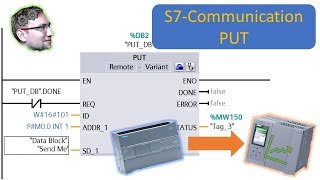
PLC to PLC: PUT and GET
by Hegamurl

Modbus RTU on the S7-1200
by iipd Global
Lesson frames belong to the creators named in the Credits and are shown from YouTube.
What you learn
What you will be able to do
Explain the OSI model, Ethernet, IP and subnets, RS-232, RS-485 and Modbus RTU, ASCII and TCP, fieldbuses and industrial Ethernet, remote and distributed I/O, configure PROFINET devices and GSD files, PUT/GET and open user communication, Modbus RTU and TCP on an S7-1200, Modbus on other PLC families, OPC UA, industrial wireless and IIoT, and the web server, routing and backup tools.
- Explain the OSI model, Ethernet, IP addressing and subnets
- Wire RS-485 and read a Modbus frame, function code and address
- Place PROFIBUS DP and PA, DeviceNet, AS-i and IO-Link
- Compare PROFINET and EtherNet/IP and keep both healthy
- Configure PROFINET devices, distributed I/O, shared devices and GSD files
- Exchange data between PLCs with PUT/GET and TSEND_C/TRCV_C
- Run Modbus RTU and TCP as master, slave, client and server
- Explain OPC UA, industrial wireless, IIoT, MQTT and edge computing
- Place HART and EtherCAT, build MRP and DLR rings, and segment a plant network into zones
Syllabus
Course content, module by module
In order, at whatever pace suits you. Each module ends with a practice task that builds on the last.
- Modules
- 18
- Video lessons
- 81
- Of video
- 15h 52m
- Final questions
- 15
- 01
Networks, the OSI Model, Ethernet, IP and Subnets
4 lessons · 43m - 02
Serial: RS-232, RS-485 and Modbus
4 lessons · 36m - 03
Modbus RTU and TCP in Depth
2 lessons · 19m - 04
Fieldbuses: PROFIBUS, DeviceNet, AS-i, IO-Link
7 lessons · 56m - 05
PROFIBUS Wiring and Network Health
3 lessons · 20m - 06
Industrial Ethernet: PROFINET, EtherNet/IP and Network Design
6 lessons · 52m - 07
Remote and Distributed I/O
4 lessons · 33m - 08
PROFINET in TIA Portal
5 lessons · 1h 25m Final assessment · 15 questions, pass mark 60%
Project
The course project
Optional practice that ends in the kind of job the course prepares you for, with the documents that go with it.
About 14 hours
Nine devices, three protocols, one SCADA: Modbus RTU meters, Modbus TCP drives and an S7-1200 at a moulding plant
Design, document and commission the network that brings six Modbus RTU energy meters, two Modbus TCP drives and a PROFINET S7-1200 into one SCADA at a plastics moulder: the RS-485 bus and its gateway, the IP plan, the register maps with function codes, data types, scaling and byte order, the MB_SERVER block on the PLC, and a commissioning report with real poll timing and error counters. You deliver your own device list, register map and test report, plus the TIA Portal project. The sample pack shows what an integrator hands over.
Sample document pack, 7 documents, filled in for the scenario
- Network designNetwork Design: Moulding Hall 1 Energy and Utility Integration
- IP planDevice List and IP Plan: Moulding Hall 1
- RegisterModbus Register Map: PM2120 Meters, ACS580 Drives and S7-1200 Server
- Network architectureNetwork Architecture: Moulding Hall 1 to Plant SCADA
- BOMBill of Materials: Comms Panel CP-MH1 and Network Materials
- Test reportCommissioning Test Report: Modbus Integration, Moulding Hall 1
- ProcedureProcedure: Adding a Device to the Moulding Hall 1 Network
Read inside the course and download as a workbook. The project is optional practice, marked when you submit it; the certificate needs only the modules and the final assessment.
About 16 hours
Bottling-line network: PROFINET MRP ring with ET 200SP, PUT/GET to OEM machines and an OPC UA server for the MES
Design, document and commission the communication of a juice bottling line: an S7-1500 line controller with three ET 200SP remote I/O stations on a PROFINET MRP ring, PUT/GET exchange with the filler's and labeller's S7-1200 PLCs that the machine builders will not let you reprogram, and an OPC UA server on a separate interface that gives the plant's MES the line counts and machine states. You deliver your own network design, IP plan, exchange map and OPC UA interface, the TIA Portal project, and a test report with the ring-break and certificate failures found on the day.
Sample document pack, 8 documents, filled in for the scenario
- Network designNetwork Design: Line 2 PROFINET, OEM Exchange and MES Interface
- IP planDevice List and IP Plan: Line 2
- Network architectureNetwork Architecture: Line 2 Ring, Spurs and MES Interface
- I/O handshakeExchange Map: Line Controller to Filler and Labeller (PUT/GET)
- Tag listOPC UA Server Interface for the MES: Line 2
- BOMBill of Materials: Line 2 Controller, Remote I/O and Network
- Test reportNetwork Test Report: Line 2 Commissioning
- ProcedureProcedure: Replacing an ET 200SP Interface Module or a Ring Switch on Line 2
Read inside the course and download as a workbook. The project is optional practice, marked when you submit it; the certificate needs only the modules and the final assessment.
Tools
Software, hardware and lessons
Software
TIA Portal (21-day trial from Siemens) for the hands-on modules; free Modbus simulators, Wireshark and the free UaExpert OPC UA client
Hardware
None required. Two S7-1200 or PLCSIM instances help for PLC-to-PLC.
Who it is for
Intermediate. You should already program one PLC.
Video lessons by
- RealPars
- Hegamurl
- iipd Global
- ACC Automation
- ProSoft, a Belden brand
- RealTimeAutomation
- Instrumentation Tools
- AMCI : Advanced Micro Controls Inc.
- AutomationDirect.com
- LEARNACON
- IT and Automation Academy
Independent creators, credited in full under Credits.
Software you need
What to download, where from, what it costs and how to install it. Every link goes to the maker's own site, never a mirror.
TIA Portal is for the hands-on modules. pymodbus gives you a free Modbus simulator.
Required
- 01Free trial: 21 days
SIMATIC STEP 7 Professional and WinCC (TIA Portal) V21 Trial
Siemens
- Runs on
- Windows 11 Pro or Enterprise 64-bit (24H2), Windows 10 Enterprise 2021 LTSC, or Windows Server 2022/2025. Windows 11 Home is supported only for the Basic editions.
- Account
- A free Siemens account registered for Industry Online Support (SiePortal)
- Size
- about 8.1 GB for the main ISO, plus an optional 3.1 GB DVD 2 with hardware support packages
Siemens lets registered users download the V21 trial of STEP 7 (Basic and Professional), STEP 7 Safety and WinCC and test it for 21 days. The same package is used for the full product; after 21 days you need a purchased licence to keep working.
Steps
- 1.Open the Siemens trial page (entry 109989774) and sign in with your Siemens Industry Online Support account.
- 2.Download TIA_Portal_STEP7_Safety_WinCC_V21.iso (8.1 GB).
- 3.Download S7-PLCSIM_V21.iso (2.5 GB) from the same page: PLCSIM is a separate download.
- 4.Right-click each ISO, choose Mount, and run Start.exe as administrator. Install STEP 7 and WinCC first, then PLCSIM.
- 5.Follow the setup, accept the licence terms and restart the PC when asked.
- 6.Open TIA Portal V21 and create a new project to confirm it runs.
- Install from a local drive with plenty of free space; Siemens lists 20 GB free as the minimum and the ISOs alone are over 10 GB.
- You only need DVD 2 if you want extra hardware support packages.
- If you cannot install locally, Siemens also offers a 21-day TIA Portal Cloud trial in the browser (one-hour sessions, not in every country).
Official download pagesupport.industry.siemens.comAlternatives
- TIA Portal Cloud trial: 21 days free in a cloud virtual machine, no install. Sessions are limited to one hour and it is not available in every country.
- 02Free trial: 21 days
S7-PLCSIM V21 (TIA Portal) Trial
Siemens
- Runs on
- Windows 11 Pro or Enterprise 64-bit (24H2), Windows 10 Enterprise 2021 LTSC, or Windows Server 2022/2025. Windows 11 Home is supported only for the Basic editions.
- Account
- A free Siemens account registered for Industry Online Support (SiePortal)
- Size
- about 2.5 GB (ISO)
S7-PLCSIM V21 is offered as a 21-day trial on the same Siemens page as the STEP 7 and WinCC V21 trial. It needs STEP 7 V21 installed on the same PC.
Steps
- 1.Open the Siemens STEP 7 and WinCC V21 trial page (entry 109989774) and sign in.
- 2.Install STEP 7 V21 from the main TIA Portal ISO first.
- 3.Download S7-PLCSIM_V21.iso (2.5 GB) from the section Download S7-PLCSIM Standard V21.
- 4.Mount the ISO, run Start.exe as administrator and follow the setup.
- 5.In TIA Portal, select your CPU and click Start simulation to open PLCSIM.
- Siemens notes that the PLCSIM Standard V21 installation also includes S7-PLCSIM Advanced V8.0.
Official download pagesupport.industry.siemens.com - 03Free
Wireshark
Wireshark Foundation
- Runs on
- Windows 11 or 10 64-bit (x64 or Arm64), Windows Server 2016 or later, macOS (Universal disk image), Linux
- Account
- None needed
Free, open source software. No licence fee for any use.
Steps
- 1.Open wireshark.org/download.html.
- 2.Download the Windows x64 Installer (or Arm64, or the macOS Universal Disk Image).
- 3.Run the installer and keep the Npcap option ticked on Windows.
- 4.Open Wireshark, pick your network interface and click the blue fin to start capturing.
- Npcap is needed for live capture on Windows. The Windows installer includes it.
- Only capture traffic on networks you own or have written permission to monitor.
Official download pagewireshark.org
Optional
Useful, not needed to finish the course.
- 04Free
PyModbus
pymodbus-dev (open source project), a Python or npm package
- Runs on
- Windows, macOS and Linux with Python 3.10 or later
- Account
- None needed
Free, open source under the BSD 3-Clause licence.
Steps
- 1.Install Python 3.10 or later and create a virtual environment.
- 2.Run: pip install "pymodbus==3.8.6" (the version the course code is written and tested for; 3.10 renamed slave= to device_id=)
- 3.For serial (RS-485) devices, run: pip install "pymodbus[serial]==3.8.6"
- 4.Follow the client examples in the documentation to read holding registers from a device or the built-in simulator.
- PyModbus includes a server simulator with a web interface, so you can practise without real hardware.
- Only write registers on lab equipment. Writes can move real machines.
Official download pagegithub.com
Checked against each maker's own page on 27 September 2026. Trial lengths and editions change; the maker's page is the final word.
What you walk away with
Your certificate for Industrial Communication: Serial, Fieldbus, Ethernet, Modbus, PROFINET and OPC UA
Finish the course, pass the final, and this is the document with your name on it.

Verifiable by anyone
Adds to LinkedIn in one click
QR code on the certificate
Names what you can do
A permanent link
Earned, not attended
Learning is free. The certificate is optional.
Add it now and pay only when you have finished the course, or come back for it later. One-off, US$28.99, with a receipt.
Issued by Wartens Ltd (England and Wales, company no. 15262249) through the EDWartens training portal, as a Certificate of Completion for this self-paced course. Sold in India by Wartens Automation Private Limited. It is not a vendor certification, a university award or a CPD-accredited activity, and it does not certify competence on live equipment. Delivered electronically; see the refund policy.
FAQ
Common questions
Is this a Siemens course?
The hands-on modules use TIA Portal because two of the source series do, but the protocols, Modbus map design and network principles apply to every brand. One module shows Modbus on AutomationDirect PLCs for contrast.
Do I need hardware?
No. The concept modules need nothing; the TIA modules can be followed with the trial and PLCSIM, and Modbus can be tested against a free simulator on your PC.
Do I need to know a PLC already?
Yes, at least one. This course teaches how PLCs talk, not how to program them. Any of the free PLC courses on this site is enough.
What is covered in the wireless and IIoT modules?
Industrial wireless, modulation, Wi-Fi versus industrial wireless, ISA100, IIoT, edge computing, OPC UA and its security, MQTT, Node-RED, network segmentation into zones, and single-pair Ethernet.
What computer do I need for the Industrial Communication course?
A 64-bit Windows 10 machine with 8 GB of RAM if you install TIA Portal; any machine for the rest.
Is the Industrial Communication course really free?
Yes. Every module, practice task and assessment. You create an account so your progress is saved and the assessments can be marked. The certificate is the only paid item, and only if you want it.
What certificate do I get, and is it a Siemens or any vendor qualification?
An EDWartens Certificate of Completion, issued when you pass the final assessment, with a verification code anyone can check. It is not a Siemens or any vendor credential and is never described as one.
Who made the video lessons in the Industrial Communication course?
The creators named in the Credits block at the foot of this page, on their own YouTube channels. EDWartens did not make the videos and the creators are not affiliated with EDWartens. What EDWartens wrote is the study plan, the notes, the practice tasks and the assessments.
Is the Industrial Communication course free in India, and what does the certificate cost?
Yes. Learning costs ₹0 in India: every module, the written notes, the practice tasks and the final assessment, with no card and no trial period. The only paid item is the optional EDWartens Certificate of Completion, ₹599 including GST for this intermediate course, paid in rupees through Razorpay, and only if you want it after passing the final assessment.
Is there classroom industrial networks training in India as well?
Not as a separate course. EDWartens India runs the Automation Engineer Program (AEP), a classroom programme at its Electronic City centre in Bangalore. The Automation Engineer Program (AEP) covers PLC, SCADA, HMI, drives, measuring instruments, PID basics and control panel design, taught in person at our Electronic City centre. This free course is separate and fully online; it is a good way to try the subject before deciding on classroom training. Details are at edwartens.co.in/automation-training-bangalore, and the programme itself at edwartens.co.in/courses/aep.
All course factsHide course facts
- Price
- ₹0, free for good. No trial, no card. Comparable classroom training of this length costs about ₹9,999.
- Who it is for
- Engineering students, ITI and diploma holders, and working engineers in automation
- Format
- 18 self-paced modules, 15h 52m of video, written notes, a practice task per module and one final assessment.
- Level
- Intermediate. Intermediate. You should already program one PLC.
- Brand
- Vendor-neutral
- Software
- TIA Portal (21-day trial from Siemens) for the hands-on modules; free Modbus simulators, Wireshark and the free UaExpert OPC UA client
- Hardware
- None required. Two S7-1200 or PLCSIM instances help for PLC-to-PLC.
- Certificate
- Optional EDWartens Certificate of Completion, ₹599 inclusive of GST for learners in India, verifiable by code. Not a vendor credential.
- Video lessons by
- RealPars, Hegamurl, iipd Global, ACC Automation, ProSoft, a Belden brand, RealTimeAutomation, Instrumentation Tools, AMCI : Advanced Micro Controls Inc., AutomationDirect.com, LEARNACON, IT and Automation Academy (independent creators, credited below)
- Language
- English
- Last updated
- 27 September 2026
Pairs well with
 PLC programming · FreeSiemens TIA Portal
 PLC programming · FreeSiemens TIA Portal in Three Hours
 PLC programming · FreeTIA Portal: Build a Machine
 Instrumentation · FreeInstrumentation for PLC Engineers
More free courses: Free industrial networking courses
Learning paths with this course
- PLC foundations · 4 courses
- IIoT and OT security · 3 courses
Classroom course, Bangalore
Industrial automation course in Bangalore
The Automation Engineer Program (AEP) covers PLC, SCADA, HMI, drives, measuring instruments, PID basics and control panel design, taught in person at our Electronic City centre.
Credits
Who made the video lessons
The video lessons in this course were created by the people below, not by EDWartens. Every lesson streams from its creator's own YouTube channel; EDWartens neither hosts nor sells that footage, and the creators are not affiliated with EDWartens and do not endorse this course. What EDWartens wrote is the study plan, the notes, the practice tasks and the assessments.
- RealParsthe Industrial Networks series
- Hegamurlthe TIA Portal Industrial Communication series
- iipd Globalthe S7-1200 Modbus RTU and TCP tutorials
- ACC Automationthe Learn Modbus Protocol series
- ProSoft, a Belden branda lesson in "Serial: RS-232, RS-485 and Modbus"
- RealTimeAutomation3 lessons in "Modbus RTU and TCP in Depth" and "Industrial Ethernet: PROFINET, EtherNet/IP and Network Design"
- Instrumentation Tools2 lessons in "Fieldbuses: PROFIBUS, DeviceNet, AS-i, IO-Link" and "Wireless, IIoT, MQTT and Network Security"
- AMCI : Advanced Micro Controls Inc.a lesson in "Industrial Ethernet: PROFINET, EtherNet/IP and Network Design"
- AutomationDirect.coma lesson in "Industrial Ethernet: PROFINET, EtherNet/IP and Network Design"
- LEARNACON2 lessons in "OPC UA"
- IT and Automation Academya lesson in "Wireless, IIoT, MQTT and Network Security"
If you are one of these creators and would like a lesson removed or credited differently, write to info@wartens.com.