PLC programming · Free online course
Siemens S7-1500 Advanced Programming in TIA Portal
Beyond the basics: block design, optimized DBs, UDTs, S7-GRAPH, SCL, drives, libraries, software units, multiuser, testing tools and worked projects on the S7-1500.
- 19 modules
- 19h 43m of video
- Intermediate
- English
- ₹0, free

₹0Free for good
Worth ₹11,999 by length and depth against classroom training. It has always been free; that is not a former price.
No card. Checkout takes a minute and gives you a receipt.
Overview
About Siemens S7-1500 Advanced Programming in TIA Portal
Beyond the basics: block design, optimized DBs, UDTs, S7-GRAPH, SCL, drives, libraries, software units, multiuser, testing tools and worked projects on the S7-1500.
Siemens S7-1500 Advanced Programming in TIA Portal is a free, self-paced online course from EDWartens for engineering students, ITI and diploma holders, and working engineers in automation, electrical and instrumentation. It has 19 modules and 19h 43m of video lessons by Hegamurl, Ksu hab, Jonathan Stodden and others, with written notes and worked problems, a practical project with a document pack and a 15-question final assessment (pass mark 60%). Learning is free with an account; an optional certificate with a public verification code is issued when you pass. Last updated 27 September 2026.
Who it is for: Engineering students, ITI and diploma holders, and working engineers in automation, electrical and instrumentation
This course includes
- 19h 43m of video lessons
- 19 modules with written notes and diagrams
- One final assessment: 15 questions, pass mark 60%
- Ask-an-engineer support from practising engineers
- Lifetime access, the course does not expire
- Optional verifiable certificate when you finish
- Step 1 of 3
Learn the 19 modules
19h 43m of video lessons, written notes and a practice task per module, at your own pace.
- Step 2 of 3
Pass the final assessment
15 questions drawn from every module, pass mark 60%, 3 attempts.
- Step 3 of 3
Take the certificate, if you want it
Optional, paid once, only if you choose it. The course stays free either way.
See the certificate and its price
A look inside


From the lessons

PLCSIM, Clock Memory and Time
by Hegamurl

Data Blocks and Optimized Access
by Hegamurl
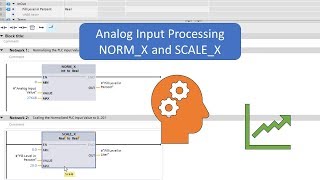
Analog Processing
by Hegamurl
SCL Fundamentals: Logic, Timers, CASE and Loops
by Ksu hab
Drives: G120 with Startdrive
by Hegamurl
Software Units and Multiuser Projects
by Hegamurl
Lesson frames belong to the creators named in the Credits and are shown from YouTube.
What you learn
What you will be able to do
Simulate an S7-1500, choose FC, FB and DB correctly, use optimized access, instances, libraries and versioning, design with UDTs into faceplates, write sequences in S7-GRAPH and LAD, program SCL to a complete example, commission a G120, read the three views, manage firmware and archives, use software units and multiuser, test with watch, force and trace, and build worked projects with fault handling.
- Simulate on PLCSIM and use clock memory and time functions
- Choose FC, FB, DB and instance types deliberately, with libraries and versioning
- Use optimized block access and know when standard access is still needed
- Design with arrays, structs and UDTs into HMI faceplates
- Write sequences in S7-GRAPH with interlocks and supervision, and in LAD
- Program in SCL from operators to a complete worked example
- Commission a G120 with Startdrive, read device, network and topology views, handle firmware and archives
- Split projects into software units and multiuser sessions, and test with watch, force and trace
- Handle errors with OB80, OB82, OB86 and OB121, and use cyclic and hardware interrupts
Syllabus
Course content, module by module
In order, at whatever pace suits you. Each module ends with a practice task that builds on the last.
- Modules
- 19
- Video lessons
- 73
- Of video
- 19h 43m
- Final questions
- 15
- 01
PLCSIM, Clock Memory and Time
4 lessons · 53m - 02
Logic in Four Languages, Latches and Edges
4 lessons · 33m - 03
Functions and Function Blocks
2 lessons · 49m - 04
Data Blocks and Optimized Access
2 lessons · 40m - 05
Instances, Libraries and Versioning
3 lessons · 47m - 06
Timers: IEC and Legacy
2 lessons · 32m - 07
Analog Processing
2 lessons · 45m - 08
Arrays, Structs, UDTs and Faceplates
4 lessons · 1h 1m Final assessment · 15 questions, pass mark 60%
Project
The course project
Optional practice that ends in the kind of job the course prepares you for, with the documents that go with it.
About 20 hours
Three-line paint dosing plant on a CPU 1515-2 PN with ET 200SP: HDS, network, I/O list, GRAPH sequence and FAT
Design, configure, program, test and document a gravimetric dosing and mixing system for three paint lines: a CPU 1515-2 PN, three ET 200SP stations on PROFINET, load-cell weight on 4-20 mA, coarse and fine dosing valves, a G120C agitator per line and a TP1200 screen. You deliver the hardware design, your own I/O list across three stations, a UDT-based program with an S7-GRAPH sequence and an SCL dosing block, and a FAT record with the failures you found. The sample pack shows what an integrator hands over on a distributed-I/O job.
Sample document pack, 10 documents, filled in for the scenario
- FDSFunctional Design Specification: Paint Dosing and Mixing Unit MX-1
- HDSHardware Design Specification: CPU 1515-2 PN and ET 200SP Stations
- Network architectureNetwork Architecture: MX-1 PROFINET
- IP planIP Address Plan and PROFINET Device List
- I/O listI/O List: CP-101 and ET 200SP Stations mx1-et01 to et03
- SDSSoftware Design Specification: Blocks, UDTs and the Line Sequence
- BOMBill of Materials: Panel CP-101, Junction Boxes JB-101 to JB-301 and Field Devices
- Alarm listAlarm List: MX-1
- FATFactory Acceptance Test Record: CP-101 with ET 200SP Stations and Drives
- O&M manualOperation and Maintenance Manual: MX-1 (Operation section)
Read inside the course and download as a workbook. The project is optional practice, marked when you submit it; the certificate needs only the modules and the final assessment.
Tools
Software, hardware and lessons
Software
TIA Portal with PLCSIM (trial); Startdrive for the drive modules
Hardware
None. PLCSIM S7-1500 runs every exercise.
Who it is for
Intermediate. Finish the free TIA Portal course first or know S7-1200/1500 basics.
Video lessons by
- Hegamurl
- Ksu hab
- Jonathan Stodden
- PLC-Automations
- The Automation Craze
Independent creators, credited in full under Credits.
Software you need
What to download, where from, what it costs and how to install it. Every link goes to the maker's own site, never a mirror.
Startdrive is only for the drive modules.
Required
- 01Free trial: 21 days
SIMATIC STEP 7 Professional and WinCC (TIA Portal) V21 Trial
Siemens
- Runs on
- Windows 11 Pro or Enterprise 64-bit (24H2), Windows 10 Enterprise 2021 LTSC, or Windows Server 2022/2025. Windows 11 Home is supported only for the Basic editions.
- Account
- A free Siemens account registered for Industry Online Support (SiePortal)
- Size
- about 8.1 GB for the main ISO, plus an optional 3.1 GB DVD 2 with hardware support packages
Siemens lets registered users download the V21 trial of STEP 7 (Basic and Professional), STEP 7 Safety and WinCC and test it for 21 days. The same package is used for the full product; after 21 days you need a purchased licence to keep working.
Steps
- 1.Open the Siemens trial page (entry 109989774) and sign in with your Siemens Industry Online Support account.
- 2.Download TIA_Portal_STEP7_Safety_WinCC_V21.iso (8.1 GB).
- 3.Download S7-PLCSIM_V21.iso (2.5 GB) from the same page: PLCSIM is a separate download.
- 4.Right-click each ISO, choose Mount, and run Start.exe as administrator. Install STEP 7 and WinCC first, then PLCSIM.
- 5.Follow the setup, accept the licence terms and restart the PC when asked.
- 6.Open TIA Portal V21 and create a new project to confirm it runs.
- Install from a local drive with plenty of free space; Siemens lists 20 GB free as the minimum and the ISOs alone are over 10 GB.
- You only need DVD 2 if you want extra hardware support packages.
- If you cannot install locally, Siemens also offers a 21-day TIA Portal Cloud trial in the browser (one-hour sessions, not in every country).
Official download pagesupport.industry.siemens.comAlternatives
- TIA Portal Cloud trial: 21 days free in a cloud virtual machine, no install. Sessions are limited to one hour and it is not available in every country.
- 02Free trial: 21 days
S7-PLCSIM V21 (TIA Portal) Trial
Siemens
- Runs on
- Windows 11 Pro or Enterprise 64-bit (24H2), Windows 10 Enterprise 2021 LTSC, or Windows Server 2022/2025. Windows 11 Home is supported only for the Basic editions.
- Account
- A free Siemens account registered for Industry Online Support (SiePortal)
- Size
- about 2.5 GB (ISO)
S7-PLCSIM V21 is offered as a 21-day trial on the same Siemens page as the STEP 7 and WinCC V21 trial. It needs STEP 7 V21 installed on the same PC.
Steps
- 1.Open the Siemens STEP 7 and WinCC V21 trial page (entry 109989774) and sign in.
- 2.Install STEP 7 V21 from the main TIA Portal ISO first.
- 3.Download S7-PLCSIM_V21.iso (2.5 GB) from the section Download S7-PLCSIM Standard V21.
- 4.Mount the ISO, run Start.exe as administrator and follow the setup.
- 5.In TIA Portal, select your CPU and click Start simulation to open PLCSIM.
- Siemens notes that the PLCSIM Standard V21 installation also includes S7-PLCSIM Advanced V8.0.
Official download pagesupport.industry.siemens.com
Optional
Useful, not needed to finish the course.
- 03Free edition: Startdrive Basic
SINAMICS Startdrive V21 (Basic and Advanced)
Siemens
- Runs on
- Windows 11 Home, Pro or Enterprise 64-bit (24H2), Windows 10 Enterprise 21H2, or Windows Server 2022/2025
- Account
- A free Siemens account registered for Industry Online Support (SiePortal)
- Size
- about 6.1 GB (ISO, V21 Update 1)
Startdrive V21 is a free download. One package holds Basic and Advanced: Basic covers the essential commissioning and diagnostic functions, and a paid Advanced licence is needed only when you use Advanced functions. It installs into TIA Portal and needs STEP 7 V21 installed first.
Steps
- 1.Install STEP 7 V21 first (the TIA Portal V21 trial is enough for learning).
- 2.Open the Startdrive V21 page (entry 109991180) and sign in.
- 3.Download STARTDRIVE_BASIC_ADVANCED_V21_Upd1.iso (6.1 GB) to a folder whose path has no spaces.
- 4.Double-click the ISO to open it and run Start.exe.
- 5.Follow the setup and restart when asked.
- 6.Open TIA Portal V21 and add a SINAMICS drive to your project.
- Siemens recommends 16 GB RAM or more and at least 50 GB free on an SSD.
- Update 1 contains the full V21 setup, so you do not need the older V21 ISOs.
Official download pagesupport.industry.siemens.com
Checked against each maker's own page on 27 September 2026. Trial lengths and editions change; the maker's page is the final word.
What you walk away with
Your certificate for Siemens S7-1500 Advanced Programming in TIA Portal
Finish the course, pass the final, and this is the document with your name on it.
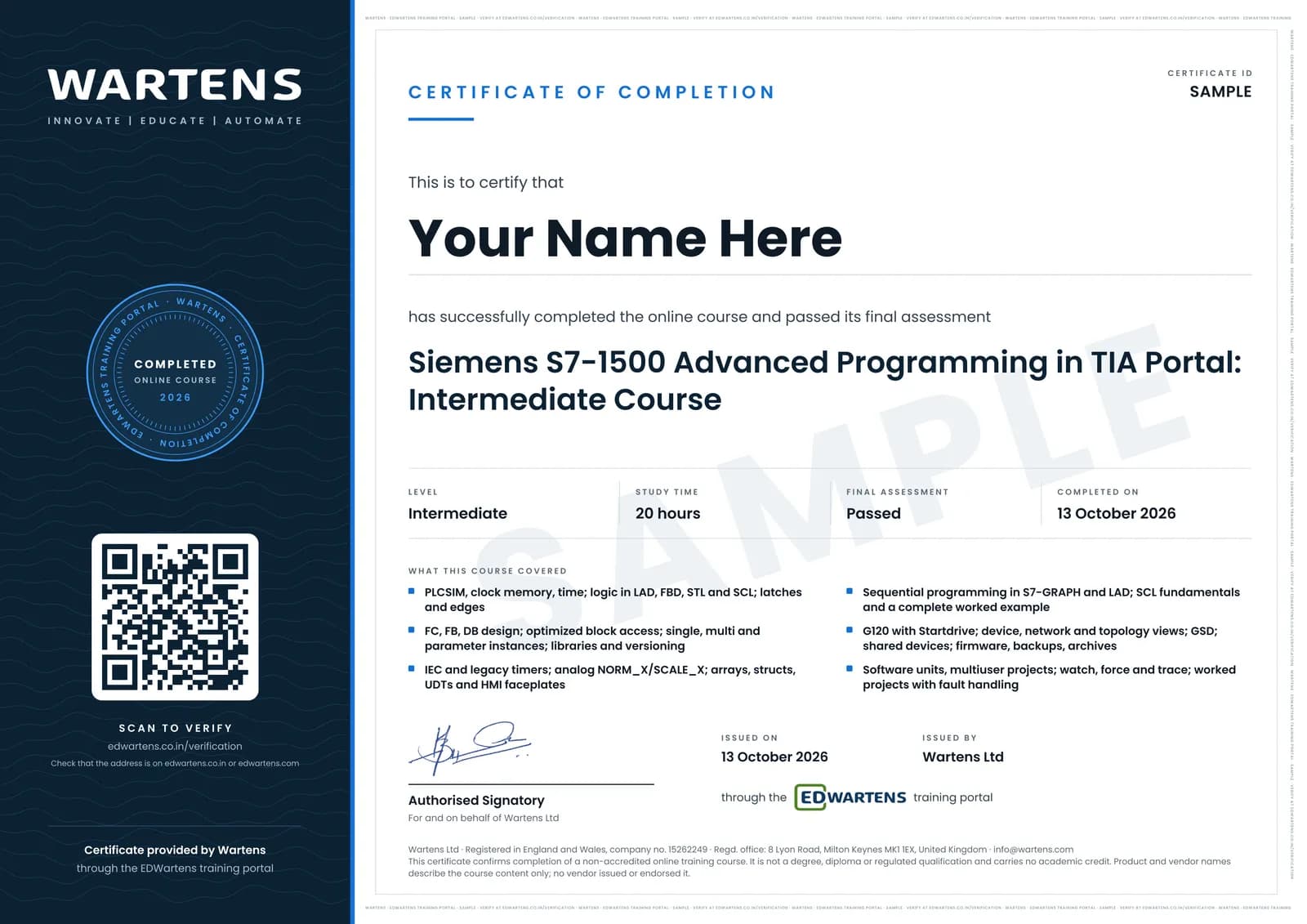
Verifiable by anyone
Adds to LinkedIn in one click
QR code on the certificate
Names what you can do
A permanent link
Earned, not attended
Learning is free. The certificate is optional.
Add it now and pay only when you have finished the course, or come back for it later. One-off, US$28.99, with a receipt.
Issued by Wartens Ltd (England and Wales, company no. 15262249) through the EDWartens training portal, as a Certificate of Completion for this self-paced course. Sold in India by Wartens Automation Private Limited. It is not a vendor certification, a university award or a CPD-accredited activity, and it does not certify competence on live equipment. Delivered electronically; see the refund policy.
FAQ
Common questions
Do I need the free TIA Portal course first?
Strongly recommended. This course assumes you can already create a project, wire a rung, use IEC timers and download to PLCSIM.
Which TIA Portal version?
V16 to V19 all work for the material; software units and multiuser need V16 or later and an S7-1500.
Some source lessons are members-only. Are they included?
No. Six members-only lessons were left out; their topics are covered by the public lessons and the notes.
Is S7-GRAPH included in the trial?
STEP 7 Professional includes GRAPH and SCL; the trial is the Professional edition.
Is the Siemens S7-1500 Advanced Programming in TIA Portal course really free?
Yes. Every module, practice task and assessment. You create an account so your progress is saved and the assessments can be marked. The certificate is the only paid item, and only if you want it.
What certificate do I get, and is it a Siemens qualification?
An EDWartens Certificate of Completion, issued when you pass the final assessment, with a verification code anyone can check. It is not a Siemens credential and is never described as one.
Who made the video lessons in the Siemens S7-1500 Advanced Programming in TIA Portal course?
The creators named in the Credits block at the foot of this page, on their own YouTube channels. EDWartens did not make the videos and the creators are not affiliated with EDWartens. What EDWartens wrote is the study plan, the notes, the practice tasks and the assessments.
Is the Siemens S7-1500 Advanced Programming in TIA Portal course free in India, and what does the certificate cost?
Yes. Learning costs ₹0 in India: every module, the written notes, the practice tasks and the final assessment, with no card and no trial period. The only paid item is the optional EDWartens Certificate of Completion, ₹599 including GST for this intermediate course, paid in rupees through Razorpay, and only if you want it after passing the final assessment.
Is there classroom PLC training in India as well?
Yes. EDWartens India runs the Automation Engineer Program (AEP), a classroom programme at its Electronic City centre in Bangalore. The Automation Engineer Program (AEP) teaches Siemens PLC programming in TIA Portal in person at our Electronic City centre, alongside the other PLC brands it covers. This free course is separate and fully online; it is a good way to try the subject before deciding on classroom training. Details are at edwartens.co.in/siemens-tia-portal-training-bangalore, and the programme itself at edwartens.co.in/courses/aep.
All course factsHide course facts
- Price
- ₹0, free for good. No trial, no card. Comparable classroom training of this length costs about ₹11,999.
- Who it is for
- Engineering students, ITI and diploma holders, and working engineers in automation, electrical and instrumentation
- Format
- 19 self-paced modules, 19h 43m of video, written notes, a practice task per module and one final assessment.
- Level
- Intermediate. Intermediate. Finish the free TIA Portal course first or know S7-1200/1500 basics.
- Brand
- Siemens
- Software
- TIA Portal with PLCSIM (trial); Startdrive for the drive modules
- Hardware
- None. PLCSIM S7-1500 runs every exercise.
- Certificate
- Optional EDWartens Certificate of Completion, ₹599 inclusive of GST for learners in India, verifiable by code. Not a vendor credential.
- Video lessons by
- Hegamurl, Ksu hab, Jonathan Stodden, PLC-Automations, The Automation Craze (independent creators, credited below)
- Language
- English
- Last updated
- 27 September 2026
Pairs well with
 PLC programming · FreeSiemens TIA Portal
 PLC programming · FreeSiemens TIA Portal in Three Hours
 PLC programming · FreeTIA Portal: Build a Machine
 PLC programming · FreeSiemens S7-1200 with TIA Portal: The Tutorial Series
More free courses: Free Siemens PLC courses · Free PLC programming courses
Learning paths with this course
- Siemens engineer path · 13 courses
Classroom course, Bangalore
Siemens PLC and TIA Portal training in Bangalore
The Automation Engineer Program (AEP) teaches Siemens PLC programming in TIA Portal in person at our Electronic City centre, alongside the other PLC brands it covers.
Credits
Who made the video lessons
The video lessons in this course were created by the people below, not by EDWartens. Every lesson streams from its creator's own YouTube channel; EDWartens neither hosts nor sells that footage, and the creators are not affiliated with EDWartens and do not endorse this course. What EDWartens wrote is the study plan, the notes, the practice tasks and the assessments.
- Hegamurlthe TIA Portal advanced programming series
- Ksu habthe SCL fundamentals course
- Jonathan Stoddenthe eight-part SCL worked example
- PLC-Automationsthe worked TIA Portal projects and G120C configuration
- The Automation Crazea lesson in "SCL Fundamentals: Logic, Timers, CASE and Loops"
If you are one of these creators and would like a lesson removed or credited differently, write to info@wartens.com.