Control engineering · Free online course
MATLAB and Simulink for Control Systems
Control engineering with the tools engineers actually use: the MATLAB and Simulink environment, transfer functions and block diagrams, time response, stability with Routh-Hurwitz and root locus, frequency response with Bode, Nyquist and Nichols, loop shaping, PID design and tuning, feedforward, gain scheduling and delays, state space, pole placement, LQR and observers, physical modelling and system identification, Simulink for electrical engineers, and implementation in discrete time.
- 15 modules
- 15h 25m of video
- Intermediate
- English
- ₹0, free

₹0Free for good
Worth ₹8,999 by length and depth against classroom training. It has always been free; that is not a former price.
No card. Checkout takes a minute and gives you a receipt.
Overview
About MATLAB and Simulink for Control Systems
Control engineering with the tools engineers actually use: the MATLAB and Simulink environment, transfer functions and block diagrams, time response, stability with Routh-Hurwitz and root locus, frequency response with Bode, Nyquist and Nichols, loop shaping, PID design and tuning, feedforward, gain scheduling and delays, state space, pole placement, LQR and observers, physical modelling and system identification, Simulink for electrical engineers, and implementation in discrete time.
MATLAB and Simulink for Control Systems is a free, self-paced online course from EDWartens for engineering students and control engineers. It has 15 modules and 15h 25m of video lessons by KKDexplains, MATLAB, emobility-in and others, with written notes and worked problems, a practical project with a document pack and a 15-question final assessment (pass mark 60%). Learning is free with an account; an optional certificate with a public verification code is issued when you pass. Last updated 27 September 2026.
Who it is for: Engineering students and control engineers
This course includes
- 15h 25m of video lessons
- 15 modules with written notes and diagrams
- One final assessment: 15 questions, pass mark 60%
- Ask-an-engineer support from practising engineers
- Lifetime access, the course does not expire
- Optional verifiable certificate when you finish
- Step 1 of 3
Learn the 15 modules
15h 25m of video lessons, written notes and a practice task per module, at your own pace.
- Step 2 of 3
Pass the final assessment
15 questions drawn from every module, pass mark 60%, 3 attempts.
- Step 3 of 3
Take the certificate, if you want it
Optional, paid once, only if you choose it. The course stays free either way.
See the certificate and its price
A look inside


From the lessons

The MATLAB and Simulink Environment
by by emobility-in

Transfer Functions and Block Diagrams
by KKDexplains

Stability: Routh-Hurwitz and Root Locus
by KKDexplains

Control Design with Bode Plots
by MATLAB
Feedforward, Gain Scheduling, Delays and Notch Filters
by MATLAB
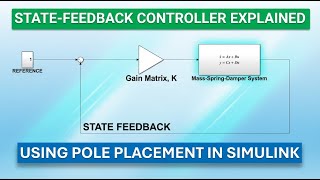
Modern Control: Pole Placement, LQR and Observers
by KKDexplains
Lesson frames belong to the creators named in the Credits and are shown from YouTube.
What you learn
What you will be able to do
Model systems as transfer functions and state space in MATLAB, simulate them in Simulink, analyse time and frequency response and stability, design and tune PID, lead-lag, pole-placement and LQR controllers, add feedforward and gain scheduling, identify models from data, model electrical and mechanical systems, and implement controllers in discrete time.
- Use MATLAB and Simulink for modelling and simulation
- Analyse transfer functions, time response and stability
- Read Bode, Nyquist and Nichols plots and shape loops
- Design and tune PID, lead-lag, pole-placement and LQR controllers
- Model physical systems and identify models from data
- Implement controllers in discrete time
Syllabus
Course content, module by module
In order, at whatever pace suits you. Each module ends with a practice task that builds on the last.
- Modules
- 15
- Video lessons
- 101
- Of video
- 15h 25m
- Final questions
- 15
- 01
The MATLAB and Simulink Environment
10 lessons · 1h 16m - 02
What Control Engineers Do and Control Theory Overview
5 lessons · 48m - 03
Transfer Functions and Block Diagrams
7 lessons · 44m - 04
Time Response
5 lessons · 47m - 05
Stability: Routh-Hurwitz and Root Locus
7 lessons · 58m - 06
Frequency Response: Bode, Nyquist and Nichols
7 lessons · 57m - 07
Control Design with Bode Plots
5 lessons · 32m - 08
PID Design and Tuning
8 lessons · 1h 4m Final assessment · 15 questions, pass mark 60%
Project
The course project
Optional practice that ends in the kind of job the course prepares you for, with the documents that go with it.
About 20 hours
Tote positioning at a pick-station: identify, design, simulate and trace one loop in Simulink
Take a conveyor positioning loop from requirements to a discrete controller ready for a PLC: identify the belt drive as a first-order-plus-delay plant from a recorded step test, design a PD position controller on the root locus and verify its Bode margins, build the Simulink model to a written structure with plant variants, run the simulation tests against the numbered requirements, discretise the controller at the PLC cycle time and show what a slower cycle does to the margins, and deliver the traceability matrix and the model versioning procedure. The sample pack shows what a model-based-design engineer hands to the integrator's software team.
Sample document pack, 7 documents, filled in for the scenario
- URSUser Requirements: Pick-Station 3 Tote Positioning Loop
- ReportPlant Model Report: Identification of the Belt Drive from Step Tests
- ReportController Design Report: PD Position Loop by Root Locus, Verified on Bode
- SDSSoftware Design Specification: Simulink Model PS3_Positioning and PLC Transcription
- Test reportSimulation Test Report: Model Release v1.2 against URS Rev B
- Traceability matrixRequirements Traceability Matrix: URS Rev B to Design and Test, Release v1.2
- ProcedureProcedure: Model Versioning, Release and PLC Coefficient Control
Read inside the course and download as a workbook. The project is optional practice, marked when you submit it; the certificate needs only the modules and the final assessment.
Tools
Software, hardware and lessons
Software
MATLAB and Simulink with Control System Toolbox (trial, student or MATLAB Online)
Hardware
None required.
Who it is for
Intermediate. Engineering mathematics (Laplace transforms) is assumed.
Video lessons by
- KKDexplains
- MATLAB
- emobility-in
- Safey El-Deen Abdo
Independent creators, credited in full under Credits.
Software you need
What to download, where from, what it costs and how to install it. Every link goes to the maker's own site, never a mirror.
Required
- 01Free edition with limits
MATLAB and Simulink
MathWorks
- Runs on
- Browser for MATLAB Online; desktop on Windows 10 or 11, macOS or Linux
- Account
- A free MathWorks account
- Size
- about 5 to 8 GB of disk space for a typical desktop installation
Every MathWorks account gets MATLAB Online (basic): 20 hours a month in the browser with MATLAB, Simulink and nine common toolboxes. A 30-day trial adds desktop and online access to MATLAB, Simulink and over 80 products. MATLAB Onramp and Simulink Onramp are free self-paced courses.
Steps
- 1.Create a free MathWorks account at mathworks.com.
- 2.Take MATLAB Onramp and Simulink Onramp in MATLAB Academy to learn the basics.
- 3.Open MATLAB Online in your browser to use the free 20 hours each month.
- 4.If you need the desktop version, start the 30-day trial from the Trials page.
- 5.Download the MathWorks installer, sign in and select MATLAB, Simulink and the toolboxes your course uses.
- Onramp courses and MATLAB Mobile do not count against the 20 monthly hours.
- Start the 30-day trial only when you are ready, as it runs continuously from activation.
Official download pagemathworks.comAlternatives
- MATLAB Onramp: Free two-hour interactive course in the browser.
Checked against each maker's own page on 27 September 2026. Trial lengths and editions change; the maker's page is the final word.
What you walk away with
Your certificate for MATLAB and Simulink for Control Systems
Finish the course, pass the final, and this is the document with your name on it.

Verifiable by anyone
Adds to LinkedIn in one click
QR code on the certificate
Names what you can do
A permanent link
Earned, not attended
Learning is free. The certificate is optional.
Add it now and pay only when you have finished the course, or come back for it later. One-off, US$28.99, with a receipt.
Issued by Wartens Ltd (England and Wales, company no. 15262249) through the EDWartens training portal, as a Certificate of Completion for this self-paced course. Sold in India by Wartens Automation Private Limited. It is not a vendor certification, a university award or a CPD-accredited activity, and it does not certify competence on live equipment. Delivered electronically; see the refund policy.
FAQ
Common questions
Is MATLAB free?
No, but MATLAB Online, the student licence and the trial all include Simulink and Control System Toolbox for the course.
How much maths?
Laplace transforms, complex numbers and matrices; the course reviews what it uses.
Is this useful for PLC people?
Yes: it is the theory behind the PID block, the VFD tuning screen and the servo autotune.
Is the MATLAB and Simulink for Control Systems course really free?
Yes. Every module, practice task and assessment. You create an account so your progress is saved and the assessments can be marked. The certificate is the only paid item, and only if you want it.
What certificate do I get, and is it a vendor qualification?
An EDWartens Certificate of Completion, issued when you pass the final assessment, with a verification code anyone can check. It is not a vendor credential and is never described as one.
Who made the video lessons in the MATLAB and Simulink for Control Systems course?
The creators named in the Credits block at the foot of this page, on their own YouTube channels. EDWartens did not make the videos and the creators are not affiliated with EDWartens. What EDWartens wrote is the study plan, the notes, the practice tasks and the assessments.
How long does the MATLAB and Simulink for Control Systems course take?
Plan on about 23 hours in all, including the video lessons, notes and practice tasks. It is self-paced, so you work through the fifteen modules at your own speed.
Is the MATLAB and Simulink for Control Systems course free in India, and what does the certificate cost?
Yes. Learning costs ₹0 in India: every module, the written notes, the practice tasks and the final assessment, with no card and no trial period. The only paid item is the optional EDWartens Certificate of Completion, ₹599 including GST for this intermediate course, paid in rupees through Razorpay, and only if you want it after passing the final assessment.
All course factsHide course facts
- Price
- ₹0, free for good. No trial, no card. Comparable classroom training of this length costs about ₹8,999.
- Who it is for
- Engineering students and control engineers
- Format
- 15 self-paced modules, 15h 25m of video, written notes, a practice task per module and one final assessment.
- Level
- Intermediate. Intermediate. Engineering mathematics (Laplace transforms) is assumed.
- Brand
- MathWorks
- Software
- MATLAB and Simulink with Control System Toolbox (trial, student or MATLAB Online)
- Hardware
- None required.
- Certificate
- Optional EDWartens Certificate of Completion, ₹599 inclusive of GST for learners in India, verifiable by code. Not a vendor credential.
- Video lessons by
- KKDexplains, MATLAB, emobility-in, Safey El-Deen Abdo (independent creators, credited below)
- Language
- English
- Last updated
- 27 September 2026
Pairs well with
 PLC programming · FreeSiemens TIA Portal
 PLC programming · FreeSiemens TIA Portal in Three Hours
 PLC programming · FreeTIA Portal: Build a Machine
 Instrumentation · FreeInstrumentation for PLC Engineers
More free courses: Free control engineering and PID courses
Learning paths with this course
- Control theory to the loop · 4 courses
Classroom course, Bangalore
Industrial automation course in Bangalore
The Automation Engineer Program (AEP) covers PLC, SCADA, HMI, drives, measuring instruments, PID basics and control panel design, taught in person at our Electronic City centre.
Credits
Who made the video lessons
The video lessons in this course were created by the people below, not by EDWartens. Every lesson streams from its creator's own YouTube channel; EDWartens neither hosts nor sells that footage, and the creators are not affiliated with EDWartens and do not endorse this course. What EDWartens wrote is the study plan, the notes, the practice tasks and the assessments.
- KKDexplainsthe control systems and MATLAB Simulink tutorials
- MATLABthe control system design and analysis playlist
- MATLABthe Control Systems in Practice series
- emobility-inthe MATLAB/Simulink for electrical engineers course
- Safey El-Deen Abdothe Matlab Simulink course playlist
If you are one of these creators and would like a lesson removed or credited differently, write to info@wartens.com.