ChatGPT for Project Managers: Prompts, Risks and Checks

The short answer
ChatGPT for project managers works best as a fast first-draft writer and a second pair of eyes: it can turn stakeholder notes into a charter, a scope statement into a draft WBS, a meeting transcript into minutes and actions, and a risk workshop into a scored register. It cannot know your contract, your client or your site, so every number, date and dependency it produces has to be checked by you before it goes to anyone. Claude, Gemini and Microsoft Copilot do the same jobs in much the same way. Keep confidential project data out of public AI tools, follow your employer's AI policy, and treat AI output as a draft you sign, not a decision you forward.
Product details in this guide were checked in October 2026. AI tools change monthly, so check the feature before you rely on it.
What can ChatGPT actually do for a project manager?
Much of a project manager's week is writing: charters, plans, minutes, status reports, risk logs. That is where AI assistants are strong. They are weak where projects are hard: knowing which supplier is really late, who will block a decision, and whether a schedule is physically possible.
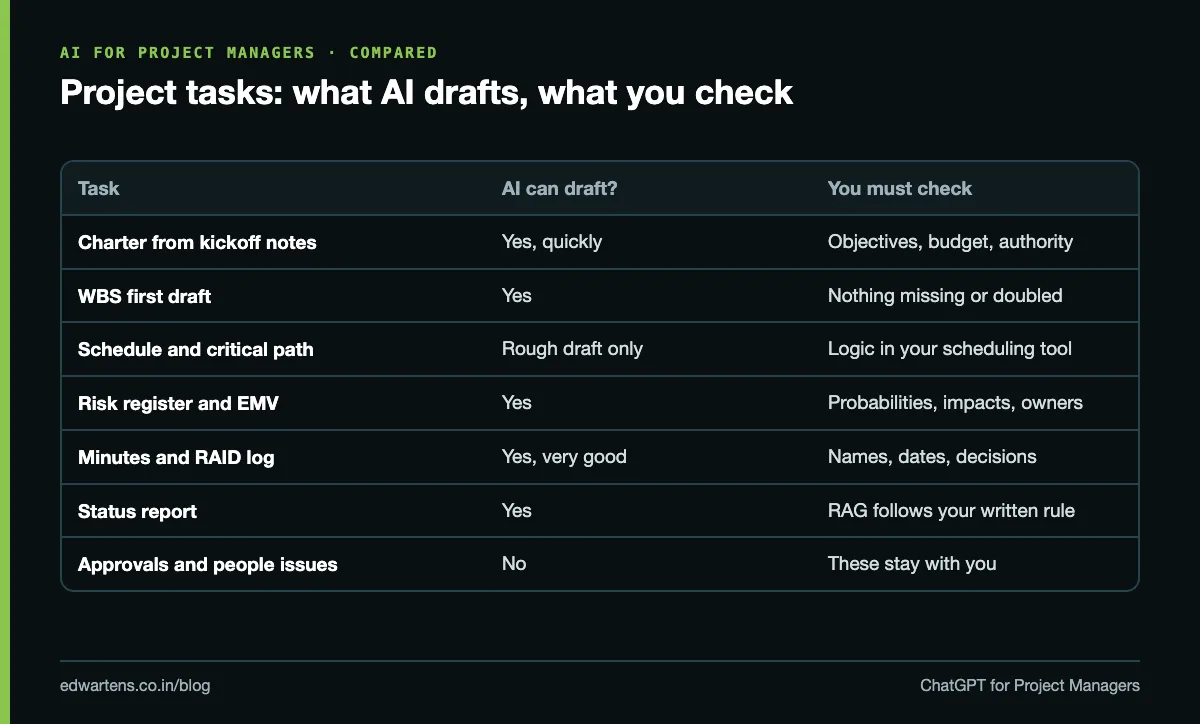
Project task | Can AI draft it? | What you must check |
|---|---|---|
Project charter from kickoff notes | Yes, quickly | Objectives, budget and authority match the sponsor's words |
Scope statement and exclusions | Yes | Every exclusion is real and agreed |
WBS first draft | Yes | Nothing missing, nothing counted twice |
Schedule and critical path | A rough draft only | Logic, durations and calendar in your scheduling tool |
Three-point estimates | Can suggest ranges | Ranges come from your history, not the model's guess |
Risk register and EMV | Yes, good at brainstorming | Probability and impact numbers, owners, responses |
Minutes, actions, RAID log | Yes, very good | Names, dates and decisions as actually said |
Status report by audience | Yes | RAG status follows your written rule, not AI's mood |
Decisions, approvals, people issues | No | These stay with you |
The pattern is simple: let AI do the first 70% of the writing, and spend your time on the 30% that needs judgement.
Is it safe to paste project data into ChatGPT?
Not by default. Public AI tools have their own data rules, and they differ by product and by account type. Google's Gemini Apps Privacy Hub, for example, says a subset of chats is reviewed by human reviewers and asks users not to enter confidential information they would not want a reviewer to see. Anthropic's privacy article on model training says consumer Claude chats may be used to improve models if you allow it in your settings. Work accounts (ChatGPT business and enterprise plans, Microsoft 365 Copilot, Gemini in a work Google account) usually come with different data terms, which is why most companies tell staff to use only the approved tool.
Three rules keep you out of trouble:
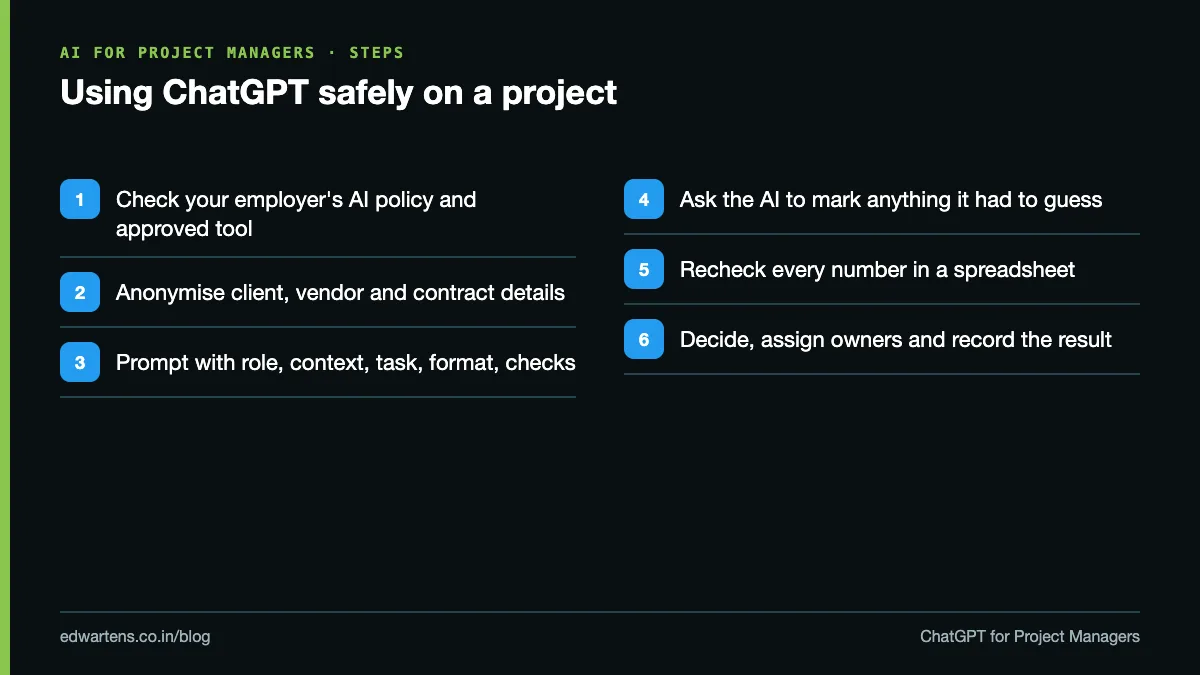
- Never paste confidential client, contract or personal data into a public AI tool. That includes client names on a sensitive bid, contract values, salaries and anyone's phone number.
- Anonymise before you prompt. "Client A", "Vendor B", "Package 3", and round or scaled numbers are enough for the AI to help with structure.
- Use the tool your employer has approved, under its policy. If there is no policy, ask for one before you build a habit.
A prompt pattern that works for project work
Vague prompts get vague plans. A good project prompt has five parts: role, context, task, format and checks.
Role: You are an experienced project manager on an industrial electrical project. Context: (anonymised notes from the kickoff meeting, pasted here) Task: Draft a one-page project charter. Format: Headings for objective, scope, exclusions, milestones, budget owner, key risks, approvals. Mark anything not in my notes as "TO CONFIRM". Checks: Do not invent dates, costs or names. List the questions I should ask the sponsor.
The last line matters most. Asking the model to flag what it does not know turns a confident-sounding draft into a useful list of gaps.
Worked example: a risk register with EMV in 20 minutes
Here is how a project manager on a panel-building and installation project might use ChatGPT (or Claude, Gemini or Copilot) for a risk register, with every number checked by hand.
Step 1: brainstorm. Paste the anonymised scope and ask for 15 risks grouped by cause (supply, design, site, people, client). The AI is good at this; it will list long-lead switchgear, late drawing approvals, site access permits, monsoon delays and a key engineer leaving.
Step 2: score with your numbers, not the AI's. The AI cannot know your probabilities. You set them from experience and the team's view, then ask the AI to compute expected monetary value (EMV = probability x impact) and sort the list.
Risk | Probability | Cost impact | EMV |
|---|---|---|---|
Switchgear delivered 3 weeks late | 30% | ₹6,00,000 | ₹1,80,000 |
Client approves drawings 2 weeks late | 40% | ₹2,50,000 | ₹1,00,000 |
Site permit delayed | 20% | ₹3,00,000 | ₹60,000 |
Rework after FAT punch list | 25% | ₹1,60,000 | ₹40,000 |
Total risk exposure | ₹3,80,000 |
Step 3: check the arithmetic yourself. 0.30 x 6,00,000 = 1,80,000; 0.40 x 2,50,000 = 1,00,000; 0.20 x 3,00,000 = 60,000; 0.25 x 1,60,000 = 40,000; total 3,80,000. Language models do make arithmetic slips, so a spreadsheet formula is the final word, not the chat.
Step 4: ask for responses, then choose. Ask the AI for one avoid, one reduce and one transfer option per top risk. For the switchgear, it might suggest an expediting clause, a factory visit at 50% build, or a second approved vendor. You decide which one the budget and the client will accept, and you name an owner.
The free AI for Project Managers course walks through this exact exercise, plus the charter, WBS, schedule and status-report versions.
ChatGPT vs Copilot vs Claude vs Gemini for project managers
Tool (October 2026) | Where it fits best | Watch out for |
|---|---|---|
ChatGPT | General drafting, Projects workspace for a running file of plans | Use a work account for anything internal |
Claude | Long documents: contracts, specs, long transcripts | Same data rules: check your plan type |
Gemini | Teams already in Google Workspace, Docs and Sheets | Consumer chats can be human-reviewed |
Microsoft 365 Copilot | Teams meetings, Outlook, Planner | Needs a Copilot licence from your employer |
Microsoft's Planner agent FAQ says the agent is generally available, needs a Microsoft Copilot licence, and, when it cannot finish a task, outputs instructions for you to complete it yourself. Atlassian's Rovo and Asana AI play the same role in Jira, Confluence and Asana. Your employer's admin settings decide what these tools can read.
Will AI replace project managers in India?
The job data says no, but it does change what the job rewards. On AmbitionBox's Project Manager salary page (read 11 October 2026, based on about 1.8 lakh salaries), the skills attached to project manager job listings are led by Agile (28k jobs), project management (24.7k), monitoring (18.9k), budgeting (9.6k), stakeholder management (9.4k), risk management (8.1k) and JIRA (6.8k). AI is not one of the listed skills; it is a tool that makes those skills faster.
Experience (AmbitionBox, read 11 Oct 2026) | Salaries reported | Typical range per year |
|---|---|---|
3 to 6 years | 16.6k | ₹8 to 8.8 lakh |
6 to 9 years | 30.1k | ₹10.3 to 11.4 lakh |
9 to 12 years | 40.4k | ₹13.8 to 15.2 lakh |
12+ years | 94.1k | ₹17.9 to 19.8 lakh |
The PMP exam points the same way. Pocketprep's reading of the July 2026 PMP Exam Content Outline found that "artificial intelligence" appears once, in the introduction, with no AI domain; the weight of the Business Environment domain rose to 26%. The project manager stays accountable, and AI output is an input to judgement.
A one-week plan to start
- Day 1: read your company's AI policy and find the approved tool.
- Day 2: turn one set of meeting notes into minutes and actions.
- Day 3: draft a charter from a past project's notes and compare it with the real one.
- Day 4: build a risk register with EMV, checking every number in Excel.
- Day 5: write one status update three ways: sponsor, client, site team, and note what saved time.
If you are new to the basics (charters, schedules, risk registers), start with the free Project Management for Engineers course, then come back to the AI for Project Managers course. It is a free course with a verifiable certificate of completion, and anyone can check a certificate on our verification page. For a wider view of AI skills employers ask for, read Top AI Skills in Demand in India and our list of free AI courses with certificate in India.
Frequently asked questions
Q: How can a project manager use ChatGPT?
A: For first drafts of charters, scope statements, WBS outlines, risk registers, meeting minutes, action lists and status reports. Give it anonymised notes, ask for a fixed format, and ask it to mark anything it had to guess. Then check every date, number and dependency yourself before sharing.
Q: Can ChatGPT create a project schedule?
A: It can draft a task list with durations and dependencies, which you can import into a scheduling tool. It cannot prove the critical path or know your resource limits, so rebuild the logic in MS Project, Primavera P6 or ProjectLibre and check it there.
Q: Is it safe to use ChatGPT for project work?
A: Only within your employer's AI policy and with the approved account. Never paste confidential client, contract or personal data into a public AI tool; anonymise names and values first. Work accounts usually have different data terms from free consumer accounts.
Q: Which AI tool is best for project managers?
A: The one your organisation has approved. As of October 2026, Microsoft 365 Copilot suits Teams and Planner users, Gemini suits Google Workspace teams, Claude handles long documents well, and ChatGPT is a strong general drafter. The prompting skills are the same in all four.
Q: Will AI replace project managers?
A: The evidence points to AI changing the job, not removing it. Project manager listings on AmbitionBox still ask for Agile, stakeholder management, budgeting and risk management, and the 2026 PMP outline keeps the project manager accountable for decisions.
Q: Is there a free course on AI for project managers?
A: Yes. EDWartens' AI for Project Managers is a free course with a verifiable certificate of completion, covering prompts, confidentiality, charters, WBS and schedules, estimates, risk registers with EMV, minutes and RAID logs, status reports and the AI in Planner, Jira and Asana.
Learn this, free
The courses that teach this
Every lesson, the written notes and the practice are free with an account. Only the certificate is optional and paid.