SCADA Historians and Trend Data: What a Historian Is, Why a Database Is Not Enough, and How Engineers Use It

The memory of the plant
A SCADA screen shows you now. A historian shows you what happened. When a batch fails at 3 a.m., when a compressor trips every Tuesday, when an auditor asks for the sterilisation temperature on a date six months ago, the historian is the only place the answer exists.
A process historian is a database built for one kind of data: time-stamped values from thousands of tags, arriving continuously, kept for years, and read back as trends. AVEVA Historian (Wonderware), OSIsoft PI (now AVEVA PI), GE Proficy Historian, Siemens Process Historian and the Ignition Tag Historian are the ones you will meet.
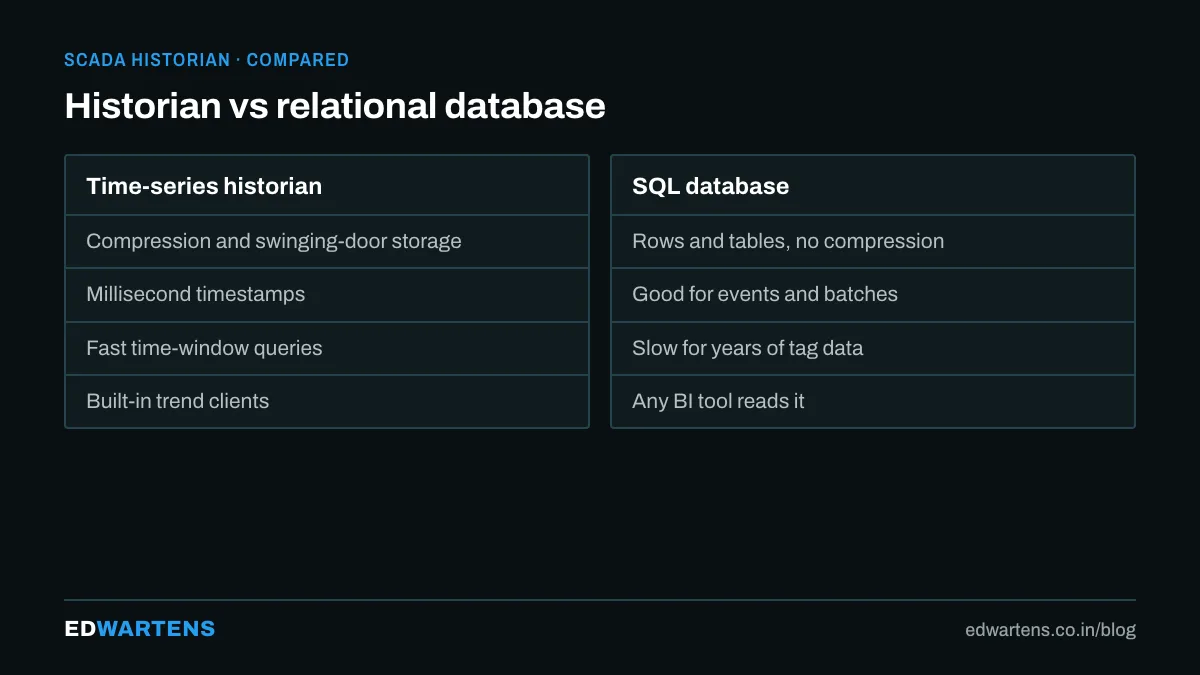
Why not just log to SQL?
Engineers often start by writing tag values into a SQL table every second. It works for a week. Then:
- The table has 86,400 rows per tag per day. A thousand tags is 86 million rows a day.
- Queries that ask "what did this look like over last month" take minutes.
- Nobody thought about what happens when a value does not change for an hour.
A historian solves this with three ideas:
- Deadband and exception reporting. Store a value only when it changes by more than a defined amount. A steady temperature stores a handful of points an hour instead of 3,600.
- Swinging-door compression. Keep only the points needed to reconstruct the line within a tolerance. Straight-line segments collapse to their endpoints.
- Time-series storage. Data is written in blocks per tag, in time order, with indexes designed for "this tag, this time range" rather than for arbitrary joins.
The result is ten to a hundred times less storage and queries that return a year of data in seconds.
What to historise, and how
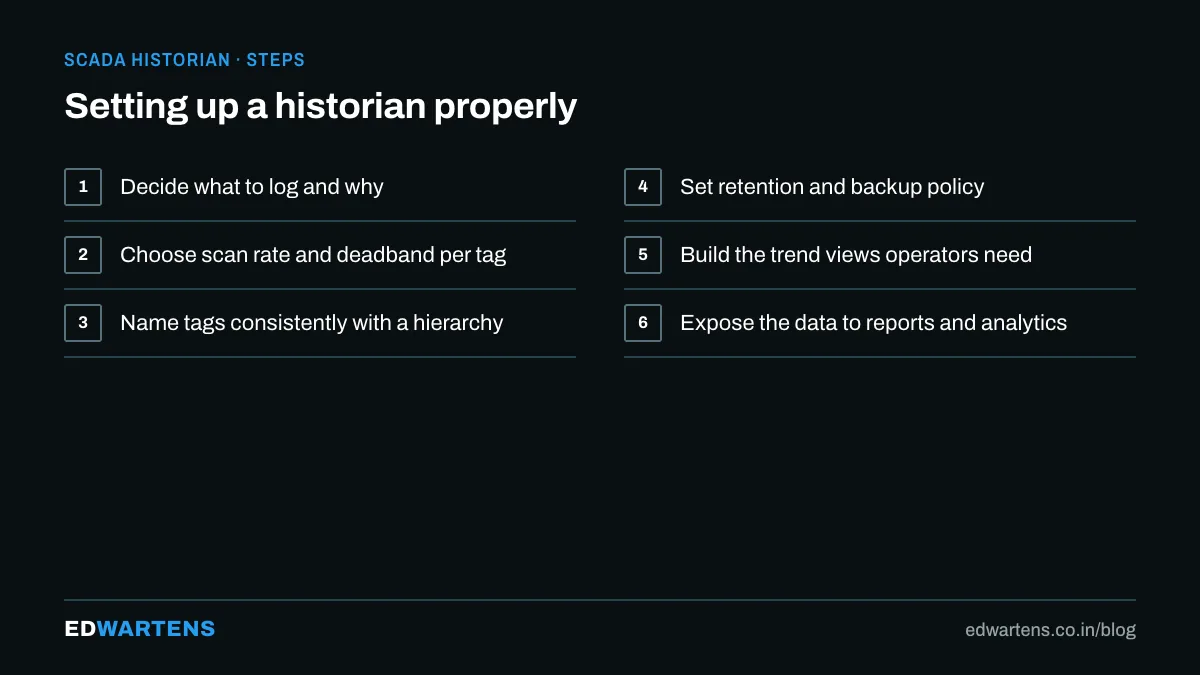
The habit that separates good projects from bad ones is deciding per tag:
- Process values (temperatures, pressures, flows, levels): historise with a deadband of about the sensor's noise.
- Setpoints and outputs: historise on change. A trend of setpoint against measured value is the fastest way to judge a loop.
- Discrete states (running, tripped, valve open): historise on change, always. They are cheap and they explain everything else.
- Alarms and events: a separate event historian, because they are records, not curves.
- Totalisers and counters: historise the running total; compute rates afterwards.
Sample rates: 1 second for fast loops, 5 to 10 seconds for most process variables, on-change for everything discrete. Retention: raw data for two to five years in pharma and food, longer where the regulator asks.
Reading a trend properly
A trend is a diagnostic instrument. Things an experienced engineer looks for:
- Setpoint and PV on the same pane. Oscillation, offset and slow response are obvious.
- Output on a second pane. A valve at 100 percent that cannot hold the setpoint is a capacity problem, not a tuning problem.
- Discrete states as bands. Overlay pump running and valve open on the analog trend and the sequence explains itself.
- The same scale every time. Auto-scaling hides everything.
Beyond trends: what the data is for
- Batch and golden-batch comparison. Overlay this batch on the best one.
- OEE and downtime. Derived from run states and counters.
- Energy. kWh per tonne, per shift, per line.
- Predictive maintenance. Vibration and current trends feeding the models described in predictive maintenance with machine learning.
- Audit trails. In regulated plants the historian is part of the electronic record, which is why 21 CFR Part 11 matters to whoever configures it.
Where to practise
The Ignition SCADA course configures the Tag Historian and trends in the free platform; the Wonderware InTouch course covers historical trending; and the Node-RED course writes PLC data to a time-series database and charts it, which is the cheapest way to learn the concepts on a laptop.
For how PLC, SCADA and DCS differ and what you build in our classroom, see PLC vs SCADA vs DCS in Bangalore.
Frequently asked questions
What is the difference between a historian and a data lake? A historian is the operational record, optimised for time-series queries. A data lake is where an analytics team copies data from many sources, including the historian.
Can the historian write back to the PLC? No, and it should not. It is a record.
How much history should a new plant keep? Plan for the regulator's retention plus one year, and size the disk for raw data, because compression settings change.
Learn this, free
The courses that teach this
Every lesson, the written notes and the practice are free with an account. Only the certificate is optional and paid.


