AI and machine learning · Free online course
MLOps Model Deployment and Monitoring
The half of machine learning that starts after the notebook: a reproducible environment and a baseline model; experiment tracking, model management and the registry with MLflow; turning a notebook into a pipeline that can be re-run and backfilled; batch, web-service and streaming deployment in Docker; monitoring data quality, drift and model quality with Evidently, PostgreSQL and Grafana; and the tests, linting, make targets and GitHub Actions pipeline that let a release happen without anybody copying a file to a server.
- 15 modules
- 12h 5m of video
- Intermediate
- English
- ₹0, free
- Lab practice in your browser

₹0Free for good
Worth ₹6,999 by length and depth against classroom training. It has always been free; that is not a former price.
No card. Checkout takes a minute and gives you a receipt.
Overview
About MLOps Model Deployment and Monitoring
Take a model from notebook to production: MLflow tracking, Docker deployment, drift monitoring and an automated release pipeline.
MLOps Model Deployment and Monitoring is a free, self-paced online course from EDWartens for engineers, developers and students applying AI to real work. It has 15 modules and 12h 5m of video lessons by DataTalksClub, Abhishek.Veeramalla, with written notes and worked problems, a practical project with a document pack and a 15-question final assessment (pass mark 60%). Learning is free with an account; an optional certificate with a public verification code is issued when you pass. Last updated 27 September 2026.
Who it is for: Engineers, developers and students applying AI to real work
This course includes
- 12h 5m of video lessons
- 15 modules with written notes and diagrams
- One final assessment: 15 questions, pass mark 60%
- Ask-an-engineer support from practising engineers
- Lifetime access, the course does not expire
- Optional verifiable certificate when you finish
- Step 1 of 3
Learn the 15 modules
12h 5m of video lessons, written notes and a practice task per module, at your own pace.
- Step 2 of 3
Pass the final assessment
15 questions drawn from every module, pass mark 60%, 3 attempts.
- Step 3 of 3
Take the certificate, if you want it
Optional, paid once, only if you choose it. The course stays free either way.
See the certificate and its price
A look inside


From the lessons

Why MLOps exists, and the maturity model
by DataTalksClub
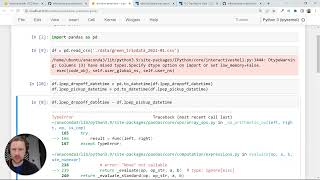
The baseline model you will put into production
by DataTalksClub
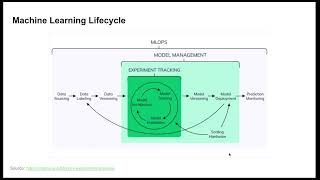
Model management and the model registry
by DataTalksClub

From notebook to a pipeline that can be re-run
by DataTalksClub
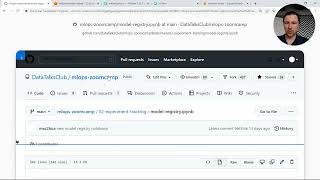
Serving from the registry, batch scoring and streaming
by DataTalksClub

Metrics, dashboards and the monitoring service
by DataTalksClub
Lesson frames belong to the creators named in the Credits and are shown from YouTube.
What you learn
What you will be able to do
By the end you will be able to:
- Log parameters and metrics to MLflow and register a model
- Turn a notebook into a parameterised pipeline script
- Build a batch or web service deployment as a Docker image
- Monitor data quality and drift with Evidently and Grafana
- Automate releases with pytest and GitHub Actions
How it works
How this course works
Watch the lessons
Short video lessons, one module at a time, at your own pace.
Read the notes
Open the Reading tab for the written notes and diagrams of the module.
Practise in the 3D labOptional
Try the module in the free 3D lab, in your browser.
Check yourself
Answer the questions to see what stuck before you move on.
Final assessment
Pass the final once you have been through the modules.
Certificate, if you want oneOptional
Optional, with a page anyone can use to verify it.
Syllabus
Course content, module by module
In order, at whatever pace suits you. Each module ends with a practice task that builds on the last.
- Modules
- 15
- Video lessons
- 39
- Of video
- 12h 5m
- Final questions
- 15
- 01
Why MLOps exists, and the maturity model
3 lessons · 32m - 02
The working environment for a production model
5 lessons · 1h 20m - 03
The baseline model you will put into production, with lab practice:
1 lesson · 41m - 04
Experiment tracking with MLflow
3 lessons · 50m - 05
Model management and the model registry
2 lessons · 52m - 06
MLflow in practice, and where it stops
2 lessons · 54m - 07
From notebook to a pipeline that can be re-run
2 lessons · 41m - 08
Three ways to deploy, and a web service in Docker
2 lessons · 42m Final assessment · 15 questions, pass mark 60%
3D lab
Practise in the 3D lab
Practise two habits that keep a model honest in production: a clean split for the baseline, and data checks that catch a bad table before the model sees it.
- Train and evaluate without leakageAI Workbench, about 25 minOpen in the lab (opens in a new tab): Train and evaluate without leakage
- Data health checkAI Workbench, about 20 minOpen in the lab (opens in a new tab): Data health check
Optional. Skip it whenever you like: it never blocks your progress or your certificate.
Project
The course project
Optional practice that ends in the kind of job the course prepares you for, with the documents that go with it.
About 18 hours
Bearing-fault classifier as a monitored service for a 40-fan cement plant fleet
Take a trained scikit-learn bearing-fault classifier and deliver it the way a plant can run it. The delivery has these parts. A pinned environment. The model registered in MLflow with a model card. A Flask service in Docker that scores 40 fans every ten minutes. A nightly batch job. Evidently drift monitoring into PostgreSQL and Grafana. Pytest and a GitHub Actions pipeline. A runbook with a rehearsed rollback. You deliver the repository, your own model register and test report, and the runbook. The sample pack shows what each one looks like when a contractor delivers it to a plant.
- 8documents in the pack
- 8steps to follow
- 5things to hand in
- 18 hof work, at your pace
Sample document pack, 8 documents, filled in for the scenario
- URSUser Requirements: Fan Bearing-Fault Prediction Service
- SDSSoftware Design Specification: Fan Classifier Service
- RegisterModel Register and Model Card: fan_bearing_clf
- ProcedureRunbook: Deploy, Roll Back, Monitor and Retrain the Fan Classifier
- Test reportTest Report: Contract, Load, Drift, Rollback and Retraining Trigger
- Risk registerRisk Register: Fan Classifier Service
- O&M manualOperation and Maintenance Manual: Fan Condition Service (Control-room section)
- Change noticeDesign Change Notice: Reference Set Rebuilt and Image Retention Policy
Read inside the course and download as a workbook. The project is optional practice, marked when you submit it; the certificate needs only the modules and the final assessment.
Tools
Software, hardware and lessons
Software
Python 3, MLflow, scikit-learn, Docker and docker-compose, Flask and gunicorn, Evidently, PostgreSQL, Grafana, pytest, black, isort, pylint, Git and GitHub Actions. All free.
Hardware
A laptop with 8 GB RAM and about 10 GB of free disk. No GPU. No cloud account for the local route; AWS appears only in the lessons marked optional.
Who it is for
Intermediate. Best after the Machine Learning with Python course; you need working Python, the Linux command line, Git and enough Docker to run a container.
Video lessons by
- DataTalksClub
- Abhishek.Veeramalla
Independent creators, credited in full under Credits.
Software you need
What to download, where from, what it costs and how to install it. Every link goes to the maker's own site, never a mirror.
scikit-learn, Flask, gunicorn, Evidently, pytest and the linters install with pip inside the course project.
Required
- 01Free
Python
Python Software Foundation
- Runs on
- Windows (not Windows 7 or earlier), macOS and Linux. Windows builds for x64, 32-bit and Arm64.
- Account
- None needed
Python is free, open source software. You can use it for learning and for commercial work at no cost.
Steps
- 1.Open python.org/downloads and click the download button for your system.
- 2.On Windows, run the Python install manager (or the classic 64-bit installer) you downloaded.
- 3.If you use the classic installer, tick "Add python.exe to PATH" on the first screen, then click Install Now.
- 4.Open a new Command Prompt or Terminal and run: python --version (on Windows you can also run: py --version).
- 5.Install packages with pip, for example: python -m pip install requests
- pip comes with Python. Run it as python -m pip so it always matches the Python you are using.
- Python.org now recommends the Python install manager on Windows. If it offers to add its folder to PATH, say yes so the python command works everywhere.
- Make a virtual environment for each project: python -m venv .venv
Official download pagepython.orgAlternatives
- Anaconda Distribution: Python with 600+ data science packages and Jupyter already included.
- 02Free
Git
Git project (git-scm.com)
- Runs on
- Windows (x64 and ARM64), macOS, Linux
- Account
- None needed
Git is free and open source software. Use it for any purpose at no cost.
Steps
- 1.Open git-scm.com/downloads and choose your system.
- 2.On Windows, download the x64 Setup (or ARM64 Setup) and run it. The default choices are fine for most learners.
- 3.Open a new terminal and run: git --version
- 4.Set your name: git config --global user.name "Your Name"
- 5.Set your email: git config --global user.email "you@example.com"
- On Windows you can also install with: winget install --id Git.Git -e --source winget
- A portable version (no installer) is offered for PCs where you cannot install software.
Official download pagegit-scm.com - 03Free for personal use, education and small businesses
Docker Desktop
Docker, Inc.
- Runs on
- Windows 10 64-bit version 22H2 (build 19045) or Windows 11 64-bit version 23H2 (build 22631) or later, with WSL 2 and hardware virtualisation on, 8 GB RAM. Also macOS and Linux.
- Account
- None needed
Free for personal use, education, non-commercial open source projects, and businesses with fewer than 250 employees and less than 10 million US dollars in annual revenue. Larger businesses need a paid subscription. Docker Engine on Linux is open source and is not covered by these terms.
Steps
- 1.Open docker.com/products/docker-desktop and download the installer for your system.
- 2.On Windows, install WSL first (wsl --install) if you do not have it.
- 3.Run the installer and keep the WSL 2 option selected.
- 4.Restart if asked, then start Docker Desktop and accept the subscription terms.
- 5.Open a terminal and run: docker run hello-world
- Turn on virtualisation in BIOS or UEFI if Docker says it is not available.
- On Linux servers, install Docker Engine instead of Docker Desktop.
Official download pagedocker.comAlternatives
- Docker Engine (Linux): Free, open source engine for Linux. Not covered by the Docker Desktop subscription terms.
- 04Free
MLflow
MLflow project (Linux Foundation, created by Databricks), a Python or npm package
- Runs on
- Windows, macOS and Linux with Python 3.10 or later
- Account
- None needed
Free, open source under the Apache 2.0 licence.
Steps
- 1.Install Python 3.10 or later.
- 2.Create and activate a virtual environment, then run: pip install mlflow
- 3.Start the tracking server and UI with: mlflow server
- 4.Open http://localhost:5000 to see your experiments and runs.
- In your training script, point MLflow at the server with mlflow.set_tracking_uri("http://localhost:5000").
Official download pagemlflow.org
Optional
Useful, not needed to finish the course.
- 05Free
Grafana
Grafana Labs
- Runs on
- Windows, macOS, Linux (Debian/Ubuntu, RHEL/Fedora, SUSE, ARM64) and Docker
- Account
- None needed
Grafana OSS is free and open source under AGPLv3. The Grafana Enterprise download is also free to use without a licence key and is functionally identical until you buy an Enterprise licence.
Steps
- 1.Open grafana.com/grafana/download and choose the edition (Enterprise is recommended by Grafana and is free to use; OSS is fine too).
- 2.Pick your platform and download the installer or package.
- 3.Install and start the Grafana service.
- 4.Open http://localhost:3000 and sign in with the default admin account (admin / admin), then set a new password.
- 5.Add a data source, such as InfluxDB, and build your first dashboard.
- Change the default admin password straight away.
Official download pagegrafana.com - 06Free
Visual Studio Code
Microsoft
- Runs on
- Windows 64-bit (supported Windows client versions), macOS (latest and two previous releases), Linux (Ubuntu 20.04, Debian 10, RHEL 8, Fedora 36 or later)
- Account
- None needed
- Size
- Less than 200 MB download, under 500 MB installed
Free to download and use. Extensions from the Marketplace each have their own licence.
Steps
- 1.Open code.visualstudio.com/download.
- 2.Pick the installer for your system (on Windows, the User Installer is fine).
- 3.Run the installer. On Windows, tick "Add to PATH" if it is offered.
- 4.Open VS Code and install the extensions your course uses, for example the Python extension.
- Hardware needs are small: a 1.6 GHz processor and 1 GB of RAM.
- On Windows, the "Open with Code" options in the installer let you open folders from File Explorer.
Official download pagecode.visualstudio.com
Checked against each maker's own page on 27 September 2026. Trial lengths and editions change; the maker's page is the final word.
What you walk away with
Your certificate for MLOps Model Deployment and Monitoring
Finish the course, pass the final, and this is the document with your name on it.
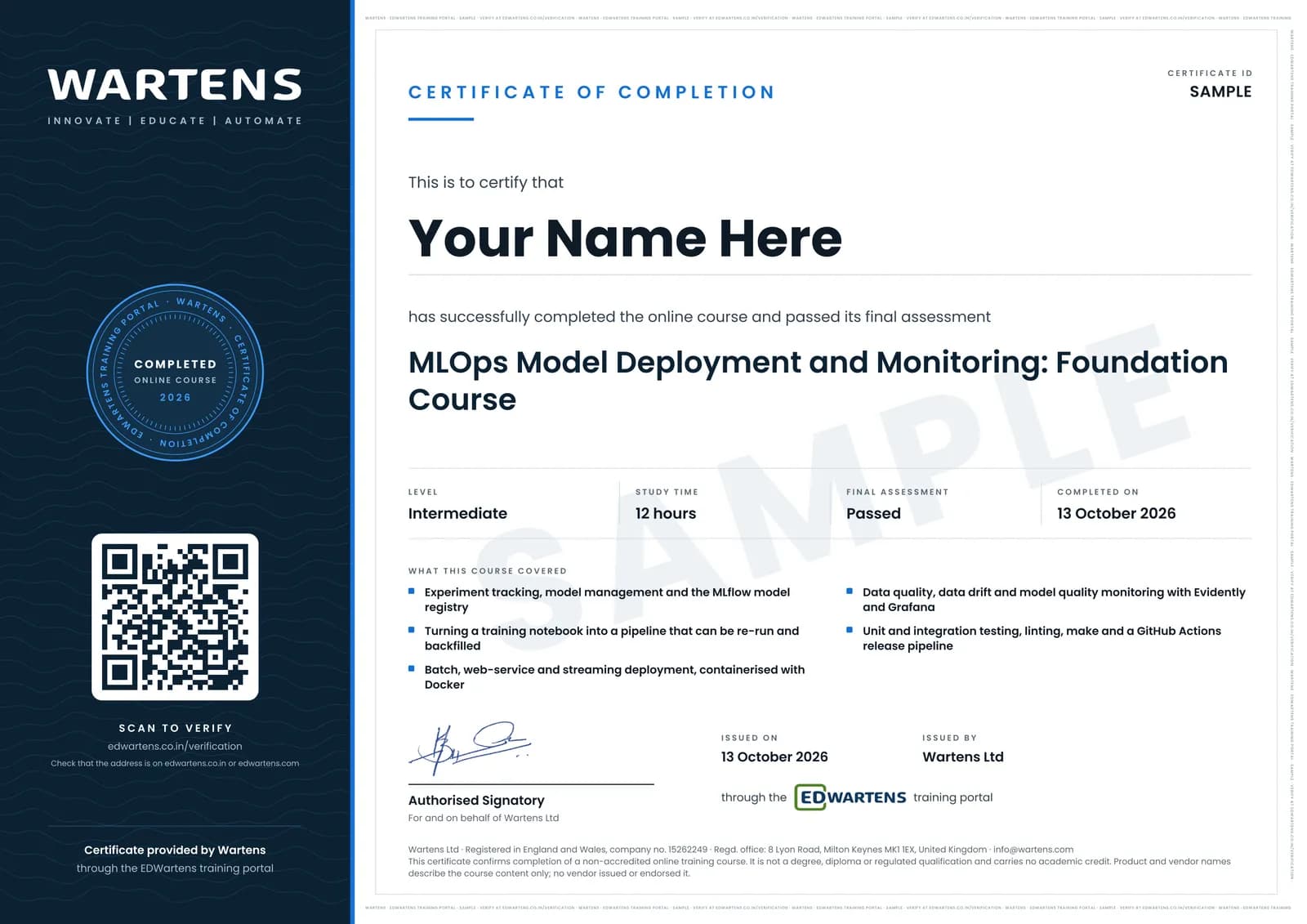
Verifiable by anyone
Adds to LinkedIn in one click
QR code on the certificate
Names what you can do
A permanent link
Earned, not attended
Learning is free. The certificate is optional.
Add it now and pay only when you have finished the course, or come back for it later. One-off, US$28.99, with a receipt.
Issued by Wartens Ltd (England and Wales, company no. 15262249) through the EDWartens training portal, as a Certificate of Completion for this self-paced course. Sold in India by Wartens Automation Private Limited. It is not a vendor certification, a university award or a CPD-accredited activity, and it does not certify competence on live equipment. Delivered electronically; see the refund policy.
Practise what you learn in the free 3D lab
Technical work is judged on what you can do: wiring, commissioning, finding a fault. Doing a task yourself teaches more than watching it a second time, and a lab lets you try it safely before you meet real equipment. It does not replace working on real hardware.
- Practise safely, so a mistake costs nothing.
- The lab checks your work like a site test, so you know when it is right.
- Free, in your browser, with nothing to install.
Why learn with EDWartens
What you get with this course.
- Free from the first lesson to the final assessment.
- Practice in a free 3D lab in your browser, with nothing to install.
- Video lessons with written notes and a project.
- An optional certificate that anyone can verify online.
FAQ
Common questions
What do I need before this course?
Working Python, the Linux command line and Git, plus a model you have trained at least once. The Machine Learning with Python course covers that. You do not need prior Docker experience beyond running a container, because the deployment modules build the image step by step.
Do I need a cloud account or a paid subscription?
No. MLflow, Docker, Flask, Evidently, PostgreSQL, Grafana, pytest and GitHub Actions are all free, and the whole local route runs on a laptop. Two lessons demonstrate AWS Kinesis, Lambda and cloud deployment. They are marked optional, they are there for the design they teach, and nothing in the assessment depends on having an AWS account.
Do I need a GPU?
No. The model used through the course is a regression on tabular data that trains in under a minute on a CPU. There is a lesson on when a GPU is worth paying for, which for this kind of work is rarely.
Is this the same as the AWS or Google machine learning engineer certification?
No, and it is not preparation material sold by those vendors either. Those are paid, proctored vendor examinations with their own syllabus. This course teaches the practices those examinations test, using open-source tools, and it ends with an EDWartens Certificate of Completion. If you want the vendor badge you still have to sit and pay for the vendor's exam.
What will I have worked through by the end?
You work one model the whole way through. It is tracked in MLflow, registered and promoted. It is served both as a Flask endpoint in Docker and as a batch scoring job. It is monitored for data quality and drift on a Grafana dashboard. It is released by a GitHub Actions pipeline that runs the linter and the tests first.
Is the MLOps Model Deployment and Monitoring course really free?
Yes. Every module, practice task and assessment. You create an account so your progress is saved and the assessments can be marked. The certificate is the only paid item, and only if you want it.
What certificate does the MLOps Model Deployment and Monitoring course give?
An EDWartens Certificate of Completion, issued when you have finished every module and passed the final assessment, with a verification code anyone can check. It is not a vendor credential and is never described as one.
Who made the video lessons in the MLOps Model Deployment and Monitoring course?
The creators named in the Credits block at the foot of this page, on their own YouTube channels. EDWartens did not make the videos and the creators are not affiliated with EDWartens. What EDWartens wrote is the study plan, the notes, the practice tasks and the assessments.
Do I have to use the lab?
No. The lab is optional practice. You can skip it whenever you like, and it never blocks your progress, the final assessment or your certificate.
Is the lab free?
Yes. Every lab level for this course opens in your browser, free, with nothing to install.
Is the MLOps Model Deployment and Monitoring course free in India, and what does the certificate cost?
Yes. Learning costs ₹0 in India: every module, the written notes, the practice tasks and the final assessment, with no card and no trial period. The only paid item is the optional EDWartens Certificate of Completion, ₹599 including GST for this intermediate course, paid in rupees through Razorpay, and only if you want it after passing the final assessment.
All course factsHide course facts
- Price
- ₹0, free for good. No trial, no card. Comparable classroom training of this length costs about ₹6,999.
- Who it is for
- Engineers, developers and students applying AI to real work
- Format
- 15 self-paced modules, 12h 5m of video, written notes, a practice task per module and one final assessment.
- Level
- Intermediate. Intermediate. Best after the Machine Learning with Python course; you need working Python, the Linux command line, Git and enough Docker to run a container.
- Brand
- Vendor-neutral
- Software
- Python 3, MLflow, scikit-learn, Docker and docker-compose, Flask and gunicorn, Evidently, PostgreSQL, Grafana, pytest, black, isort, pylint, Git and GitHub Actions. All free.
- Hardware
- A laptop with 8 GB RAM and about 10 GB of free disk. No GPU. No cloud account for the local route; AWS appears only in the lessons marked optional.
- Certificate
- Optional EDWartens Certificate of Completion, ₹599 inclusive of GST for learners in India, verifiable by code. Not a vendor credential.
- Video lessons by
- DataTalksClub, Abhishek.Veeramalla (independent creators, credited below)
- Language
- English
- Last updated
- 27 September 2026
Pairs well with
 PLC programming · FreeSiemens TIA Portal
 PLC programming · FreeSiemens TIA Portal in Three Hours
 PLC programming · FreeTIA Portal: Build a Machine
 Instrumentation · FreeInstrumentation for PLC Engineers
More free courses: Free AI courses for engineers
Classroom course, Bangalore
PLC training in Bangalore
The Automation Engineer Program (AEP) is our classroom course in PLC programming and industrial automation, taught in person at our Electronic City centre.
Credits
Who made the video lessons
The video lessons in this course were created by the people below, not by EDWartens. Every lesson streams from its creator's own YouTube channel; EDWartens neither hosts nor sells that footage, and the creators are not affiliated with EDWartens and do not endorse this course. What EDWartens wrote is the study plan, the notes, the practice tasks and the assessments.
- DataTalksClubthe MLOps Zoomcamp lessons: environment and baseline model, MLflow tracking and the model registry, pipelines, Flask, Docker and batch deployment, monitoring with Evidently and Grafana, pytest and integration tests, linting, make and GitHub Actions
- Abhishek.Veeramallathe plain-language explanation of MLOps against AIOps, and the CPU against GPU lesson in the environment module
If you are one of these creators and would like a lesson removed or credited differently, write to info@wartens.com.