Offline Robot Programming and Simulation: RoboDK, RobotStudio, ROBOGUIDE and KUKA.Sim Explained

Teaching versus programming
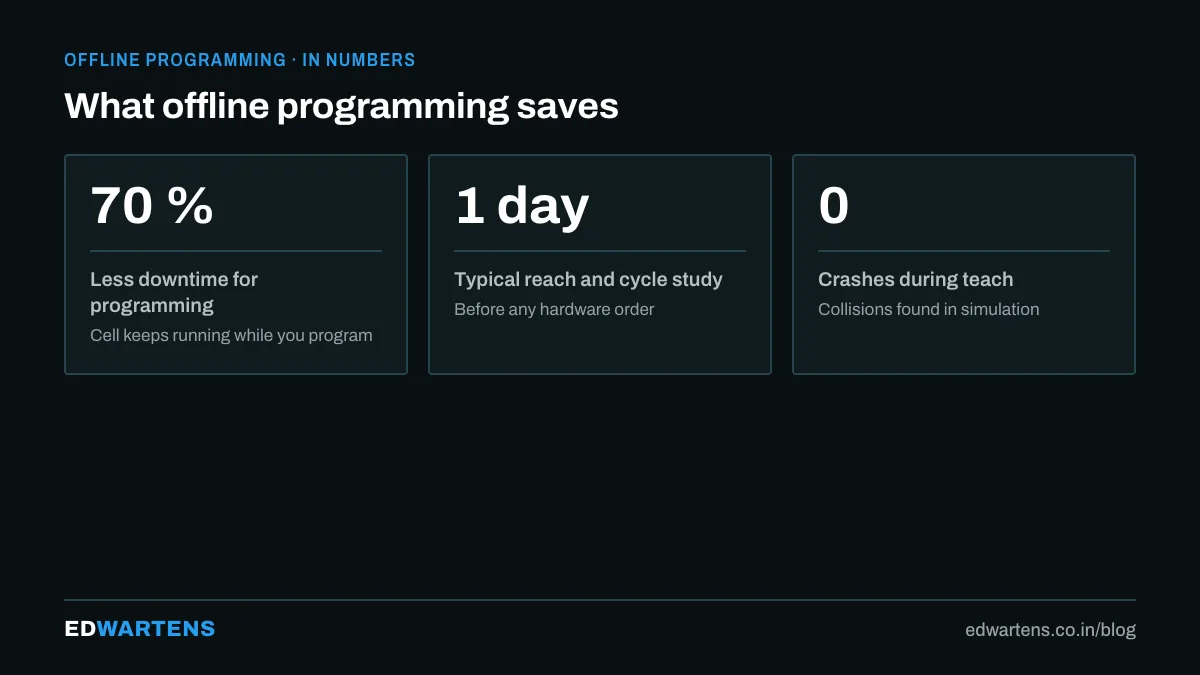
Teaching a robot on the pendant means jogging to each position while the line waits. For ten points it is fine. For a welding path with five hundred points, a machining toolpath, or a palletizing pattern for forty products, it is a week of downtime. Offline programming (OLP) builds the program in a 3D model of the cell, simulates it, and downloads it to the robot in the vendor's language. The robot is stopped for an hour of touch-up, not a week of teaching.
How it works
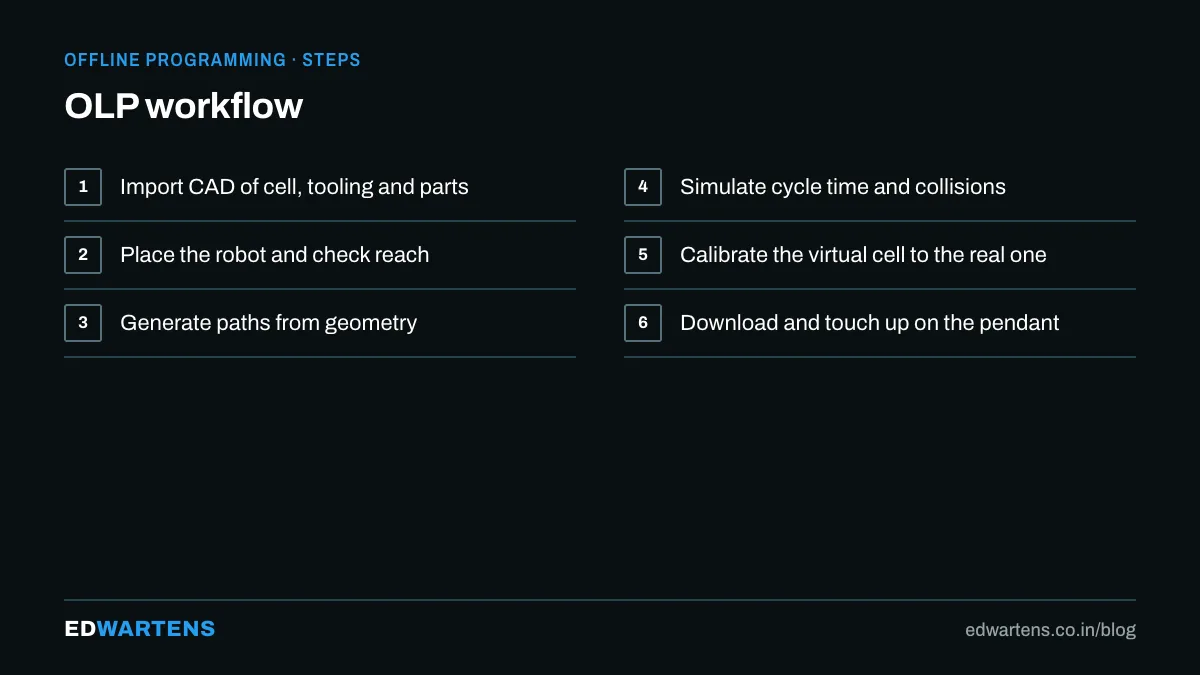
- Model the cell. Robot from the library, tool from the supplier's CAD, fixture and part from your own CAD, conveyors and fences for reach checks.
- Define frames. The tool centre point (TCP) and the base or user frame of the fixture, in the model exactly as they will be on the floor.
- Create targets and paths. By clicking on CAD geometry, by importing a toolpath from CAM, or by generating patterns.
- Simulate. Reach, joint limits, singularities, collisions, cycle time.
- Post-process. Export the program in TP, RAPID, KRL, INFORM or URScript using a post-processor for the exact controller.
- Calibrate and touch up. Measure the real cell so the model matches, then run at low speed and adjust the few points that differ.
The four tools
Tool | Vendor | Strength |
|---|---|---|
RoboDK | Independent | Any robot brand, CAM integration, Python API, affordable |
RobotStudio | ABB | Exact virtual controller, free for learning, best simulation fidelity for ABB |
ROBOGUIDE | FANUC | Exact FANUC controller, PalletPRO and HandlingPRO packages |
KUKA.Sim | KUKA | Reach studies, cycle times, links to WorkVisual and OfficeLite |
The vendor tools simulate their own controllers precisely, including the real motion planner, so cycle times are trustworthy. RoboDK trades that for breadth: one model, many brands, and a Python API that lets you generate thousands of targets from data.
Calibration: the step people skip
A perfect simulation is useless if the model is 20 mm off the real cell. The three calibrations that matter:
- TCP calibration. Four-point or six-point on the pendant, then the same numbers in the model.
- Base frame calibration. Three points on the fixture to locate it in the robot's world.
- Robot calibration. Optional, with a laser tracker or ballbar, when accuracy below a millimetre is needed for machining or measurement.
Do these before the first download and the touch-up shrinks from hours to minutes.
Where it pays for itself
- Welding paths and seams.
- Machining, deburring, grinding and polishing from CAM.
- Painting and dispensing.
- High-mix cells where every new product needs a new program.
- Selling a cell: a simulation with a cycle time convinces a customer before the steel is cut, which is why integrators build one for every quotation.
Learning path
The RoboDK course builds a cell from scratch, calibrates it and posts to several brands. The ABB RobotStudio, FANUC ROBOGUIDE and KUKA.Sim courses each teach the vendor simulator with a real controller in the loop. For CAD, the SolidWorks and Fusion 360 courses give you the fixture and part modelling skills OLP assumes.
If you want the PLC side of a robot cell taught in a classroom, our page on robotics training in Bangalore explains what is covered there and what is left to the free robot programming courses.
Frequently asked questions
Is simulation the same as offline programming? Simulation checks a cell; OLP produces the robot program from it. Every OLP tool simulates; not every simulator posts programs.
Do I still need the pendant? Yes, for calibration, touch-up and anything the simulation could not know. OLP reduces pendant time, it does not remove it.
Which is best for a beginner? RoboDK, because the free trial is generous, it runs on a laptop, and one project teaches the concepts for every brand.
Learn this, free
The courses that teach this
Every lesson, the written notes and the practice are free with an account. Only the certificate is optional and paid.


