How to Read a P&ID: A Practical Guide for Automation and Instrumentation Engineers

The document everything comes from
Before there is a PLC program, an HMI screen or an alarm list, there is a P&ID: the piping and instrumentation diagram. It shows every pipe, vessel, pump, valve and instrument in a process unit and how they are connected. The controls engineer reads it to find the loops; the instrumentation engineer reads it to find the tags; the operator reads it to understand what the plant does. If you cannot read one, you cannot do process automation.
The symbols, by standard
P&IDs in India follow ISA-5.1 (instrument symbols and identification) for instrumentation, with piping symbols from the company or EPC standard. The instrument symbols you must recognise:
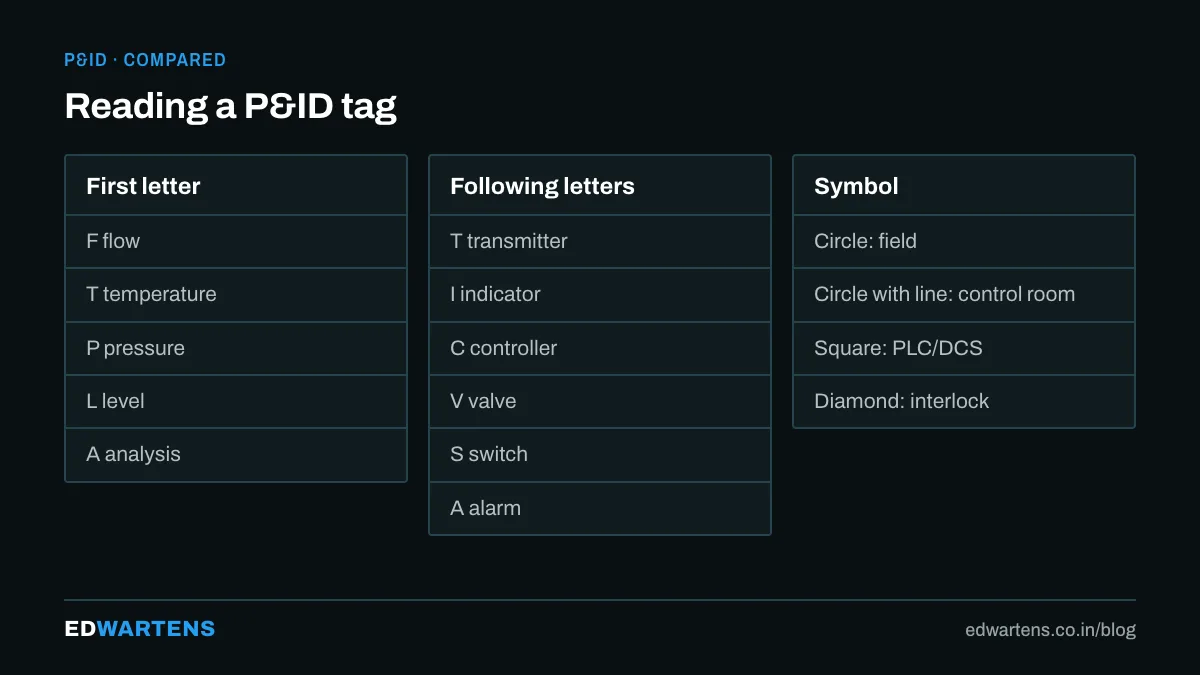
- A circle is a discrete instrument. A plain circle is field mounted; a circle with a horizontal line through it is on the main control panel or DCS; a dashed line means an auxiliary location.
- A circle in a square is a function in a shared display or DCS.
- A hexagon is a computer function.
- A diamond in a square is a PLC function.
- Lines: solid for process piping, dashed for electrical signal, a line with small circles for pneumatic, a line with slashes for capillary or hydraulic, a line with double slashes for software or data links.
Tag numbers: the language
A tag such as FIC-101 is read letter by letter:
- First letter: the measured variable. F flow, L level, P pressure, T temperature, A analysis, S speed.
- Following letters: function. I indicator, C controller, T transmitter, V valve, E element, S switch, A alarm, H high, L low, R recorder.
- Number: the loop number, shared by everything in that loop.
So FIC-101 is the flow indicating controller of loop 101, FT-101 its transmitter, FE-101 the orifice plate, FV-101 the control valve, and FAH-101 its high alarm. Read the tags and the loop draws itself.
The loop story
Every control loop on a P&ID tells the same story: measure, decide, act. Find the element (FE), follow the signal line to the transmitter (FT), on to the controller (FIC, usually in the DCS square), and out to the final control element (FV with its positioner). Read the valve's failure position (FC fail closed, FO fail open, FL fail last) because it tells you what the plant does when air or power is lost, and that decides the interlock logic.
A method that works in ten minutes
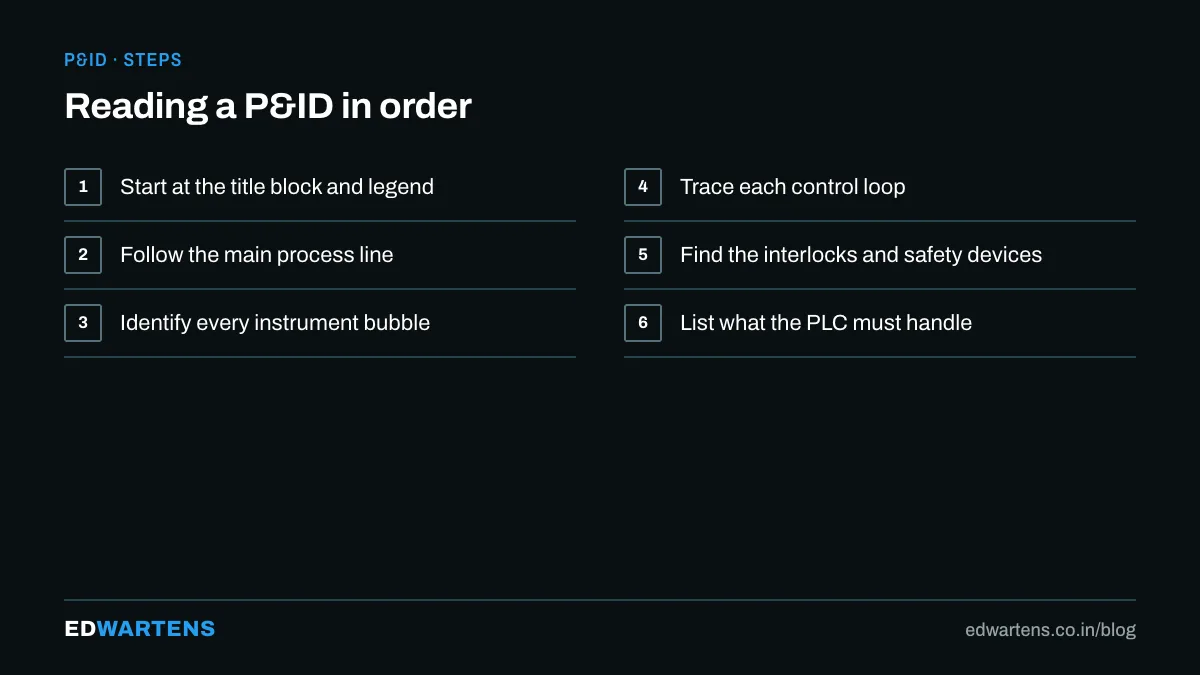
- Read the title block: unit, revision, and the legend sheet reference.
- Trace the main process flow left to right, naming each vessel and pump.
- Mark every control loop by its number.
- List the interlocks and trips, usually shown with an S in the function letters (PSHH, LSLL) and a note referencing the cause and effect chart.
- Note every hand valve that matters for start-up.
- Read the notes. The important exceptions are always in the notes.
From P&ID to PLC program
The P&ID gives you the I/O list (every transmitter and valve is a channel), the loop list (every controller is a PID block), the interlock list (every trip becomes a rung or a cause-and-effect matrix), and the HMI graphics (the mimic is the P&ID redrawn for an operator). This is why our Instrumentation and Process Control course starts with P&IDs and the PID Control course references loop tags throughout.
For a classroom route that puts topics like this next to PLC programming, see industrial automation course in Bangalore.
Frequently asked questions
What is the difference between a PFD and a P&ID? A process flow diagram shows the main equipment and streams with flows and conditions; the P&ID adds every valve, instrument and line for construction and operation.
Who owns the P&ID? The process engineer. Controls and instrumentation mark it up; changes go through management of change.
Where do I practise? The free course above includes real-style P&IDs to read, and DIALux-style drawing skills from the AutoCAD course help you draft one.
Learn this, free
The courses that teach this
Every lesson, the written notes and the practice are free with an account. Only the certificate is optional and paid.


