Cybersecurity · Free · ₹0
Cloud Security Fundamentals: AWS and Azure
Secure what you run in AWS and Azure: the shared responsibility model, AWS IAM and Microsoft Entra ID with Conditional Access, zero trust, network security groups and private endpoints, encryption and key management, and posture management with Defender for Cloud and Sentinel.

Inside the course


From the lessons
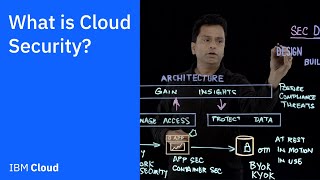
What cloud security is
IBM Technology

The shared responsibility model
Amazon Web Services
Identity first: AWS IAM
Tiny Technical Tutorials

Identity in Azure: Entra ID and conditional access
John Savill's Technical Training
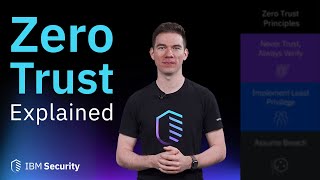
Zero trust for the cloud
IBM Technology

Network controls in the cloud
John Savill's Technical Training
Lesson frames belong to the creators named in the Credits below and are shown from YouTube.
What you will learn
Explain what cloud security covers and how it differs from on-premises; apply the shared responsibility model to IaaS, PaaS and SaaS; write least-privilege AWS IAM policies and predict how they are evaluated; design Microsoft Entra ID Conditional Access policies without locking out the tenant; apply zero trust principles to cloud access; configure network security groups, service endpoints and private endpoints; choose encryption and key management options; and run a posture management and monitoring loop across AWS and Azure.
- Explain what cloud security covers and how it differs from on-premises
- Apply the shared responsibility model to IaaS, PaaS and SaaS
- Write least-privilege AWS IAM policies and predict how they are evaluated
- Design Entra ID Conditional Access policies without locking out the tenant
- Apply zero trust principles to cloud and administrator access
- Configure NSGs, service endpoints and private endpoints
- Choose encryption and key management options in Azure and AWS
- Run posture management and monitoring with Defender for Cloud, Sentinel and AWS tools
The course project · about 10 hours
Cloud security review for a logistics company on AWS and Azure: asset inventory, risk register, identity baseline and posture report
Review and harden the cloud estate of a growing logistics software company as its first cloud security engineer: inventory every account, subscription and exposed service, register the risks, write the identity and access baseline for AWS and Microsoft Entra ID, and report the posture before and after. The sample pack shows each document for a Singapore company. Use your own free accounts for any testing; never test an estate you are not authorised to change.
Sample document pack, 4 documents, filled in for the scenario
- Asset inventoryCloud asset inventory: Nimbus Freight Tech
- Risk registerCloud risk register: Nimbus Freight Tech
- ProcedureIdentity and access baseline: AWS and Microsoft Entra ID
- ReportCloud posture report: weeks 1 to 4
Read inside the course and download as a workbook. The project is optional practice, marked when you submit it; the certificate needs only the modules and the final assessment.
Course content
9 modules · 19 lessons · 5h 43m
In order, at whatever pace suits you. Each module ends with a practice task that builds on the last.
- 01What cloud security is2 lessons13m
- 02The shared responsibility model3 lessons44m
- 03Identity first: AWS IAM2 lessons26m
- 04Identity in Azure: Entra ID and conditional access2 lessons1h 0m
- 05Zero trust for the cloud3 lessons29m
- 06Network controls in the cloud2 lessons49m
- 07Encryption and key management1 lesson35m
- 08Threats, posture management and monitoring3 lessons1h 4m
Requirements
- Who it is for
- Beginner. You should know what a server, a network and a user account are. No cloud certification is needed; a free AWS or Azure account makes the exercises more useful.
- Software
- A web browser. An AWS Free Tier account and an Azure free account are optional but recommended for the practice tasks. What to download, and how
- Hardware
- None.
Software you need
What to download, where from, what it costs and how to install it. Every link goes to the maker's own site, never a mirror.
A web browser is enough. The cloud accounts are optional, and recommended for the practice tasks.
Optional
Useful, not needed to finish the course.
- 01Free plan: 6 months with credits
AWS Free Tier
Amazon Web Services, in the browser
- Runs on
- Any modern web browser
- Account
- An AWS account, with a credit or debit card for verification
New accounts can choose the Free plan: starting credits plus more earned by trying services, usable for up to 6 months. You are not charged unless you upgrade to the Paid plan. The Free plan account closes after 6 months or when credits run out; data is kept for 90 days, and you must upgrade to get it back. Over 30 services stay free within monthly limits.
Steps
- 1.Open aws.amazon.com/free and click Create a free account.
- 2.Enter your email, account name and contact details.
- 3.Add a credit or debit card. AWS makes a small verification charge that is refunded.
- 4.Verify your phone number, then choose the Free plan.
- 5.Sign in to the console and set up a budget alert before you start labs.
- In India, accounts are usually set up with AWS India (AISPL); the card check is a small refundable charge.
- Delete lab resources when you finish so they do not use up credits.
Open AWS Free Tieraws.amazon.com - 02Free trial: 30 days of credit, some services free for 12 months
Azure free account
Microsoft, in the browser
- Runs on
- Any modern web browser
- Account
- A Microsoft account, a phone number and a credit or debit card for identity checks
New customers get credit to use within 30 days, free monthly amounts of 20+ popular services for 12 months, and 65+ always-free services. The card is only for identity checks: Microsoft does not charge it, though a temporary one-dollar (or equivalent) hold may appear. You are not charged unless you upgrade.
Steps
- 1.Open the Azure free account page and click Try Azure for free.
- 2.Sign in with a Microsoft account or create one.
- 3.Verify your phone number and enter a card for identity verification.
- 4.Accept the agreement and open the Azure portal.
- 5.Set a budget alert in Cost Management before starting labs.
- Students at eligible universities can use Azure for Students instead, which needs no card.
Open Azure free accountazure.microsoft.comAlternatives
- Azure for Students: Credit for 12 months with no credit card, for full-time university students using a school email. Renews each year while you are a student.
Checked against each maker's own page on 27 September 2026. Trial lengths and editions change; the maker's page is the final word.
Cloud Security Fundamentals: AWS and Azure at a glance
Cloud Security Fundamentals: AWS and Azure is a free, self-paced online course from EDWartens for cloud, IT and DevOps engineers who secure AWS and Azure workloads. It has 9 modules and 5h 43m of video lessons by John Savill's Technical Training, IBM Technology, Amazon Web Services and others, with written notes and worked problems, a practical project with a document pack and a 15-question final assessment (pass mark 60%). Learning is free with an account; an optional certificate with a public verification code is issued when you pass. Last updated 27 September 2026.
All course factsHide course facts
- Price
- ₹0, free for good. No trial, no card. Comparable classroom training of this length costs about ₹3,499.
- Who it is for
- Cloud, IT and DevOps engineers who secure AWS and Azure workloads
- Format
- 9 self-paced modules, 5h 43m of video, written notes, a practice task per module and one final assessment.
- Level
- Beginner. Beginner. You should know what a server, a network and a user account are. No cloud certification is needed; a free AWS or Azure account makes the exercises more useful.
- Brand
- Vendor-neutral
- Software
- A web browser. An AWS Free Tier account and an Azure free account are optional but recommended for the practice tasks.
- Hardware
- None.
- Certificate
- Optional EDWartens Certificate of Completion, verifiable by code. Not a vendor credential.
- Video lessons by
- John Savill's Technical Training, IBM Technology, Amazon Web Services, Amitabh Soni (independent creators, credited below)
- Language
- English
- Last updated
- 27 September 2026
A shareable EDWartens certificate
Finish every module and pass the final assessment, and the optional EDWartens certificate is yours. It carries a unique verification code on a public page anyone can check, so it stands up when a recruiter looks it up. See it below.
The course itself stays free whether or not you ever buy one.
Stuck? Ask a practising engineer
A free course usually means a comment section and hope. This one does not. Every module has an Ask-your-trainer panel that reaches the same engineers who teach our paid programme: people who commission panels for a living, not moderators.
Pairs well with
 Cybersecurity · FreeCompTIA Security+ (SY0-701) Exam PrepPrepare for CompTIA Security+ SY0-701 with Professor Messer's complete free video course: every exam objective across the five domains, with EDWartens notes, worked calculations, practice questions and an optional security project. Exam preparation only: the EDWartens certificate is not the CompTIA Security+ certification, which is earned only by passing CompTIA's exam.
 PLC programming · FreeSiemens TIA PortalFrom zero electrical knowledge to a working, simulated S7-1200 program, for nothing.
 PLC programming · FreeSiemens TIA Portal in Three HoursThe first three hours of the Siemens TIA Portal course, cut to end on a win: what a PLC is, how it is wired, a project configured in TIA Portal, and your first ladder program running in simulation. Finish it in an evening or two, earn a certificate, and carry straight on into the full course.
 PLC programming · FreeTIA Portal: Build a MachineOne machine, start to finish. Take a bottle filling line from a written specification and an I/O list to a structured S7-1200 program with a fill station, a capper, a reject sorter and an operator screen with alarms, then test it against a written record and archive it for hand-over. The lessons are the reference; the machine is yours, and it is what you submit.
More free courses: Free cyber security courses · Free IT security and SOC analyst courses
Learner reviews
No reviews yet
Reviews here are written only by learners who have finished every module of Cloud Security Fundamentals: AWS and Azure, and they are published exactly as written. Finish the course and yours will be the first.
Common questions
Who is the Cloud Security Fundamentals: AWS and Azure course for?
IT administrators, developers, support engineers and students who look after, or want to look after, workloads in AWS and Azure. No cloud certification is needed.
Is this an AWS or Microsoft course?
No. It uses lessons that Amazon Web Services, John Savill, IBM Technology and other educators publish free on YouTube, credited on each module. AWS and Azure are trademarks of Amazon and Microsoft, and neither company is affiliated with EDWartens.
Does it prepare me for a cloud security certification?
Not directly. It covers the fundamentals that vendor exams such as Microsoft's SC-500 (which replaced AZ-500 when AZ-500 retired on 31 August 2026) and AWS Certified Security - Specialty build on, but it is not exam preparation for either, and the EDWartens certificate is not a vendor certification.
Do I need to pay for AWS or Azure?
No. The practice tasks fit inside the AWS Free Tier and an Azure free account. Switch off anything you create when you finish, and set a budget alert so nothing is charged by surprise.
Is the Cloud Security Fundamentals: AWS and Azure course really free?
Yes. Every module, the notes, the project and the final assessment. The only paid item is the certificate, if you want it.
What certificate does the Cloud Security Fundamentals: AWS and Azure course give?
An EDWartens Certificate of Completion, issued when you pass the final assessment, with a number anyone can verify on our site.
How long does the Cloud Security Fundamentals: AWS and Azure course take?
About 8.7 hours of video lessons, notes and practice questions, plus about 10 hours if you do the project. At an hour a day, that is about three weeks.
What is the project in the Cloud Security Fundamentals: AWS and Azure course?
You review the AWS and Azure estate of a logistics software company as its first cloud security engineer. You write an asset inventory, a risk register, an identity and access baseline for AWS and Entra ID, and a posture report the CTO can use to answer a customer's security questionnaire.
Is the Cloud Security Fundamentals: AWS and Azure course free in India, and what does the certificate cost?
Yes. Learning costs ₹0 in India: every module, the written notes, the practice tasks and the final assessment, with no card and no trial period. The only paid item is the optional EDWartens Certificate of Completion, ₹459 including GST for this beginner course, paid in rupees through Razorpay, and only if you want it after passing the final assessment.
What you walk away with
Your certificate for Cloud Security Fundamentals: AWS and Azure
Finish the course, pass the final, and this is the document with your name on it.

Verifiable by anyone
Adds to LinkedIn in one click
QR code on the certificate
Names what you can do
A permanent link
Earned, not attended
Learning is free. The certificate is optional.
Add it now and pay only when you have finished the course, or come back for it later. One-off, US$23.99, with a receipt.
Issued by EDWartens India (Wartens Automation Private Limited) as a Certificate of Completion for this self-paced course. It is not a vendor certification, a university award or a CPD-accredited activity, and it does not certify competence on live equipment. Delivered electronically; see the refund policy.
Credits
Who made the video lessons
The video lessons in this course were created by the people below, not by EDWartens. Every lesson streams from its creator's own YouTube channel; EDWartens neither hosts nor sells that footage, and the creators are not affiliated with EDWartens and do not endorse this course. What EDWartens wrote is the study plan, the notes, the practice tasks and the assessments.
- John Savill's Technical Trainingthe Azure lessons on Azure AD (now Microsoft Entra ID), Conditional Access, network security groups, virtual network and PaaS network controls, storage and disk encryption, Defender for Cloud and Sentinel, and the closing top five security tips
- IBM Technologythe explainers on what cloud security is, zero trust, the cloud threat landscape and multicloud security
- Amazon Web Servicesthe AWS lessons on compliance and the shared responsibility model
- Amitabh Sonithe lesson on AWS IAM best practices
- BeSA Cloud Academythe beginner's lesson on the AWS shared responsibility model
- KodeKloudthe lesson on AWS security, the shared responsibility model, compliance and IAM
- Tiny Technical Tutorialsthe lesson on AWS Identity and Access Management basics
If you are one of these creators and would like a lesson removed or credited differently, write to info@wartens.com.