Cybersecurity · Free · ₹0
Cybersecurity Fundamentals for Beginners
Start in cybersecurity from zero: the eight security domains, the CIA triad, risk and the NIST frameworks, networks and firewalls, Linux and access control, malware, incident response, and how to communicate as an analyst, with honest advice on landing a first job. Built on Google's public Cybersecurity Certificate lessons.

Inside the course


From the lessons
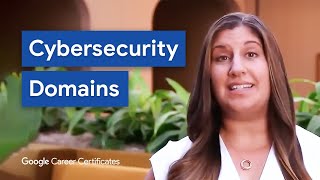
The eight domains, and who a security analyst works with
Grow with Google

Foundations of cybersecurity
Grow with Google

Managing risks, threats and frameworks
Grow with Google

Networks, and how to secure them
Grow with Google

Operating systems, Linux, access control and encryption
Grow with Google

Malware, and how to prepare for it
Grow with Google
Lesson frames belong to the creators named in the Credits below and are shown from YouTube.
What you will learn
Explain the eight security domains and the CIA triad; assess a risk and pick controls using NIST CSF and the NIST RMF; describe how networks work, how firewalls and zones protect them and how common network attacks unfold; read Linux file permissions and apply least privilege; recognise malware types and prioritise vulnerabilities by CVSS; follow the incident response lifecycle and write an incident summary a manager can act on; and prepare honestly for an entry-level security interview.
- Explain the eight security domains and where an analyst fits
- Describe incidents using the CIA triad
- Score risks and use NIST CSF 2.0 and the NIST RMF
- Explain networks, ports, firewalls and security zones
- Read and set Linux file permissions and apply least privilege and MFA
- Recognise malware and prioritise vulnerabilities with CVSS
- Follow the incident response lifecycle and write an incident summary
- Prepare a portfolio and STAR answers for a first security interview
The course project · about 8 hours
First security assessment of a freight forwarder: asset inventory, risk register, mailbox-compromise procedure and findings report
Carry out a first security assessment of a 45-person freight forwarding company as its newly hired junior security analyst: list its assets, score its risks, write the response procedure for the incident that started the work, and report findings to the owner in plain language. The sample pack shows each document for a firm in Ipswich, England, and the finished pack doubles as a portfolio piece for interviews.
Sample document pack, 4 documents, filled in for the scenario
- Asset inventoryAsset inventory: Portside Cargo Links, Ipswich
- Risk registerRisk register: Portside Cargo Links
- ProcedureSuspected mailbox compromise: response procedure
- ReportSecurity assessment: findings and priorities
Read inside the course and download as a workbook. The project is optional practice, marked when you submit it; the certificate needs only the modules and the final assessment.
Course content
9 modules · 18 lessons · 5h 57m
In order, at whatever pace suits you. Each module ends with a practice task that builds on the last.
- 01The eight domains, and who a security analyst works with2 lessons12m
- 02Foundations of cybersecurity1 lesson1h 15m
- 03Managing risks, threats and frameworks1 lesson1h 28m
- 04Networks, and how to secure them4 lessons43m
- 05Operating systems, Linux, access control and encryption4 lessons1h 12m
- 06Malware, and how to prepare for it1 lesson21m
- 07Incidents: detection, response and telling the story3 lessons22m
- 08Your first cybersecurity job2 lessons23m
Requirements
- Who it is for
- Beginner. No security or IT experience needed. If you can install software and use a browser comfortably, you can start.
- Software
- A free Linux environment (a virtual machine with Ubuntu, Windows Subsystem for Linux, or a browser-based Linux lab) and Wireshark. Everything used is free. What to download, and how
- Hardware
- Any laptop or desktop that can run a small virtual machine. 8 GB of RAM is comfortable.
Software you need
What to download, where from, what it costs and how to install it. Every link goes to the maker's own site, never a mirror.
A browser-based Linux lab also works if you cannot install anything.
Required
- 01Free
Wireshark
Wireshark Foundation
- Runs on
- Windows 11 or 10 64-bit (x64 or Arm64), Windows Server 2016 or later, macOS (Universal disk image), Linux
- Account
- None needed
Free, open source software. No licence fee for any use.
Steps
- 1.Open wireshark.org/download.html.
- 2.Download the Windows x64 Installer (or Arm64, or the macOS Universal Disk Image).
- 3.Run the installer and keep the Npcap option ticked on Windows.
- 4.Open Wireshark, pick your network interface and click the blue fin to start capturing.
- Npcap is needed for live capture on Windows. The Windows installer includes it.
- Only capture traffic on networks you own or have written permission to monitor.
Official download pagewireshark.org - 02Free
Ubuntu Desktop
Canonical
- Runs on
- 64-bit PC (Intel or AMD) or ARM 64-bit. Recommended: 2 GHz dual-core processor, 6 GB RAM, 25 GB free disk space.
- Account
- None needed
- Size
- About 5.9 GB ISO (Intel or AMD 64-bit, current LTS)
Free to download and use. LTS releases get five years of free security updates, which Ubuntu Pro can extend.
Steps
- 1.Open ubuntu.com/download/desktop and download the LTS ISO. For ROS 2 courses, get 24.04 LTS or 22.04 LTS from releases.ubuntu.com instead.
- 2.To try it safely, create a new virtual machine in VirtualBox and attach the ISO.
- 3.To install on a real PC, write the ISO to a USB stick (8 GB or more) and boot from it.
- 4.Follow the installer, then run Software Updater when it finishes.
- Your course may name a specific release. ROS 2 Humble needs Ubuntu 22.04 and ROS 2 Jazzy needs Ubuntu 24.04.
- Give a virtual machine at least 25 GB of disk space.
Official download pageubuntu.comAlternatives
- Ubuntu 24.04 LTS: Use for ROS 2 Jazzy.
- Ubuntu 22.04 LTS: Use for ROS 2 Humble.
- Windows Subsystem for Linux: Run Ubuntu inside Windows 10 or 11 without a virtual machine.
A way to run Linux
Any one is enough.
- 03Free
Windows Subsystem for Linux (WSL)
Microsoft
- Runs on
- Windows 10 version 2004 and higher (Build 19041 and higher) or Windows 11
- Account
- None needed
WSL is part of Windows and costs nothing. The Linux distribution you install (Ubuntu by default) has its own free licence.
Steps
- 1.Right-click PowerShell and choose "Run as administrator".
- 2.Run: wsl --install
- 3.Restart your PC when asked.
- 4.Open Ubuntu from the Start menu and wait while it unpacks.
- 5.Create a Linux user name and password when prompted.
- To see other distributions, run: wsl --list --online, then install one with: wsl --install -d <Name>
- If the install hangs at 0.0%, run: wsl --install --web-download -d Ubuntu
- Check your setup with: wsl -l -v (new installs use WSL 2).
Official download pagelearn.microsoft.com - 04Free
Oracle VirtualBox
Oracle
- Runs on
- Windows, macOS (Intel and Apple Silicon), Linux and Solaris hosts
- Account
- None needed
The VirtualBox platform packages are free and open source under GPL version 3. The separate Extension Pack is free only for personal and educational use (PUEL licence); business use of the Extension Pack needs a commercial licence from Oracle.
Steps
- 1.Open virtualbox.org/wiki/Downloads.
- 2.Click the package for your host system (for example, Windows hosts).
- 3.Run the installer and accept the network driver prompts.
- 4.Open VirtualBox, click New, choose your ISO file (for example Ubuntu or Windows) and follow the wizard.
- Turn on hardware virtualisation (Intel VT-x or AMD-V) in your PC's BIOS or UEFI if VirtualBox says it is not available.
- You do not need the Extension Pack for normal lab work. Install it only if you need its extra features and your use is personal or educational.
Official download pagevirtualbox.org
Checked against each maker's own page on 27 September 2026. Trial lengths and editions change; the maker's page is the final word.
Cybersecurity Fundamentals for Beginners at a glance
Cybersecurity Fundamentals for Beginners is a free, self-paced online course from EDWartens for beginners, students and IT staff starting in cybersecurity. It has 9 modules and 5h 57m of video lessons by Grow with Google, with written notes and worked problems, a practical project with a document pack and a 15-question final assessment (pass mark 60%). Learning is free with an account; an optional certificate with a public verification code is issued when you pass. Last updated 27 September 2026.
All course factsHide course facts
- Price
- ₹0, free for good. No trial, no card. Comparable classroom training of this length costs about ₹3,499.
- Who it is for
- Beginners, students and IT staff starting in cybersecurity
- Format
- 9 self-paced modules, 5h 57m of video, written notes, a practice task per module and one final assessment.
- Level
- Beginner. Beginner. No security or IT experience needed. If you can install software and use a browser comfortably, you can start.
- Brand
- Vendor-neutral
- Software
- A free Linux environment (a virtual machine with Ubuntu, Windows Subsystem for Linux, or a browser-based Linux lab) and Wireshark. Everything used is free.
- Hardware
- Any laptop or desktop that can run a small virtual machine. 8 GB of RAM is comfortable.
- Certificate
- Optional EDWartens Certificate of Completion, verifiable by code. Not a vendor credential.
- Video lessons by
- Grow with Google (independent creators, credited below)
- Language
- English
- Last updated
- 27 September 2026
A shareable EDWartens certificate
Finish every module and pass the final assessment, and the optional EDWartens certificate is yours. It carries a unique verification code on a public page anyone can check, so it stands up when a recruiter looks it up. See it below.
The course itself stays free whether or not you ever buy one.
Stuck? Ask a practising engineer
A free course usually means a comment section and hope. This one does not. Every module has an Ask-your-trainer panel that reaches the same engineers who teach our paid programme: people who commission panels for a living, not moderators.
Pairs well with
 Cybersecurity · FreeCompTIA Security+ (SY0-701) Exam PrepPrepare for CompTIA Security+ SY0-701 with Professor Messer's complete free video course: every exam objective across the five domains, with EDWartens notes, worked calculations, practice questions and an optional security project. Exam preparation only: the EDWartens certificate is not the CompTIA Security+ certification, which is earned only by passing CompTIA's exam.
 PLC programming · FreeSiemens TIA PortalFrom zero electrical knowledge to a working, simulated S7-1200 program, for nothing.
 PLC programming · FreeSiemens TIA Portal in Three HoursThe first three hours of the Siemens TIA Portal course, cut to end on a win: what a PLC is, how it is wired, a project configured in TIA Portal, and your first ladder program running in simulation. Finish it in an evening or two, earn a certificate, and carry straight on into the full course.
 PLC programming · FreeTIA Portal: Build a MachineOne machine, start to finish. Take a bottle filling line from a written specification and an I/O list to a structured S7-1200 program with a fill station, a capper, a reject sorter and an operator screen with alarms, then test it against a written record and archive it for hand-over. The lessons are the reference; the machine is yours, and it is what you submit.
More free courses: Free cyber security courses · Free IT security and SOC analyst courses
Learner reviews
No reviews yet
Reviews here are written only by learners who have finished every module of Cybersecurity Fundamentals for Beginners, and they are published exactly as written. Finish the course and yours will be the first.
Common questions
Do I need any IT background?
No. The course starts from what cybersecurity is and builds up. Comfort with installing software and using a browser is enough; the Linux and networking modules explain everything they use.
Is this the Google Cybersecurity Certificate?
No. The video lessons are Grow with Google's public Google Cybersecurity Certificate material, credited on each module, but this course is not that programme and is not affiliated with Google. EDWartens wrote the notes, practice, project and assessments.
Does it cover Indian law?
Yes, at the level a beginner needs: the Information Technology Act, 2000, the CERT-In directions of April 2022 with their six-hour reporting rule, and the Digital Personal Data Protection Act, 2023.
Will this get me a job?
No course can promise that. It gives you the foundations employers expect and a project you can show in interviews. The career module is honest about what else it takes: practice, a portfolio and clear communication.
Is the Cybersecurity Fundamentals for Beginners course really free?
Yes. Every module, the notes, the project and the final assessment. The only paid item is the certificate, if you want it.
What certificate does the Cybersecurity Fundamentals for Beginners course give?
An EDWartens Certificate of Completion, issued when you pass the final assessment, with a number anyone can verify on our site. It is not a Google, CompTIA or ISC2 certification.
How long does the Cybersecurity Fundamentals for Beginners course take?
About 8 hours of lessons, notes and practice questions, plus about 8 hours for the project. At a few hours a week, that is three to four weeks.
How does it compare with Security+ or the Google certificate?
It covers the foundations both build on, with Indian law added, and is a good first step before either. It is shorter and does not replace them; EDWartens is not affiliated with Google, CompTIA or ISC2.
Is the Cybersecurity Fundamentals for Beginners course free in India, and what does the certificate cost?
Yes. Learning costs ₹0 in India: every module, the written notes, the practice tasks and the final assessment, with no card and no trial period. The only paid item is the optional EDWartens Certificate of Completion, ₹459 including GST for this beginner course, paid in rupees through Razorpay, and only if you want it after passing the final assessment.
What you walk away with
Your certificate for Cybersecurity Fundamentals for Beginners
Finish the course, pass the final, and this is the document with your name on it.

Verifiable by anyone
Adds to LinkedIn in one click
QR code on the certificate
Names what you can do
A permanent link
Earned, not attended
Learning is free. The certificate is optional.
Add it now and pay only when you have finished the course, or come back for it later. One-off, US$23.99, with a receipt.
Issued by EDWartens India (Wartens Automation Private Limited) as a Certificate of Completion for this self-paced course. It is not a vendor certification, a university award or a CPD-accredited activity, and it does not certify competence on live equipment. Delivered electronically; see the refund policy.
Credits
Who made the video lessons
The video lessons in this course were created by the people below, not by EDWartens. Every lesson streams from its creator's own YouTube channel; EDWartens neither hosts nor sells that footage, and the creators are not affiliated with EDWartens and do not endorse this course. What EDWartens wrote is the study plan, the notes, the practice tasks and the assessments.
- Grow with Googlethe Google Cybersecurity Certificate lessons on the eight security domains, stakeholders, foundations, risks and frameworks, networks and firewalls, operating systems and Linux, authorising users, malware, incident response, data stories, communication, and interviews
If you are one of these creators and would like a lesson removed or credited differently, write to info@wartens.com.