AI and machine learning · Free · ₹0
AI Agents and MCP for Engineers
Build AI agents that read plant data safely: the agent loop, tool calling from Python, the Model Context Protocol, FastMCP servers for a SQL historian, OPC UA and Modbus that are read only by design, hosts from Claude to a local Ollama model, the OpenAI Agents SDK, LangGraph and Microsoft Agent Framework, a maintenance triage agent with human approval, guardrails, evaluation and deployment across network zones.

Inside the course


From the lessons

What an agent is: model, tools, memory and stop conditions
IBM Technology

The Model Context Protocol: hosts, clients, servers and primitives
Google Cloud Tech
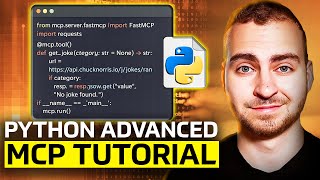
An MCP server for a SQL historian, read only by design
Tech With Tim

Using MCP servers from Claude, VS Code and local models
Claude

A multi-step maintenance triage agent
N3uron

Evaluating agents: task success, traces, cost and latency
Google Cloud Tech
Lesson frames belong to the creators named in the Credits below and are shown from YouTube.
What you will learn
Explain what an AI agent is and when a plain workflow is better; write tool definitions and a tool-calling loop in Python against hosted and local models; describe the Model Context Protocol's hosts, clients, servers, tools, resources and prompts as of the 2026-07-28 specification; build and test FastMCP servers for a SQL historian, OPC UA and Modbus that are read only by design; connect them to Claude, VS Code and a local Ollama model; choose between the OpenAI Agents SDK, LangGraph and Microsoft Agent Framework; build a maintenance triage agent that stops at a draft for human approval; add allow-lists, rate limits, audit logs and defences against prompt injection; evaluate an agent for success, latency and tokens; and deploy it for a team with containers, secrets and IEC 62443 zones.
- Explain the agent loop and choose between a workflow and an agent
- Write tool definitions and a tool-calling loop in Python, including against a local model in Ollama
- Describe MCP hosts, clients, servers, tools, resources and prompts as of the 2026-07-28 specification
- Build and test FastMCP servers for a SQL historian, OPC UA and Modbus that are read only by design
- Connect MCP servers to Claude Code, Claude Desktop, VS Code and an OpenAI Agents SDK agent
- Build a maintenance triage agent that cites evidence and stops at a draft a person approves
- Add allow-lists, rate limits, step budgets, audit logs and defences against prompt injection
- Evaluate an agent for success, refusals, latency and tokens, and deploy it in IEC 62443 zones
The course project · about 14 hours
A read-only trip-analysis agent for a raw water pump: MCP servers, approval and an evaluation report
Build an agent that answers 'why did pump P-101 trip yesterday?' with cited evidence and drafts a work order that a person approves. You write read-only MCP servers for live OPC UA tags from a simulator, the historian and the CSV maintenance log, connect them to a host or an agent, add guardrails, evaluate the agent on fixed cases and place it in the plant's zones. The sample pack shows each document for a municipal water treatment plant in Maharashtra.
Sample document pack, 5 documents, filled in for the scenario
- FDSFunctional specification: P-101 trip-analysis agent
- Tag listTag list: tags the OPC UA server may read
- Zones & conduitsZone and conduit register: trip-analysis agent
- Risk registerRisk register: trip-analysis agent
- Test reportEvaluation report: trip-analysis agent, version A
Read inside the course and download as a workbook. The project is optional practice, marked when you submit it; the certificate needs only the modules and the final assessment.
Course content
13 modules · 33 lessons · 12h 36m
In order, at whatever pace suits you. Each module ends with a practice task that builds on the last.
- 01What an agent is: model, tools, memory and stop conditions2 lessons31m
- 02Tool calling from Python3 lessons40m
- 03The Model Context Protocol: hosts, clients, servers and primitives2 lessons1h 21m
- 04Your first MCP server with FastMCP1 lesson1h 3m
- 05An MCP server for a SQL historian, read only by design1 lesson1h 10m
- 06MCP for OPC UA and Modbus: browse, read, and why writes stay off4 lessons1h 0m
- 07Using MCP servers from Claude, VS Code and local models4 lessons1h 1m
- 08Agent frameworks compared: OpenAI Agents SDK, LangGraph, Microsoft Agent Framework3 lessons1h 28m
Requirements
- Who it is for
- Intermediate. For automation, controls, maintenance and data engineers who can read and run a short Python program. You do not need to have built an AI application before; the RAG and n8n courses are useful but not required.
- Software
- Python 3.10 or later with FastMCP, asyncua, pymodbus, the OpenAI Agents SDK and LangGraph (all free, installed with pip), VS Code, SQLite, and at least one MCP host: Claude Desktop or Claude Code, VS Code with GitHub Copilot, or a local model in Ollama. Every exercise can be done with free tools and a local model. What to download, and how
- Hardware
- A computer with 16 GB of memory is enough for a small local model; 8 GB works if you use a hosted model instead. No PLC or plant equipment: every exercise runs against simulators and a sample historian.
Software you need
What to download, where from, what it costs and how to install it. Every link goes to the maker's own site, never a mirror.
FastMCP, asyncua, pymodbus, LangGraph and the OpenAI Agents SDK install with pip; SQLite comes with Python. Claude Desktop runs local MCP servers from its config file. Node.js is only needed for the MCP Inspector, and Docker only for the deployment module.
Required
- 01Free
Python
Python Software Foundation
- Runs on
- Windows (not Windows 7 or earlier), macOS and Linux. Windows builds for x64, 32-bit and Arm64.
- Account
- None needed
Python is free, open source software. You can use it for learning and for commercial work at no cost.
Steps
- 1.Open python.org/downloads and click the download button for your system.
- 2.On Windows, run the Python install manager (or the classic 64-bit installer) you downloaded.
- 3.If you use the classic installer, tick "Add python.exe to PATH" on the first screen, then click Install Now.
- 4.Open a new Command Prompt or Terminal and run: python --version (on Windows you can also run: py --version).
- 5.Install packages with pip, for example: python -m pip install requests
- pip comes with Python. Run it as python -m pip so it always matches the Python you are using.
- Python.org now recommends the Python install manager on Windows. If it offers to add its folder to PATH, say yes so the python command works everywhere.
- Make a virtual environment for each project: python -m venv .venv
Official download pagepython.orgAlternatives
- Anaconda Distribution: Python with 600+ data science packages and Jupyter already included.
- 02Free
Visual Studio Code
Microsoft
- Runs on
- Windows 64-bit (supported Windows client versions), macOS (latest and two previous releases), Linux (Ubuntu 20.04, Debian 10, RHEL 8, Fedora 36 or later)
- Account
- None needed
- Size
- Less than 200 MB download, under 500 MB installed
Free to download and use. Extensions from the Marketplace each have their own licence.
Steps
- 1.Open code.visualstudio.com/download.
- 2.Pick the installer for your system (on Windows, the User Installer is fine).
- 3.Run the installer. On Windows, tick "Add to PATH" if it is offered.
- 4.Open VS Code and install the extensions your course uses, for example the Python extension.
- Hardware needs are small: a 1.6 GHz processor and 1 GB of RAM.
- On Windows, the "Open with Code" options in the installer let you open folders from File Explorer.
Official download pagecode.visualstudio.com
One MCP host or local model
Any one is enough.
- 03Free plan with limits
Claude
Anthropic, in the browser
- Runs on
- Any modern web browser, plus desktop and mobile apps
- Account
- A free Claude account (you must be 18 or over)
The Free plan covers chat on web, desktop and mobile, web search, file creation and Artifacts. Usage limits reset on a rolling five-hour window and depend on message length and features used. Paid plans give more usage.
Steps
- 1.Open claude.ai (or see the plans at claude.com/pricing).
- 2.Sign up with your email or Google account and confirm your email.
- 3.Confirm you are 18 or over and accept the terms.
- 4.Type your question in the message box.
- Long conversations and large files use up your limit faster. Start a new chat for a new topic.
- Do not paste personal data or confidential work files.
Open Claudeclaude.com - 04Paid plan or API account
Claude Code
Anthropic
- Runs on
- macOS 13 or later, Windows 10 1809 or later, Ubuntu 20.04 or later, Debian 10 or later; 4 GB of RAM
- Account
- A Claude Pro, Max, Team or Enterprise plan, or a Claude Console (API) account
The free claude.ai plan does not include Claude Code. It runs in the terminal, in VS Code and JetBrains through extensions, and in a desktop app.
Steps
- 1.Open code.claude.com/docs/en/setup and follow the native installer for your system.
- 2.On macOS, Linux or WSL run: curl -fsSL https://claude.ai/install.sh | bash. On Windows PowerShell run: irm https://claude.ai/install.ps1 | iex.
- 3.Open a new terminal and run claude --version, then claude doctor.
- 4.Go to your project folder, run claude and follow the browser prompt to log in.
- 5.Run /init to create a CLAUDE.md, then cut it down to the rules that matter.
- On native Windows, install Git for Windows so Claude Code can use Git Bash.
- Start new work in plan mode (Shift+Tab) and commit before every task.
Anthropic product pagecode.claude.comLegitimate free routes
- Cursor (Hobby plan): A free plan with limited Agent requests
- GitHub Copilot Free in VS Code: A free monthly allowance
- 05Free plan with a monthly allowance
GitHub Copilot in VS Code
GitHub (Microsoft)
- Runs on
- Wherever VS Code runs: Windows, macOS and Linux
- Account
- A GitHub account
Copilot Free gives a monthly allowance of inline suggestions and AI credits. Verified students can use Copilot Student. Paid plans (Pro, Pro+, Max, Business, Enterprise) add more usage and Copilot cloud agent; check GitHub's plans page for the current terms.
Steps
- 1.Install VS Code from code.visualstudio.com/download.
- 2.Open VS Code, select the Copilot icon in the Status Bar and choose Use AI Features.
- 3.Sign in with your GitHub account when the browser asks.
- 4.Open the Chat view and pick Agent or Plan for a task in your project.
- 5.Add a .github/copilot-instructions.md or an AGENTS.md with your project's rules.
- Copilot cloud agent is not part of Copilot Free; on Business and Enterprise an administrator must enable it.
Official download pagecode.visualstudio.com - 06Free
Ollama
Ollama Inc.
- Runs on
- macOS 14 Sonoma or later, Windows 10 or later, Linux
- Account
- None needed
Ollama is free and open source (MIT licence). Each model you download has its own licence; check it before commercial use.
Steps
- 1.Open ollama.com/download and pick your system.
- 2.On Windows run OllamaSetup.exe; on macOS open the DMG; on Linux run: curl -fsSL https://ollama.com/install.sh | sh
- 3.Open a terminal and run a small model, for example: ollama run <model name> (browse names on ollama.com).
- 4.Type a question at the prompt. Type /bye to exit.
- Models are several GB each. Check your free disk space first.
- More RAM, or a supported GPU, lets you run larger models faster.
- On Windows you can also install from PowerShell: irm https://ollama.com/install.ps1 | iex
Official download pageollama.com
Optional
Useful, not needed to finish the course.
- 07Free
Git
Git project (git-scm.com)
- Runs on
- Windows (x64 and ARM64), macOS, Linux
- Account
- None needed
Git is free and open source software. Use it for any purpose at no cost.
Steps
- 1.Open git-scm.com/downloads and choose your system.
- 2.On Windows, download the x64 Setup (or ARM64 Setup) and run it. The default choices are fine for most learners.
- 3.Open a new terminal and run: git --version
- 4.Set your name: git config --global user.name "Your Name"
- 5.Set your email: git config --global user.email "you@example.com"
- On Windows you can also install with: winget install --id Git.Git -e --source winget
- A portable version (no installer) is offered for PCs where you cannot install software.
Official download pagegit-scm.com - 08Free
Node.js
OpenJS Foundation
- Runs on
- Windows, macOS and Linux
- Account
- None needed
Free, open source runtime. npm, the package manager, is installed with it.
Steps
- 1.Open nodejs.org/en/download.
- 2.Choose the LTS (long-term support) version and your system.
- 3.Download and run the installer with the default options.
- 4.Open a new terminal and run: node -v and then npm -v
- Pick LTS, not Current, unless your course says otherwise.
- Some tools need a minimum Node.js version. Node-RED 5 needs Node.js 22 or later.
Official download pagenodejs.org - 09Free for personal use, education and small businesses
Docker Desktop
Docker, Inc.
- Runs on
- Windows 10 64-bit version 22H2 (build 19045) or Windows 11 64-bit version 23H2 (build 22631) or later, with WSL 2 and hardware virtualisation on, 8 GB RAM. Also macOS and Linux.
- Account
- None needed
Free for personal use, education, non-commercial open source projects, and businesses with fewer than 250 employees and less than 10 million US dollars in annual revenue. Larger businesses need a paid subscription. Docker Engine on Linux is open source and is not covered by these terms.
Steps
- 1.Open docker.com/products/docker-desktop and download the installer for your system.
- 2.On Windows, install WSL first (wsl --install) if you do not have it.
- 3.Run the installer and keep the WSL 2 option selected.
- 4.Restart if asked, then start Docker Desktop and accept the subscription terms.
- 5.Open a terminal and run: docker run hello-world
- Turn on virtualisation in BIOS or UEFI if Docker says it is not available.
- On Linux servers, install Docker Engine instead of Docker Desktop.
Official download pagedocker.comAlternatives
- Docker Engine (Linux): Free, open source engine for Linux. Not covered by the Docker Desktop subscription terms.
- 10Free
PyModbus
pymodbus-dev (open source project), a Python or npm package
- Runs on
- Windows, macOS and Linux with Python 3.10 or later
- Account
- None needed
Free, open source under the BSD 3-Clause licence.
Steps
- 1.Install Python 3.10 or later and create a virtual environment.
- 2.Run: pip install "pymodbus==3.8.6" (the version the course code is written and tested for; 3.10 renamed slave= to device_id=)
- 3.For serial (RS-485) devices, run: pip install "pymodbus[serial]==3.8.6"
- 4.Follow the client examples in the documentation to read holding registers from a device or the built-in simulator.
- PyModbus includes a server simulator with a web interface, so you can practise without real hardware.
- Only write registers on lab equipment. Writes can move real machines.
Official download pagegithub.com - 11Free
LangChain
LangChain, Inc., a Python or npm package
- Runs on
- Any system with Python 3.10 or later
- Account
- None needed
Free, open source under the MIT licence. Model providers you call may charge for use.
Steps
- 1.Install Python 3.10 or later and create a virtual environment.
- 2.Run: pip install -U langchain
- 3.Install the package for your model provider, for example: pip install -U langchain-openai or pip install -U langchain-anthropic
- 4.Set your provider's API key as an environment variable and run the quickstart example from the docs.
- Keep API keys in environment variables or a .env file, never in shared code.
Official download pagedocs.langchain.com
Checked against each maker's own page on 27 September 2026. Trial lengths and editions change; the maker's page is the final word.
AI Agents and MCP for Engineers at a glance
AI Agents and MCP for Engineers is a free, self-paced online course from EDWartens for automation, controls, maintenance, reliability and data engineers at plants, system integrators and EPC contractors in India, the Gulf and worldwide who want AI agents that read plant data safely. It has 13 modules and 12h 36m of video lessons by IBM Technology, Anthropic, freeCodeCamp.org and others, with written notes and worked problems, a practical project with a document pack and a 15-question final assessment (pass mark 60%). Learning is free with an account; an optional certificate with a public verification code is issued when you pass. Last updated 27 September 2026.
All course factsHide course facts
- Price
- ₹0, free for good. No trial, no card. Comparable classroom training of this length costs about ₹7,999.
- Who it is for
- Automation, controls, maintenance, reliability and data engineers at plants, system integrators and EPC contractors in India, the Gulf and worldwide who want AI agents that read plant data safely
- Format
- 13 self-paced modules, 12h 36m of video, written notes, a practice task per module and one final assessment.
- Level
- Intermediate. Intermediate. For automation, controls, maintenance and data engineers who can read and run a short Python program. You do not need to have built an AI application before; the RAG and n8n courses are useful but not required.
- Brand
- Vendor-neutral
- Software
- Python 3.10 or later with FastMCP, asyncua, pymodbus, the OpenAI Agents SDK and LangGraph (all free, installed with pip), VS Code, SQLite, and at least one MCP host: Claude Desktop or Claude Code, VS Code with GitHub Copilot, or a local model in Ollama. Every exercise can be done with free tools and a local model.
- Hardware
- A computer with 16 GB of memory is enough for a small local model; 8 GB works if you use a hosted model instead. No PLC or plant equipment: every exercise runs against simulators and a sample historian.
- Certificate
- Optional EDWartens Certificate of Completion, verifiable by code. Not a vendor credential.
- Video lessons by
- IBM Technology, Anthropic, freeCodeCamp.org, Microsoft Reactor, Tech With Tim, Industry40tv, OpenAI, LangChain, Visual Studio Code, Docker, Google Cloud Tech, AAIF Live (independent creators, credited below)
- Language
- English
- Last updated
- 27 September 2026
A shareable EDWartens certificate
Finish every module and pass the final assessment, and the optional EDWartens certificate is yours. It carries a unique verification code on a public page anyone can check, so it stands up when a recruiter looks it up. See it below.
The course itself stays free whether or not you ever buy one.
Stuck? Ask a practising engineer
A free course usually means a comment section and hope. This one does not. Every module has an Ask-your-trainer panel that reaches the same engineers who teach our paid programme: people who commission panels for a living, not moderators.
Pairs well with
 PLC programming · FreeSiemens TIA PortalFrom zero electrical knowledge to a working, simulated S7-1200 program, for nothing.
 PLC programming · FreeSiemens TIA Portal in Three HoursThe first three hours of the Siemens TIA Portal course, cut to end on a win: what a PLC is, how it is wired, a project configured in TIA Portal, and your first ladder program running in simulation. Finish it in an evening or two, earn a certificate, and carry straight on into the full course.
 PLC programming · FreeTIA Portal: Build a MachineOne machine, start to finish. Take a bottle filling line from a written specification and an I/O list to a structured S7-1200 program with a fill station, a capper, a reject sorter and an operator screen with alarms, then test it against a written record and archive it for hand-over. The lessons are the reference; the machine is yours, and it is what you submit.
 Instrumentation · FreeInstrumentation for PLC EngineersThe half of the loop that is not code. Follow one measurement from the transmitter in the field, down the 4-20 mA loop, into the analog card, through NORM_X and SCALE_X into engineering units, out again to a valve, and back to the control room when the reading is wrong.
More free courses: Free AI courses for engineers · Free generative AI and ChatGPT courses
Learner reviews
No reviews yet
Reviews here are written only by learners who have finished every module of AI Agents and MCP for Engineers, and they are published exactly as written. Finish the course and yours will be the first.
Common questions
Who is this AI agents and MCP course for?
It is for automation, controls, maintenance, reliability and data engineers who want AI agents that read plant data safely, including engineers at plants, system integrators and EPC contractors in India and the Gulf. You should be able to read and run a short Python program.
What is MCP and why does an engineer need it?
The Model Context Protocol is an open standard, now governed by the Agentic AI Foundation under the Linux Foundation, for connecting AI hosts and agents to tools and data. Wrapping a historian, an OPC UA server or a maintenance log once as an MCP server lets Claude, VS Code or your own agent use it without a custom connector each time.
Is the course free to learn, and what software do I need?
Yes. Every module, the notes, the code, the project and the final assessment are free to learn. The software is free too: Python with FastMCP, asyncua, pymodbus, LangGraph or the OpenAI Agents SDK, and either a free MCP host or a local model in Ollama.
Will an agent from this course write to my PLC?
No. Every tool that touches plant data is read only by design, every exercise runs against simulators and a sample historian, and anything with consequences stops at a draft that a person approves. Agent actions are never run on a live plant without review and testing.
How is this different from the n8n, RAG and AI coding courses?
AI Agents and Workflow Automation with n8n builds agents without code, RAG and Chatbots with LangChain covers answering from documents, and AI Coding for Engineers covers coding agents such as Claude Code. This course is code-first and industrial: you build MCP servers and agents in Python over historian, OPC UA and Modbus data, with guardrails and evaluation.
How long does the AI Agents and MCP for Engineers course take?
About 17 hours of video, notes and practice at your own pace, of which about 12.6 hours is video. The optional trip-analysis agent project takes about 14 hours more.
What certificate does the AI Agents and MCP for Engineers course give?
An EDWartens Certificate of Completion, issued when you pass the 15-question final at 60 percent, with a number anyone can verify on our site. It is not a certification from Anthropic, OpenAI, Microsoft, LangChain or the Agentic AI Foundation.
What job does this course lead to?
It builds the skills of an industrial AI or automation software engineer: connecting AI agents to plant systems through MCP, with the guardrails, evaluation and OT security placement that plants and integrators ask for. Go on to AI Security and the OWASP Top 10 for LLMs and ICS Security Foundations to deepen the security side.
Is the AI Agents and MCP for Engineers course free in India, and what does the certificate cost?
Yes. Learning costs ₹0 in India: every module, the written notes, the practice tasks and the final assessment, with no card and no trial period. The only paid item is the optional EDWartens Certificate of Completion, ₹559 including GST for this intermediate course, paid in rupees through Razorpay, and only if you want it after passing the final assessment.
What you walk away with
Your certificate for AI Agents and MCP for Engineers
Finish the course, pass the final, and this is the document with your name on it.

Verifiable by anyone
Adds to LinkedIn in one click
QR code on the certificate
Names what you can do
A permanent link
Earned, not attended
Learning is free. The certificate is optional.
Add it now and pay only when you have finished the course, or come back for it later. One-off, US$28.99, with a receipt.
Issued by EDWartens India (Wartens Automation Private Limited) as a Certificate of Completion for this self-paced course. It is not a vendor certification, a university award or a CPD-accredited activity, and it does not certify competence on live equipment. Delivered electronically; see the refund policy.
Credits
Who made the video lessons
The video lessons in this course were created by the people below, not by EDWartens. Every lesson streams from its creator's own YouTube channel; EDWartens neither hosts nor sells that footage, and the creators are not affiliated with EDWartens and do not endorse this course. What EDWartens wrote is the study plan, the notes, the practice tasks and the assessments.
- IBM Technologythe explainers on what AI agents are and what tool calling is
- Anthropicthe talk with tips for building AI agents, and the session on building with MCP and the Claude API
- Claudethe short lesson on adding MCP servers to Claude Code
- Dave Ebbelaarthe full beginner tutorial on OpenAI function calling, and the practical guide to human-in-the-loop for AI agents
- Mervin Praisontool calling with a local model in Ollama
- Google Cloud Techhow the Model Context Protocol works, and how to evaluate agents in practice
- freeCodeCamp.orgthe introduction to MCP servers with Python course
- Microsoft Reactorthe Python + MCP session on building servers with FastMCP, the Python + Agents session on a first agent, and getting started with Microsoft Agent Framework
- Tech With Timthe advanced MCP server build with databases and authentication, and connecting local models in Ollama to MCP
- Industry40tvbuilding an MCP server for industrial data with FastMCP and OPC UA
- APMonitor.comOPC UA with Python
- IoT Frontierusing Claude and MCP with an OPC UA industrial IoT system
- Fusion Automatebuilding a basic Modbus TCP server in Python with pymodbus, used as a simulator
- Visual Studio CodeMCP servers in VS Code and GitHub Copilot
- OpenAIthe Build Hour on the Agents SDK
- LangChainbuilding effective agents with LangGraph, and LangGraph interrupt for human-in-the-loop agents
- N3uronan MCP server that makes plant data accessible to AI agents
- SAS FSAMika Karaila of Valmet on an AI agent using MCP and OPC UA
- AAIF Livethe Agentic AI Foundation session on MCP security exploits and how to stop them
- Langfusethe walkthrough of agent tracing, evaluations and experiments
- Aishwarya Srinivasanthe explanation of AI evals and how to evaluate agents
- Dockerconfiguring MCP servers securely with the Docker MCP Toolkit, and the MCP Toolkit and gateway explained
- Automation Worldpartitioning an OT network into security zones
- ByteByteGothe short review of what AI agents are really about, before the final
If you are one of these creators and would like a lesson removed or credited differently, write to info@wartens.com.