

AI for professionals · Free online course
AI for HR and Recruiters: Hiring, People Analytics and Fair Use
Use AI across HR work without losing fairness or trust: the myths and the skills, types of AI and an HR AI strategy, prompting for HR, job descriptions and CV screening, onboarding, payroll and performance, HR metrics and people analytics, learning and employee experience, and the ethics and law of AI in HR.
- 9 modules
- 4h 46m of video
- Beginner
- English
- ₹0, free
- Lab practice in your browser

₹0Free for good
Worth ₹2,999 by length and depth against classroom training. It has always been free; that is not a former price.
No card. Checkout takes a minute and gives you a receipt.
Certificate ₹499, optional. The course is free either way.
Overview
About AI for HR and Recruiters: Hiring, People Analytics and Fair Use
Use AI across HR work without losing fairness or trust, from job descriptions and CV screening to people analytics and the law.
AI for HR and Recruiters: Hiring, People Analytics and Fair Use is a free, self-paced online course from EDWartens for HR professionals, recruiters and people managers. It has 9 modules and 4h 46m of video lessons, with written notes, a practice task per module, a practical project and a final assessment of 15 questions (pass mark 60%). Learning costs nothing and needs only a free account. The optional EDWartens Certificate of Completion, verifiable by code, is a one-off ₹499 inclusive of GST for learners in India; it is not a vendor credential. Updated 1 November 2026.
Who it is for: HR professionals, recruiters and people managers
This course includes
- 4h 46m of video lessons
- 9 modules with written notes and diagrams
- One final assessment: 15 questions, pass mark 60%
- Ask-an-engineer support from practising engineers
- Lifetime access, the course does not expire
- Optional verifiable certificate when you finish
- Step 1 of 3
Learn the 9 modules
4h 46m of video lessons, written notes and a practice task per module, at your own pace.
- Step 2 of 3
Pass the final assessment
15 questions drawn from every module, pass mark 60%, 3 attempts.
- Step 3 of 3
Take the certificate, if you want it
Optional, paid once, only if you choose it. The course stays free either way.
See the certificate and its price
A look inside


From the lessons

AI in HR: the myths and the skills
by BambooHR

Types of AI, the risks, and an HR AI strategy
by BambooHR

Prompting for HR work
by Talent SparX: Top Professional Learning Academy

Recruitment: job descriptions, screening and fair hiring
by BambooHR

Onboarding, payroll and performance
by BambooHR
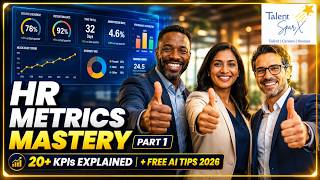
HR metrics and people analytics
by Tilottama Pal
Lesson frames belong to the creators named in the Credits and are shown from YouTube.
What you learn
What you will be able to do
By the end you will be able to:
- Tell predictive AI from generative AI and choose checks for each
- Write HR prompts that carry no personal data
- Draft inclusive job descriptions and screen CVs with human review
- Calculate core HR metrics and read people analytics critically
- Apply data-protection and equal-pay rules to AI in HR
How it works
How this course works
Watch the lessons
Short video lessons, one module at a time, at your own pace.
Read the notes
Open the Reading tab for the written notes and diagrams of the module.
Practise in the 3D labOptional
Try the module in the free 3D lab, in your browser.
Check yourself
Answer the questions to see what stuck before you move on.
Final assessment
Pass the final once you have been through the modules.
Certificate, if you want oneOptional
Optional, with a page anyone can use to verify it.
Syllabus
Course content, module by module
In order, at whatever pace suits you. Each module ends with a practice task that builds on the last.
- Modules
- 9
- Video lessons
- 22
- Of video
- 4h 46m
- Final questions
- 15
- 01
AI in HR: the myths and the skills
4 lessons · 9m - 02
Types of AI, the risks, and an HR AI strategy
4 lessons · 22m - 03
Prompting for HR work, with lab practice:
2 lessons · 28m - 04
Recruitment: job descriptions, screening and fair hiring, with lab practice:
3 lessons · 33m - 05
Onboarding, payroll and performance
3 lessons · 32m - 06
HR metrics and people analytics
2 lessons · 52m - 07
Learning, development and employee experience
2 lessons · 49m - 08
Ethics, bias and compliance in AI-driven HR, with lab practice:
1 lesson · 58m Final assessment · 15 questions, pass mark 60%
3D lab
Practise in the 3D lab
Practise fair use of AI in hiring in the AI Workbench: spot biased wording in a role description, remove personal data, and measure how a screening model treats two groups.
- Check the AI's work: HRAI Workbench, about 15 minOpen in the lab (opens in a new tab): Check the AI's work: HR
- Privacy firstAI Workbench, about 25 minOpen in the lab (opens in a new tab): Privacy first
- Fairness checkAI Workbench, about 30 minOpen in the lab (opens in a new tab): Fairness check
Optional. Skip it whenever you like: it never blocks your progress or your certificate.
Project
The course project
Optional practice that ends in the kind of job the course prepares you for, with the documents that go with it.
About 8 hours
Introducing AI-assisted hiring at a manufacturer: a pilot plan, a risk register, a candidate data procedure and a fairness audit report
Plan and audit the introduction of AI-assisted job descriptions and CV screening at an auto-components manufacturer, as the HR lead responsible for fair hiring. Write the pilot plan, the risk register and the candidate procedure, then run and report a fairness audit with the fix it led to. No real candidate data is used at any point.
- 4documents in the pack
- 6steps to follow
- Laboptional: in the 3D lab
- 5things to hand in
- 8 hof work, at your pace
Do it in the lab: 5 steps.
Sample document pack, 4 documents, filled in for the scenario
- PlanPilot plan: AI-assisted job descriptions and CV screening
- Risk registerRisk register: AI-assisted hiring pilot
- ProcedureCandidate data and human review in AI-assisted hiring
- ReportFairness audit: AI-assisted screening, engineer roles, weeks 1 to 12
Read inside the course and download as a workbook. The project is optional practice, marked when you submit it; the certificate needs only the modules and the final assessment.
Tools
Software, hardware and lessons
Software
A free account on one general AI assistant, and a spreadsheet. Nothing to install. Never paste identifiable employee or candidate data into a public tool.
Hardware
Any computer with a browser.
Who it is for
Beginner. For HR generalists, recruiters, HR business partners, payroll and L&D teams, and people managers. No coding and no statistics beyond percentages.
Video lessons by
- AIHR (Academy to Innovate HR)
- BambooHR
- NPTEL IIT Guwahati
- Talent SparX
Independent creators, credited in full under Credits.
Software you need
What to download, where from, what it costs and how to install it. Every link goes to the maker's own site, never a mirror.
Nothing to install
A spreadsheet is enough for the tracking exercises. Never paste identifiable employee or candidate data into a public AI tool.
One AI assistant
Any one is enough.
- 01Free plan with limits
ChatGPT
OpenAI, in the browser
- Runs on
- Any modern web browser, plus mobile and desktop apps
- Account
- A free OpenAI account
The Free plan allows everyday text chats. File uploads, image creation, voice and data analysis have tighter limits than paid plans, and ads may appear in some countries. Paid plans raise the limits.
Steps
- 1.Open chatgpt.com.
- 2.Click Sign up and create an account with your email, or a Google, Microsoft or Apple account.
- 3.Verify your email and confirm your details.
- 4.Type your question in the message box.
- Do not paste personal data, passwords or confidential work files.
- ChatGPT tells you when you reach a limit. Wait for it to reset or switch to a lighter task.
Open ChatGPTchatgpt.com - 02Free plan with limits
Claude
Anthropic, in the browser
- Runs on
- Any modern web browser, plus desktop and mobile apps
- Account
- A free Claude account (you must be 18 or over)
The Free plan covers chat on web, desktop and mobile, web search, file creation and Artifacts. Usage limits reset on a rolling five-hour window and depend on message length and features used. Paid plans give more usage.
Steps
- 1.Open claude.ai (or see the plans at claude.com/pricing).
- 2.Sign up with your email or Google account and confirm your email.
- 3.Confirm you are 18 or over and accept the terms.
- 4.Type your question in the message box.
- Long conversations and large files use up your limit faster. Start a new chat for a new topic.
- Do not paste personal data or confidential work files.
Open Claudeclaude.com - 03Free with limits
Google Gemini
Google, in the browser
- Runs on
- Any modern web browser, plus Android and iOS apps
- Account
- A free Google account
Free with a Google account, including a Flash model, limited access to the Pro model, image generation, Deep Research and Gems. Paid Google AI plans give higher limits. Some features require you to be 18 or over.
Steps
- 1.Open gemini.google.com.
- 2.Sign in with your Google account.
- 3.Accept the terms the first time you use it.
- 4.Type your question or upload a file in the prompt box.
- Use a personal Google account. Work or school accounts depend on your administrator's settings.
Open Google Geminigemini.google.com - 04Free
Microsoft Copilot and Microsoft 365 Copilot Chat
Microsoft, in the browser
- Runs on
- Any modern web browser, plus Windows, macOS, Android and iOS apps
- Account
- None needed
Microsoft Copilot is free for individuals; you must be at least 13 (older in some countries). Microsoft 365 Copilot Chat is included at no extra cost for organisations with an eligible Microsoft 365 licence and needs a work or school (Microsoft Entra ID) account.
Steps
- 1.Open copilot.microsoft.com.
- 2.Optionally click Sign in and use your personal Microsoft account.
- 3.Type your question in the message box.
- 4.For work or school use, sign in at microsoft365.com with your organisation account and open Copilot Chat.
- Copilot Chat with a work or school account adds enterprise data protection. Use it for work material if your organisation provides it.
Open Microsoft Copilot and Microsoft 365 Copilot Chatcopilot.microsoft.com
Optional
Useful, not needed to finish the course.
- 05Free
Google Sheets
Google, in the browser
- Runs on
- Web browser; apps for Android and iOS
- Account
- A free Google Account
Anyone with a Google Account can use Google Sheets free. Some Gemini features in Sheets need a paid Google Workspace plan.
Steps
- 1.Open Google Sheets and sign in with your Google Account, or create one.
- 2.Select Blank spreadsheet, or open a template.
- 3.Use File, Import to load the course's CSV or Excel file.
- 4.Your work saves automatically to Google Drive.
- 5.Use File, Download to save an .xlsx copy if needed.
- Most Excel formulas work the same in Sheets; a few functions have different names.
Open Google Sheetsworkspace.google.com
Checked against each maker's own page on 27 September 2026. Trial lengths and editions change; the maker's page is the final word.
What you walk away with
Your certificate for AI for HR and Recruiters: Hiring, People Analytics and Fair Use
Finish the course, pass the final, and this is the document with your name on it.
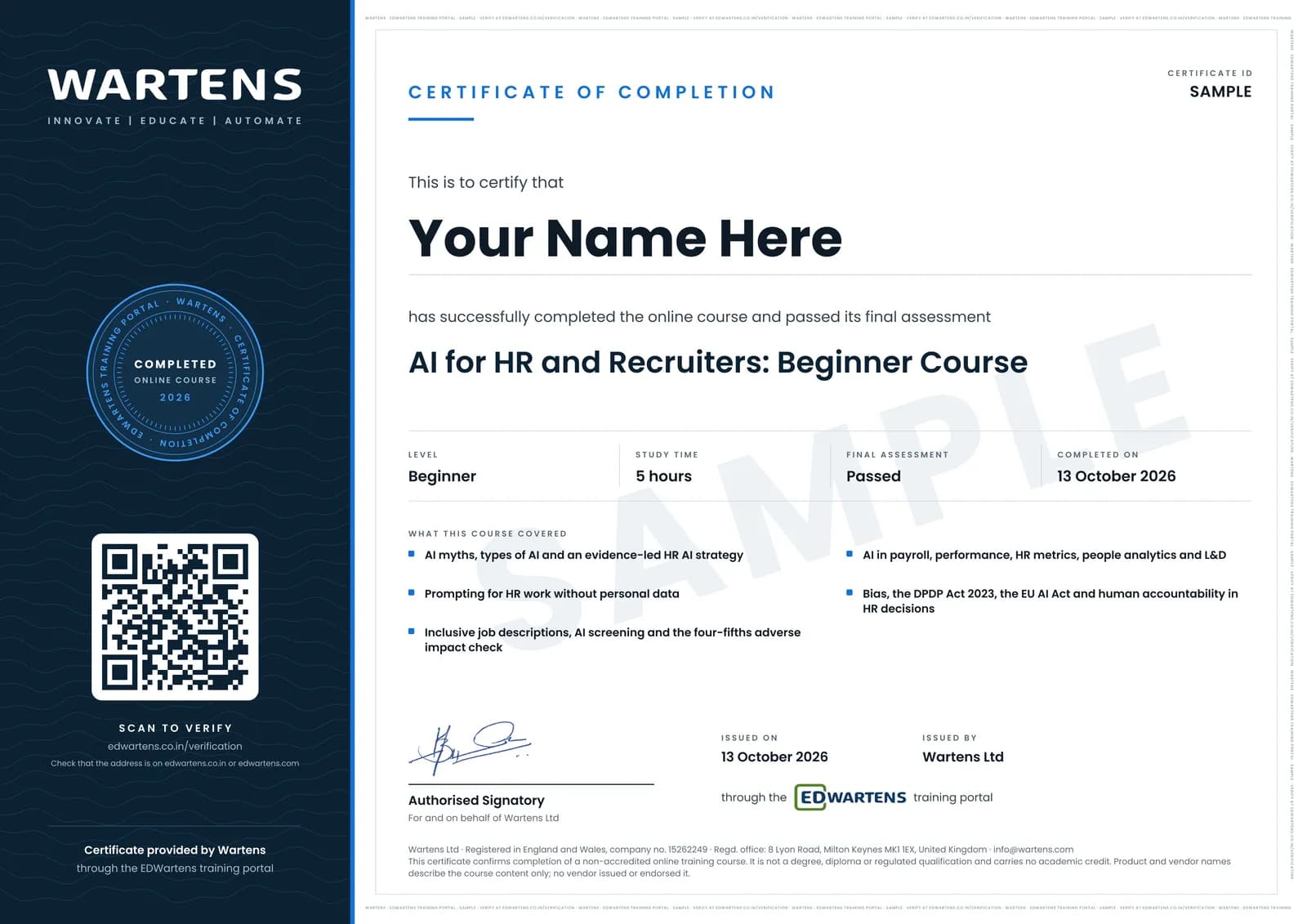
Verifiable by anyone
Adds to LinkedIn in one click
QR code on the certificate
Names what you can do
A permanent link
Earned, not attended
Learning is free. The certificate is optional.
Add it now and pay only when you have finished the course, or come back for it later. One-off, US$23.99, with a receipt.
Issued by Wartens Ltd (England and Wales, company no. 15262249) through the EDWartens training portal, as a Certificate of Completion for this self-paced course. Sold in India by Wartens Automation Private Limited. It is not a vendor certification, a university award or a CPD-accredited activity, and it does not certify competence on live equipment. Delivered electronically; see the refund policy.
Practise what you learn in the free 3D lab
Technical work is judged on what you can do: wiring, commissioning, finding a fault. Doing a task yourself teaches more than watching it a second time, and a lab lets you try it safely before you meet real equipment. It does not replace working on real hardware.
- Practise safely, so a mistake costs nothing.
- The lab checks your work like a site test, so you know when it is right.
- Free, in your browser, with nothing to install.
Why learn with EDWartens
What you get with this course.
- Free from the first lesson to the final assessment.
- Practice in a free 3D lab in your browser, with nothing to install.
- Video lessons with written notes and a project.
- An optional certificate that anyone can verify online.
FAQ
Common questions
Is this course legal advice?
No. It teaches HR professionals how to use AI tools well and fairly, and introduces the laws that apply. For a decision on a specific case, take advice from a qualified employment lawyer.
Who is the AI for HR and Recruiters course for?
HR generalists, recruiters, HR business partners, payroll and L&D teams, and people managers, in any country. The Indian law covered is the DPDP Act 2023, the Code on Wages and the RPwD Act. The EU AI Act and New York City's rules are explained for teams hiring there.
Do I need an HR software product with AI?
No. The exercises work with a free general assistant and a spreadsheet. Several lessons come from an HR software company's free course; EDWartens is not affiliated with it, and the methods apply to any tool.
Can I use real employee or candidate data in the exercises?
No. Use invented data throughout. The course teaches you never to paste identifiable employee or candidate information into a public AI tool.
Is the AI for HR and Recruiters course really free?
Yes. Every module, the notes, the project and the final assessment are free.
What certificate does the AI for HR and Recruiters course give?
An EDWartens Certificate of Completion, issued when you pass the final assessment, with a number anyone can verify on our site. It is not an HR professional body's credential, and we never describe it as one.
How long does the AI for HR and Recruiters course take?
About 4.8 hours of video lessons, plus time for the notes, the practice questions and the final assessment. The optional project adds about 8 hours.
How does it compare with an HR body's AI or analytics certificate?
It is shorter and free, and it covers the practical ground: prompting, fair screening, HR metrics, people analytics and the law. EDWartens is not affiliated with SHRM, CIPD or AIHR, and the course does not lead to their credentials.
Do I have to use the lab?
No. The lab is optional practice. You can skip it whenever you like, and it never blocks your progress, the final assessment or your certificate.
Is the lab free?
Yes. Every lab level for this course opens in your browser, free, with nothing to install.
Is the AI for HR and Recruiters course free in India, and what does the certificate cost?
Yes. Learning costs ₹0 in India: every module, the written notes, the practice tasks and the final assessment, with no card and no trial period. The only paid item is the optional EDWartens Certificate of Completion, ₹499 including GST for this beginner course, paid in rupees through Razorpay, and only if you want it after passing the final assessment.
What topics does the AI for HR and Recruiters course cover, module by module?
The AI for HR and Recruiters course has 9 modules. It opens with "AI in HR: the myths and the skills", goes through "Types of AI, the risks, and an HR AI strategy", "Recruitment: job descriptions, screening and fair hiring", "HR metrics and people analytics" and "Ethics, bias and compliance in AI-driven HR" and ends with "Final Assessment". The full list with minutes is under "What you learn" on this page.
What can I do after the AI for HR and Recruiters course?
After the AI for HR and Recruiters course: Separate AI myths from what AI does in HR, and name the skills HR needs; Tell predictive from generative AI and match controls to risks; Write HR prompts without personal data. These are the practical outcomes the course is written around, and the final assessment of 15 questions checks them.
What software and hardware do I need for the AI for HR and Recruiters course, and does it cost anything?
For the AI for HR and Recruiters course, software: A free account on one general AI assistant, and a spreadsheet. Nothing to install. Never paste identifiable employee or candidate data into a public tool. Hardware: any computer with a browser. The course itself is free.
Is the AI for HR and Recruiters course suitable for me, and what level is it?
AI for HR and Recruiters is rated beginner. Beginner. For HR generalists, recruiters, HR business partners, payroll and L&D teams, and people managers. No coding and no statistics beyond percentages. It is written for HR professionals, recruiters and people managers, and has 4h 46m of video lessons at your own pace.
Which jobs use the skills from the AI for HR and Recruiters course?
Skills from the AI for HR and Recruiters course (for example: separate AI myths from what AI does in HR, and name the skills HR needs) are used in human resources specialist work. The course gives you practical evidence of the skill; it does not promise a job, and employers decide on experience and interview.
All course factsHide course facts
- Price
- ₹0, free for good. No trial, no card. Comparable classroom training of this length costs about ₹2,999.
- Who it is for
- HR professionals, recruiters and people managers
- Format
- 9 self-paced modules, 4h 46m of video, written notes, a practice task per module and one final assessment.
- Level
- Beginner. Beginner. For HR generalists, recruiters, HR business partners, payroll and L&D teams, and people managers. No coding and no statistics beyond percentages.
- Brand
- Vendor-neutral
- Software
- A free account on one general AI assistant, and a spreadsheet. Nothing to install. Never paste identifiable employee or candidate data into a public tool.
- Hardware
- Any computer with a browser.
- Certificate
- Optional EDWartens Certificate of Completion, ₹499 inclusive of GST for learners in India, verifiable by code. Not a vendor credential.
- Video lessons by
- AIHR (Academy to Innovate HR), BambooHR, NPTEL IIT Guwahati, Talent SparX (independent creators, credited below)
- Language
- English
- Last updated
- 1 November 2026
Pairs well with
 AI for professionals · FreeMicrosoft 365 Copilot and Copilot Studio Agents
 PLC programming · FreeSiemens TIA Portal
 PLC programming · FreeSiemens TIA Portal in Three Hours
 PLC programming · FreeTIA Portal: Build a Machine
More free courses: Free AI courses for professionals
Classroom course, Bangalore
PLC training in Bangalore
The Automation Engineer Program (AEP) is our classroom course in PLC programming and industrial automation, taught in person at our Electronic City centre.
Credits
Who made the video lessons
The video lessons in this course were created by the people below, not by EDWartens. Every lesson streams from its creator's own YouTube channel; EDWartens neither hosts nor sells that footage, and the creators are not affiliated with EDWartens and do not endorse this course. What EDWartens wrote is the study plan, the notes, the practice tasks and the assessments.
- AIHR (Academy to Innovate HR)lessons on AI myths in HR, what HR needs to know, the skills HR professionals need, building an AI for HR strategy, AI in recruitment and in learning and development, and real use cases
- BambooHRthe AI in HR Starter Course: the areas of AI HR must understand, types of AI, challenges and risks, recruitment and onboarding, payroll, time and benefits, and employee experience and performance
- NPTEL IIT Guwahatithe AI in Human Resource Management lectures: an introduction, performance appraisal, people analytics, employee experience and the ethical concerns of AI in HR
- Talent SparXlessons on prompt engineering for HR, Gemini prompts for HR work, and drafting a job description with an AI assistant
- Tilottama Pala lesson on 20 basic HR KPIs and how an AI assistant can help calculate them
If you are one of these creators and would like a lesson removed or credited differently, write to info@wartens.com.