AI and machine learning · Free · ₹0
AI for PLC Programming: Structured Text, TIA Portal and Siemens Eigen
Use ChatGPT, Claude, local models and Siemens' TIA Portal agent to write, convert, document and test PLC code without trusting it blindly: Structured Text and SCL, specifications an AI can follow, importing generated code into TIA Portal, ladder and legacy conversion, CODESYS and TwinCAT interfaces, tag and alarm lists, simulation in PLCSIM and Factory I/O, TcUnit tests, a code review checklist and a team AI policy.
Inside the course
From the lessons

What AI can and cannot do for a PLC programmer
ControlByte Automation

Writing a PLC specification an AI can follow: I/O list, sequence and interlocks
Tim Wilborne
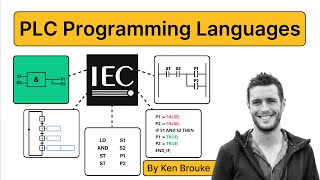
Ladder, FBD and legacy code: translation, explanation and migration with AI
RealPars

CODESYS and TwinCAT with AI: object-oriented function blocks and interfaces
CODESYS Group

Simulate before the machine: PLCSIM, CODESYS and Factory I/O
Ngoza Automation Solutions

Code review checklist: scan time, race conditions, retentive data and safety
ACC Automation: PLC & Industrial Control Learning
Lesson frames belong to the creators named in the Credits below and are shown from YouTube.
What you will learn
Explain what an AI model can and cannot safely do in PLC work; refresh Structured Text and write CASE state machines and function blocks; write an I/O list, sequence and interlock table an AI can follow; generate SCL with ChatGPT or Claude, import it into TIA Portal and fix its compile errors; translate and explain ladder, FBD, STL and Rockwell code and prove the conversion with test cases; evaluate Siemens' Engineering Copilot TIA and Eigen Engineering Agent; use interfaces and methods in CODESYS and TwinCAT as prompts; generate tag tables, alarm lists and comments and check them; test AI code in PLCSIM, CODESYS and Factory I/O and with TcUnit unit tests; review code against a written checklist that covers scan time, race conditions, retentive data and safety; and set up a prompt library and an AI use policy for a controls team.
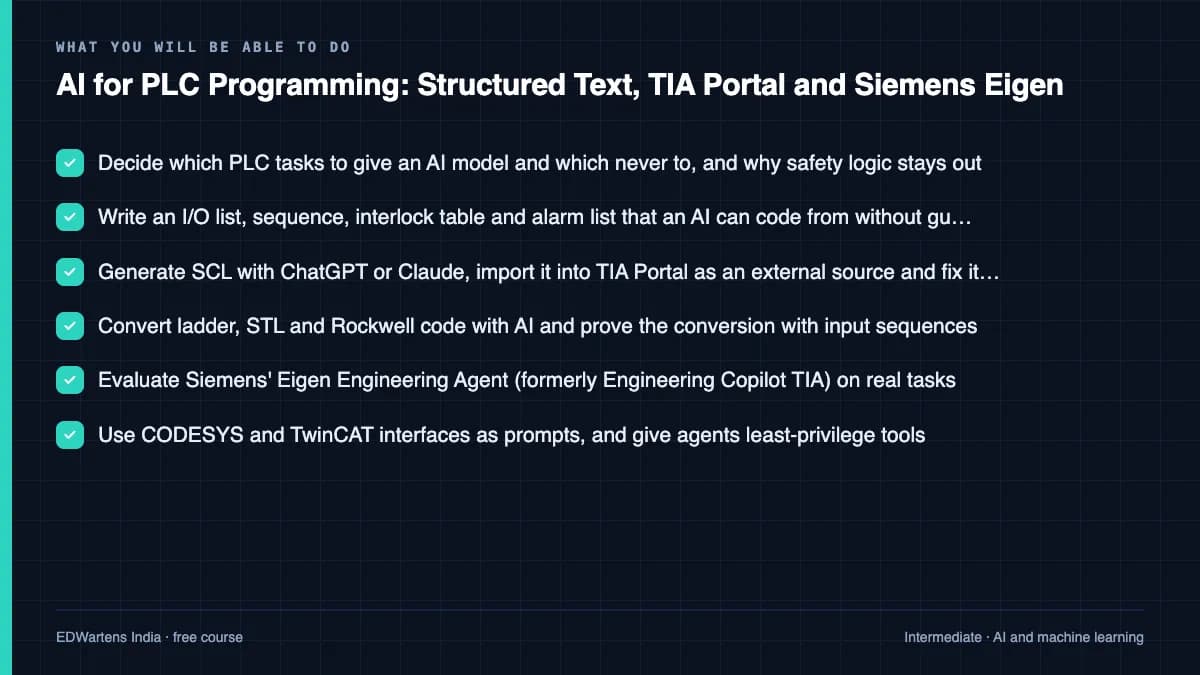
- Decide which PLC tasks to give an AI model and which never to, and why safety logic stays out
- Write an I/O list, sequence, interlock table and alarm list that an AI can code from without guessing
- Generate SCL with ChatGPT or Claude, import it into TIA Portal as an external source and fix its errors
- Convert ladder, STL and Rockwell code with AI and prove the conversion with input sequences
- Evaluate Siemens' Eigen Engineering Agent (formerly Engineering Copilot TIA) on real tasks
- Use CODESYS and TwinCAT interfaces as prompts, and give agents least-privilege tools
- Test AI code in PLCSIM, CODESYS and Factory I/O, and with TcUnit unit tests
- Review AI code against a checklist: double writes, edges, wiring sense, loops, retentive data and security
The course project · about 14 hours
Two-pump lead/lag effluent sump: specify, generate with AI, simulate, unit-test and review the PLC code
Write the specification for a two-pump lead/lag sump with alternation, standby and alarms; have an AI generate the function block in SCL or ST; import it, compile it and run a test plan in PLCSIM or the CODESYS simulator; add unit tests; and submit a review log that lists every defect the AI introduced and how you found it. The sample pack shows each document for a dairy effluent sump.
Sample document pack, 5 documents, filled in for the scenario
- FDSFunctional specification: effluent sump lead/lag pump control
- I/O listEffluent sump pump control signals
- FATSimulation test record: FB_PumpLeadLag in PLCSIM
- Punch listReview log: defects in the AI draft of FB_PumpLeadLag
- ReportGeneration log and conclusion: was the AI route worth it?
Read inside the course and download as a workbook. The project is optional practice, marked when you submit it; the certificate needs only the modules and the final assessment.
Course content
13 modules · 42 lessons · 11h 16m
In order, at whatever pace suits you. Each module ends with a practice task that builds on the last.
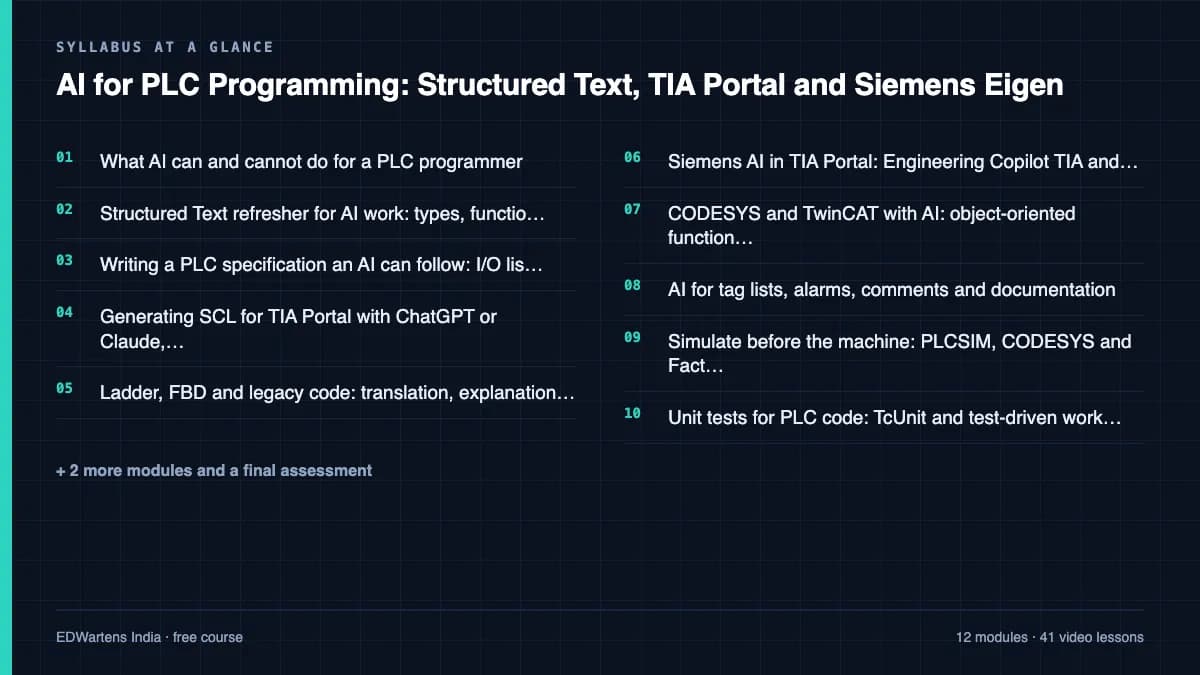
- 01What AI can and cannot do for a PLC programmer3 lessons23m
- 02Structured Text refresher for AI work: types, function blocks and CASE state machines4 lessons49m
- 03Writing a PLC specification an AI can follow: I/O list, sequence and interlocks2 lessons34m
- 04Generating SCL for TIA Portal with ChatGPT or Claude, then importing and compiling2 lessons60m
- 05Ladder, FBD and legacy code: translation, explanation and migration with AI5 lessons1h 15m
- 06Siemens AI in TIA Portal: Engineering Copilot TIA and the Eigen Engineering Agent6 lessons1h 11m
- 07CODESYS and TwinCAT with AI: object-oriented function blocks and interfaces4 lessons1h 38m
- 08AI for tag lists, alarms, comments and documentation3 lessons41m
Requirements
- Who it is for
- Intermediate. For PLC programmers, automation engineers and technicians who already write ladder logic or basic Structured Text in TIA Portal, CODESYS, TwinCAT or Studio 5000. You do not need to know anything about AI. Take the Siemens SCL Structured Text or CODESYS course first if ST is new to you.
- Software
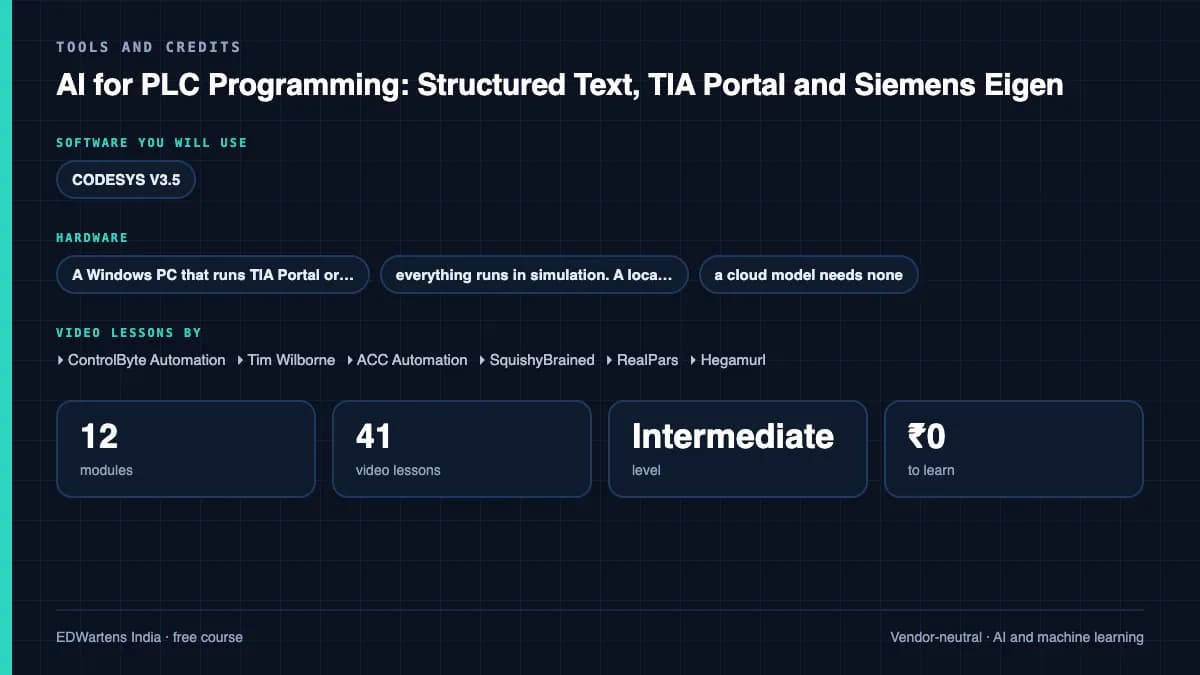
- CODESYS V3.5 (free) with its built-in simulator; the TIA Portal and PLCSIM trial licences from Siemens; Factory I/O (trial); TwinCAT 3 XAE (free download) with the open-source TcUnit library; a free tier of ChatGPT or Claude; Ollama (free) for a local model. The Siemens Eigen Engineering Agent has a one-month trial and is optional. What to download, and how
- Hardware
- A Windows PC that runs TIA Portal or CODESYS (16 GB of RAM is comfortable). No PLC is needed; everything runs in simulation. A local model needs more memory or a GPU; a cloud model needs none.
Software you need
What to download, where from, what it costs and how to install it. Every link goes to the maker's own site, never a mirror.
CODESYS alone (free, with its simulator) covers every exercise; TIA Portal with PLCSIM is the Siemens route. TcUnit installs as a library inside TwinCAT 3. The Siemens Eigen Engineering Agent is an optional paid subscription with a one-month trial and is not needed.
One PLC environment
Any one is enough.
- 01Free
CODESYS Development System V3
CODESYS GmbH
- Runs on
- Windows 10 or 11, 64-bit (8 GB RAM and 12 GB free disk recommended)
- Account
- A free CODESYS Store account (one-time registration)
The Development System is free in the CODESYS Store. The setup also installs a demo of the CODESYS Control Win SL SoftPLC, which runs for two hours without a licence and then needs a manual restart.
Steps
- 1.Open the CODESYS Development System page in the CODESYS Store.
- 2.Register once for a free CODESYS Store account and sign in.
- 3.Download the 64-bit setup.
- 4.Run the installer as administrator.
- 5.Start CODESYS Control Win SL from the system tray and connect your project to it.
- When the SoftPLC stops after two hours, restart it from the system tray and log in again.
- Allow at least 12 GB of free disk space.
Official download pagestore.codesys.com - 02Free trial: 21 days
SIMATIC STEP 7 Professional and WinCC (TIA Portal) V21 Trial
Siemens
- Runs on
- Windows 11 Pro or Enterprise 64-bit (24H2), Windows 10 Enterprise 2021 LTSC, or Windows Server 2022/2025. Windows 11 Home is supported only for the Basic editions.
- Account
- A free Siemens account registered for Industry Online Support (SiePortal)
- Size
- about 8.1 GB for the main ISO, plus an optional 3.1 GB DVD 2 with hardware support packages
Siemens lets registered users download the V21 trial of STEP 7 (Basic and Professional), STEP 7 Safety and WinCC and test it for 21 days. The same package is used for the full product; after 21 days you need a purchased licence to keep working.
Steps
- 1.Open the Siemens trial page (entry 109989774) and sign in with your Siemens Industry Online Support account.
- 2.Download TIA_Portal_STEP7_Safety_WinCC_V21.iso (8.1 GB).
- 3.Download S7-PLCSIM_V21.iso (2.5 GB) from the same page: PLCSIM is a separate download.
- 4.Right-click each ISO, choose Mount, and run Start.exe as administrator. Install STEP 7 and WinCC first, then PLCSIM.
- 5.Follow the setup, accept the licence terms and restart the PC when asked.
- 6.Open TIA Portal V21 and create a new project to confirm it runs.
- Install from a local drive with plenty of free space; Siemens lists 20 GB free as the minimum and the ISOs alone are over 10 GB.
- You only need DVD 2 if you want extra hardware support packages.
- If you cannot install locally, Siemens also offers a 21-day TIA Portal Cloud trial in the browser (one-hour sessions, not in every country).
Official download pagesupport.industry.siemens.comAlternatives
- TIA Portal Cloud trial: 21 days free in a cloud virtual machine, no install. Sessions are limited to one hour and it is not available in every country.
One AI assistant
Any one is enough.
- 03Free plan with limits
ChatGPT
OpenAI, in the browser
- Runs on
- Any modern web browser, plus mobile and desktop apps
- Account
- A free OpenAI account
The Free plan allows everyday text chats. File uploads, image creation, voice and data analysis have tighter limits than paid plans, and ads may appear in some countries. Paid plans raise the limits.
Steps
- 1.Open chatgpt.com.
- 2.Click Sign up and create an account with your email, or a Google, Microsoft or Apple account.
- 3.Verify your email and confirm your details.
- 4.Type your question in the message box.
- Do not paste personal data, passwords or confidential work files.
- ChatGPT tells you when you reach a limit. Wait for it to reset or switch to a lighter task.
Open ChatGPTchatgpt.com - 04Free plan with limits
Claude
Anthropic, in the browser
- Runs on
- Any modern web browser, plus desktop and mobile apps
- Account
- A free Claude account (you must be 18 or over)
The Free plan covers chat on web, desktop and mobile, web search, file creation and Artifacts. Usage limits reset on a rolling five-hour window and depend on message length and features used. Paid plans give more usage.
Steps
- 1.Open claude.ai (or see the plans at claude.com/pricing).
- 2.Sign up with your email or Google account and confirm your email.
- 3.Confirm you are 18 or over and accept the terms.
- 4.Type your question in the message box.
- Long conversations and large files use up your limit faster. Start a new chat for a new topic.
- Do not paste personal data or confidential work files.
Open Claudeclaude.com - 05Free
Ollama
Ollama Inc.
- Runs on
- macOS 14 Sonoma or later, Windows 10 or later, Linux
- Account
- None needed
Ollama is free and open source (MIT licence). Each model you download has its own licence; check it before commercial use.
Steps
- 1.Open ollama.com/download and pick your system.
- 2.On Windows run OllamaSetup.exe; on macOS open the DMG; on Linux run: curl -fsSL https://ollama.com/install.sh | sh
- 3.Open a terminal and run a small model, for example: ollama run <model name> (browse names on ollama.com).
- 4.Type a question at the prompt. Type /bye to exit.
- Models are several GB each. Check your free disk space first.
- More RAM, or a supported GPU, lets you run larger models faster.
- On Windows you can also install from PowerShell: irm https://ollama.com/install.ps1 | iex
Official download pageollama.com
Optional
Useful, not needed to finish the course.
- 06Free trial: 21 days
S7-PLCSIM V21 (TIA Portal) Trial
Siemens
- Runs on
- Windows 11 Pro or Enterprise 64-bit (24H2), Windows 10 Enterprise 2021 LTSC, or Windows Server 2022/2025. Windows 11 Home is supported only for the Basic editions.
- Account
- A free Siemens account registered for Industry Online Support (SiePortal)
- Size
- about 2.5 GB (ISO)
S7-PLCSIM V21 is offered as a 21-day trial on the same Siemens page as the STEP 7 and WinCC V21 trial. It needs STEP 7 V21 installed on the same PC.
Steps
- 1.Open the Siemens STEP 7 and WinCC V21 trial page (entry 109989774) and sign in.
- 2.Install STEP 7 V21 from the main TIA Portal ISO first.
- 3.Download S7-PLCSIM_V21.iso (2.5 GB) from the section Download S7-PLCSIM Standard V21.
- 4.Mount the ISO, run Start.exe as administrator and follow the setup.
- 5.In TIA Portal, select your CPU and click Start simulation to open PLCSIM.
- Siemens notes that the PLCSIM Standard V21 installation also includes S7-PLCSIM Advanced V8.0.
Official download pagesupport.industry.siemens.com - 07Free
TwinCAT 3 Engineering (XAE)
Beckhoff Automation
- Runs on
- Windows 10 or 11
- Account
- A free myBeckhoff account
The basic version of TwinCAT 3 Engineering is free of charge and can be installed on any number of PCs. Runtime and function licences can be covered by 7-day trial licences created in the engineering tool, which you can renew as often as you need.
Steps
- 1.Register for a free myBeckhoff account on beckhoff.com.
- 2.Download the TwinCAT Package Manager from the Beckhoff download finder.
- 3.Install the Package Manager, sign in with your myBeckhoff account and install TwinCAT 3 Engineering (XAE).
- 4.Create a PLC project and set your own PC as the target.
- 5.When asked, activate a 7-day trial licence and enter the security code shown.
- Trial licences cannot be put on a licence dongle; they bind to the target PC.
- PLC programming works in the free Visual Studio shell; C++ needs a full Visual Studio.
Official download pagebeckhoff.com - 08Free trial: 30 days
Factory I/O
Real Games
- Runs on
- Windows 7 SP1 or newer, with a graphics card from 2006 (NVIDIA, AMD) or 2012 (Intel) onwards
- Account
- Your name and email on the Factory I/O trial form
The 30-day trial includes the full Ultimate Edition. After that you need a paid edition; the Siemens, Allen-Bradley, Modbus and OPC, MHJ, Automgen and Starter editions each support different PLCs.
Steps
- 1.Open the Factory I/O start trial page.
- 2.Enter your name and email and start the trial.
- 3.Download and install Factory I/O.
- 4.Open a sample scene and connect it to your PLC or PLC simulator.
- 5.Before the trial ends, choose the edition that matches your PLC.
- Choose the edition by the PLC you will use: for example the Siemens edition works with S7-PLCSIM.
- The Starter edition has its own built-in PLC simulator if you have no PLC software.
Official download pagefactoryio.com
Checked against each maker's own page on 27 September 2026. Trial lengths and editions change; the maker's page is the final word.
AI for PLC Programming: Structured Text, TIA Portal and Siemens Eigen at a glance
AI for PLC Programming: Structured Text, TIA Portal and Siemens Eigen is a free, self-paced online course from EDWartens for PLC programmers, automation engineers and technicians who want to use ChatGPT, Claude and Siemens' TIA Portal agent safely, in India, the Gulf and worldwide. It has 13 modules and 11h 16m of video lessons by ControlByte Automation, Tim Wilborne, ACC Automation and others, with written notes and worked problems, a practical project with a document pack and a 15-question final assessment (pass mark 60%). Learning is free with an account; an optional certificate with a public verification code is issued when you pass. Last updated 27 September 2026.
All course factsHide course facts
- Price
- ₹0, free for good. No trial, no card. Comparable classroom training of this length costs about ₹6,999.
- Who it is for
- PLC programmers, automation engineers and technicians who want to use ChatGPT, Claude and Siemens' TIA Portal agent safely, in India, the Gulf and worldwide
- Format
- 13 self-paced modules, 11h 16m of video, written notes, a practice task per module and one final assessment.
- Level
- Intermediate. Intermediate. For PLC programmers, automation engineers and technicians who already write ladder logic or basic Structured Text in TIA Portal, CODESYS, TwinCAT or Studio 5000. You do not need to know anything about AI. Take the Siemens SCL Structured Text or CODESYS course first if ST is new to you.
- Brand
- Vendor-neutral
- Software
- CODESYS V3.5 (free) with its built-in simulator; the TIA Portal and PLCSIM trial licences from Siemens; Factory I/O (trial); TwinCAT 3 XAE (free download) with the open-source TcUnit library; a free tier of ChatGPT or Claude; Ollama (free) for a local model. The Siemens Eigen Engineering Agent has a one-month trial and is optional.
- Hardware
- A Windows PC that runs TIA Portal or CODESYS (16 GB of RAM is comfortable). No PLC is needed; everything runs in simulation. A local model needs more memory or a GPU; a cloud model needs none.
- Certificate
- Optional EDWartens Certificate of Completion, verifiable by code. Not a vendor credential.
- Video lessons by
- ControlByte Automation, Tim Wilborne, ACC Automation, SquishyBrained, RealPars, Hegamurl, Grollmus, Siemens, Siemens Knowledge Hub, PLCskilltree, CODESYS Group, Jakob Sagatowski (independent creators, credited below)
- Language
- English
- Last updated
- 27 September 2026
A shareable EDWartens certificate
Finish every module and pass the final assessment, and the optional EDWartens certificate is yours. It carries a unique verification code on a public page anyone can check, so it stands up when a recruiter looks it up. See it below.
The course itself stays free whether or not you ever buy one.
Stuck? Ask a practising engineer
A free course usually means a comment section and hope. This one does not. Every module has an Ask-your-trainer panel that reaches the same engineers who teach our paid programme: people who commission panels for a living, not moderators.
Pairs well with
 PLC programming · FreeSiemens TIA PortalFrom zero electrical knowledge to a working, simulated S7-1200 program, for nothing.
 PLC programming · FreeSiemens TIA Portal in Three HoursThe first three hours of the Siemens TIA Portal course, cut to end on a win: what a PLC is, how it is wired, a project configured in TIA Portal, and your first ladder program running in simulation. Finish it in an evening or two, earn a certificate, and carry straight on into the full course.
 PLC programming · FreeTIA Portal: Build a MachineOne machine, start to finish. Take a bottle filling line from a written specification and an I/O list to a structured S7-1200 program with a fill station, a capper, a reject sorter and an operator screen with alarms, then test it against a written record and archive it for hand-over. The lessons are the reference; the machine is yours, and it is what you submit.
 Instrumentation · FreeInstrumentation for PLC EngineersThe half of the loop that is not code. Follow one measurement from the transmitter in the field, down the 4-20 mA loop, into the analog card, through NORM_X and SCALE_X into engineering units, out again to a valve, and back to the control room when the reading is wrong.
More free courses: Free AI courses for engineers
Learner reviews
No reviews yet
Reviews here are written only by learners who have finished every module of AI for PLC Programming: Structured Text, TIA Portal and Siemens Eigen, and they are published exactly as written. Finish the course and yours will be the first.
Common questions
Who is this AI for PLC programming course for?
It is for PLC programmers, automation engineers and technicians who already write ladder logic or basic Structured Text in TIA Portal, CODESYS, TwinCAT or Studio 5000 and want to use ChatGPT, Claude or Siemens' TIA Portal agent without risking the machine. Plant and system-integrator engineers in India and the Gulf are a large part of the audience. You need no AI background.
Can ChatGPT or Claude write PLC code?
Yes, they can draft Structured Text and SCL quickly, and the course shows how convincing and how wrong those drafts can be. Every block is specified first, then compiled, simulated, unit-tested and reviewed against a checklist before it goes near a machine, and safety functions are never generated by AI.
What is the Siemens Eigen Engineering Agent?
It is Siemens' AI agent inside TIA Portal, generally available since April 2026 as a subscription with a one-month trial, and the successor to Engineering Copilot TIA. Siemens lists TIA Portal V19, V20 and V21. The course explains what it does, where its data goes and how to trial it fairly; it is optional, and every exercise can be done with free tools.
What software do I need?
CODESYS (free) or the TIA Portal and PLCSIM trial, a free tier of ChatGPT or Claude, and optionally TwinCAT 3 with TcUnit, Factory I/O and Ollama for a local model. No PLC hardware is needed.
Is the course free to learn?
Yes. Every module, the notes, the worked problems, the project and the final assessment are free. Only the certificate is paid, if you want one.
How long does the AI for PLC Programming course take?
About 17 hours of video, notes and practice at your own pace, of which about 11 hours is video. The optional pump-station project takes about 14 hours more.
What certificate does the AI for PLC Programming course give?
An EDWartens Certificate of Completion, issued when you pass the 15-question final at 60 percent, with a number anyone can verify on our site. It is not a Siemens, Beckhoff, CODESYS or Rockwell certification.
What should I take before or after this course?
Take Siemens SCL Structured Text in TIA Portal or CODESYS and IEC 61131-3 Programming first if Structured Text is new to you. AI Coding for Engineers goes deeper into coding agents, and Siemens TIA Portal with Factory I/O gives more virtual commissioning practice.
Is the AI for PLC Programming course free in India, and what does the certificate cost?
Yes. Learning costs ₹0 in India: every module, the written notes, the practice tasks and the final assessment, with no card and no trial period. The only paid item is the optional EDWartens Certificate of Completion, ₹559 including GST for this intermediate course, paid in rupees through Razorpay, and only if you want it after passing the final assessment.
What you walk away with
Your certificate for AI for PLC Programming: Structured Text, TIA Portal and Siemens Eigen
Finish the course, pass the final, and this is the document with your name on it.
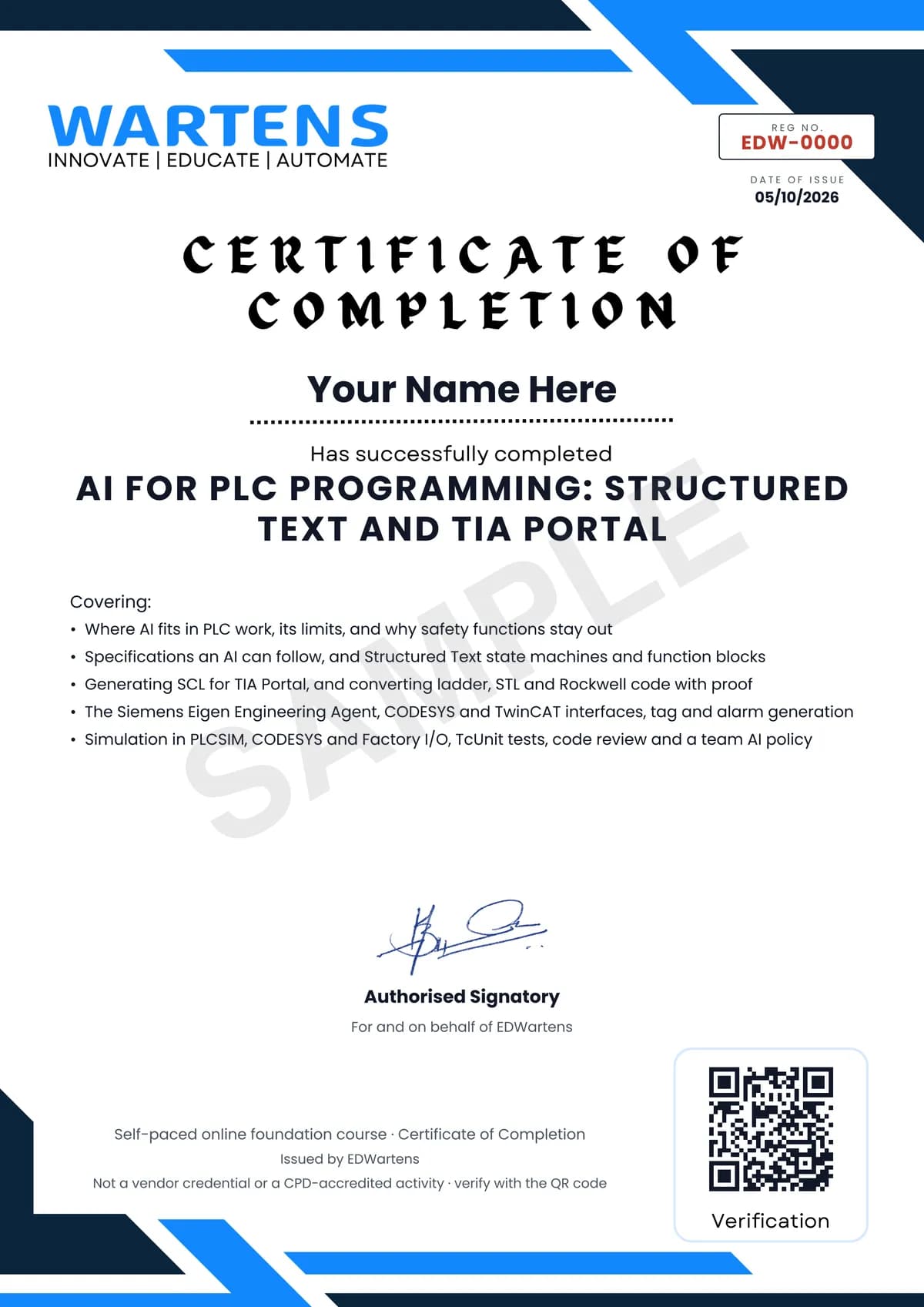
Verifiable by anyone
Adds to LinkedIn in one click
QR code on the certificate
Names what you can do
A permanent link
Earned, not attended
Learning is free. The certificate is optional.
Add it now and pay only when you have finished the course, or come back for it later. One-off, US$28.99, with a receipt.
Issued by EDWartens India (Wartens Automation Private Limited) as a Certificate of Completion for this self-paced course. It is not a vendor certification, a university award or a CPD-accredited activity, and it does not certify competence on live equipment. Delivered electronically; see the refund policy.
Credits
Who made the video lessons
The video lessons in this course were created by the people below, not by EDWartens. Every lesson streams from its creator's own YouTube channel; EDWartens neither hosts nor sells that footage, and the creators are not affiliated with EDWartens and do not endorse this course. What EDWartens wrote is the study plan, the notes, the practice tasks and the assessments.
- ControlByte AutomationChatGPT writing PLC code, the TIA Portal and Claude Code workshop, the live LAD to SCL conversion, the Micro820 with AI workshop, CODESYS Python scripting with Claude, the CODESYS MCP server with Claude, and running a local model for PLC coding
- Tim WilborneChatGPT doing PLC homework, and the lead/lag alternating pump quiz and its answer used for the specification exercise
- ACC Automation: PLC & Industrial Control Learningthe PLC challenge Claude gets subtly wrong, and seven common ladder logic mistakes
- SquishyBrainedthe introduction to IEC 61131-3 and the Structured Text state machines lesson
- RealParsthe basics of Structured Text and which PLC language suits which job
- Tohid Alizadehthe CODESYS state machine example in Structured Text
- Hegamurlfree AI code generation for TIA Portal, and the four PLC memory areas
- ELSCITECHgenerating source files from STEP 7 and TIA Portal blocks and importing them
- PLCskilltreemoving from Studio 5000 to TIA Portal program execution, and the Eigen Engineering Agent free trial and set-up guide
- Grollmus | TIA Portal & Automatisierungthe introduction to the TIA Portal Copilot and the quick alarm analysis that creates an SCL block
- Siemensthe launch film introducing the Eigen Engineering Agent
- Siemens Knowledge Hubthe conversation with Michael Schrapp on the Eigen agent for automation engineering
- Antomatixan independent test of whether the Eigen agent is any good on real tasks
- CODESYS Groupobject-oriented industrial programming in CODESYS with practical examples
- Beckhoff Automation USATwinCAT Chat, the chat model inside TwinCAT engineering
- zeller automation and plcexporting and importing TIA Portal PLC tags through Excel
- Engineering made Easy (Ing ME)the introduction to TIA Portal Openness with block import and export
- Ngoza Automation SolutionsPLC simulation in PLCSIM with an S7-1200, including tag import and export
- plcgoodslinking CODESYS with Factory I/O for a sorting machine
- Jakob Sagatowskithe four-part unit testing in TwinCAT series with TcUnit
- Diligent Automationfour programming mistakes that cause intermittent machine faults
- S4 Eventsthe talk on secure coding practices for PLCs
- Hamed Adefuwaconnecting Claude to TIA Portal through a simple MCP server
- LEARNACONthe introduction to IEC 61131-3 used as the final review
If you are one of these creators and would like a lesson removed or credited differently, write to info@wartens.com.