Software and DevOps · Free · ₹0
Linux for Engineers
Linux for engineers who build AI, IIoT, robotics and OT systems: the shell and the filesystem, text and pipes, users and permissions, packages, processes and systemd services, networking tools, SSH, Bash scripting, scheduled jobs, logs and journalctl, Raspberry Pi and edge boxes, and the basics of hardening a device.

Inside the course


From the lessons

Why Linux, and your first terminal
NetworkChuck
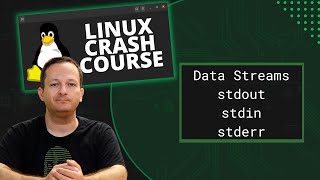
Text, pipes and searching
Learn Linux TV
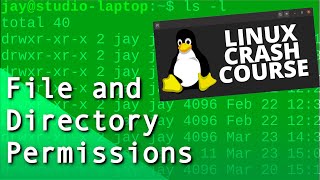
Permissions, ownership and links
Learn Linux TV

Processes and systemd
NetworkChuck

SSH, keys and copying files
Learn Linux TV
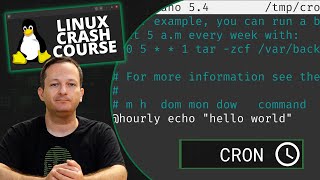
Automation: cron, timers and backups
Learn Linux TV
Lesson frames belong to the creators named in the Credits below and are shown from YouTube.
What you will learn
Explain where Linux runs in engineering systems and choose a distribution; move around the filesystem and edit configuration files; filter logs and data with pipes and grep; manage users, groups and sudo rights; set permissions and ownership correctly; install software with apt and Python libraries in a virtual environment; manage processes and run your own program as a systemd service; diagnose network problems with ip, ss, ping and dig; work over SSH with keys and copy files with scp and rsync; write Bash scripts with arguments, tests and exit codes; schedule jobs with cron and systemd timers; find faults with journalctl and keep disks from filling; set up a Raspberry Pi as a headless edge device; and apply first-hour hardening to a new machine.
- Read a Linux system: kernel, distribution, version and architecture, and find help with man and --help
- Move around the filesystem, edit configuration files with nano and answer questions about logs with pipes and grep
- Manage users, groups and narrow sudo rules, and set permissions and ownership by number
- Install software with apt, keep Python libraries in a virtual environment and turn on automatic security updates
- Run your own program as a systemd service that restarts itself, and stop processes safely
- Diagnose network faults with ip, ss, ping and dig, and work over SSH with keys, scp, rsync and tunnels
- Write Bash scripts with arguments and exit codes, schedule them with cron or systemd timers, and keep dated backups
- Set up a Raspberry Pi as a headless edge gateway, find faults with journalctl, and harden a new device with ufw and key-only SSH
The course project · about 12 hours
Rebuilding a Raspberry Pi energy-data gateway properly: users, service, storage, backups, logs and hardening
Rebuild the edge gateway that collects energy-meter readings at a dairy plant so it survives power cuts, full disks, failed SD cards and curious visitors: a headless Raspberry Pi OS install, named users and a data group, the collector as a systemd service, data on an SSD mounted by UUID, nightly dated backups on a timer, a capped journal with a disk check, key-only SSH and a default-deny firewall. The sample pack shows the build procedure, address plan, service register, commissioning test record and risk register for gateway EG-01.
Sample document pack, 5 documents, filled in for the scenario
- ProcedureBuild procedure: energy-data gateway EG-01
- IP planAddress and port plan: energy-data gateway and its neighbours
- RegisterService, file and schedule register: EG-01
- Test reportCommissioning test record: EG-01
- Risk registerRisk register: energy-data gateway EG-01
Read inside the course and download as a workbook. The project is optional practice, marked when you submit it; the certificate needs only the modules and the final assessment.
Course content
15 modules · 40 lessons · 14h 8m
In order, at whatever pace suits you. Each module ends with a practice task that builds on the last.
- 01Why Linux, and your first terminal2 lessons25m
- 02The filesystem, paths and editing files3 lessons1h 4m
- 03Text, pipes and searching3 lessons50m
- 04Users, groups and sudo3 lessons1h 12m
- 05Permissions, ownership and links2 lessons1h 6m
- 06Packages and updates3 lessons59m
- 07Processes and systemd3 lessons1h 5m
- 08Networking tools4 lessons53m
Requirements
- Who it is for
- Beginner. For engineers, technicians and students in AI and machine learning, industrial IoT, OT security and robotics who need to work on Linux machines. No Linux or programming experience is assumed; you need to be comfortable installing software on your own computer.
- Software
- One Linux machine to practise on: Ubuntu 26.04 LTS (or 24.04 LTS) in VirtualBox or UTM, WSL 2 on Windows, a Raspberry Pi with Raspberry Pi OS (Debian 13 trixie), or a small cloud server. Everything used in the course is free and open source. What to download, and how
- Hardware
- A computer that can run a virtual machine, or WSL 2 on Windows. A Raspberry Pi 4 or 5 with a microSD card is useful for the edge-device module and the project but is not required.
Software you need
What to download, where from, what it costs and how to install it. Every link goes to the maker's own site, never a mirror.
Use Ubuntu 26.04 LTS (24.04 LTS also works) in VirtualBox or UTM, or through WSL 2 on Windows. On a Raspberry Pi, write Raspberry Pi OS Lite 64-bit with Raspberry Pi Imager from raspberrypi.com/software. Everything else installs with apt during the course.
A Linux system to practise on
Any one is enough.
- 01Free
Ubuntu Desktop
Canonical
- Runs on
- 64-bit PC (Intel or AMD) or ARM 64-bit. Recommended: 2 GHz dual-core processor, 6 GB RAM, 25 GB free disk space.
- Account
- None needed
- Size
- About 5.9 GB ISO (Intel or AMD 64-bit, current LTS)
Free to download and use. LTS releases get five years of free security updates, which Ubuntu Pro can extend.
Steps
- 1.Open ubuntu.com/download/desktop and download the LTS ISO. For ROS 2 courses, get 24.04 LTS or 22.04 LTS from releases.ubuntu.com instead.
- 2.To try it safely, create a new virtual machine in VirtualBox and attach the ISO.
- 3.To install on a real PC, write the ISO to a USB stick (8 GB or more) and boot from it.
- 4.Follow the installer, then run Software Updater when it finishes.
- Your course may name a specific release. ROS 2 Humble needs Ubuntu 22.04 and ROS 2 Jazzy needs Ubuntu 24.04.
- Give a virtual machine at least 25 GB of disk space.
Official download pageubuntu.comAlternatives
- Ubuntu 24.04 LTS: Use for ROS 2 Jazzy.
- Ubuntu 22.04 LTS: Use for ROS 2 Humble.
- Windows Subsystem for Linux: Run Ubuntu inside Windows 10 or 11 without a virtual machine.
- 02Free
Windows Subsystem for Linux (WSL)
Microsoft
- Runs on
- Windows 10 version 2004 and higher (Build 19041 and higher) or Windows 11
- Account
- None needed
WSL is part of Windows and costs nothing. The Linux distribution you install (Ubuntu by default) has its own free licence.
Steps
- 1.Right-click PowerShell and choose "Run as administrator".
- 2.Run: wsl --install
- 3.Restart your PC when asked.
- 4.Open Ubuntu from the Start menu and wait while it unpacks.
- 5.Create a Linux user name and password when prompted.
- To see other distributions, run: wsl --list --online, then install one with: wsl --install -d <Name>
- If the install hangs at 0.0%, run: wsl --install --web-download -d Ubuntu
- Check your setup with: wsl -l -v (new installs use WSL 2).
Official download pagelearn.microsoft.com
Optional
Useful, not needed to finish the course.
- 03Free
Oracle VirtualBox
Oracle
- Runs on
- Windows, macOS (Intel and Apple Silicon), Linux and Solaris hosts
- Account
- None needed
The VirtualBox platform packages are free and open source under GPL version 3. The separate Extension Pack is free only for personal and educational use (PUEL licence); business use of the Extension Pack needs a commercial licence from Oracle.
Steps
- 1.Open virtualbox.org/wiki/Downloads.
- 2.Click the package for your host system (for example, Windows hosts).
- 3.Run the installer and accept the network driver prompts.
- 4.Open VirtualBox, click New, choose your ISO file (for example Ubuntu or Windows) and follow the wizard.
- Turn on hardware virtualisation (Intel VT-x or AMD-V) in your PC's BIOS or UEFI if VirtualBox says it is not available.
- You do not need the Extension Pack for normal lab work. Install it only if you need its extra features and your use is personal or educational.
Official download pagevirtualbox.org
Checked against each maker's own page on 27 September 2026. Trial lengths and editions change; the maker's page is the final word.
Linux for Engineers at a glance
Linux for Engineers is a free, self-paced online course from EDWartens for engineers and students in AI, IIoT, OT security and robotics who work on Linux machines. It has 15 modules and 14h 8m of video lessons by Learn Linux TV, NetworkChuck, freeCodeCamp.org, with written notes and worked problems, a practical project with a document pack and a 15-question final assessment (pass mark 60%). Learning is free with an account; an optional certificate with a public verification code is issued when you pass. Last updated 27 September 2026.
All course factsHide course facts
- Price
- ₹0, free for good. No trial, no card. Comparable classroom training of this length costs about ₹6,999.
- Who it is for
- Engineers and students in AI, IIoT, OT security and robotics who work on Linux machines
- Format
- 15 self-paced modules, 14h 8m of video, written notes, a practice task per module and one final assessment.
- Level
- Beginner. Beginner. For engineers, technicians and students in AI and machine learning, industrial IoT, OT security and robotics who need to work on Linux machines. No Linux or programming experience is assumed; you need to be comfortable installing software on your own computer.
- Brand
- Vendor-neutral
- Software
- One Linux machine to practise on: Ubuntu 26.04 LTS (or 24.04 LTS) in VirtualBox or UTM, WSL 2 on Windows, a Raspberry Pi with Raspberry Pi OS (Debian 13 trixie), or a small cloud server. Everything used in the course is free and open source.
- Hardware
- A computer that can run a virtual machine, or WSL 2 on Windows. A Raspberry Pi 4 or 5 with a microSD card is useful for the edge-device module and the project but is not required.
- Certificate
- Optional EDWartens Certificate of Completion, verifiable by code. Not a vendor credential.
- Video lessons by
- Learn Linux TV, NetworkChuck, freeCodeCamp.org (independent creators, credited below)
- Language
- English
- Last updated
- 27 September 2026
A shareable EDWartens certificate
Finish every module and pass the final assessment, and the optional EDWartens certificate is yours. It carries a unique verification code on a public page anyone can check, so it stands up when a recruiter looks it up. See it below.
The course itself stays free whether or not you ever buy one.
Stuck? Ask a practising engineer
A free course usually means a comment section and hope. This one does not. Every module has an Ask-your-trainer panel that reaches the same engineers who teach our paid programme: people who commission panels for a living, not moderators.
Pairs well with
 PLC programming · FreeSiemens TIA PortalFrom zero electrical knowledge to a working, simulated S7-1200 program, for nothing.
 PLC programming · FreeSiemens TIA Portal in Three HoursThe first three hours of the Siemens TIA Portal course, cut to end on a win: what a PLC is, how it is wired, a project configured in TIA Portal, and your first ladder program running in simulation. Finish it in an evening or two, earn a certificate, and carry straight on into the full course.
 PLC programming · FreeTIA Portal: Build a MachineOne machine, start to finish. Take a bottle filling line from a written specification and an I/O list to a structured S7-1200 program with a fill station, a capper, a reject sorter and an operator screen with alarms, then test it against a written record and archive it for hand-over. The lessons are the reference; the machine is yours, and it is what you submit.
 Instrumentation · FreeInstrumentation for PLC EngineersThe half of the loop that is not code. Follow one measurement from the transmitter in the field, down the 4-20 mA loop, into the analog card, through NORM_X and SCALE_X into engineering units, out again to a valve, and back to the control room when the reading is wrong.
More free courses: Free Industry 4.0 and IIoT courses
Learner reviews
No reviews yet
Reviews here are written only by learners who have finished every module of Linux for Engineers, and they are published exactly as written. Finish the course and yours will be the first.
Common questions
Who is the Linux for Engineers course for?
Engineers, technicians and students working in AI and machine learning, industrial IoT, OT security or robotics who meet Linux on gateways, robot computers, servers and containers. No Linux or programming experience is needed.
Which Linux do I need?
Any current Debian-family system: Ubuntu 26.04 LTS or 24.04 LTS in a free virtual machine, WSL 2 on Windows, or Raspberry Pi OS on a Raspberry Pi. The networking and firewall modules work best on a virtual machine or a Pi rather than WSL.
Do I need a Raspberry Pi?
No. A Pi makes the edge-device module and the project more realistic, and it is the only way to try a real serial port, but a virtual machine with a second virtual disk covers every other step.
Is this Linux+ or LPIC preparation?
No. It is a practical course for engineering work, not preparation for CompTIA Linux+, LPI or Linux Foundation exams, and EDWartens is not affiliated with Canonical, the Linux Foundation or Raspberry Pi Ltd.
What should I take after this course?
Docker and containers for engineers, ROS 2 robot programming, MLOps, Node-RED for industrial IoT and the OT security assessment course all assume you can work at a Linux prompt, and each builds directly on what you learn here.
Is the Linux for Engineers course really free?
Yes. Every module, the notes, the project and the final assessment. The only paid item is the certificate, if you want it.
What certificate does the Linux for Engineers course give?
An EDWartens Certificate of Completion, issued when you pass the final assessment, with a number anyone can verify on our site. It is not a vendor or exam-board certification.
How long does the Linux for Engineers course take?
About 19 hours of video lessons, notes and practice, taken at your own pace; the videos alone are about 14 hours. The optional project takes about 12 hours more.
What is the project in the Linux for Engineers course?
You rebuild the Raspberry Pi gateway that collects energy-meter readings at a dairy plant so it survives power cuts, full disks and failed SD cards: named users, the collector as a systemd service, data on an SSD mounted by UUID, nightly dated backups, capped logs, key-only SSH and a default-deny firewall. A complete sample pack shows the build procedure, address plan, service register, commissioning test record and risk register.
Is the Linux for Engineers course free in India, and what does the certificate cost?
Yes. Learning costs ₹0 in India: every module, the written notes, the practice tasks and the final assessment, with no card and no trial period. The only paid item is the optional EDWartens Certificate of Completion, ₹459 including GST for this beginner course, paid in rupees through Razorpay, and only if you want it after passing the final assessment.
What you walk away with
Your certificate for Linux for Engineers
Finish the course, pass the final, and this is the document with your name on it.

Verifiable by anyone
Adds to LinkedIn in one click
QR code on the certificate
Names what you can do
A permanent link
Earned, not attended
Learning is free. The certificate is optional.
Add it now and pay only when you have finished the course, or come back for it later. One-off, US$23.99, with a receipt.
Issued by EDWartens India (Wartens Automation Private Limited) as a Certificate of Completion for this self-paced course. It is not a vendor certification, a university award or a CPD-accredited activity, and it does not certify competence on live equipment. Delivered electronically; see the refund policy.
Credits
Who made the video lessons
The video lessons in this course were created by the people below, not by EDWartens. Every lesson streams from its creator's own YouTube channel; EDWartens neither hosts nor sells that footage, and the creators are not affiliated with EDWartens and do not endorse this course. What EDWartens wrote is the study plan, the notes, the practice tasks and the assessments.
- Learn Linux TV (Jay LaCroix)the Linux Crash Course lessons on navigating the filesystem, nano, data streams, grep, head and tail, managing groups, sudoers.d, file and directory permissions, symbolic links, the apt command, unattended upgrades, htop, systemctl, the ip, ss, ping and dig commands, connecting with SSH, public key authentication, scp, cron, systemd timers, rsync, understanding logging, journalctl, df and du, inspecting hardware, UUIDs in fstab, getting started with Raspberry Pi, the first things to do on a new server, UFW and securing OpenSSH
- NetworkChuckthe Linux for Hackers series: the first look at Linux, getting help, the Linux file system, users and sudo, package management with apt, dpkg and pip, and managing and killing processes, plus the 60 Linux commands review before the final
- freeCodeCamp.orgthe Bash scripting tutorial for beginners
If you are one of these creators and would like a lesson removed or credited differently, write to info@wartens.com.