Project management · Free · ₹0
Project Management for Engineers
Project management for engineers, from the charter to the handover: initiation and feasibility, stakeholders, the WBS and the critical path, budgets and earned value, risk, contracts, FIDIC and change control, Scrum for engineering teams, closing a project, and AI as a project manager's assistant.

Inside the course


From the lessons

What a project manager actually does
Grow with Google

Initiation: goals, feasibility and stakeholders
Grow with Google

Planning: WBS, schedules and the critical path
IIT Roorkee July 2018
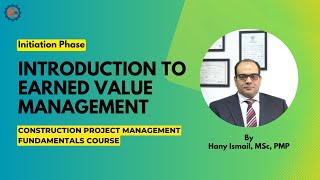
Budgets and earned value
Planning Engineer FZE.

Risk management
Grow with Google

Contracts, change and scope creep
Planning Engineer FZE.
Lesson frames belong to the creators named in the Credits below and are shown from YouTube.
What you will learn
Explain what a project manager does and how the role differs from engineering work; write a charter with SMART objectives and a feasibility case; map stakeholders; build a WBS and calculate the critical path and float; read a Primavera P6 schedule; calculate and interpret earned value measures; run a risk register with expected monetary values; choose a contract type and run change control; apply Scrum where it fits; close a project properly; and use AI to draft and summarise without handing it the decisions.
- Explain what a project manager does and how it differs from engineering work
- Write a project charter with SMART objectives, feasibility and a stakeholder map
- Build a WBS and calculate the critical path and float
- Read a Primavera P6 schedule
- Calculate and explain earned value: CV, SV, CPI, SPI and EAC
- Run a risk register with expected monetary values and owners
- Choose a contract type, run change control and meet FIDIC claim deadlines
- Use Scrum where it fits, close a project properly, and use AI safely
The course project · about 8 hours
Running a 750 kWp rooftop solar project for a manufacturer: charter, schedule, risk register, change notice and status report
Manage the delivery of a rooftop solar plant at an auto-components factory as the client's project manager: write the charter, build the schedule and find the critical path, keep the risk register, process a change that arises on site, and report status at week 10 with earned value. The sample pack shows each document for a plant near Zaragoza, Spain.
Sample document pack, 5 documents, filled in for the scenario
- PlanProject charter: 750 kWp rooftop solar plant
- RegisterSchedule and critical path: rooftop solar plant
- Risk registerRisk register: rooftop solar plant
- Change noticeChange notice: strengthening of shed 2 purlins
- ReportStatus report: week 10
Read inside the course and download as a workbook. The project is optional practice, marked when you submit it; the certificate needs only the modules and the final assessment.
Course content
9 modules · 21 lessons · 5h 30m
In order, at whatever pace suits you. Each module ends with a practice task that builds on the last.
- 01What a project manager actually does2 lessons11m
- 02Initiation: goals, feasibility and stakeholders3 lessons50m
- 03Planning: WBS, schedules and the critical path3 lessons52m
- 04Budgets and earned value2 lessons48m
- 05Risk management2 lessons45m
- 06Contracts, change and scope creep3 lessons36m
- 07Agile and Scrum for engineering teams3 lessons33m
- 08Closing a project, and AI in project management2 lessons47m
Requirements
- Who it is for
- Beginner. For engineers and engineering graduates moving into project roles. Comfort with basic arithmetic and a spreadsheet is enough; no project management experience is needed.
- Software
- A spreadsheet. Primavera P6 or Microsoft Project are useful but not required; the schedule exercises can be done by hand or in a spreadsheet. What to download, and how
- Hardware
- None.
Software you need
What to download, where from, what it costs and how to install it. Every link goes to the maker's own site, never a mirror.
Nothing to install
A spreadsheet is enough; the schedule exercises can be done by hand. Primavera P6 and Microsoft Project are useful but not required.
Optional
Useful, not needed to finish the course.
- 01Free
LibreOffice
The Document Foundation
- Runs on
- Windows 10 or 11, macOS 11 or newer (Intel or Apple silicon), Linux
- Account
- None needed
- Size
- up to 1.5 GB of disk space on Windows
LibreOffice is free, open-source software under the Mozilla Public License 2.0, for any use including business. Calc is its spreadsheet.
Steps
- 1.Open the LibreOffice download page.
- 2.Check the page has picked your operating system, then select Download.
- 3.Run the installer (administrator rights are needed on Windows).
- 4.Start LibreOffice Calc for spreadsheet work.
- 5.Save as .xlsx if you need to share files with Excel users.
- Choose the latest main version unless your organisation asks for the older, more conservative release.
Official download pagelibreoffice.org - 02Free
ProjectLibre Desktop
ProjectLibre
- Runs on
- Windows, macOS and Linux
- Account
- None needed
ProjectLibre Desktop is free and open-source project scheduling software with no subscription. It opens Microsoft Project .mpp files and can import Primavera P6 files. The separate ProjectLibre Cloud product for teams is paid.
Steps
- 1.Open the ProjectLibre Desktop page.
- 2.Select Download ProjectLibre Free; the file downloads from ProjectLibre's SourceForge project.
- 3.Run the installer for your operating system.
- 4.Start ProjectLibre and create a new project, or open the course's .mpp file.
- 5.Build the task list, links and resources, then view the Gantt chart and critical path.
- Use it to practise the scheduling ideas from Microsoft Project or Primavera P6 lessons; menus and some features differ.
Official download pageprojectlibre.com
Checked against each maker's own page on 27 September 2026. Trial lengths and editions change; the maker's page is the final word.
Project Management for Engineers at a glance
Project Management for Engineers is a free, self-paced online course from EDWartens for engineers taking on projects to run: site, design, plant and construction engineers. It has 9 modules and 5h 30m of video lessons by Grow with Google, Planning Engineer FZE, NPTEL IIT Roorkee and others, with written notes and worked problems, a practical project with a document pack and a 15-question final assessment (pass mark 60%). Learning is free with an account; an optional certificate with a public verification code is issued when you pass. Last updated 27 September 2026.
All course factsHide course facts
- Price
- ₹0, free for good. No trial, no card. Comparable classroom training of this length costs about ₹2,999.
- Who it is for
- Engineers taking on projects to run: site, design, plant and construction engineers
- Format
- 9 self-paced modules, 5h 30m of video, written notes, a practice task per module and one final assessment.
- Level
- Beginner. Beginner. For engineers and engineering graduates moving into project roles. Comfort with basic arithmetic and a spreadsheet is enough; no project management experience is needed.
- Brand
- Vendor-neutral
- Software
- A spreadsheet. Primavera P6 or Microsoft Project are useful but not required; the schedule exercises can be done by hand or in a spreadsheet.
- Hardware
- None.
- Certificate
- Optional EDWartens Certificate of Completion, verifiable by code. Not a vendor credential.
- Video lessons by
- Grow with Google, Planning Engineer FZE, NPTEL IIT Roorkee, IIT Roorkee July 2018 (independent creators, credited below)
- Language
- English
- Last updated
- 27 September 2026
A shareable EDWartens certificate
Finish every module and pass the final assessment, and the optional EDWartens certificate is yours. It carries a unique verification code on a public page anyone can check, so it stands up when a recruiter looks it up. See it below.
The course itself stays free whether or not you ever buy one.
Stuck? Ask a practising engineer
A free course usually means a comment section and hope. This one does not. Every module has an Ask-your-trainer panel that reaches the same engineers who teach our paid programme: people who commission panels for a living, not moderators.
Pairs well with
 PLC programming · FreeSiemens TIA PortalFrom zero electrical knowledge to a working, simulated S7-1200 program, for nothing.
 PLC programming · FreeSiemens TIA Portal in Three HoursThe first three hours of the Siemens TIA Portal course, cut to end on a win: what a PLC is, how it is wired, a project configured in TIA Portal, and your first ladder program running in simulation. Finish it in an evening or two, earn a certificate, and carry straight on into the full course.
 PLC programming · FreeTIA Portal: Build a MachineOne machine, start to finish. Take a bottle filling line from a written specification and an I/O list to a structured S7-1200 program with a fill station, a capper, a reject sorter and an operator screen with alarms, then test it against a written record and archive it for hand-over. The lessons are the reference; the machine is yours, and it is what you submit.
 Instrumentation · FreeInstrumentation for PLC EngineersThe half of the loop that is not code. Follow one measurement from the transmitter in the field, down the 4-20 mA loop, into the analog card, through NORM_X and SCALE_X into engineering units, out again to a valve, and back to the control room when the reading is wrong.
More free courses: Free project management courses
Learner reviews
No reviews yet
Reviews here are written only by learners who have finished every module of Project Management for Engineers, and they are published exactly as written. Finish the course and yours will be the first.
Common questions
Who is the Project Management for Engineers course for?
Engineers and engineering graduates taking on projects to run: site, design, plant, electrical and construction engineers. No project management experience is needed.
Is this the Google Project Management Certificate or a PMP course?
No. It uses some free public lessons from the Google Project Management Certificate, credited on each module, alongside construction lessons from Planning Engineer FZE and NPTEL lectures from IIT Roorkee. It is not affiliated with Google, PMI, Oracle or FIDIC and does not lead to their certificates, though it covers much of the same ground as their introductory material.
Do I need Primavera P6 or Microsoft Project?
No. The course shows how to read a P6 schedule, and every calculation can be done by hand or in a spreadsheet.
Does it cover construction contracts and FIDIC?
Yes, at an introductory level: contract types and who carries which risk, change control, the FIDIC books and the 28-day claim notice under the 2017 editions.
Is the Project Management for Engineers course really free?
Yes. Every module, the notes, the project and the final assessment. The only paid item is the certificate, if you want it.
What certificate does the Project Management for Engineers course give?
An EDWartens Certificate of Completion, issued when you pass the final assessment, with a number anyone can verify on our site. It is not a PMP, CAPM or Google certificate.
How long does the Project Management for Engineers course take?
About 8.5 hours of video lessons, notes and practice questions, taken at your own pace. The optional project takes about 8 hours more.
What is the project in the Project Management for Engineers course?
You act as the client's project manager for a 750 kWp rooftop solar plant at a factory near Zaragoza, Spain: a charter, a schedule with the critical path, a risk register, a change notice and a week-10 status report with earned value. A complete sample pack shows each document.
Is the Project Management for Engineers course free in India, and what does the certificate cost?
Yes. Learning costs ₹0 in India: every module, the written notes, the practice tasks and the final assessment, with no card and no trial period. The only paid item is the optional EDWartens Certificate of Completion, ₹459 including GST for this beginner course, paid in rupees through Razorpay, and only if you want it after passing the final assessment.
What you walk away with
Your certificate for Project Management for Engineers
Finish the course, pass the final, and this is the document with your name on it.

Verifiable by anyone
Adds to LinkedIn in one click
QR code on the certificate
Names what you can do
A permanent link
Earned, not attended
Learning is free. The certificate is optional.
Add it now and pay only when you have finished the course, or come back for it later. One-off, US$23.99, with a receipt.
Issued by EDWartens India (Wartens Automation Private Limited) as a Certificate of Completion for this self-paced course. It is not a vendor certification, a university award or a CPD-accredited activity, and it does not certify competence on live equipment. Delivered electronically; see the refund policy.
Credits
Who made the video lessons
The video lessons in this course were created by the people below, not by EDWartens. Every lesson streams from its creator's own YouTube channel; EDWartens neither hosts nor sells that footage, and the creators are not affiliated with EDWartens and do not endorse this course. What EDWartens wrote is the study plan, the notes, the practice tasks and the assessments.
- Grow with Googlelessons from the Google Project Management Certificate: what project managers do, the project life cycle, initiation, risk basics, Scrum, when agile fits, closing a project, and using AI in project management
- Planning Engineer FZEconstruction project management lessons: initiation and feasibility, building a WBS in Primavera P6, reading a P6 schedule, earned value, construction risk, contract types, FIDIC and claims, and the closing phase
- NPTEL IIT RoorkeeNPTEL lectures on managing for stakeholders, the critical path method, earned value analysis, and controlling change and scope creep
- IIT Roorkee July 20184 lessons in "Initiation: goals, feasibility and stakeholders", "Planning: WBS, schedules and the critical path", "Budgets and earned value" and "Contracts, change and scope creep"
If you are one of these creators and would like a lesson removed or credited differently, write to info@wartens.com.