

Civil engineering · Free online course
STAAD.Pro: Structural Analysis and Design
How a structural engineer builds, loads, analyses and checks frames and trusses in STAAD.Pro and runs steel and concrete design: units and the command file, structure wizard and members, sections, supports and releases, dead, live, wind and seismic loads, load combinations, linear, P-delta and modal analysis, then code checks, concrete reinforcement, connections, foundations and the calculation report, with every result checked by hand on an industrial portal-frame shed and a three-storey steel frame.
- 14 modules
- 13h 1m of video
- Intermediate
- English
- ₹0, free

₹0Free for good
Worth ₹7,999 by length and depth against classroom training. It has always been free; that is not a former price.
No card. Checkout takes a minute and gives you a receipt.
Certificate ₹599, optional. The course is free either way.
Overview
About STAAD.Pro: Structural Analysis and Design
Build, load and check frames and trusses in STAAD.Pro, then run steel and concrete design, with every result checked by hand.
STAAD.Pro: Structural Analysis and Design is a free, self-paced online course from EDWartens for civil and structural graduates, junior design engineers and draughtspeople who will model and check frames and steel structures in STAAD.Pro. It has 14 modules and 13h 1m of video lessons by Bentley Education, Bentley Structural, Engineering Academy and others, with written notes and worked problems, a practical project with a document pack and a 15-question final assessment (pass mark 60%). Learning is free with an account; an optional certificate with a public verification code is issued when you pass. Last updated 27 September 2026.
Who it is for: Civil and structural graduates, junior design engineers and draughtspeople who will model and check frames and steel structures in STAAD.Pro
This course includes
- 13h 1m of video lessons
- 14 modules with written notes and diagrams
- One final assessment: 15 questions, pass mark 60%
- Ask-an-engineer support from practising engineers
- Lifetime access, the course does not expire
- Optional verifiable certificate when you finish
- Step 1 of 3
Learn the 14 modules
13h 1m of video lessons, written notes and a practice task per module, at your own pace.
- Step 2 of 3
Pass the final assessment
15 questions drawn from every module, pass mark 60%, 3 attempts.
- Step 3 of 3
Take the certificate, if you want it
Optional, paid once, only if you choose it. The course stays free either way.
See the certificate and its price
A look inside


From the lessons

STAAD.Pro in the structural workflow
by Bentley Education
![STAAD Pro Tutorial For Beginners [Episode 5]: Using Structure wizard](https://i.ytimg.com/vi/2md5Z7aYrgY/mqdefault.jpg)
Structure wizard, repeat tools and a 2D frame
by Engineering Academy

Dead, live and area loads
by Bentley Education
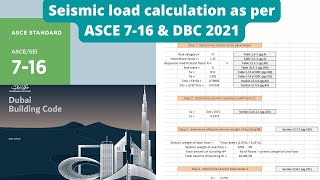
Seismic load and load combinations
by Aspire civil studio

Reading results and checking them by hand
by Bentley Education

Case study: the industrial portal-frame shed
by DECODE BD
Lesson frames belong to the creators named in the Credits and are shown from YouTube.
What you learn
What you will be able to do
By the end you will be able to:
- Build frame and truss models with the wizard and by coordinates
- Apply dead, live, wind and seismic loads and the code combinations
- Run linear, P-delta and modal analysis and judge the results
- Check beams, frames and trusses by hand against the output
- Read steel code checks and concrete reinforcement output
How it works
How this course works
Watch the lessons
Short video lessons, one module at a time, at your own pace.
Read the notes
Open the Reading tab for the written notes and diagrams of the module.
Check yourself
Answer the questions to see what stuck before you move on.
Final assessment
Pass the final once you have been through the modules.
Certificate, if you want oneOptional
Optional, with a page anyone can use to verify it.
Syllabus
Course content, module by module
In order, at whatever pace suits you. Each module ends with a practice task that builds on the last.
- Modules
- 14
- Video lessons
- 44
- Of video
- 13h 1m
- Final questions
- 15
- 01
STAAD.Pro in the structural workflow
3 lessons · 32m - 02
Units, coordinates, the command file and nodes and members
3 lessons · 33m - 03
Structure wizard, repeat tools and a 2D frame
3 lessons · 57m - 04
Section properties, materials, supports and releases
5 lessons · 1h 8m - 05
Dead, live and area loads
3 lessons · 40m - 06
Wind loads on buildings and open sheds
3 lessons · 54m - 07
Seismic load and load combinations
4 lessons · 59m - 08
Analysis types: linear, P-delta and modal
3 lessons · 1h 28m Final assessment · 15 questions, pass mark 60%
Project
The course project
Optional practice that ends in the kind of job the course prepares you for, with the documents that go with it.
About 10 hours
Verification pack for a steel distribution shed and a four-storey frame: loads, wind, a truss, seismic force, a beam and a footing
Build the hand-check pack that goes with a STAAD.Pro model of a small steel distribution shed and an office frame. You work the roof load, the wind couple, a truss, the equivalent static seismic force, one beam and one footing, then write the checking note.
- 5documents in the pack
- 6steps to follow
- 6things to hand in
- 10 hof work, at your pace
Sample document pack, 5 documents, filled in for the scenario
- ReportDesign basis and roof load take-off, Kessel Road Distribution Shed
- ReportWind couple on a shed frame and a roof truss by the method of joints
- ReportSeismic force, floor beam and footing hand checks, office frame G
- RegisterHand-check register
- ProcedureChecking procedure for a frame model
Read inside the course and download as a workbook. The project is optional practice, marked when you submit it; the certificate needs only the modules and the final assessment.
Tools
Software, hardware and lessons
Software
Bentley STAAD.Pro, year-named releases (STAAD.Pro 2025 or later; earlier CONNECT Edition versions use the same workflow), Windows 10 or 11, 64-bit. Bentley offers a free trial on request, with eligibility confirmed by a Bentley representative, and free access to Bentley software for students and educators through Bentley Education; check the terms on Bentley's own pages. A spreadsheet, or a few lines of Python or JavaScript, for the hand checks. The worked examples use AISC 360 steel design with ASCE 7 loads, and ACI 318 for concrete; the steps are the same under Eurocode 3 and 2 with EN 1990 and EN 1991.
Hardware
A 64-bit Windows 10 or 11 computer. Bentley lists 8 GB of memory or more as better for complex models, a modest processor and about 500 MB of disk for a typical install. Small learning models run on an ordinary laptop. The video lessons run on any device.
Who it is for
Intermediate. For civil and structural graduates, junior design engineers and draughtspeople who know statics, bending moment diagrams and the basics of steel and reinforced concrete design. No STAAD.Pro experience is needed. The course follows an industrial portal-frame steel shed and a three-storey steel office frame; a separate ETABS and SAFE course covers a reinforced concrete multi-storey building.
Video lessons by
- Bentley Education
- Bentley Structural
- Engineering Academy
- SIMPLY STRUCTURAL
- DECODE BD
- Crumpled Underfoot
- Aspire civil studio
- Civil Nirman
- Surojit Ghosh
- Parag Pal
Independent creators, credited in full under Credits.
Software you need
Nothing is required to finish the course
STAAD.Pro is a licensed Bentley program: Bentley offers a free trial on request, with eligibility confirmed by a Bentley representative, and free access for students and educators through Bentley Education. The terms can change, so read them on Bentley's own pages. Every lesson and hand check can be followed with a spreadsheet.
What you walk away with
Your certificate for STAAD.Pro: Structural Analysis and Design
Finish the course, pass the final, and this is the document with your name on it.
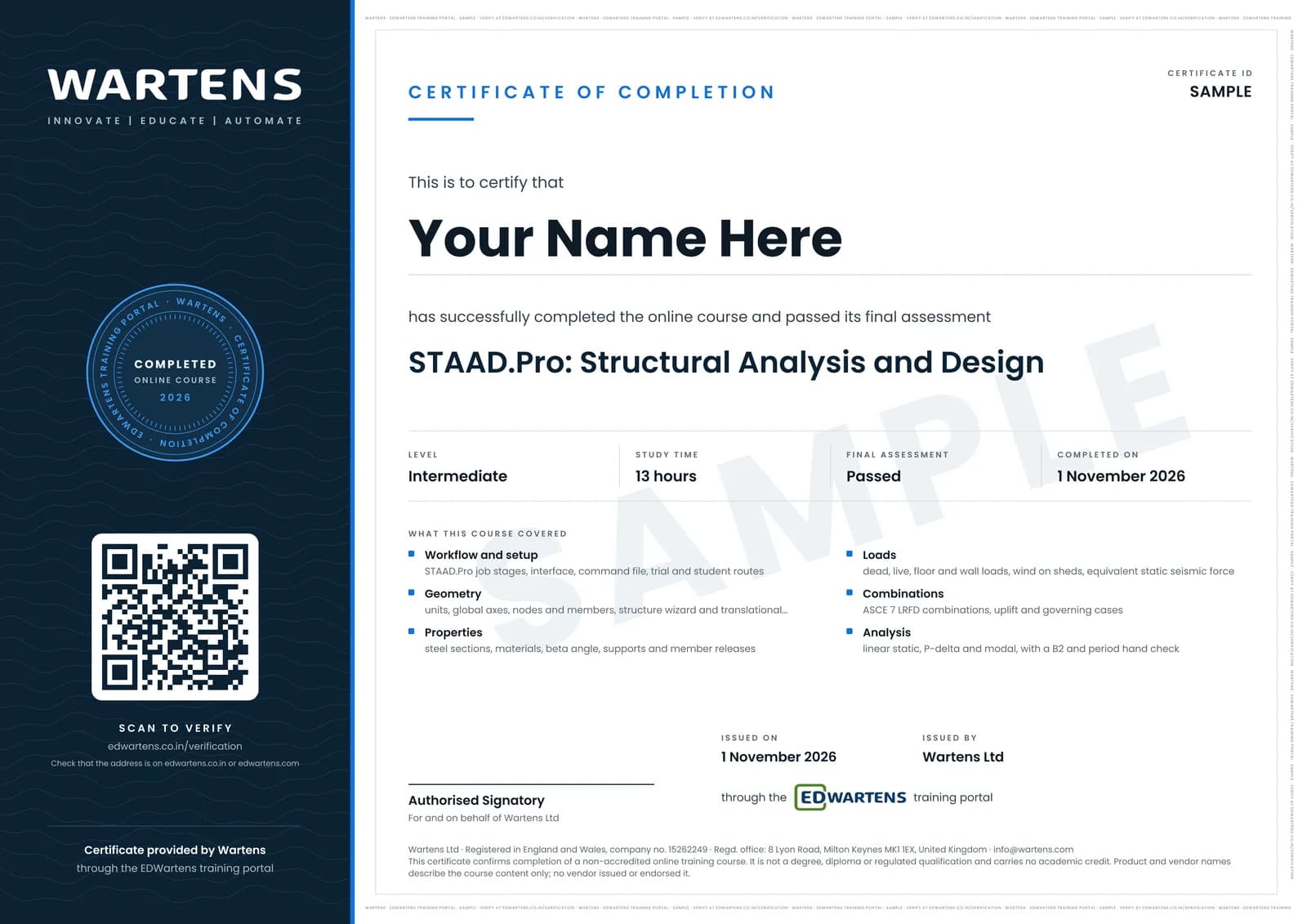
Verifiable by anyone
Adds to LinkedIn in one click
QR code on the certificate
Names what you can do
A permanent link
Earned, not attended
Learning is free. The certificate is optional.
Add it now and pay only when you have finished the course, or come back for it later. One-off, US$28.99, with a receipt.
Issued by Wartens Ltd (England and Wales, company no. 15262249) through the EDWartens training portal, as a Certificate of Completion for this self-paced course. Sold in India by Wartens Automation Private Limited. It is not a vendor certification, a university award or a CPD-accredited activity, and it does not certify competence on live equipment. Delivered electronically; see the refund policy.
Why learn with EDWartens
What you get with this course.
- Free from the first lesson to the final assessment.
- Video lessons with written notes and a project.
- An optional certificate that anyone can verify online.
FAQ
Common questions
What is the STAAD.Pro course?
It is a free-to-learn course that follows an industrial portal-frame steel shed and a three-storey steel office frame through Bentley's STAAD.Pro: units and the command file, geometry, sections, supports and releases, loads and combinations, linear, P-delta and modal analysis, steel and concrete design, then connections, foundations and the calculation report. Every result is checked by hand.
Who is the STAAD.Pro course for?
Civil and structural graduates, junior design engineers and draughtspeople who know statics and the basics of steel and reinforced concrete design. No STAAD.Pro experience is needed. Engineers in design offices around the world use the program for frames, trusses and steel structures, so the course starts from the workflow they follow.
Which software and version does the course use?
Bentley STAAD.Pro, the year-named releases (2025 was the latest release this course could confirm from Bentley's own pages on 1 November 2026; earlier CONNECT Edition versions use the same workflow). Check the current version on Bentley's page. You can follow every lesson and every hand check with only a spreadsheet.
How do I get a free trial or student licence?
Bentley's STAAD.Pro page says you request a free trial on a form, and a Bentley representative confirms eligibility. It also offers students and educators free access through Bentley Education. Terms can change, so read them on Bentley's own pages. Never use cracked or unofficial copies.
Which design code does the course use?
The worked examples use AISC 360 steel design with ASCE 7 loads, and ACI 318 for the concrete beam, one code family per example. The steps are the same under Eurocode 3 and 2 with EN 1990 and EN 1991. Regional codes such as IS 800 and IS 456 follow the same workflow with different factors.
Can I design a real structure with what I learn here?
No. Real structures must be designed and signed by a qualified structural engineer working under local regulations, and software output must always be checked by hand. The course teaches the workflow and the checks, and it is not a licence to practise.
Is this a Bentley certification?
No. The certificate is a verifiable certificate of completion from EDWartens, not a Bentley certification or a professional engineering qualification. STAAD.Pro is a trademark of Bentley Systems, named only to describe the software taught.
How long does the course take, and what certificate do I get?
About 13 hours of video and around 23 hours in total with the notes, worked problems and practice, at your own pace. Everything is free to learn. You get a verifiable certificate of completion when you finish the modules and pass the 15-question final at 60 percent. It has a unique number, a QR code and a public verification page.
Is the STAAD.Pro: Structural Analysis and Design course free in India, and what does the certificate cost?
Yes. Learning costs ₹0 in India: every module, the written notes, the practice tasks and the final assessment, with no card and no trial period. The only paid item is the optional EDWartens Certificate of Completion, ₹599 including GST for this intermediate course, paid in rupees through Razorpay, and only if you want it after passing the final assessment.
All course factsHide course facts
- Price
- ₹0, free for good. No trial, no card. Comparable classroom training of this length costs about ₹7,999.
- Who it is for
- Civil and structural graduates, junior design engineers and draughtspeople who will model and check frames and steel structures in STAAD.Pro
- Format
- 14 self-paced modules, 13h 1m of video, written notes, a practice task per module and one final assessment.
- Level
- Intermediate. Intermediate. For civil and structural graduates, junior design engineers and draughtspeople who know statics, bending moment diagrams and the basics of steel and reinforced concrete design. No STAAD.Pro experience is needed. The course follows an industrial portal-frame steel shed and a three-storey steel office frame; a separate ETABS and SAFE course covers a reinforced concrete multi-storey building.
- Brand
- Vendor-neutral
- Software
- Bentley STAAD.Pro, year-named releases (STAAD.Pro 2025 or later; earlier CONNECT Edition versions use the same workflow), Windows 10 or 11, 64-bit. Bentley offers a free trial on request, with eligibility confirmed by a Bentley representative, and free access to Bentley software for students and educators through Bentley Education; check the terms on Bentley's own pages. A spreadsheet, or a few lines of Python or JavaScript, for the hand checks. The worked examples use AISC 360 steel design with ASCE 7 loads, and ACI 318 for concrete; the steps are the same under Eurocode 3 and 2 with EN 1990 and EN 1991.
- Hardware
- A 64-bit Windows 10 or 11 computer. Bentley lists 8 GB of memory or more as better for complex models, a modest processor and about 500 MB of disk for a typical install. Small learning models run on an ordinary laptop. The video lessons run on any device.
- Certificate
- Optional EDWartens Certificate of Completion, ₹599 inclusive of GST for learners in India, verifiable by code. Not a vendor credential.
- Video lessons by
- Bentley Education, Bentley Structural, Engineering Academy, SIMPLY STRUCTURAL, DECODE BD, Crumpled Underfoot, Aspire civil studio, Civil Nirman, Surojit Ghosh, Parag Pal (independent creators, credited below)
- Language
- English
- Last updated
- 27 September 2026
Pairs well with
 PLC programming · FreeSiemens TIA Portal
 PLC programming · FreeSiemens TIA Portal in Three Hours
 PLC programming · FreeTIA Portal: Build a Machine
 Instrumentation · FreeInstrumentation for PLC Engineers
More free courses: Free civil engineering courses
Learning paths with this course
- Civil and structural engineer · 5 courses
Classroom course, Bangalore
PLC training in Bangalore
The Automation Engineer Program (AEP) is our classroom course in PLC programming and industrial automation, taught in person at our Electronic City centre.
Credits
Who made the video lessons
The video lessons in this course were created by the people below, not by EDWartens. Every lesson streams from its creator's own YouTube channel; EDWartens neither hosts nor sells that footage, and the creators are not affiliated with EDWartens and do not endorse this course. What EDWartens wrote is the study plan, the notes, the practice tasks and the assessments.
- Bentley Educationthe official Bentley lessons on the STAAD.Pro CONNECT Edition interface, new model, modelling members, loading, assigning properties, specifications and supports, running analysis and design, and integrated steel connection design
- Bentley Structuralthe official Bentley lessons on wind loads, static seismic loads and modal response spectrum loads, the direct analysis method to AISC 360, steel design and its parameters in AISC and Eurocode, the companion concrete design tool for beams, columns, walls and isolated footings, and report generation
- Engineering Academythe structure wizard, a 2D frame, a beam analysis and making load combinations
- SIMPLY STRUCTURALfloor loads, wall loads and the concept and assignment of moment releases
- DECODE BDa three-part steel portal frame model, reaction results compared with a hand calculation, response spectrum basics and fixing instability and zero-stiffness errors
- Crumpled Underfootstarting a first STAAD session, modelling, output and ACI concrete design and AISC steel design output
- Aspire civil studioan equivalent static seismic base shear worked by hand to ASCE 7
- Civil Nirmana quick way to apply wind load to an open structure
- Surojit Ghoshwind load on a cladded warehouse, walls and roof
- Parag Pala portal frame analysed in STAAD.Pro
If you are one of these creators and would like a lesson removed or credited differently, write to info@wartens.com.