

Power systems · Free online course
Substation Design: Layouts, Bus Schemes and Equipment
Design a 33/11 kV or 132/33 kV substation on paper: substation types, single-line diagrams and bus schemes, equipment ratings, fault levels, BIL and creepage, clearances in plan and section, busbar sizing, earthing and shielding, battery and charger sizing, control panels and SCADA signals, cables and lighting, civil interfaces, and energisation.
- 14 modules
- 13h 5m of video
- Intermediate
- English
- ₹0, free
- Lab practice in your browser

₹0Free for good
Worth ₹7,999 by length and depth against classroom training. It has always been free; that is not a former price.
No card. Checkout takes a minute and gives you a receipt.
Certificate ₹599, optional. The course is free either way.
Overview
About Substation Design: Layouts, Bus Schemes and Equipment
Design a medium or high voltage substation on paper, from the single-line diagram and bus scheme to layout, earthing and energisation.
Substation Design: Layouts, Bus Schemes and Equipment is a free, self-paced online course from EDWartens for electrical design engineers and graduates who design 33/11 kV and 132/33 kV substations. It has 14 modules and 13h 5m of video lessons, with written notes, a practice task per module, a practical project and a final assessment of 15 questions (pass mark 60%). Learning costs nothing and needs only a free account. The optional EDWartens Certificate of Completion, verifiable by code, is a one-off ₹599 inclusive of GST for learners in India; it is not a vendor credential. Updated 1 November 2026.
Who it is for: Electrical design engineers and graduates who design 33/11 kV and 132/33 kV substations
This course includes
- 13h 5m of video lessons
- 14 modules with written notes and diagrams
- One final assessment: 15 questions, pass mark 60%
- Ask-an-engineer support from practising engineers
- Lifetime access, the course does not expire
- Optional verifiable certificate when you finish
- Step 1 of 3
Learn the 14 modules
13h 5m of video lessons, written notes and a practice task per module, at your own pace.
- Step 2 of 3
Pass the final assessment
15 questions drawn from every module, pass mark 60%, 3 attempts.
- Step 3 of 3
Take the certificate, if you want it
Optional, paid once, only if you choose it. The course stays free either way.
See the certificate and its price
A look inside


From the lessons

Substation types: AIS, GIS, outdoor and indoor, by voltage
by Gaurav J - TheElectricalGuy
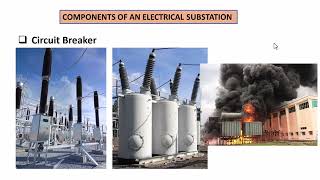
Switching equipment: circuit breakers and disconnectors, and how to rate them
by CMTEQ

Short-circuit levels and insulation coordination: BIL and creepage
by Commonwealth Associates, Inc

Busbar and conductor sizing
by Electrical Thunderbolt
Auxiliary AC and DC systems: battery and charger sizing
by ELECTRICAL TECHNOLOGY and INDUSTRIAL PRACTICE

Cable trenches, cable schedules and yard lighting
by Electrical Thunderbolt
Lesson frames belong to the creators named in the Credits and are shown from YouTube.
What you learn
What you will be able to do
By the end you will be able to:
- Draw a single-line diagram and choose a bus scheme
- Rate circuit breakers, CTs, VTs and transformers
- Calculate bus fault levels and choose BIL and creepage
- Size busbars, the battery and charger
- Set out clearances in plan and section
How it works
How this course works
Watch the lessons
Short video lessons, one module at a time, at your own pace.
Read the notes
Open the Reading tab for the written notes and diagrams of the module.
Practise in the 3D labOptional
Try the module in the free 3D lab, in your browser.
Check yourself
Answer the questions to see what stuck before you move on.
Final assessment
Pass the final once you have been through the modules.
Certificate, if you want oneOptional
Optional, with a page anyone can use to verify it.
Syllabus
Course content, module by module
In order, at whatever pace suits you. Each module ends with a practice task that builds on the last.
- Modules
- 14
- Video lessons
- 70
- Of video
- 13h 5m
- Final questions
- 15
- 01
Substation types: AIS, GIS, outdoor and indoor, by voltage
4 lessons · 46m - 02
Single-line diagrams and bus schemes, with lab practice:
10 lessons · 1h 20m - 03
Switching equipment: circuit breakers and disconnectors, and how to rate them, with lab practice:
7 lessons · 1h 15m - 04
Instrument transformers, surge arresters and power transformers
8 lessons · 1h 29m - 05
Short-circuit levels and insulation coordination: BIL and creepage, with lab practice:
1 lesson · 59m - 06
Electrical clearances and layout, in plan and section
3 lessons · 28m - 07
Busbar and conductor sizing
11 lessons · 1h 29m - 08
Substation earthing (overview) and shielding against direct strokes
3 lessons · 48m Final assessment · 15 questions, pass mark 60%
3D lab
Practise in the 3D lab
Walk a small 11/0.415 kV substation on its single-line diagram and check breaker ratings against the fault level.
- Read the single-line diagramSubstation and MCC labOpen in the lab (opens in a new tab): Read the single-line diagram
- Fault level and breaker checkSubstation and MCC labOpen in the lab (opens in a new tab): Fault level and breaker check
Optional. Skip it whenever you like: it never blocks your progress or your certificate.
Project
The course project
Optional practice that ends in the kind of job the course prepares you for, with the documents that go with it.
About 16 hours
Designing a 33/11 kV, 2 x 10 MVA substation: single-line diagram, equipment schedule, layout and battery sizing
Design a 33/11 kV, 2 x 10 MVA substation for a new industrial park, on paper: single-line diagram, fault levels, equipment schedule, layout, busbar, battery, auxiliaries, one cable schedule and a design review. The sample pack shows each document worked through with the course's own numbers.
- 5documents in the pack
- 11steps to follow
- 5things to hand in
- 16 hof work, at your pace
Sample document pack, 5 documents, filled in for the scenario
- Single lineSingle-line diagram description: 33/11 kV, 2 x 10 MVA substation
- RegisterEquipment schedule: 33 kV and 11 kV equipment
- ReportDesign calculations: fault level, clearances, busbar, DC system, auxiliaries, earthing and lighting
- Cable scheduleCable schedule: transformer bay T1
- ReportLayout, civil inputs and design-review record
Read inside the course and download as a workbook. The project is optional practice, marked when you submit it; the certificate needs only the modules and the final assessment.
Tools
Software, hardware and lessons
Software
A spreadsheet (LibreOffice Calc is free) for the calculations. A free 2D drafting tool such as LibreCAD or QElectroTech for the single-line diagram and layout; AutoCAD (free student licence) is useful but not required. Google Earth for site context.
Hardware
None.
Who it is for
Intermediate. For electrical engineering graduates, junior design engineers in utilities, EPC contractors and consultancies, and site engineers moving into design. You should know three-phase power and basic per-unit; fault calculation is revised where it is used.
Video lessons by
- Gaurav J - TheElectricalGuy
- CMTEQ
- Electrical Thunderbolt
- DC Engineering
- ELECTRICAL TECHNOLOGY and INDUSTRIAL PRACTICE
- Commonwealth Associates, Inc
Independent creators, credited in full under Credits.
Software you need
What to download, where from, what it costs and how to install it. Every link goes to the maker's own site, never a mirror.
Nothing to install
A spreadsheet is enough for every calculation, and the single-line diagram, plan and section can be drawn by hand or in a free tool such as LibreCAD or QElectroTech. AutoCAD and Google Earth Pro are useful but optional.
Optional
Useful, not needed to finish the course.
- 01Free
LibreOffice
The Document Foundation
- Runs on
- Windows 10 or 11, macOS 11 or newer (Intel or Apple silicon), Linux
- Account
- None needed
- Size
- up to 1.5 GB of disk space on Windows
LibreOffice is free, open-source software under the Mozilla Public License 2.0, for any use including business. Calc is its spreadsheet.
Steps
- 1.Open the LibreOffice download page.
- 2.Check the page has picked your operating system, then select Download.
- 3.Run the installer (administrator rights are needed on Windows).
- 4.Start LibreOffice Calc for spreadsheet work.
- 5.Save as .xlsx if you need to share files with Excel users.
- Choose the latest main version unless your organisation asks for the older, more conservative release.
Official download pagelibreoffice.org - 02Free trial: 15 days
AutoCAD
Autodesk
- Runs on
- Windows 10 or 11 64-bit; AutoCAD for Mac on recent macOS versions
- Account
- A free Autodesk account
- Size
- about 10 GB of disk space for AutoCAD on Windows
The AutoCAD trial lasts 15 days in most regions (30 in a few), expires on its own and cannot be extended. Students and educators can get free one-year educational access through an Autodesk Education plan, renewable while they stay eligible; education licences are for learning only.
Steps
- 1.Open the AutoCAD free trial page on autodesk.com and select Download free trial.
- 2.Sign in to your Autodesk account, or create one.
- 3.Answer the short questions about how you will use AutoCAD.
- 4.Download the installer from your Autodesk account and run it.
- 5.Start AutoCAD and sign in with the same Autodesk account.
- If you are a student or teacher, use the Autodesk Education route instead: it lasts a year, not 15 days.
- Plan your practice before starting the trial, since it cannot be extended.
Official download pageautodesk.comAlternatives
- Autodesk Education plan: Free one-year access for verified students and educators, renewable while eligible.
- LibreCAD: Free open-source 2D CAD if you only need basic drafting practice.
- 03Free
Google Earth Pro on desktop
Google
- Runs on
- Windows, macOS or Linux
- Account
- None needed
Google Earth Pro on desktop is free. Google has announced it will no longer be available for new downloads from 25 June 2027; copies installed before then keep working, and Google points users to Google Earth on the web.
Steps
- 1.Open the Google Earth versions page.
- 2.Select Download Earth Pro on desktop.
- 3.Accept the terms and download the installer for your system.
- 4.Run the installer and start Google Earth Pro.
- 5.Use the ruler, placemark and historical imagery tools the course asks for.
- Install it before 25 June 2027 if you want the desktop version.
- Google Earth on the web now has many of the same tools and needs no installation.
Official download pagegoogle.comAlternatives
- Google Earth on the web: Free in a browser; Google's recommended replacement for the desktop app.
Checked against each maker's own page on 27 September 2026. Trial lengths and editions change; the maker's page is the final word.
What you walk away with
Your certificate for Substation Design: Layouts, Bus Schemes and Equipment
Finish the course, pass the final, and this is the document with your name on it.
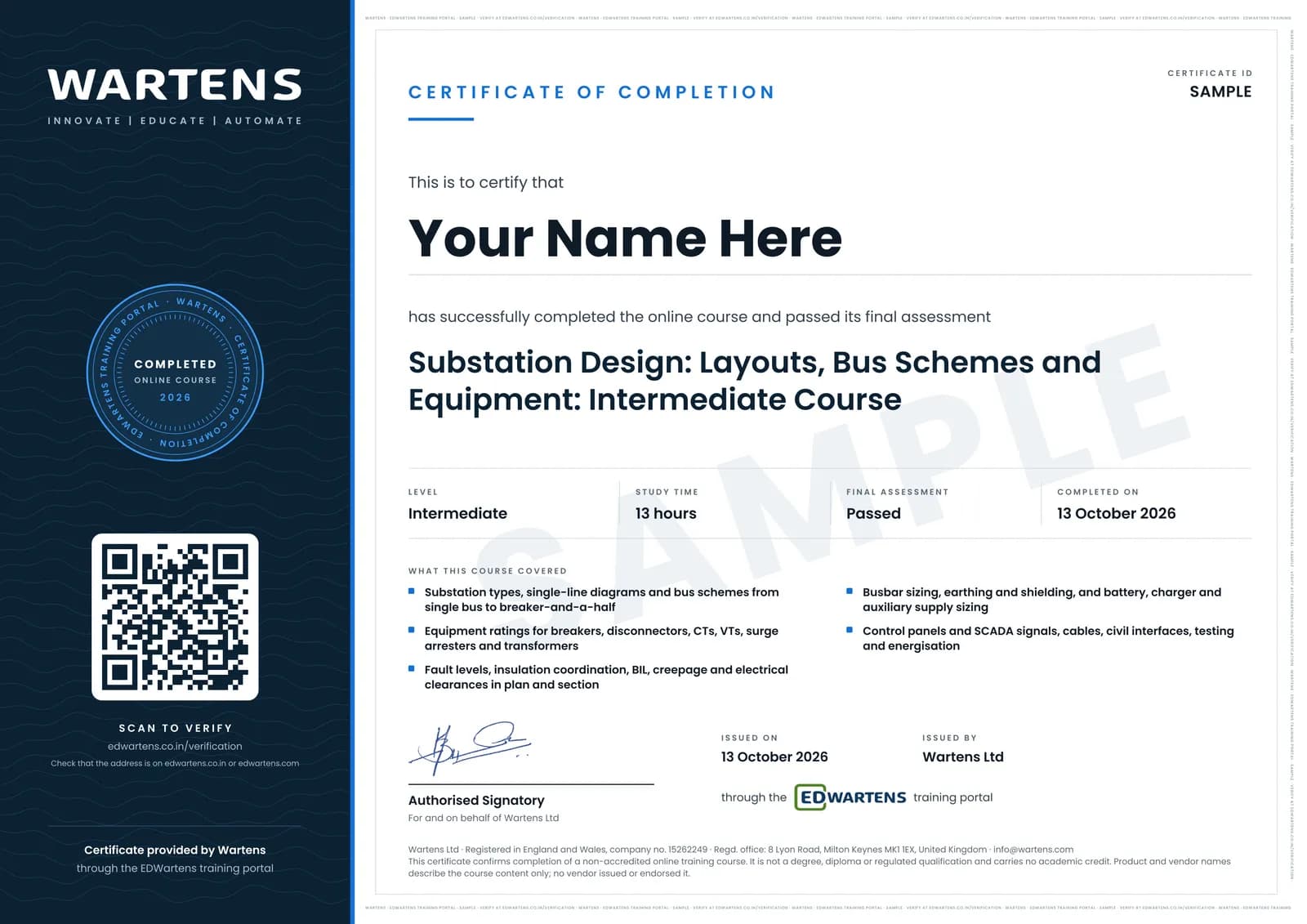
Verifiable by anyone
Adds to LinkedIn in one click
QR code on the certificate
Names what you can do
A permanent link
Earned, not attended
Learning is free. The certificate is optional.
Add it now and pay only when you have finished the course, or come back for it later. One-off, US$28.99, with a receipt.
Issued by Wartens Ltd (England and Wales, company no. 15262249) through the EDWartens training portal, as a Certificate of Completion for this self-paced course. Sold in India by Wartens Automation Private Limited. It is not a vendor certification, a university award or a CPD-accredited activity, and it does not certify competence on live equipment. Delivered electronically; see the refund policy.
Practise what you learn in the free 3D lab
Technical work is judged on what you can do: wiring, commissioning, finding a fault. Doing a task yourself teaches more than watching it a second time, and a lab lets you try it safely before you meet real equipment. It does not replace working on real hardware.
- Practise safely, so a mistake costs nothing.
- The lab checks your work like a site test, so you know when it is right.
- Free, in your browser, with nothing to install.
Why learn with EDWartens
What you get with this course.
- Free from the first lesson to the final assessment.
- Practice in a free 3D lab in your browser, with nothing to install.
- Video lessons with written notes and a project.
- An optional certificate that anyone can verify online.
FAQ
Common questions
Who is this substation design course for?
Electrical engineering graduates, junior design engineers in distribution companies, utilities, EPC contractors and consultancies, and site engineers moving into design. It suits engineers applying for substation design roles in India and the Gulf, where 33/11 kV and 132/33 kV substations are built every year.
What do I need to know before starting?
Three-phase power and basic per-unit quantities. Fault calculation, insulation levels and the standards the course uses are explained where they are needed. No design software or site experience is required.
Do I need AutoCAD or ETAP?
No. The calculations are done by hand or in a free spreadsheet, and the single-line diagram, plan and section can be drawn in a free tool such as LibreCAD or QElectroTech. AutoCAD with a free student licence is useful if you have it. Detailed system studies in software are covered by the EDWartens ETAP Power System Analysis course.
Which standards does the course follow?
IEC first: IEC 61936-1 for clearances and fire separation, IEC 60071 for insulation levels, IEC 60815 for creepage, IEC 62271 for switchgear ratings and IEC 60865 for short-circuit forces, with IEEE 80, IEEE 998 and IEEE 485 for earthing, shielding and batteries. Notes point out where Indian (CEA and CBIP) and Gulf utility practice differs. The course paraphrases the standards; check the edition your utility uses.
How is this different from the IEC 61850 Substation Automation course?
This course designs the substation itself: scheme, equipment, layout, busbars, earthing, DC system and civil interfaces. The IEC 61850 Substation Automation course covers the communication and automation system inside it. Take this one first and the 61850 course next if you will engineer substation automation.
How long does the Substation Design: Layouts, Bus Schemes and Equipment course take?
About 19 hours of video lessons, notes and practice, taken at your own pace; the videos alone are about 13 hours. The optional project, a 33/11 kV, 2 x 10 MVA substation design, takes about 16 hours more.
Is the course free, and what certificate do I get?
Every module, the notes, the project and the final assessment are free. If you pass the 15-question final at 60 percent you can get an EDWartens Certificate of Completion, with a number anyone can verify on our site. It is a certificate of completion, not a licence, a utility approval or a professional engineering credential.
What jobs does it lead to?
Substation design engineer and electrical design engineer roles with distribution companies, transmission utilities, EPC contractors and consultancies, and site and testing engineer roles on substation projects. Employers will still expect experience with their own standards and drawing practice, which this course prepares you to learn quickly.
Do I have to use the lab?
No. The lab is optional practice. You can skip it whenever you like, and it never blocks your progress, the final assessment or your certificate.
Is the lab free?
Yes. Every lab level for this course opens in your browser, free, with nothing to install.
Is the Substation Design: Layouts, Bus Schemes and Equipment course free in India, and what does the certificate cost?
Yes. Learning costs ₹0 in India: every module, the written notes, the practice tasks and the final assessment, with no card and no trial period. The only paid item is the optional EDWartens Certificate of Completion, ₹599 including GST for this intermediate course, paid in rupees through Razorpay, and only if you want it after passing the final assessment.
What topics does the Substation Design: Layouts, Bus Schemes and Equipment course cover, module by module?
The Substation Design: Layouts, Bus Schemes and Equipment course has 14 modules. It opens with "Substation types: AIS, GIS, outdoor and indoor, by voltage", goes through "Single-line diagrams and bus schemes", "Electrical clearances and layout, in plan and section", "Auxiliary AC and DC systems: battery and charger sizing" and "Testing, energisation and the design-review checklist" and ends with "Final Assessment". The full list with minutes is under "What you learn" on this page.
What can I do after the Substation Design: Layouts, Bus Schemes and Equipment course?
After the Substation Design: Layouts, Bus Schemes and Equipment course: Choose between AIS, GIS and hybrid substations for a site, and draw the single-line diagram; Compare single, sectionalised, main and transfer, double bus, breaker-and-a-half and ring schemes; Rate breakers, disconnectors, CTs, VTs, surge arresters and transformers from the fault level. These are the practical outcomes the course is written around, and the final assessment of 15 questions checks them.
What software and hardware do I need for the Substation Design: Layouts, Bus Schemes and Equipment course, and does it cost anything?
For the Substation Design: Layouts, Bus Schemes and Equipment course, software: A spreadsheet (LibreOffice Calc is free) for the calculations. A free 2D drafting tool such as LibreCAD or QElectroTech for the single-line diagram and layout; AutoCAD (free student licence) is useful but not required. Google Earth for site context. Hardware: none. The course itself is free.
Is the Substation Design: Layouts, Bus Schemes and Equipment course suitable for me, and what level is it?
Substation Design: Layouts, Bus Schemes and Equipment is rated intermediate. Intermediate. For electrical engineering graduates, junior design engineers in utilities, EPC contractors and consultancies, and site engineers moving into design. You should know three-phase power and basic per-unit; fault calculation is revised where it is used. It is written for electrical design engineers and graduates who design 33/11 kV and 132/33 kV substations, and has 13h 5m of video lessons at your own pace.
Which jobs use the skills from the Substation Design: Layouts, Bus Schemes and Equipment course?
Skills from the Substation Design: Layouts, Bus Schemes and Equipment course (for example: choose between AIS, GIS and hybrid substations for a site, and draw the single-line diagram) are used in substation design engineer work. The course gives you practical evidence of the skill; it does not promise a job, and employers decide on experience and interview.
All course factsHide course facts
- Price
- ₹0, free for good. No trial, no card. Comparable classroom training of this length costs about ₹7,999.
- Who it is for
- Electrical design engineers and graduates who design 33/11 kV and 132/33 kV substations
- Format
- 14 self-paced modules, 13h 5m of video, written notes, a practice task per module and one final assessment.
- Level
- Intermediate. Intermediate. For electrical engineering graduates, junior design engineers in utilities, EPC contractors and consultancies, and site engineers moving into design. You should know three-phase power and basic per-unit; fault calculation is revised where it is used.
- Brand
- Vendor-neutral
- Software
- A spreadsheet (LibreOffice Calc is free) for the calculations. A free 2D drafting tool such as LibreCAD or QElectroTech for the single-line diagram and layout; AutoCAD (free student licence) is useful but not required. Google Earth for site context.
- Hardware
- None.
- Certificate
- Optional EDWartens Certificate of Completion, ₹599 inclusive of GST for learners in India, verifiable by code. Not a vendor credential.
- Video lessons by
- Gaurav J - TheElectricalGuy, CMTEQ, Electrical Thunderbolt, DC Engineering, ELECTRICAL TECHNOLOGY and INDUSTRIAL PRACTICE, Commonwealth Associates, Inc (independent creators, credited below)
- Language
- English
- Last updated
- 1 November 2026
Pairs well with
 PLC programming · FreeSiemens TIA Portal
 PLC programming · FreeSiemens TIA Portal in Three Hours
 PLC programming · FreeTIA Portal: Build a Machine
 Instrumentation · FreeInstrumentation for PLC Engineers
More free courses: Free electrical design and control panel courses · Free power system and ETAP courses
Classroom course, Bangalore
PLC training in Bangalore
The Automation Engineer Program (AEP) is our classroom course in PLC programming and industrial automation, taught in person at our Electronic City centre.
Credits
Who made the video lessons
The video lessons in this course were created by the people below, not by EDWartens. Every lesson streams from its creator's own YouTube channel; EDWartens neither hosts nor sells that footage, and the creators are not affiliated with EDWartens and do not endorse this course. What EDWartens wrote is the study plan, the notes, the practice tasks and the assessments.
- Gaurav J - TheElectricalGuythe Substation and Switchgear lessons: what a substation is for, classification of substations, AIS versus GIS, reading single-line diagrams, the 33/11 kV and 132/33 kV SLDs, bus bar arrangements, the bus coupler, live and dead tank breakers, auto-reclosing duty, disconnector parameters, short-time and peak currents, CT parameters, the five vital clearances, AIS versus GIS selection, substation grounding and how it is tested, why control circuits use DC, the MV switchgear control compartment, switchgear monitoring, high-voltage testing of MV switchgear, and the equipment quick revision used before the final
- CMTEQthe Substation Components series: power transformers, tap changers, circuit breakers, busbars, lightning arresters, disconnectors and earth switches, CTs and VTs, neutral earthing resistors, the objectives of protection, and the 132 kV switchyard single-line diagram
- Electrical Thunderboltbusbar sizing and selection to IEC, ANSI and IEEE (parts 1 to 9) and busbar sag calculation, voltage transformer sizing and selection, substation earthing design to IEEE 80 (part 1), and substation cable sizing and selection (parts 1 to 5)
- DC Engineeringthe Substation Configurations lessons on radial, ring bus and breaker-and-a-half arrangements
- ELECTRICAL TECHNOLOGY and INDUSTRIAL PRACTICEthe Substation design series lessons on the specification of a substation, facilities and basic layout guidelines, and auxiliary power
- Commonwealth Associates, Incinsulation coordination explained: protecting substation assets from surges and lightning
- stephen brookssubstation clearances, and substation cable trays (https://www.youtube.com/watch?v=ghjm_VEclmU)
- George Flewsubstation lightning protection with the IEEE 998 rolling sphere method
- Electrical Superintendentsubstation battery chargers: charger functions and components, and the typical DC control system layout (https://www.youtube.com/watch?v=AayQVHAan2Q)
- Circuit Masterclassa step-by-step VRLA battery sizing calculation for a substation, and the bay control unit in a substation (https://www.youtube.com/watch?v=8fntEEPo0mg)
- Sacademicusan introduction of the substation to civil and structural engineers
- Annai Teresa Ecthe design procedure for substation equipment foundations
- BESA Researchtransformer fire wall requirements and fire protection solutions
- SA Power Networkshow a substation is built from scratch, as a time-lapse of the civil and electrical works
- Keentel Engineeringtransformer commissioning and its testing guide
If you are one of these creators and would like a lesson removed or credited differently, write to info@edwartens.co.in.