

Maintenance · Free online course
Maintenance Planning, Scheduling and CMMS with SAP PM
The work management skills a maintenance planner is hired for: maintenance strategies, asset hierarchy and criticality (ISO 14224), the work-order lifecycle, job planning and work packs, weekly scheduling, backlog and KPIs such as MTBF, MTTR and schedule compliance, spares and kitting, PM programmes, a hands-on open-source CMMS, and SAP PM technical objects, notifications, orders and maintenance plans.
- 14 modules
- 9h 16m of video
- Beginner
- English
- ₹0, free

₹0Free for good
Worth ₹4,999 by length and depth against classroom training. It has always been free; that is not a former price.
No card. Checkout takes a minute and gives you a receipt.
Certificate ₹499, optional. The course is free either way.
Overview
About Maintenance Planning, Scheduling and CMMS with SAP PM
Plan and schedule maintenance work, track KPIs and use a CMMS, with SAP PM shown on video, as a maintenance planner does.
Maintenance Planning, Scheduling and CMMS with SAP PM is a free, self-paced online course from EDWartens for maintenance technicians, supervisors and engineers moving into planning, scheduling and CMMS or SAP PM roles in plants, utilities and facilities worldwide. It has 14 modules and 9h 16m of video lessons, with written notes, a practice task per module, a practical project and a final assessment of 15 questions (pass mark 60%). Learning costs nothing and needs only a free account. The optional EDWartens Certificate of Completion, verifiable by code, is a one-off ₹499 inclusive of GST for learners in India; it is not a vendor credential. Updated 1 November 2026.
Who it is for: Maintenance technicians, supervisors and engineers moving into planning, scheduling and CMMS or SAP PM roles in plants, utilities and facilities worldwide
This course includes
- 9h 16m of video lessons
- 14 modules with written notes and diagrams
- One final assessment: 15 questions, pass mark 60%
- Ask-an-engineer support from practising engineers
- Lifetime access, the course does not expire
- Optional verifiable certificate when you finish
- Step 1 of 3
Learn the 14 modules
9h 16m of video lessons, written notes and a practice task per module, at your own pace.
- Step 2 of 3
Pass the final assessment
15 questions drawn from every module, pass mark 60%, 3 attempts.
- Step 3 of 3
Take the certificate, if you want it
Optional, paid once, only if you choose it. The course stays free either way.
See the certificate and its price
A look inside


From the lessons

Maintenance strategies and why planning pays
by RS Engineering Insights

Work identification, notifications and priorities
by IDCON Reliability and Maintenance
Scheduling: weekly and daily schedules and compliance
by Reliability Academy

Spares, MRO stores and kitting
by JAES Company

CMMS: choosing one, data quality and hands-on with Odoo
by Limble

SAP PM corrective maintenance: notifications and orders
by SAP dude
Lesson frames belong to the creators named in the Credits and are shown from YouTube.
What you learn
What you will be able to do
By the end you will be able to:
- Choose a maintenance strategy and rank assets by criticality
- Plan a job with steps, crafts, hours and a work pack
- Build a weekly schedule and measure schedule compliance
- Calculate MTBF, MTTR, availability and PM compliance
- Set up equipment and recurring maintenance in a CMMS
How it works
How this course works
Watch the lessons
Short video lessons, one module at a time, at your own pace.
Read the notes
Open the Reading tab for the written notes and diagrams of the module.
Check yourself
Answer the questions to see what stuck before you move on.
Final assessment
Pass the final once you have been through the modules.
Certificate, if you want oneOptional
Optional, with a page anyone can use to verify it.
Syllabus
Course content, module by module
In order, at whatever pace suits you. Each module ends with a practice task that builds on the last.
- Modules
- 14
- Video lessons
- 56
- Of video
- 9h 16m
- Final questions
- 15
- 01
Maintenance strategies and why planning pays
3 lessons · 16m - 02
Asset hierarchy, master data and criticality
4 lessons · 15m - 03
Work identification, notifications and priorities
5 lessons · 42m - 04
Job planning: scope, estimates and work packs
6 lessons · 57m - 05
Scheduling: weekly and daily schedules and compliance
6 lessons · 28m - 06
Backlog management and maintenance KPIs
4 lessons · 49m - 07
Spares, MRO stores and kitting
3 lessons · 18m - 08
Preventive and condition-based maintenance programmes
4 lessons · 39m Final assessment · 15 questions, pass mark 60%
Project
The course project
Optional practice that ends in the kind of job the course prepares you for, with the documents that go with it.
About 10 hours
Building the maintenance programme for a water booster pump station: asset register, PM plan, job plan, spares and KPI report
Set up planned maintenance for a booster pump station as the utility's new maintenance planner. You build the asset register with criticality, the PM programme with its hours, a standard job plan for the seal change, the spares levels and a first monthly KPI report with a 90-day plan. The sample pack shows each document for Silverstream booster station.
- 5documents in the pack
- 5steps to follow
- 6things to hand in
- 10 hof work, at your pace
Sample document pack, 5 documents, filled in for the scenario
- RegisterAsset register and criticality: Silverstream booster station
- PlanPreventive maintenance programme: Silverstream booster station
- ProcedureStandard job plan: cartridge mechanical seal change, P201 pumps
- RegisterSpares register and stock levels: P201 pumps and intake screens
- ReportMonthly maintenance KPI report and 90-day plan: area crew
Read inside the course and download as a workbook. The project is optional practice, marked when you submit it; the certificate needs only the modules and the final assessment.
Tools
Software, hardware and lessons
Software
A spreadsheet (LibreOffice Calc is free) for schedules, backlog and KPIs. Odoo Community with its Maintenance app (free, open source, LGPL-3) for the CMMS exercises, installed locally or with Docker. SAP is shown on video and in the notes; the course does not provide SAP system access, and SAP Learning's free online courses are a good next step.
Hardware
None. Any laptop that runs a browser and a spreadsheet is enough; running Odoo locally needs about 4 GB of free memory.
Who it is for
Beginner to intermediate. For maintenance technicians, supervisors and engineers moving into planning, and for graduates aiming at maintenance planner or SAP PM end-user roles. You need basic arithmetic and a spreadsheet; no SAP access or prior planning experience is needed.
Video lessons by
- IDCON Reliability and Maintenance
- Reliability Academy
- SAP dude
- SAP Help and Learning
- Odoo
- Cybrosys Technologies
- Limble
- MaintainX (An Autodesk Company)
- Tractian
- UpKeep
- Spartakus APM
- Reliabilityweb TV
- Joe Kuhn
- JAES Company
- RS Engineering Insights
- Nauci me
- Learn with EngrWaqas
Independent creators, credited in full under Credits.
Software you need
What to download, where from, what it costs and how to install it. Every link goes to the maker's own site, never a mirror.
Nothing to install for most modules: a spreadsheet, or paper, is enough for every calculation
SAP is shown on video; no SAP access is needed.
Odoo Community is used in MPS9 and the optional project; run it with Docker Desktop or install the Community packages.
Optional
Useful, not needed to finish the course.
- 01Free
LibreOffice
The Document Foundation
- Runs on
- Windows 10 or 11, macOS 11 or newer (Intel or Apple silicon), Linux
- Account
- None needed
- Size
- up to 1.5 GB of disk space on Windows
LibreOffice is free, open-source software under the Mozilla Public License 2.0, for any use including business. Calc is its spreadsheet.
Steps
- 1.Open the LibreOffice download page.
- 2.Check the page has picked your operating system, then select Download.
- 3.Run the installer (administrator rights are needed on Windows).
- 4.Start LibreOffice Calc for spreadsheet work.
- 5.Save as .xlsx if you need to share files with Excel users.
- Choose the latest main version unless your organisation asks for the older, more conservative release.
Official download pagelibreoffice.org - 02Free and open source
Odoo Community (Maintenance app)
Odoo S.A. (open source Community edition)
- Runs on
- Windows, macOS (with Docker) and Linux
- Account
- None needed
Odoo Community, including its Maintenance app, is released under the LGPL-3 and is free for any use. The download page asks for an email address; the official Docker image needs no account. The paid Enterprise edition is not needed for this course.
Steps
- 1.Install Docker Desktop, or on Linux install Docker Engine.
- 2.Start a PostgreSQL container and the official odoo container linked to it, as described on the odoo image page on Docker Hub (or install the Community package from odoo.com/page/download).
- 3.Open http://localhost:8069 and create a new database.
- 4.Open Apps, search for Maintenance and install it.
- 5.Create equipment categories, a maintenance team and your first equipment records.
- Recurrent preventive requests repeat by days, weeks, months or years; the next one appears when the current one is completed.
- The Community app has no parent-child equipment hierarchy; put the hierarchy into tag names and categories, as MPS9 shows.
Official download pageodoo.com - 03Free for personal use, education and small businesses
Docker Desktop
Docker, Inc.
- Runs on
- Windows 10 64-bit version 22H2 (build 19045) or Windows 11 64-bit version 23H2 (build 22631) or later, with WSL 2 and hardware virtualisation on, 8 GB RAM. Also macOS and Linux.
- Account
- None needed
Free for personal use, education, non-commercial open source projects, and businesses with fewer than 250 employees and less than 10 million US dollars in annual revenue. Larger businesses need a paid subscription. Docker Engine on Linux is open source and is not covered by these terms.
Steps
- 1.Open docker.com/products/docker-desktop and download the installer for your system.
- 2.On Windows, install WSL first (wsl --install) if you do not have it.
- 3.Run the installer and keep the WSL 2 option selected.
- 4.Restart if asked, then start Docker Desktop and accept the subscription terms.
- 5.Open a terminal and run: docker run hello-world
- Turn on virtualisation in BIOS or UEFI if Docker says it is not available.
- On Linux servers, install Docker Engine instead of Docker Desktop.
Official download pagedocker.comAlternatives
- Docker Engine (Linux): Free, open source engine for Linux. Not covered by the Docker Desktop subscription terms.
Checked against each maker's own page on 27 September 2026. Trial lengths and editions change; the maker's page is the final word.
What you walk away with
Your certificate for Maintenance Planning, Scheduling and CMMS with SAP PM
Finish the course, pass the final, and this is the document with your name on it.

Verifiable by anyone
Adds to LinkedIn in one click
QR code on the certificate
Names what you can do
A permanent link
Earned, not attended
Learning is free. The certificate is optional.
Add it now and pay only when you have finished the course, or come back for it later. One-off, US$23.99, with a receipt.
Issued by Wartens Ltd (England and Wales, company no. 15262249) through the EDWartens training portal, as a Certificate of Completion for this self-paced course. Sold in India by Wartens Automation Private Limited. It is not a vendor certification, a university award or a CPD-accredited activity, and it does not certify competence on live equipment. Delivered electronically; see the refund policy.
Why learn with EDWartens
What you get with this course.
- Free from the first lesson to the final assessment.
- Video lessons with written notes and a project.
- An optional certificate that anyone can verify online.
FAQ
Common questions
What is this maintenance planning and SAP PM course?
It is a free-to-learn online course in maintenance planning and scheduling, CMMS use and the core of SAP PM (now SAP S/4HANA Asset Management). It covers strategies, asset hierarchy and criticality, work orders, job plans, weekly schedules, backlog and KPIs, spares, PM programmes, a hands-on open-source CMMS, and SAP functional locations, notifications, orders and maintenance plans.
Who is the course for, and what do I need to know first?
It is for maintenance technicians, supervisors and engineers moving into planning, and for graduates aiming at maintenance planner or SAP PM end-user roles. Basic arithmetic and a spreadsheet are enough; no SAP access or planning experience is needed.
Does the course give SAP access or an SAP certification?
No. It teaches the SAP PM concepts, objects and transactions on video and in the notes, so you can follow an SAP site and an interview, but it gives no system access and does not lead to an SAP certification. SAP Learning's free online courses, such as Exploring Preventive Maintenance in SAP S/4HANA Asset Management, are a good next step.
Which software do I use?
A spreadsheet such as LibreOffice Calc for schedules, backlog and KPIs, and Odoo Community with its Maintenance app (free and open source) for the CMMS exercises, installed with the official Docker image or the packages from odoo.com. Every calculation can also be done on paper.
How long does the course take, and is it free?
About 17 hours at your own pace, of which about 10 hours is video, plus about 10 hours for the optional project. Every module, the notes, worked problems, practice tasks, project and final assessment are free to learn.
What certificate do I get, and how is it verified?
You get a verifiable certificate of completion when you finish the modules and pass the 15-question final at 60 percent. It has a unique certificate number, a QR code and a public verification page that shows the course, the modules covered and your final score. It is a completion certificate, not an SAP, SMRP (CMRP) or other professional credential.
Which standards and metrics does the course use?
The asset hierarchy follows the ISO 14224 taxonomy, the KPIs follow the definitions used in EN 15341 and the SMRP best practice metrics, and the SAP content follows SAP S/4HANA Asset Management. Standards are explained in our own words; no standard text is reproduced.
What jobs does it prepare me for?
It prepares you for maintenance planner, maintenance scheduler, CMMS or SAP PM key user and junior maintenance engineer roles in plants, utilities, oil and gas, mining and facilities. Employers across the Gulf, Africa and Asia that run SAP PM or another CMMS look for exactly these work management skills.
Is the Maintenance Planning, Scheduling and CMMS with SAP PM course free in India, and what does the certificate cost?
Yes. Learning costs ₹0 in India: every module, the written notes, the practice tasks and the final assessment, with no card and no trial period. The only paid item is the optional EDWartens Certificate of Completion, ₹499 including GST for this beginner course, paid in rupees through Razorpay, and only if you want it after passing the final assessment.
What topics does the Maintenance Planning, Scheduling and CMMS with SAP PM course cover, module by module?
The Maintenance Planning, Scheduling and CMMS with SAP PM course has 14 modules. It opens with "Maintenance strategies and why planning pays", goes through "Asset hierarchy, master data and criticality", "Backlog management and maintenance KPIs", "CMMS: choosing one, data quality and hands-on with Odoo" and "Shutdowns, turnarounds and improving the maintenance system" and ends with "Final assessment". The full list with minutes is under "What you learn" on this page.
What can I do after the Maintenance Planning, Scheduling and CMMS with SAP PM course?
After the Maintenance Planning, Scheduling and CMMS with SAP PM course: Choose a maintenance strategy per asset and explain how planning raises wrench time; Build an asset hierarchy on the ISO 14224 taxonomy and rank assets by criticality; Screen work requests, rank the backlog with a priority index and close orders with failure codes. These are the practical outcomes the course is written around, and the final assessment of 15 questions checks them.
What software and hardware do I need for the Maintenance Planning, Scheduling and CMMS with SAP PM course, and does it cost anything?
For the Maintenance Planning, Scheduling and CMMS with SAP PM course, software: A spreadsheet (LibreOffice Calc is free) for schedules, backlog and KPIs. Odoo Community with its Maintenance app (free, open source, LGPL-3) for the CMMS exercises, installed locally or with Docker. SAP is shown on video and in the notes; the course does not provide SAP system access, and SAP Learning's free online courses are a good next step. Hardware: none. Any laptop that runs a browser and a spreadsheet is enough; running Odoo locally needs about 4 GB of free memory. The course itself is free.
Is the Maintenance Planning, Scheduling and CMMS with SAP PM course suitable for me, and what level is it?
Maintenance Planning, Scheduling and CMMS with SAP PM is rated beginner. Beginner to intermediate. For maintenance technicians, supervisors and engineers moving into planning, and for graduates aiming at maintenance planner or SAP PM end-user roles. You need basic arithmetic and a spreadsheet; no SAP access or prior planning experience is needed. It is written for maintenance technicians, supervisors and engineers moving into planning, scheduling and CMMS or SAP PM roles in plants, utilities and facilities worldwide, and has 9h 16m of video lessons at your own pace.
Which jobs use the skills from the Maintenance Planning, Scheduling and CMMS with SAP PM course?
Skills from the Maintenance Planning, Scheduling and CMMS with SAP PM course (for example: choose a maintenance strategy per asset and explain how planning raises wrench time) are used in maintenance planner work. The course gives you practical evidence of the skill; it does not promise a job, and employers decide on experience and interview.
All course factsHide course facts
- Price
- ₹0, free for good. No trial, no card. Comparable classroom training of this length costs about ₹4,999.
- Who it is for
- Maintenance technicians, supervisors and engineers moving into planning, scheduling and CMMS or SAP PM roles in plants, utilities and facilities worldwide
- Format
- 14 self-paced modules, 9h 16m of video, written notes, a practice task per module and one final assessment.
- Level
- Beginner. Beginner to intermediate. For maintenance technicians, supervisors and engineers moving into planning, and for graduates aiming at maintenance planner or SAP PM end-user roles. You need basic arithmetic and a spreadsheet; no SAP access or prior planning experience is needed.
- Brand
- Vendor-neutral
- Software
- A spreadsheet (LibreOffice Calc is free) for schedules, backlog and KPIs. Odoo Community with its Maintenance app (free, open source, LGPL-3) for the CMMS exercises, installed locally or with Docker. SAP is shown on video and in the notes; the course does not provide SAP system access, and SAP Learning's free online courses are a good next step.
- Hardware
- None. Any laptop that runs a browser and a spreadsheet is enough; running Odoo locally needs about 4 GB of free memory.
- Certificate
- Optional EDWartens Certificate of Completion, ₹499 inclusive of GST for learners in India, verifiable by code. Not a vendor credential.
- Video lessons by
- IDCON Reliability and Maintenance, Reliability Academy, SAP dude, SAP Help and Learning, Odoo, Cybrosys Technologies, Limble, MaintainX (An Autodesk Company), Tractian, UpKeep, Spartakus APM, Reliabilityweb TV, Joe Kuhn, JAES Company, RS Engineering Insights, Nauci me, Learn with EngrWaqas (independent creators, credited below)
- Language
- English
- Last updated
- 1 November 2026
Pairs well with
 PLC programming · FreeSiemens TIA Portal
 PLC programming · FreeSiemens TIA Portal in Three Hours
 PLC programming · FreeTIA Portal: Build a Machine
 Instrumentation · FreeInstrumentation for PLC Engineers
More free courses: Free maintenance and reliability courses
Classroom course, Bangalore
PLC training in Bangalore
The Automation Engineer Program (AEP) is our classroom course in PLC programming and industrial automation, taught in person at our Electronic City centre.
Credits
Who made the video lessons
The video lessons in this course were created by the people below, not by EDWartens. Every lesson streams from its creator's own YouTube channel; EDWartens neither hosts nor sells that footage, and the creators are not affiliated with EDWartens and do not endorse this course. What EDWartens wrote is the study plan, the notes, the practice tasks and the assessments.
- IDCON Reliability and Maintenancethe planning and scheduling series: why plants need it, management's role, initiating and screening work, priorities, scoping, standard job plans, work packages, the planner's and scheduler's jobs, scheduling meetings, cutoff times, backlog, the technical database, and shutdown and turnaround strategy and scheduling
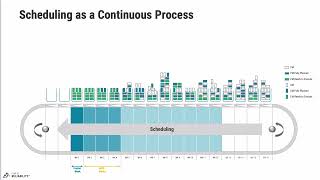
- Reliability AcademyPS100 lessons on what planning and scheduling is, its value, the principles of maintenance planning, and scheduling as a continuous process
- SAP dudethe SAP PM/EAM tutorials on functional locations, equipment, notifications, work orders, BOMs, measuring points, scheduling parameters, preventive maintenance, MRO kitting, work packs, PM versus EAM, and the phase-based maintenance process in S/4HANA
- SAP Help and LearningSAP's own overview demo of asset and service management
- Odoothe official Maintenance app tour and the lessons on maintenance requests and recurrent maintenance
- Cybrosys Technologiesthe walkthrough of the Maintenance module in Odoo 19 Community
- Limblethe complete guide to what a CMMS is, and building a preventive maintenance plan
- MaintainX (An Autodesk Company)building a preventive maintenance programme from scratch
- Tractiancalculating MTBF, MTTR, availability and downtime from maintenance data
- UpKeepRicky Smith on what ISO 14224 says about structures and hierarchies
- Spartakus APMasset master data with ISO 14224, MRO inventory balance, and preventive maintenance optimisation
- Reliabilityweb TVthe PM optimisation talk 'PMO like a PRO'
- Joe Kuhna beginner's look at asset criticality and how it drives plant results
- JAES Companywhat maintenance, repair and operations (MRO) spares are and how their supply chain works
- RS Engineering Insightsreactive, preventive and predictive maintenance compared, which opens the course
- Nauci mecreating a task list and a maintenance plan in SAP, step by step
- Learn with EngrWaqasplant shutdown management with Primavera P6
If you are one of these creators and would like a lesson removed or credited differently, write to info@edwartens.co.in.